
Enable/disable access to the support session
Description – This page explains how users can enable or disable the option that allows Eponet administrators to access their account for support purposes. Enabling this setting allows issues to be resolved more quickly, as support access is granted when required. Users can manage this setting at any time via the mobile app or the web portal.
Section 1: Enabling/disabling support access via the mobile
app – Steps
- Open the Eponet app
- Navigate to your profile
- Tap the profile card at the top of the screen
- Open your profile settings
- Tap the arrow ( > ) on your profile card
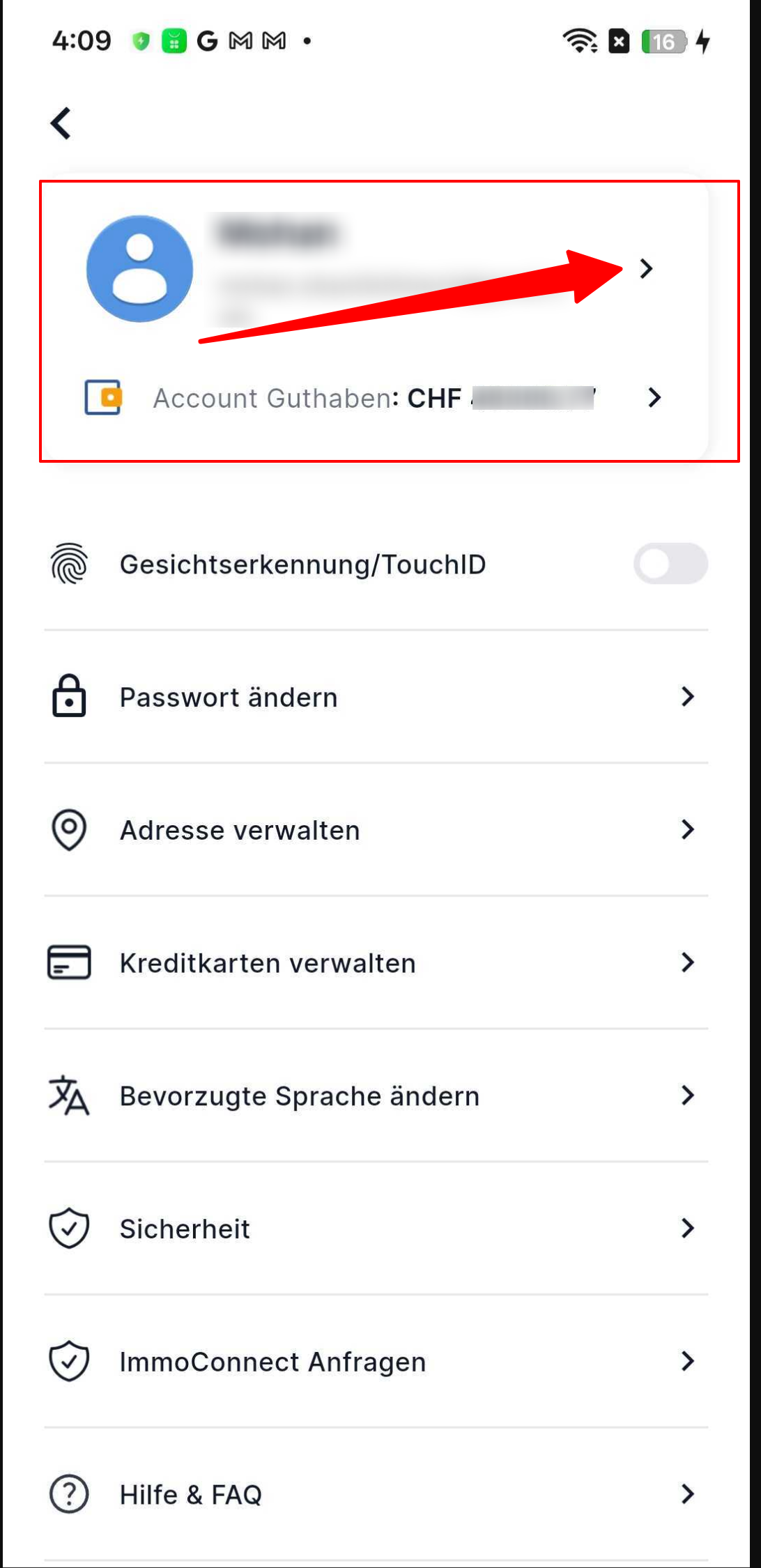
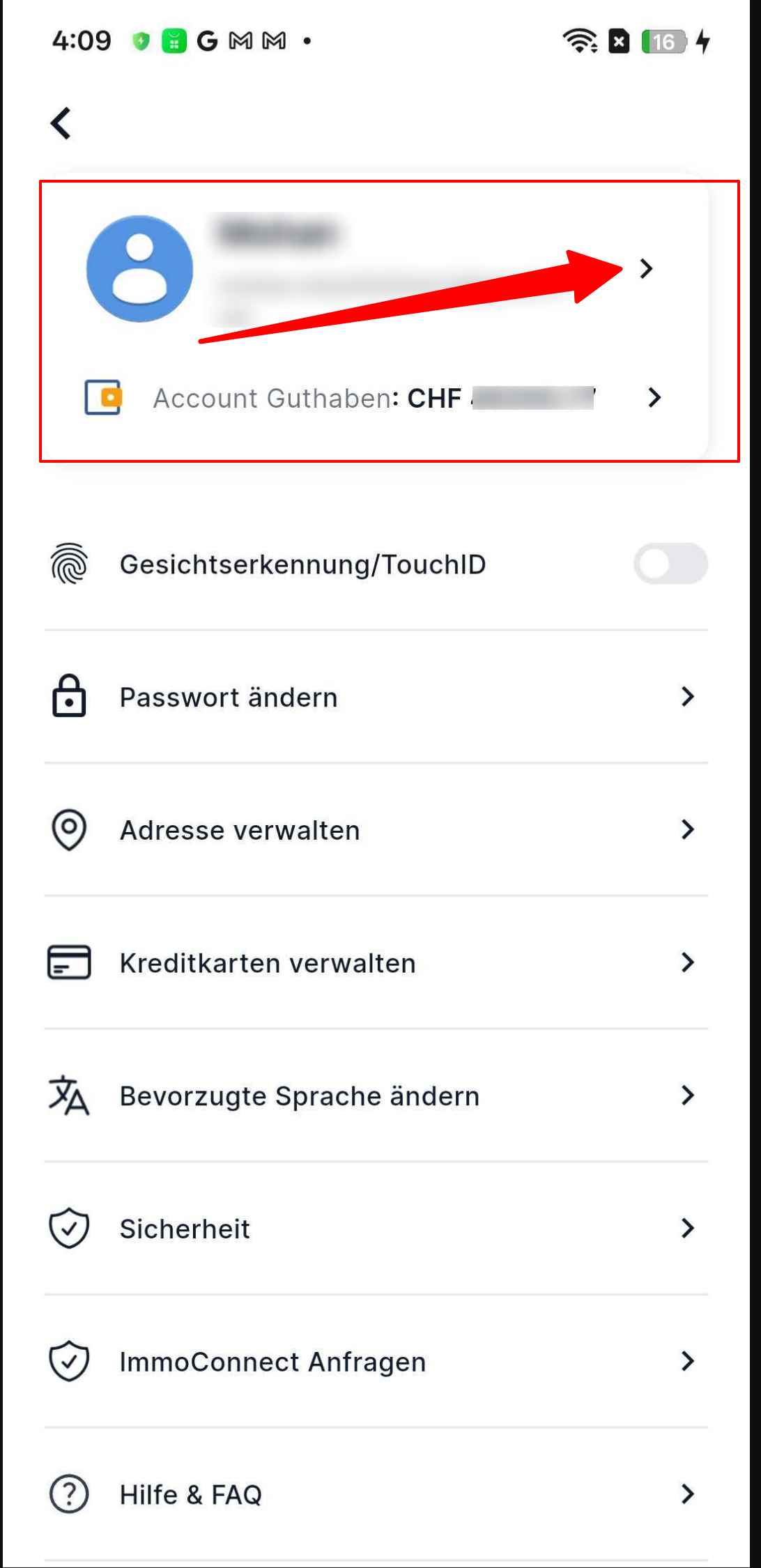
- Scroll down to the ‘Settings’ section
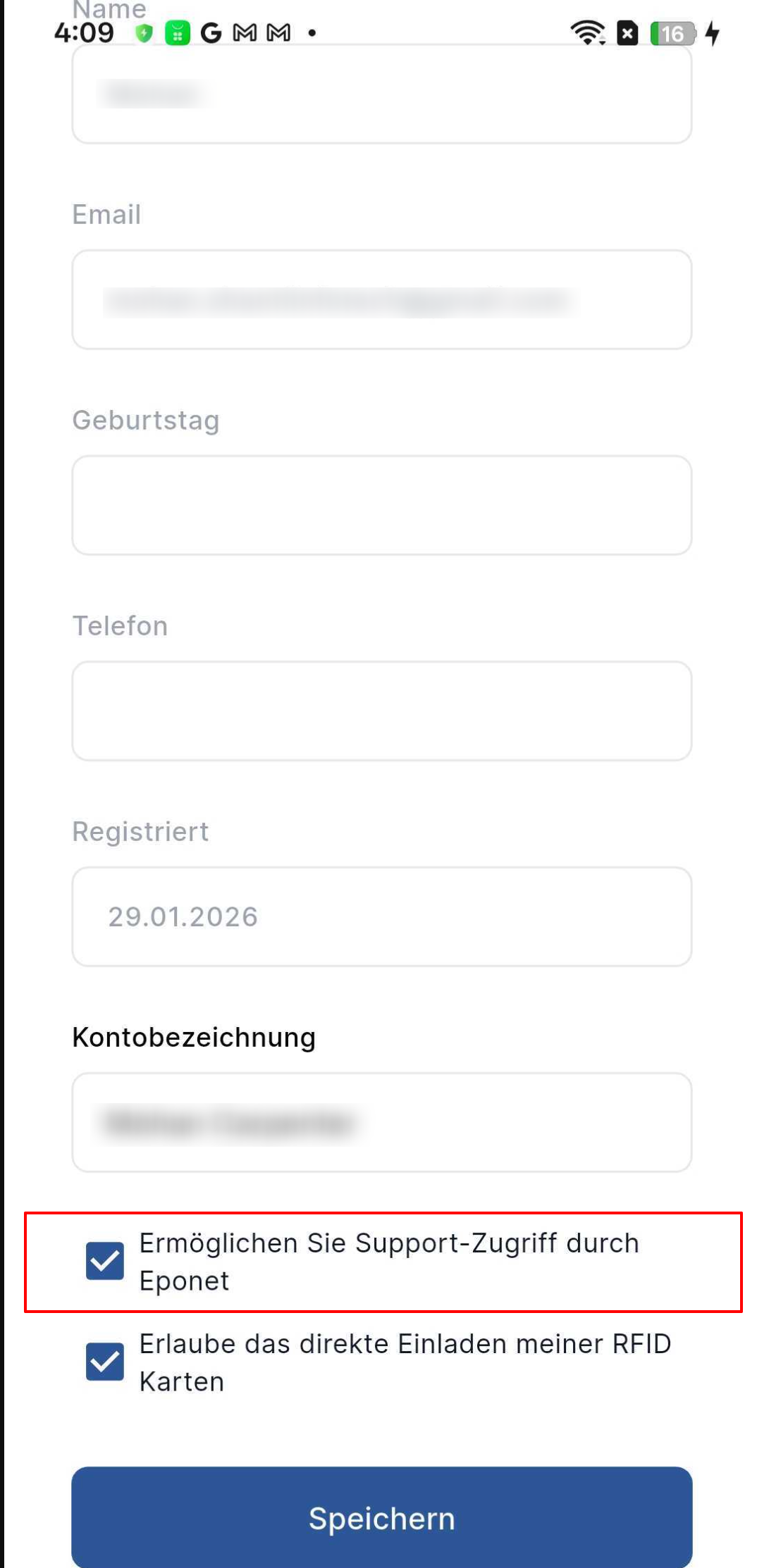
- Find the option: ‘Allow access for Eponet Support’
- Tick the box:
- Enabled → The administrator can access your account for support purposes
- Disabled → No administrator access permitted
- Tap ‘Save’ to apply the changes
Section 2: Enable/disable support access via the web portal
Steps
- Log in to the Eponet web portal
- Click on your profile icon (top right)
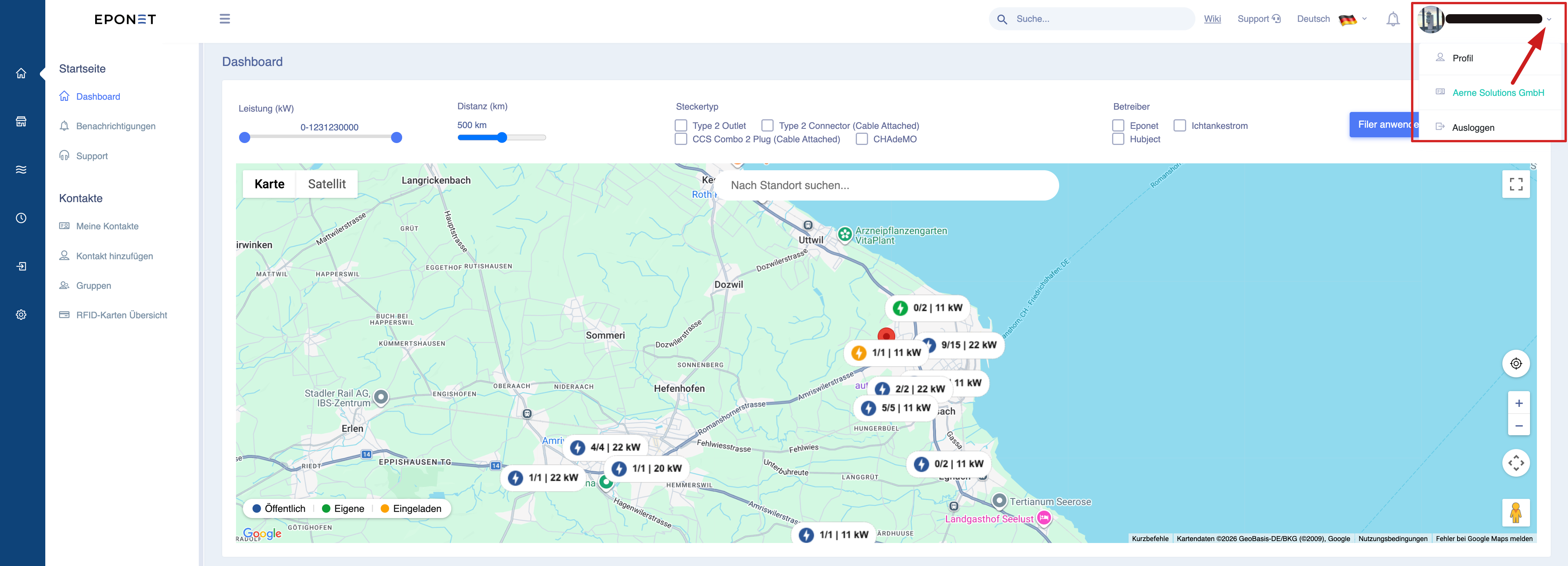
- Select ‘Profile’
- Go to the ‘Settings’ tab
- Scroll down to the ‘Account settings’ section
- Look for the option: ‘Allow support access via Eponet’
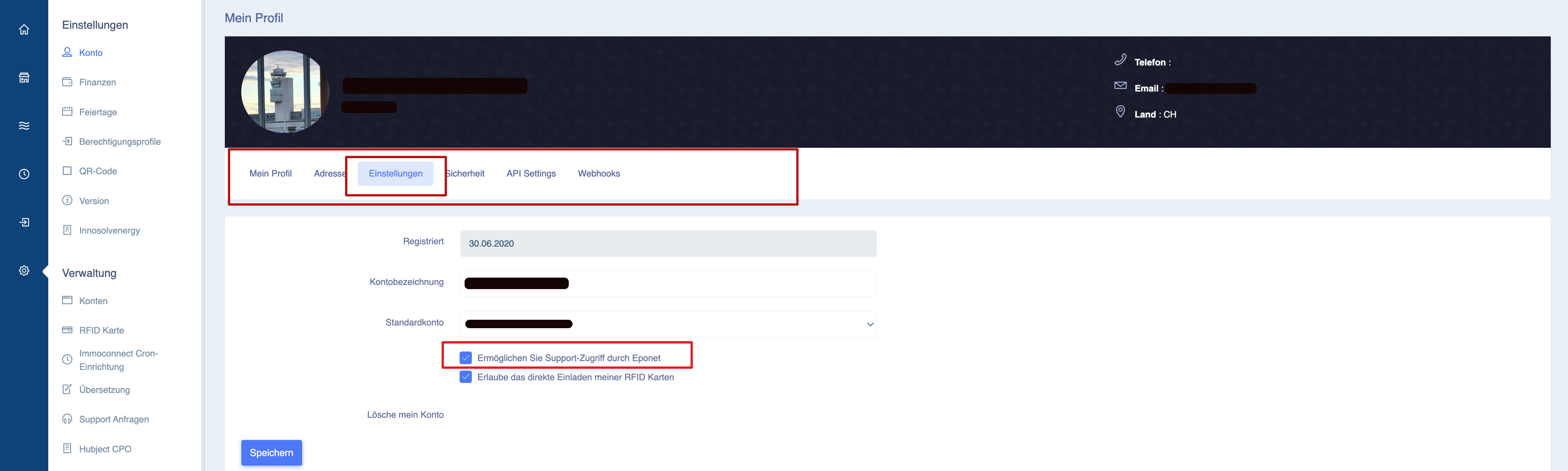
- Tick the box:
- Ticked → Access permitted for admin support
- Disabled → Access restricted
- Click ‘Save’