
Grant RFID cards
Description
The ‘Grant RFID Access’ function enables RFID card holders to securely grant other users within the platform access to their RFID cards. This allows authorised users to top up vehicles using the granted RFID card without needing to be in possession of the physical card itself.
The authorised user is granted access based on the permissions and restrictions set by the RFID card holder. Charging behaviour, session limits, validity periods, spending limits and access rights are governed by the RFID profile assigned to the RFID card.
This feature is ideal for businesses that need to share charging access with employees, contractors, fleet drivers, family members, tenants or partner organisations, whilst retaining full control over charging authorisations and usage policies.
Overview of ‘Grant RFID’
The ‘Grant RFID Access’ section displays RFID cards that have been shared with other users.
With this feature, RFID cardholders can:
- grant charging access to other users
- select which RFID card to share
- assign RFID profiles that control charging behaviour
- manage and revoke the access granted at any time
- monitor usage based on records of charging sessions
- Centralised control over charging point authorisations
The authorised user can start charging immediately, utilising the permissions assigned by the RFID cardholder.
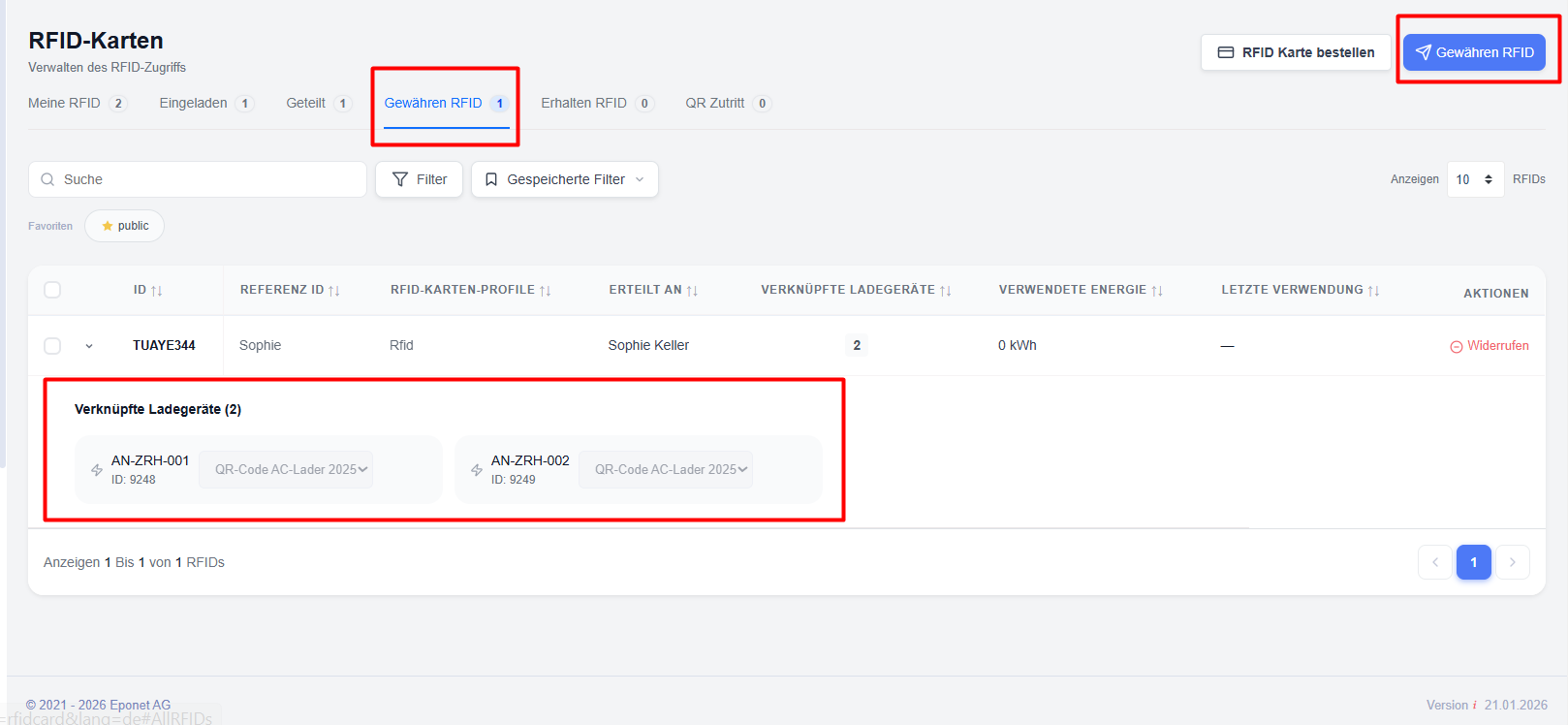
How RFID access authorisation works
The process of granting RFID authorisation comprises three components:
RFID cardholder – The user who owns and manages the RFID card.
Authorised user – The recipient who is granted authorisation to use the RFID card.
RFID profile – The policy framework that defines how the RFID card may be used.
When authorisation is granted:
- The RFID holder selects an RFID card.
- The holder selects the recipient from their contacts.
- An RFID profile is assigned.
- Access is granted.
- The recipient can use the RFID card in accordance with the rules of the assigned profile.
The RFID owner retains full control and can revoke access at any time if necessary.
Assigning an RFID card
To issue an RFID card to another user:
Step 1: Open the RFID management section
or
In the ‘My RFID Cards’ section, select the RFID cards and choose ‘Assign RFID Card’ from the available actions.
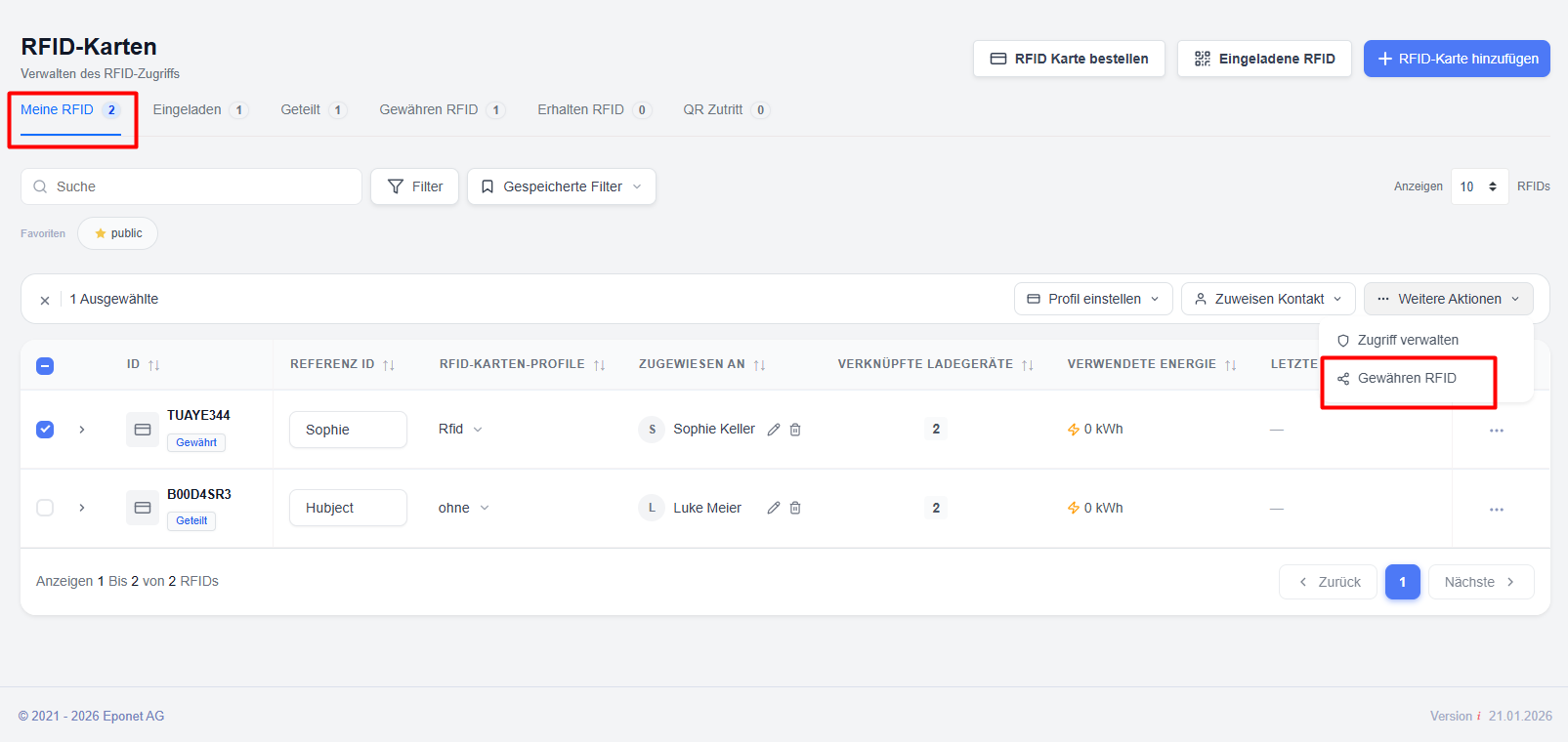
Step 2: Select RFID card(s) – Select one or more RFID cards to be assigned.
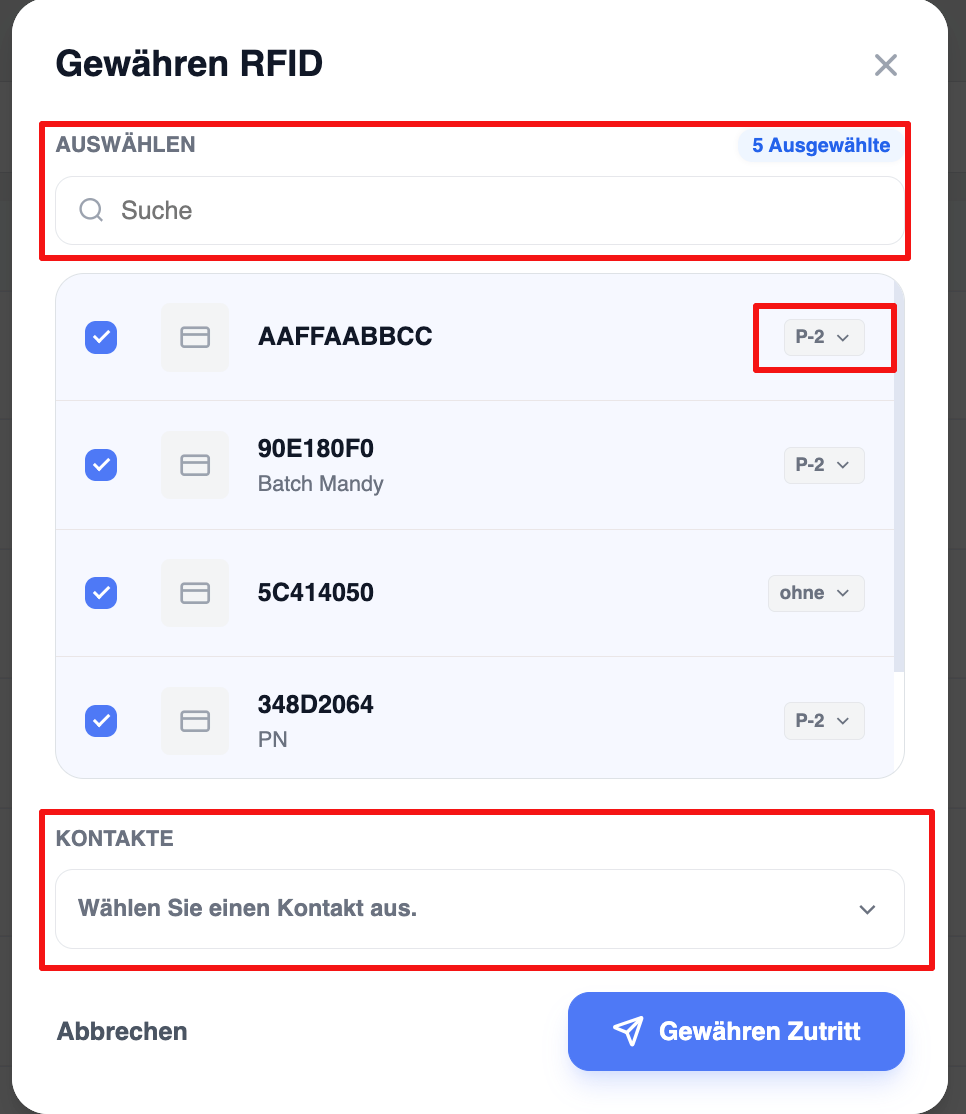
Step 3: Select recipient – Select the user or contact who is to be granted loading access.
Step 4: Assign an RFID profile
Select the RFID profile that is to govern the access granted.
The profile defines the following:
- Charging authorisations
- Usage restrictions
- Session limits
- Spending limits
- Validity periods
- Access rules for the charger
Step 5: Confirm granting of access
Click on ‘Grant access’ to complete the process.
The selected user will immediately be granted access to the RFID card.
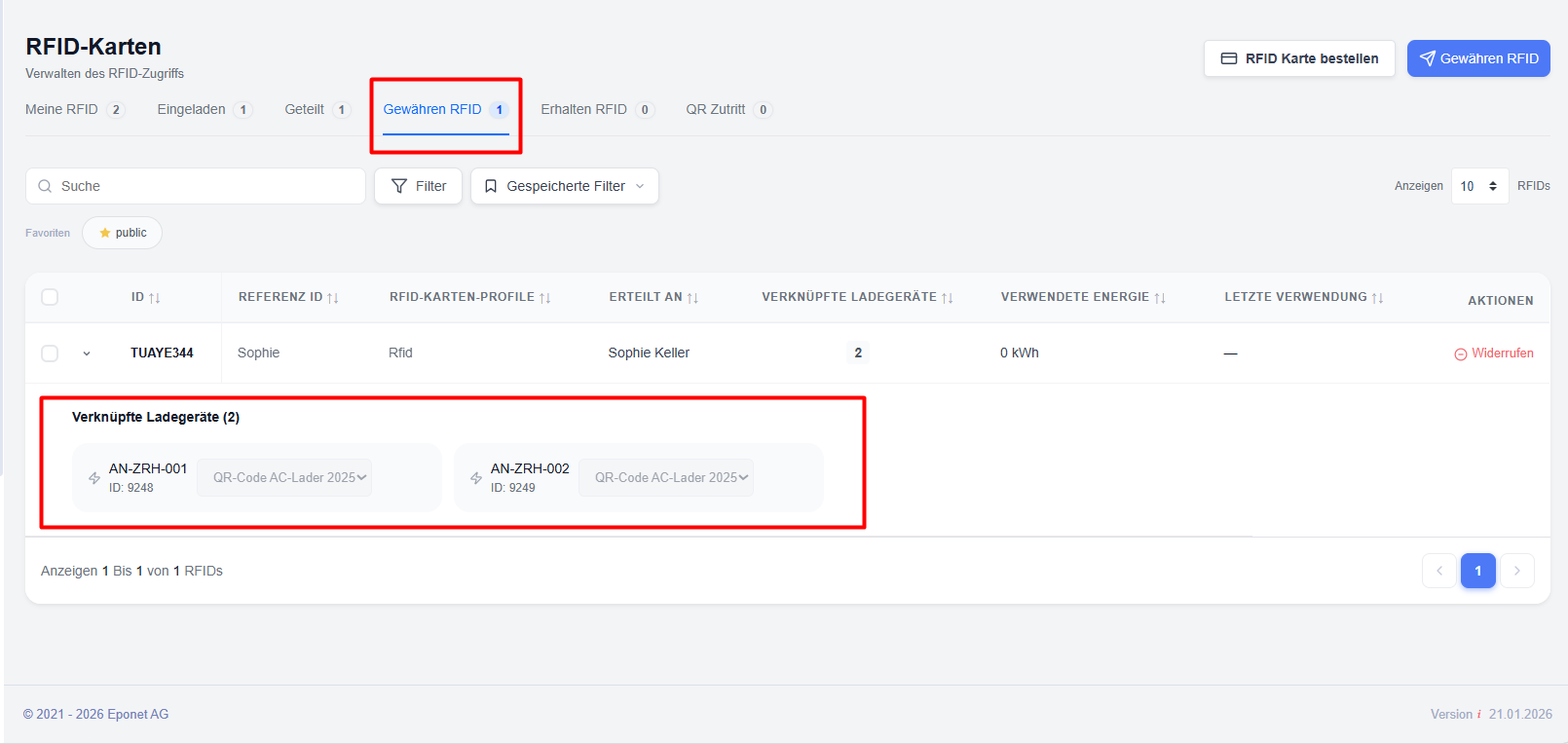
Managing granted RFID access rights
Once access has been granted, administrators and RFID card holders can view and manage existing permissions.
Available actions
‘View granted RFID cards’ – Displays all RFID cards currently shared with other users.
Edit RFID profiles – Update the assigned RFID profile if the permissions need to be changed.
Check access assignments – Check which users currently have access to specific RFID cards.
Revoke access – Immediately withdraws a authorised user’s authorisation to top up.
Revoking granted access
Access can be revoked at any time.
To revoke access
- Open the ‘Granted RFID Access’ section.
- Find the assigned RFID allocation.
- Select the user or the RFID card.
- Click on ‘Revoke access’.
- Confirm the action.
After revocation:
- The authorised user can no longer use the RFID card.
- New top-ups will be blocked.
- Historical top-up records will remain available for analysis purposes.
Top-ups for authorised users
When an authorised user initiates a top-up using a shared RFID card:
- The system checks the validity of the RFID card.
- The assigned RFID profile is evaluated.
- Access permissions for the charging station are checked.
- The charging process begins once all validation checks have been successfully completed.
This ensures that the RFID cardholder retains control over how the card is used.
Viewing authorised RFID usage
Charging transactions generated by authorised RFID cards are recorded and can be monitored by the RFID holder.
The holder can view the following:
- Charging transactions
- Energy consumption
- Usage history
- Assigned users
- Charging locations
- Timestamps of charging sessions
This ensures transparency and traceability when sharing access to charging points.
RFID cards issued
When a user is issued with an RFID card, the allocated card is displayed in the following section:
‘RFID Management → RFID Cards Received’ section.
The ‘RFID cards received’ tab provides a read-only view of the RFID cards granted by other users.
Recipients can view the following:
RFID information
- RFID ID
- RFID owner
- Assigned profile
- Status