
Delete Eponet account
Would you like to delete your Eponet account? This page explains how to delete your account.
Please note:
This process will permanently delete all your data and cannot be undone. If you have a positive balance, we recommend that you withdraw your balance before deleting your account. If you still need further data from your account, e.g. receipts for loads, evaluations or other information, please download these to your data carrier before deleting your account.
After deletion, you will no longer be able to access your data or withdraw your credit balance.
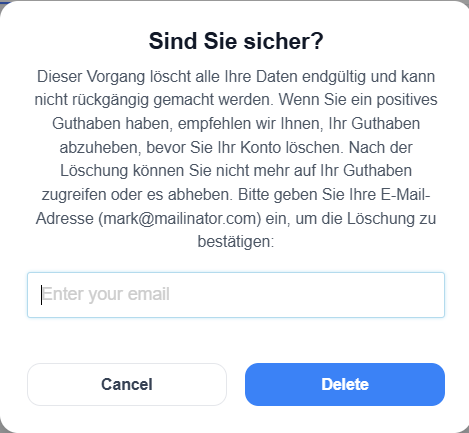
You must enter your email address to confirm the deletion.
How to delete your account
Steps to delete your account
-
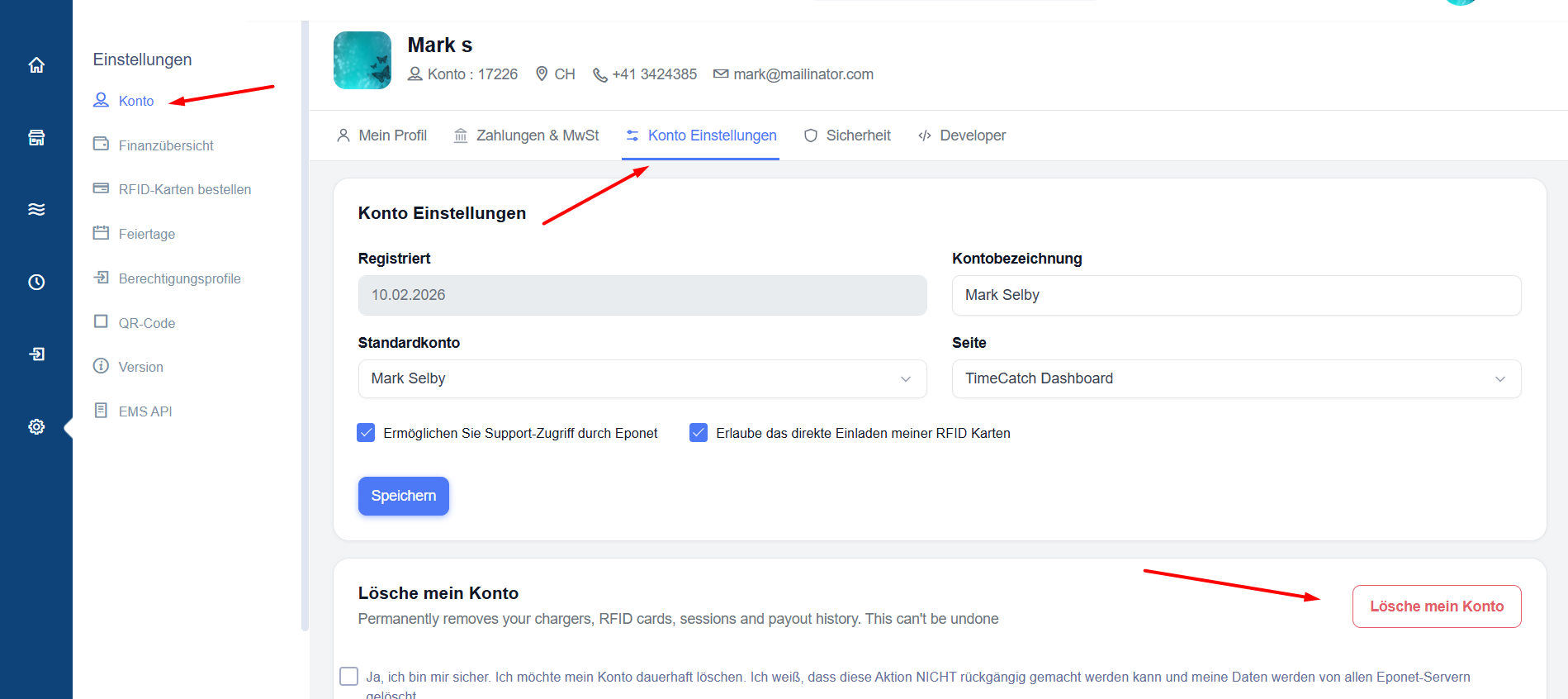
Open the Account Settings tab.
-
Locate the Delete Account button.
-
Click the button to start the deletion process.
-
A confirmation prompt will appear asking you to enter your email address.
-
Enter the email address associated with your account.
-
Confirm the deletion request as instructed by the application