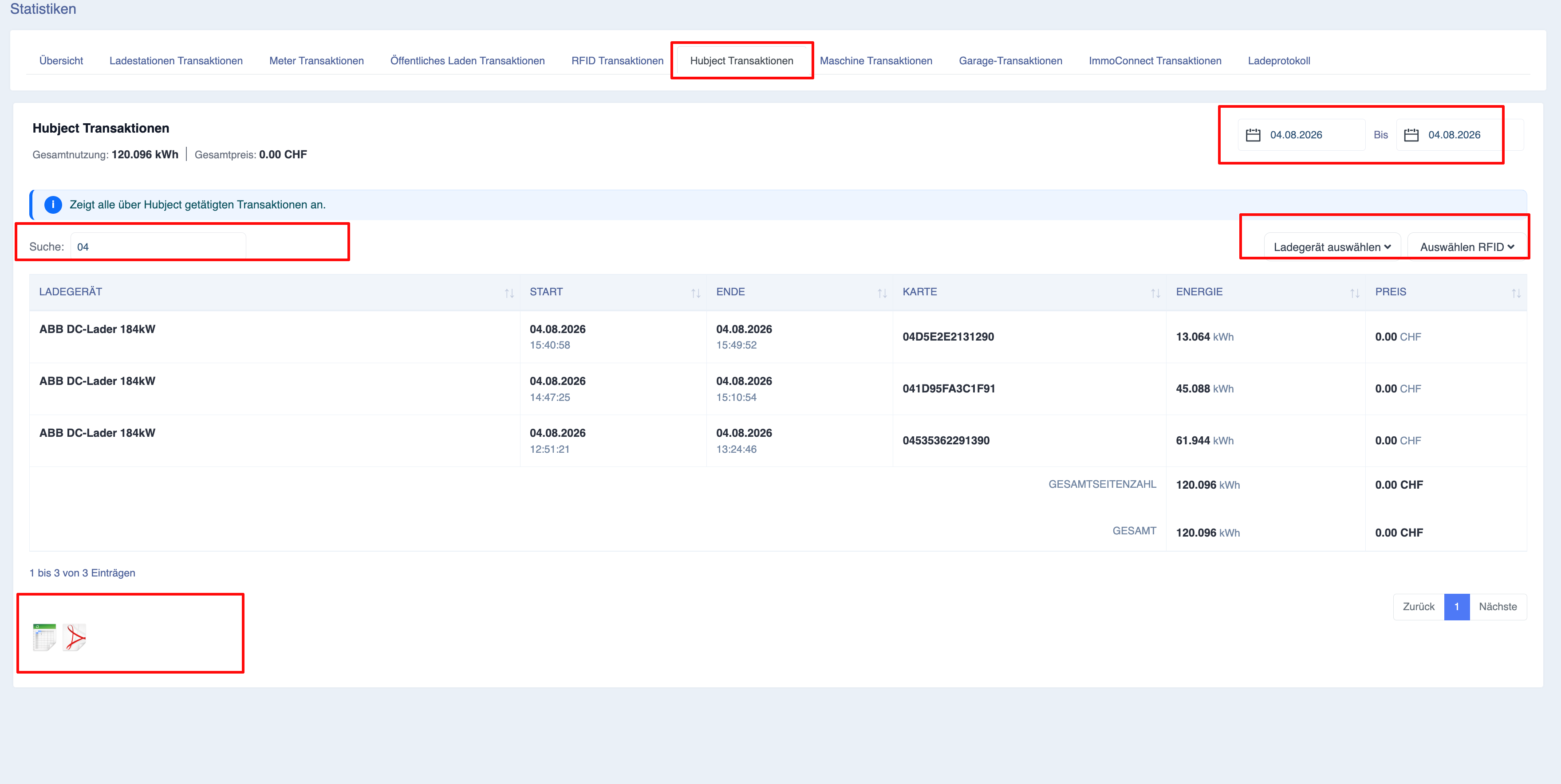
Statistics – Hubject transactions
Description
The ‘Hubject Transactions’ page provides a complete overview of all charging sessions processed via the Hubject roaming network at charging points managed within your Eponet account. These transactions relate to charging sessions carried out by electric vehicle drivers using external e-mobility service providers (EMPs) connected via the Hubject interoperability platform.
Unlike the ‘Charging Point Transactions’ page, which focuses primarily on direct charging sessions within your own infrastructure, the ‘Hubject Transactions’ page is specifically designed for monitoring roaming activity. It enables charging point operators (CPOs) to view roaming charging sessions, analyse the energy supplied, monitor charging revenue and review roaming transactions for operational and financial reporting.
This page is particularly valuable for operators participating in roaming networks, as it provides a dedicated area for reviewing charging sessions initiated via Hubject partners, without these being mixed in with private RFID or public QR code charging sessions.
All information displayed on this page is updated automatically as soon as the selected reporting period or filters are changed.
Navigation
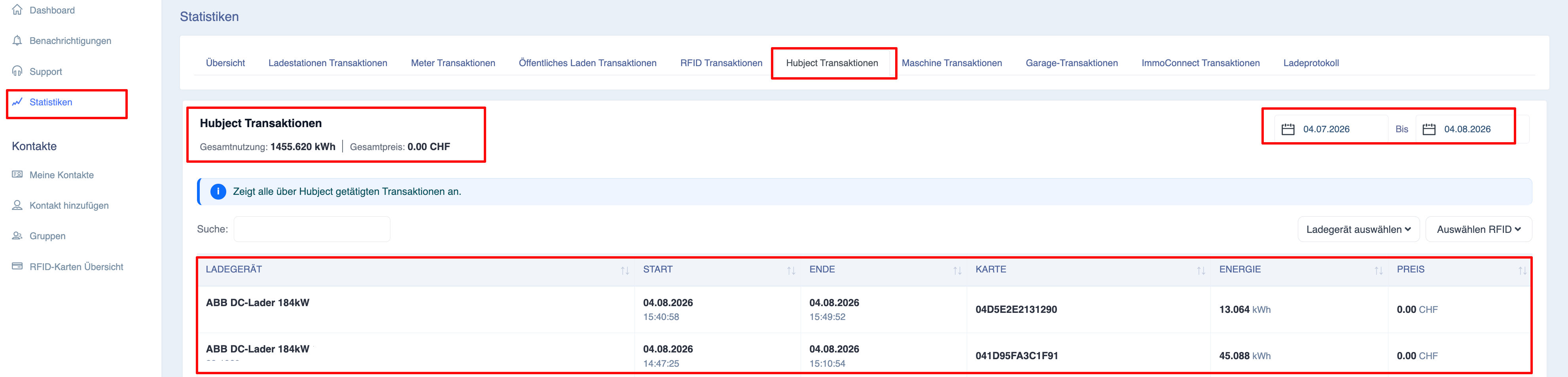
To access the ‘Hubject Transactions’ page:
-
Open the Eponet portal.
-
Use the navigation menu on the left-hand side to go to ‘Statistics’.
-
Under the ‘Statistics’ tabs, select ‘Hubject Transactions’.
-
The page will open showing all Hubject charging transactions for the currently selected reporting period.
Purpose of the ‘Hubject Transactions’ page
The ‘Hubject Transactions’ page helps charging system operators answer questions such as:
-
How many roaming charging sessions have been completed?
-
How much energy was supplied via Hubject?
-
Which chargers are most frequently used by roaming customers?
-
What revenue has been generated by roaming charging sessions?
Understanding Hubject Transactions
Hubject enables interoperability between charging systems, allowing electric vehicle drivers to charge their vehicles using contracts from participating mobility providers.
When a roaming customer starts a charging session at one of your charging points via Hubject, the session is automatically recorded and can be viewed on this page.
The report covers only charging sessions processed via the Hubject roaming platform.
Private charging sessions, staff RFID sessions and public QR code sessions are displayed on the respective statistics pages.
Overview information
At the top of the page, the overview information provides a summary of all Hubject transactions included in the selected reporting period.
The figures displayed are updated automatically as soon as filters are changed.
Total energy in roaming
Displays the total amount of electricity supplied during all Hubject charging sessions.
The value is displayed in kilowatt-hours (kWh).
Every completed roaming charging session contributes to this total.
Total revenue
Shows the total revenue generated by Hubject charging sessions during the selected reporting period.
Depending on the configured pricing agreements, this amount may include the following:
-
Energy charges
-
Session fees
The value displayed provides a quick overview of the revenue generated via the Hubject network.
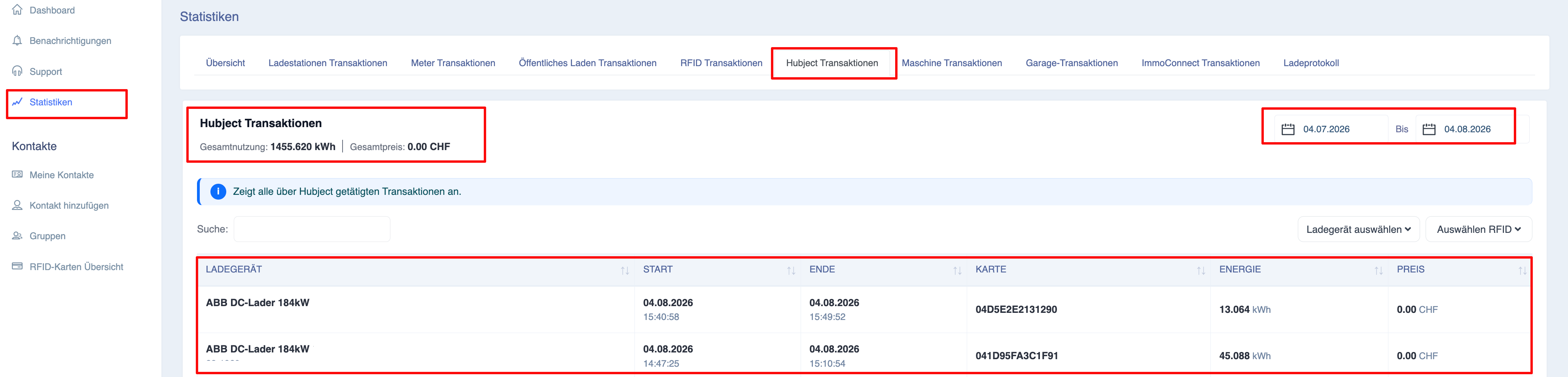
Filtering Hubject transactions
Several filters are available to help users quickly find specific roaming sessions.
Whenever a filter is changed, both the summary data and the transaction report are automatically updated.
Date range
The date range you select determines which Hubject sessions are displayed.
Changing the reporting period immediately updates all the statistics displayed.
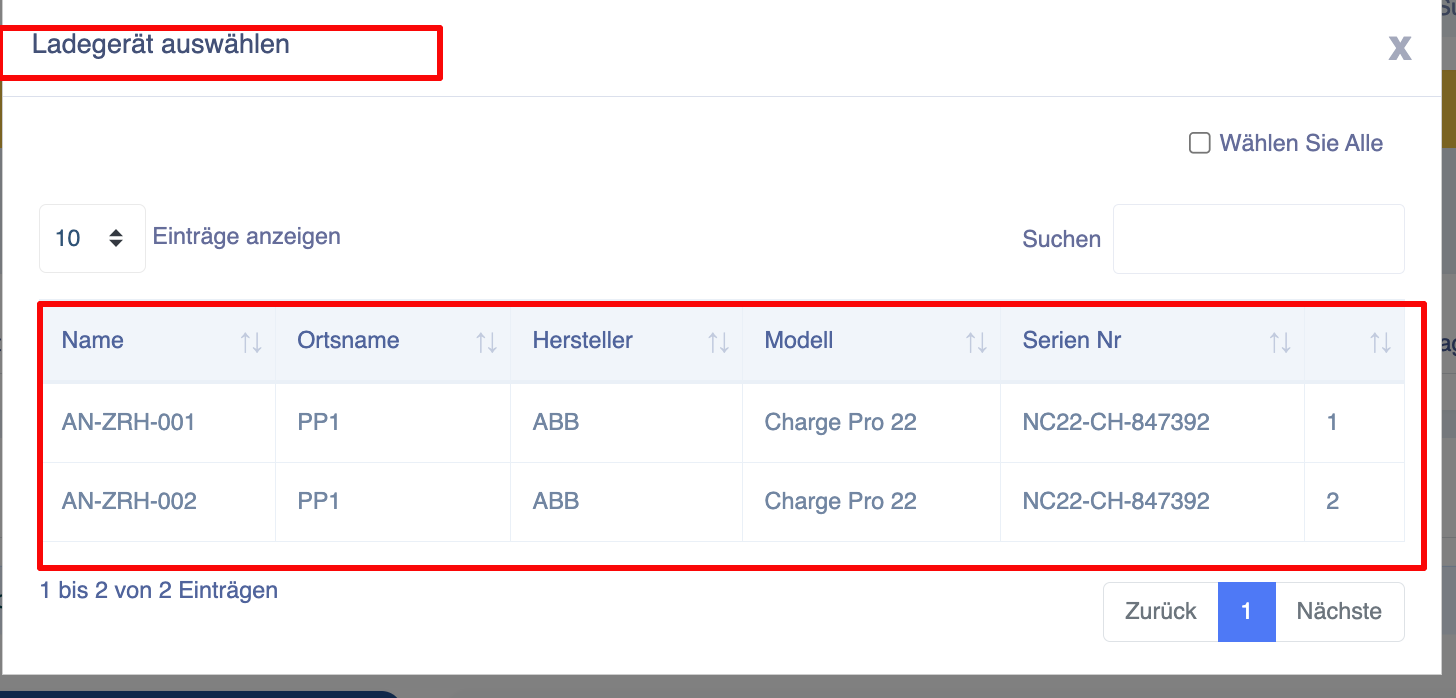
Selecting a charging point
The ‘Select charging station’ filter allows administrators to view Hubject transactions for one or more charging stations.
The selection dialogue supports:
-
Search by charging point
-
Selection of multiple charging points
-
Selection of all charging stations
This enables operators to compare roaming activity across multiple locations.
Search
Users can quickly find specific roaming transactions using the search field.
Typical search criteria include:
-
Charger name
-
Charger ID
- RFID card
The transaction list is updated immediately as soon as search criteria are entered.
Explanation of the transaction report
The report displays one row for each completed Hubject charging session that matches the selected filters.
Each row contains detailed information on the roaming transaction.
Charger
Displays the charger at which the roaming top-up session took place.
The report usually includes the name of the charging point together with its unique identifier.
Start time
Shows the exact date and time at which the roaming billing session began.
End time
Shows the exact date and time when billing was completed.
Energy supplied
Shows the amount of electricity supplied during the charging process.
The value is displayed in kWh.
Transaction Amount
Displays the total amount charged for the roaming session.
The amount reflects the pricing and agreements applicable to Hubject transactions at your facility.
Totals
Two summary lines are displayed at the end of the report.
Page total
Displays only the totals for the transactions currently visible on the active report page.
Total
Displays the totals for all Hubject transactions that match the selected filters, regardless of pagination.
This enables operators to track all roaming activity during the selected reporting period.
Exporting Hubject reports
The ‘Hubject Transactions’ page supports the export of filtered roaming reports.
Before exporting, please check the following:
-
Reporting period
-
Selected chargers
-
Search criteria
The exported report contains only transactions that match the active filters.