
Shared cards
Description
This feature allows RFID cardholders to view all external users to whom they have granted access to their RFID cards and to see exactly which charging points and charging profiles are available under the respective sharing arrangements.
If an RFID card has been invited or shared by multiple users, the card can be expanded to display all associated holders. Selecting a holder displays the charging points, charging authorisations and RFID profiles assigned by that specific holder.
This provides complete transparency regarding who has granted access to your RFID cards and which charging privileges are available under the respective authorisation arrangement.
Overview of shared RFID cards
For each RFID card, users can:
- View details of the RFID card
- view all owners who have invited this card
- View all chargers linked to the card
- View assigned charging profiles
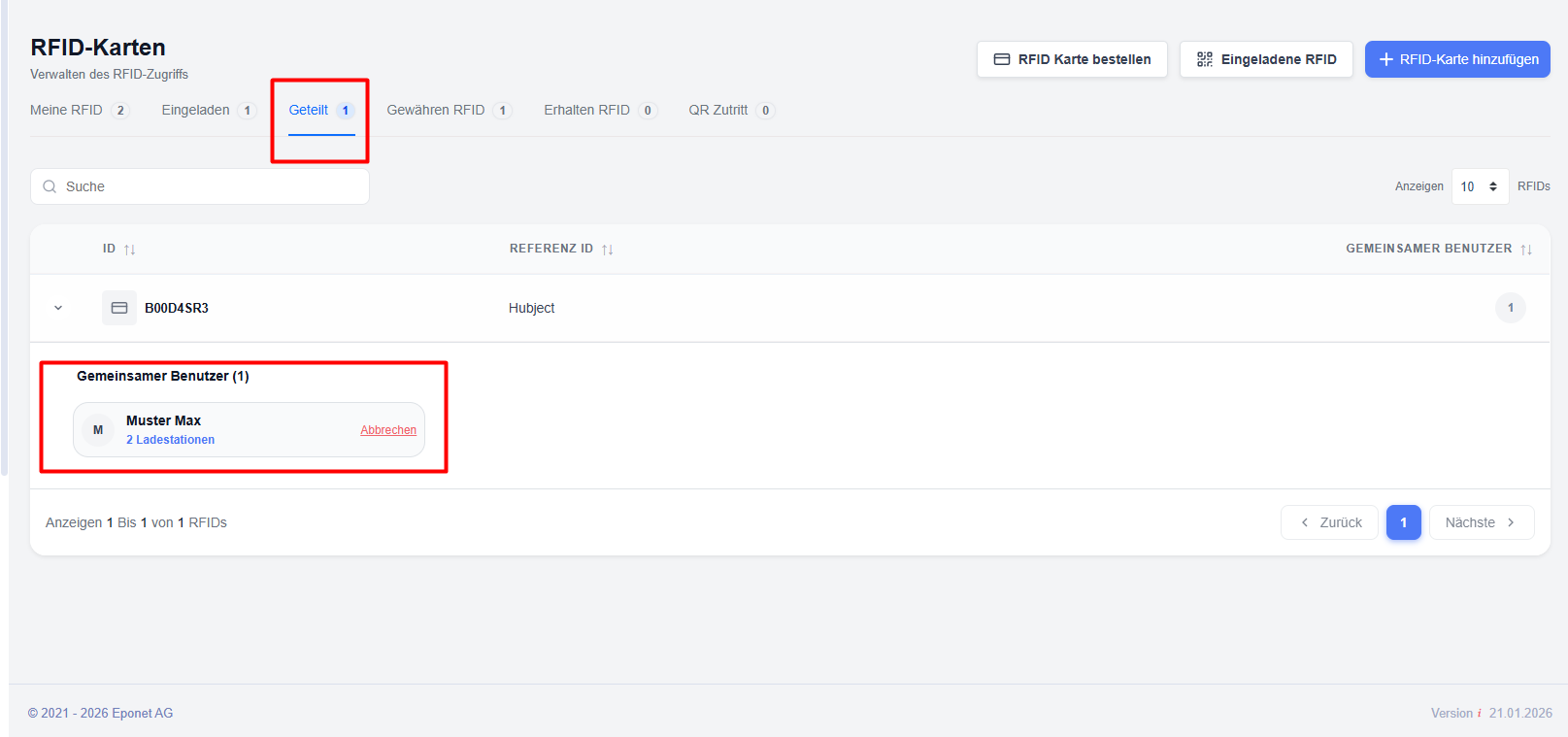
Explanation of the ‘Shared RFID Cards’ list
RFID card ID – Unique identifier for the RFID card.
Reference ID – An optional reference number assigned to the card.
View details of the shared RFID card
To view the sharing details for an RFID card:
This allows users to quickly view all active sharing relationships associated with the card.
Viewing owner-specific access
Each owner can grant access to different charging points and set different charging profiles.
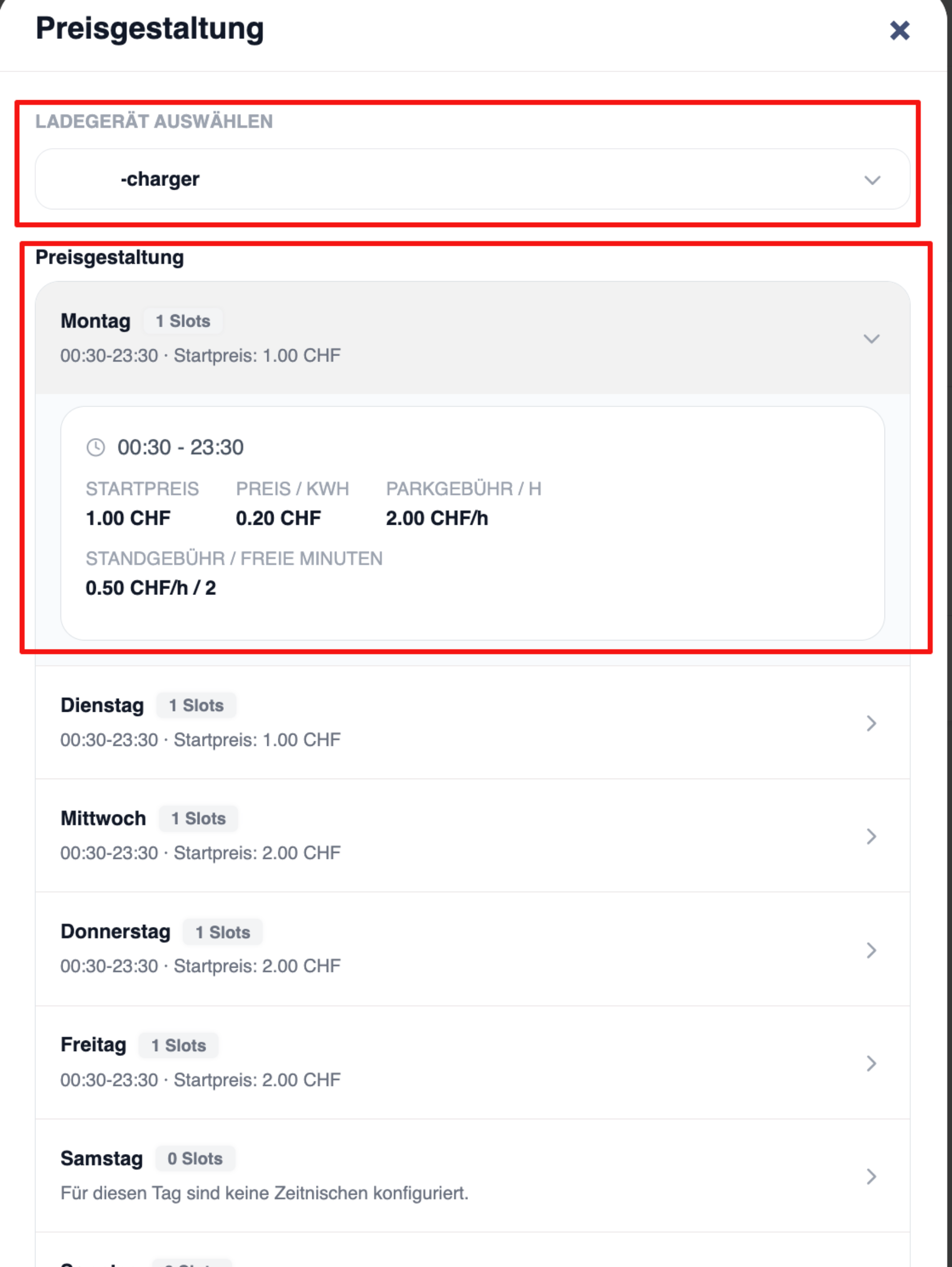
To view owner-specific permissions:
- Expand the row for the RFID card.
- Search for the desired owner.
- Click on the owner’s name.
The system displays all charging points that have been authorised for this owner.
Charging points
Lists all charging points available via this owner.
The information displayed may include:
- Name of the charger
- Charging profiles – Displays the profile assigned by the owner for each charger.