
Garage mode - Configuration
Allows garage operators to easily bill customers for vehicle charging in the workshop. The charging process is started by the employee using the Eponet Go app, which scans the vehicle registration number and automatically sends the charging receipt to the accounting department by email.
This is a paid feature. The Eponet sales team will be happy to assist you.
Activation and setup
Garage mode is activated under E-mobility > Special modes:
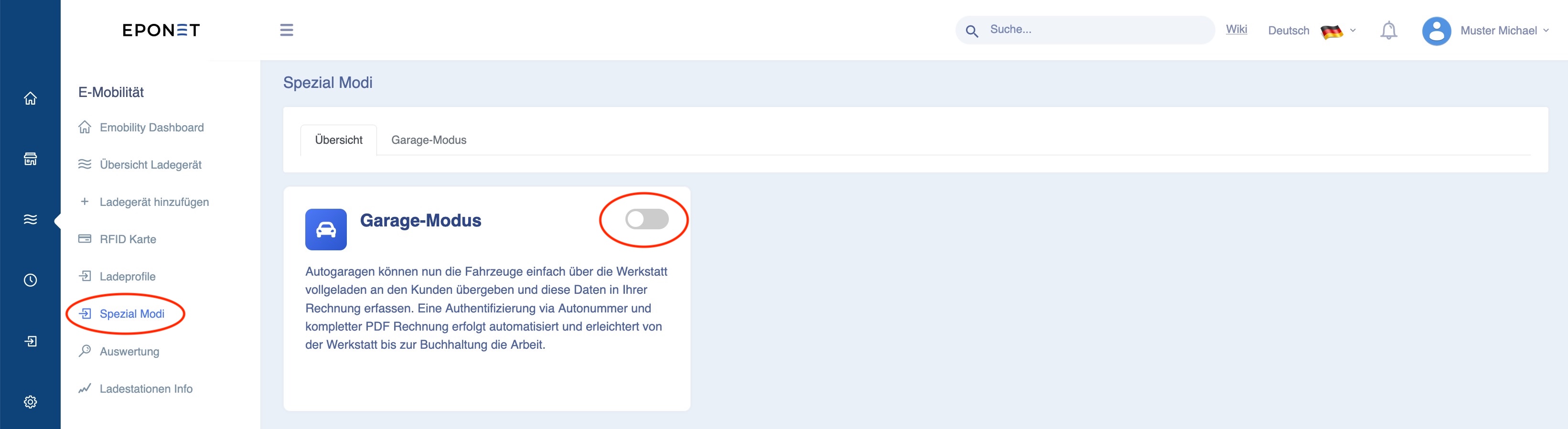
After activation, the configuration window opens where you can select the desired chargers for this function, add the employees who are allowed to use this function and set their email addresses.
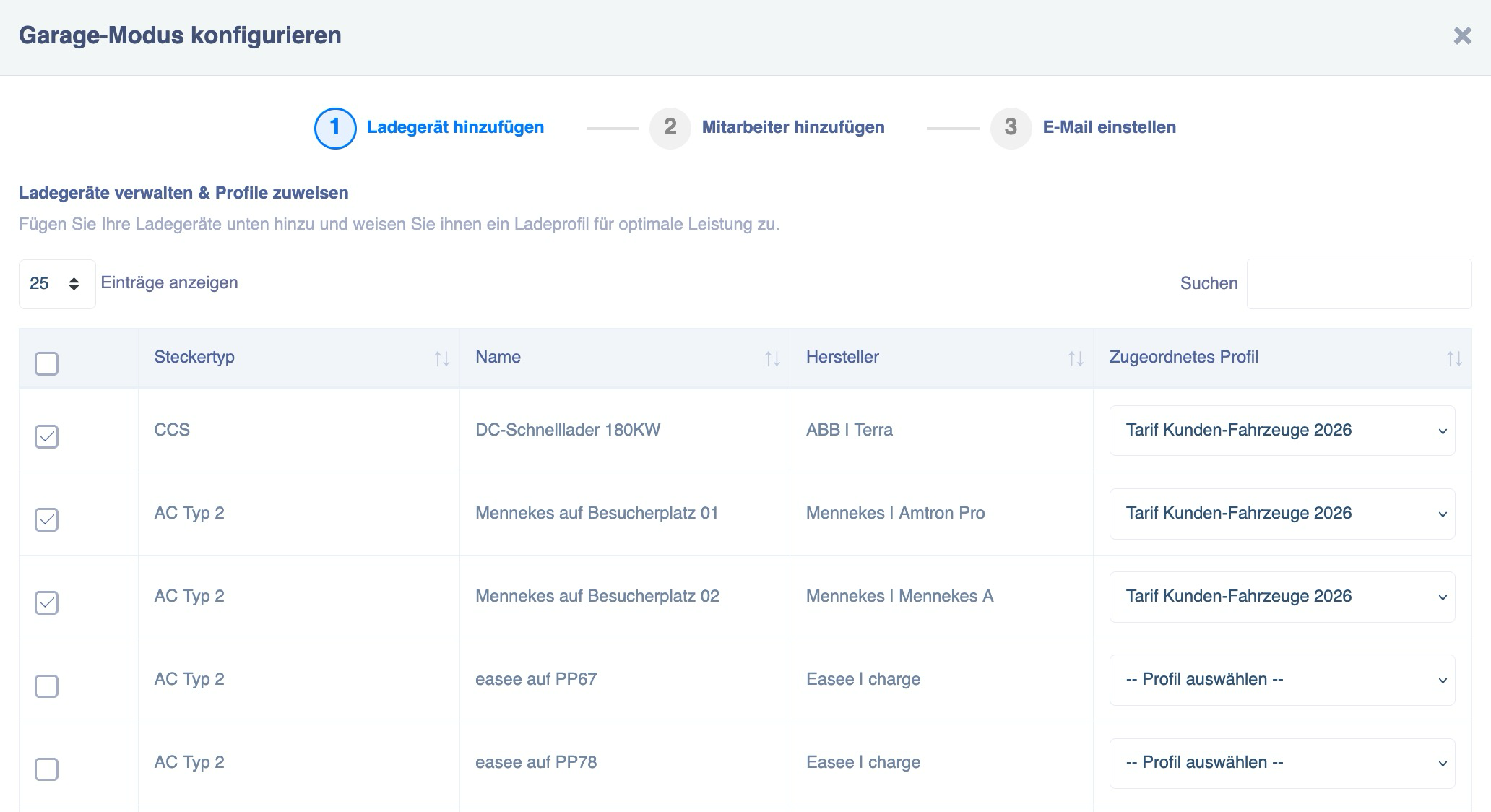
Step 1: Add charger
Click on the chargers to be used for Garage Mode and select the charging profile.
Continue by clicking on the green "Next" button:

Step 2: Add employees
Now select the employees who are allowed to use Garage Mode with their smartphone and the Eponet Go app.
The decisive interface is the "email address" stored here.
If the employee uses the Eponet Go app on their smartphone with their private account (private email address), then the private email address must be stored here; only then can they use Garage Mode.
After making your selection, continue by pressing the green "Next" button: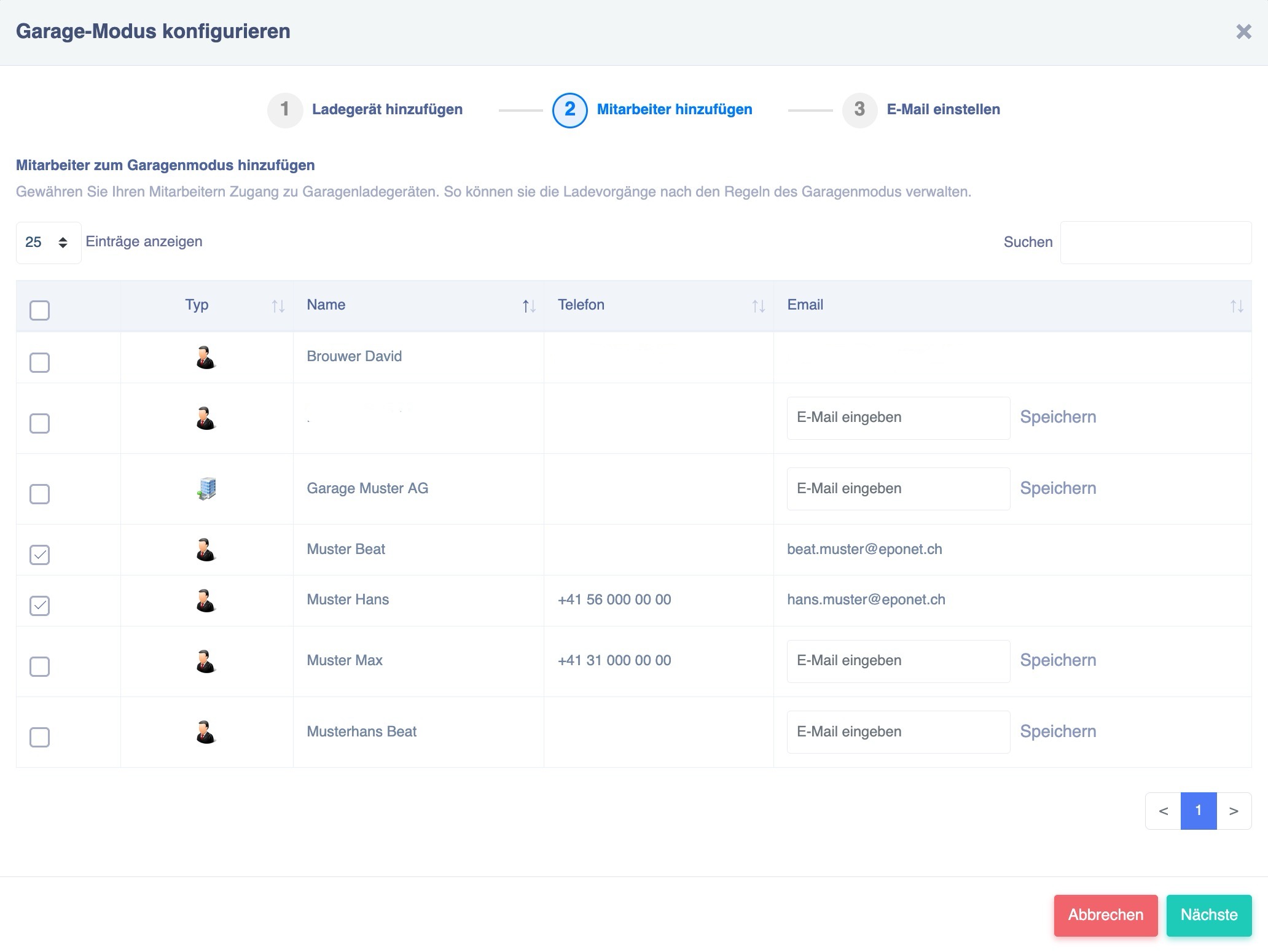
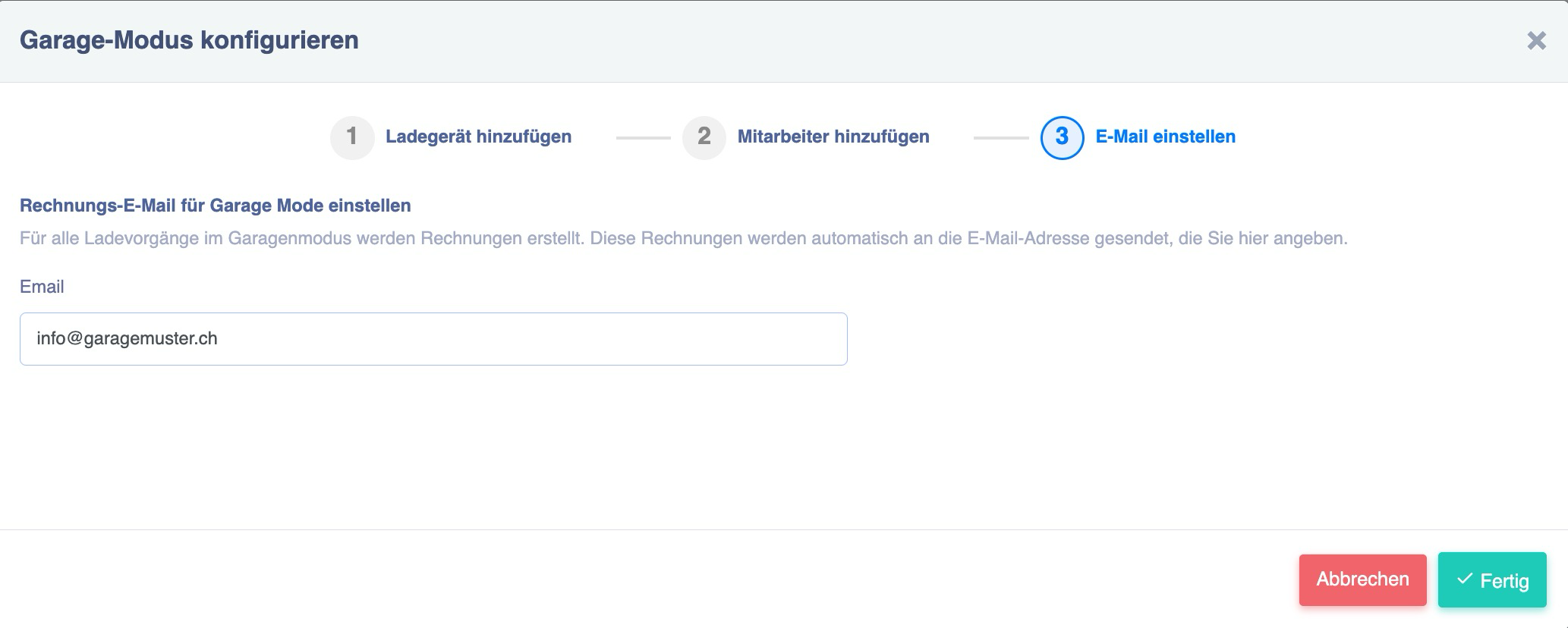
Step 3: Enter email address for invoices/receipts
Overview page
You will now see the overview page with the configuration at the end:
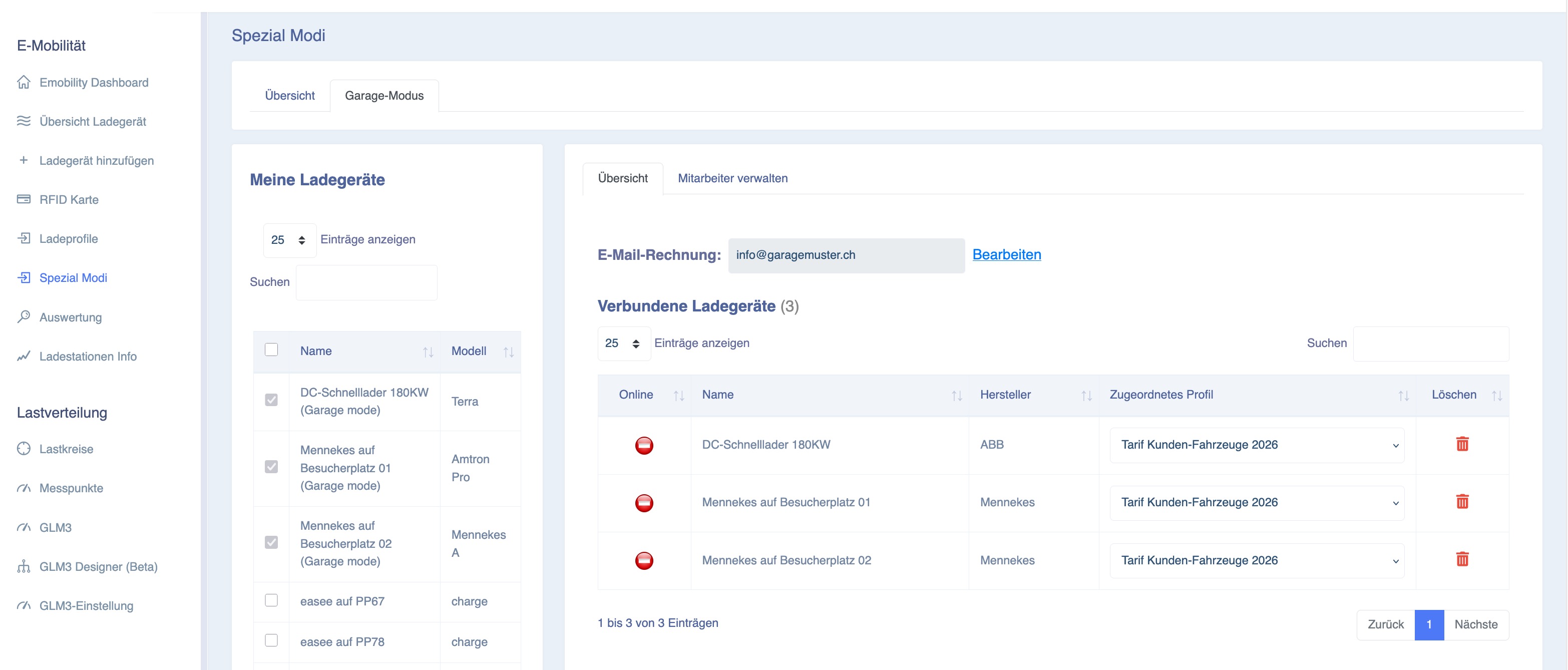
After configuration, when you return to the Special Modes tab, you will see at a glance that the function has been configured. By clicking on Garage Mode, you will return to the overview page, where you can manage the settings for the email address for sending invoices, connected charging stations or employees: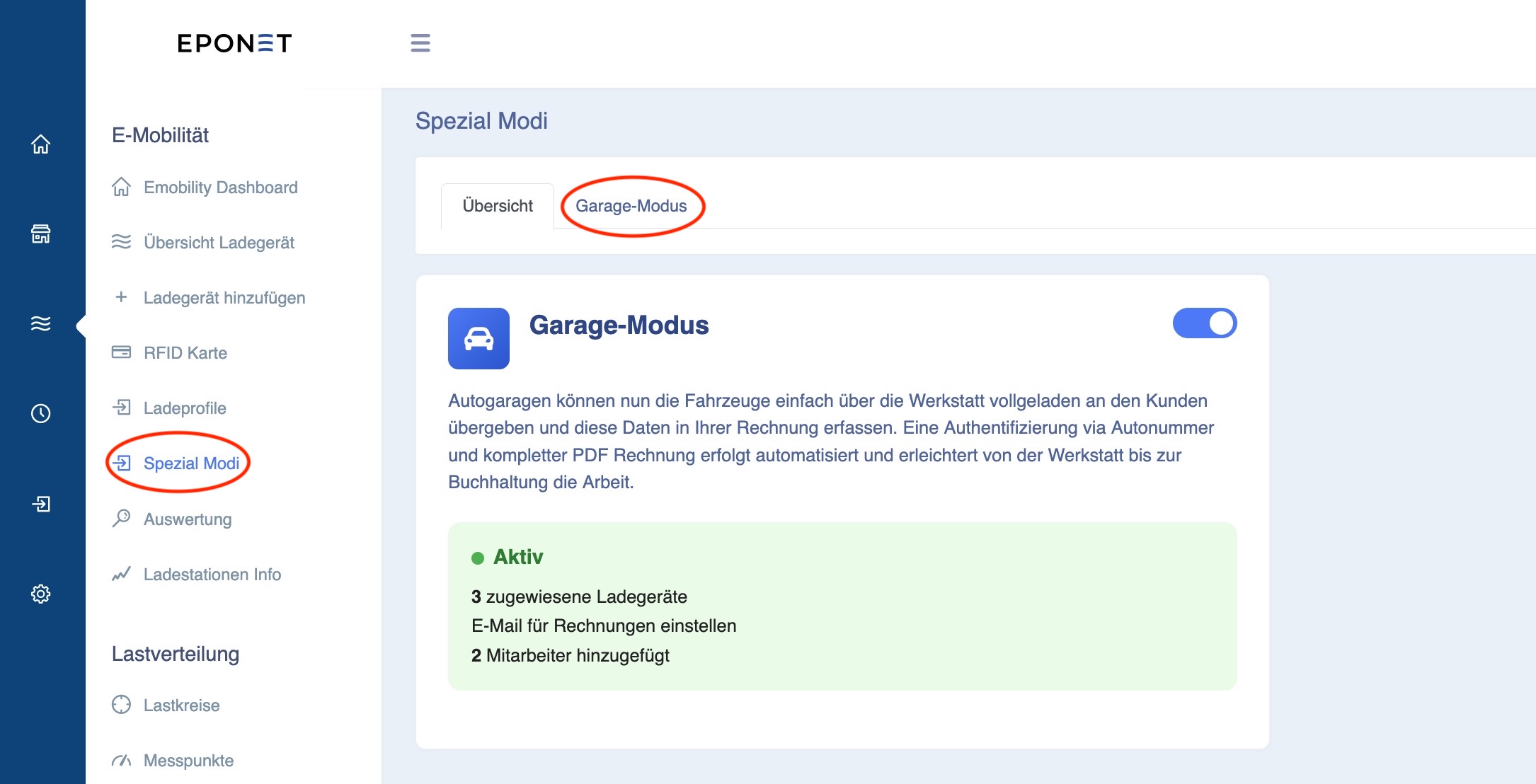
On the left-hand side, you can add charging stations to Garage Mode and remove or add an employee from the list under Manage Employees: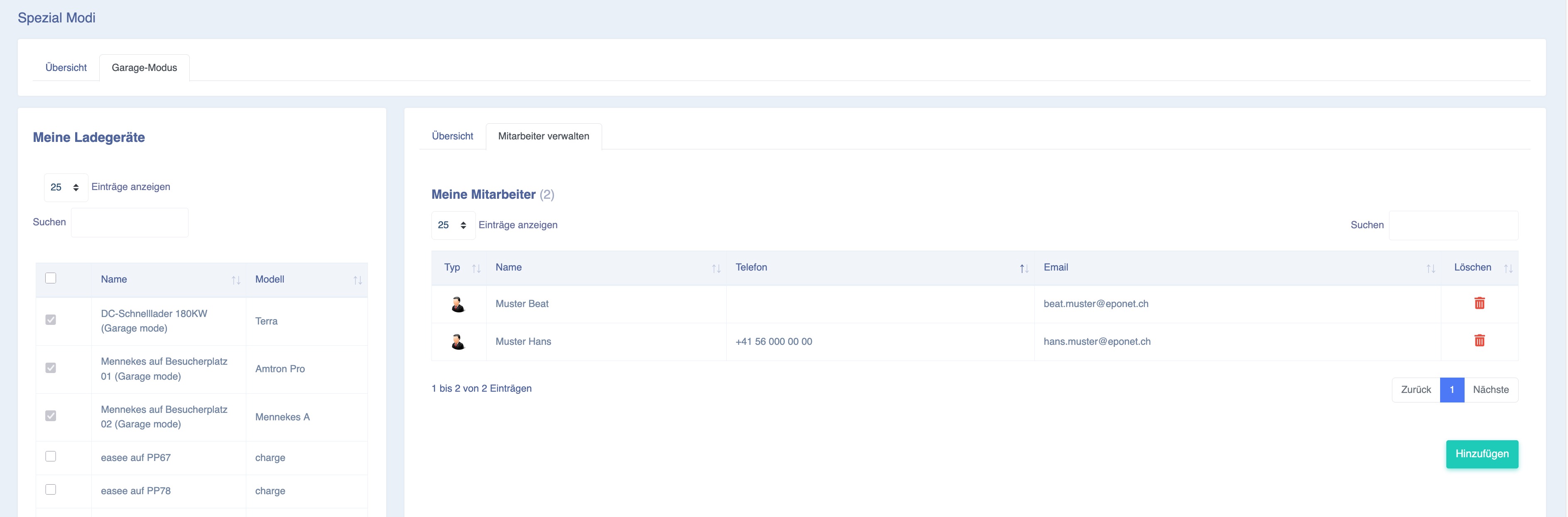
If you want to change the employee's email address (this controls their authorisation to use the Eponet Go app), change the email address in Contacts.