
Change password
Change Your Password
You can update your password to maintain the security of your account.
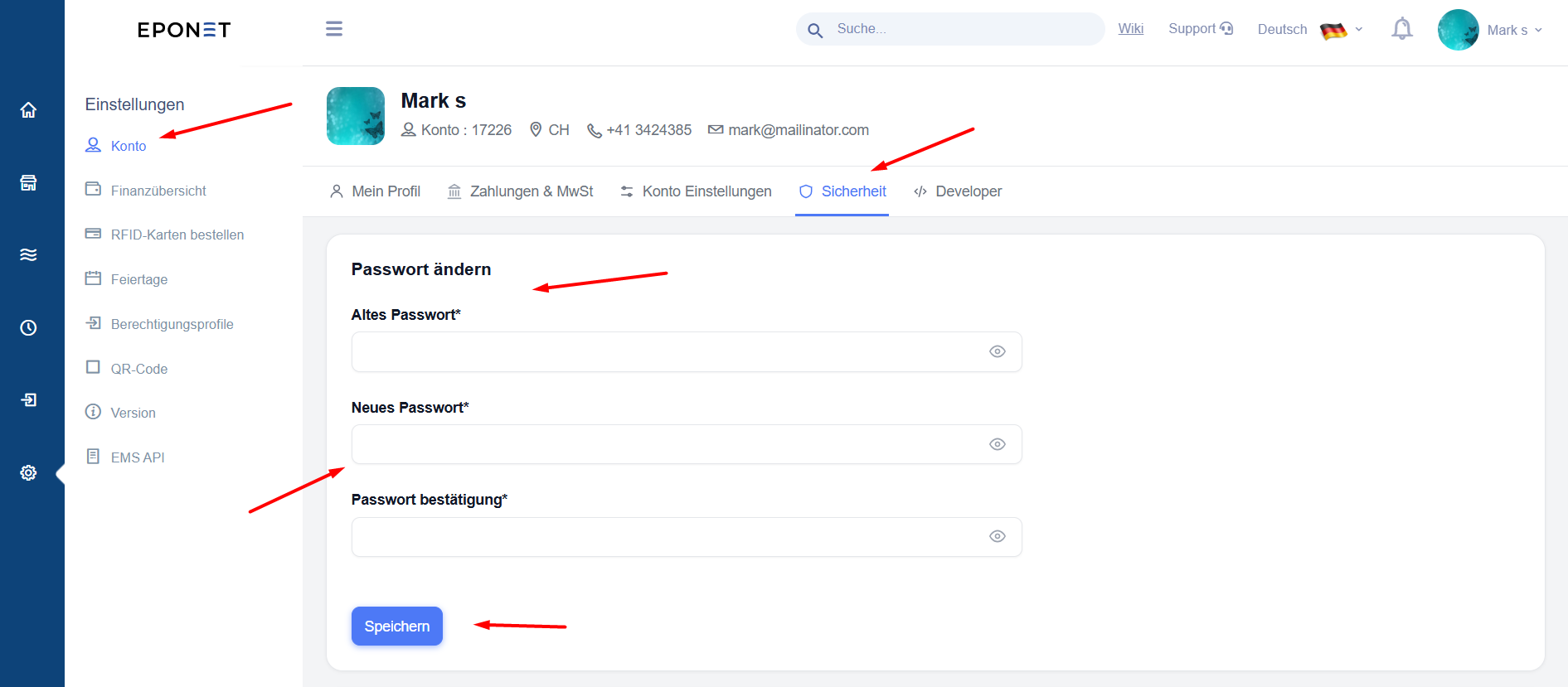
Steps to change your password
-
Open the Profile module.
-
Select the Security tab.
-
Locate the password section.
-
Enter the information requested by the application, such as your current password and new password.
-
Re-enter the new password if confirmation is requested.
-
Click Speichern to save the changes.
Password security tips:
-
Use a strong password that is difficult to guess.
-
Avoid using the same password for multiple accounts.
-
Do not share your password with anyone.
-
Never share your authentication codes with another person.