
Couple charging profile with SoC (charging until SoC reached)
This function allows you to store a SoC value in a charging profile. For example, the SoC value 75% can be stored in a charging profile and this profile can be assigned to an RFID card or VID vehicle number. Charging with this RFID card or VID vehicle number will then stop at a state of charge (SoC) of 75%. If the battery has more than 75% capacity, charging cannot be started.
Prerequisite: This function only works at charging stations that can read the SoC (e.g. DC charging stations).
This function is only available in certain business profiles.
This function only works with charging stations that also report the SoC back to the Eponet backend.
Setting the SoC in the charging profile
You can set the target SoC for each charging profile:
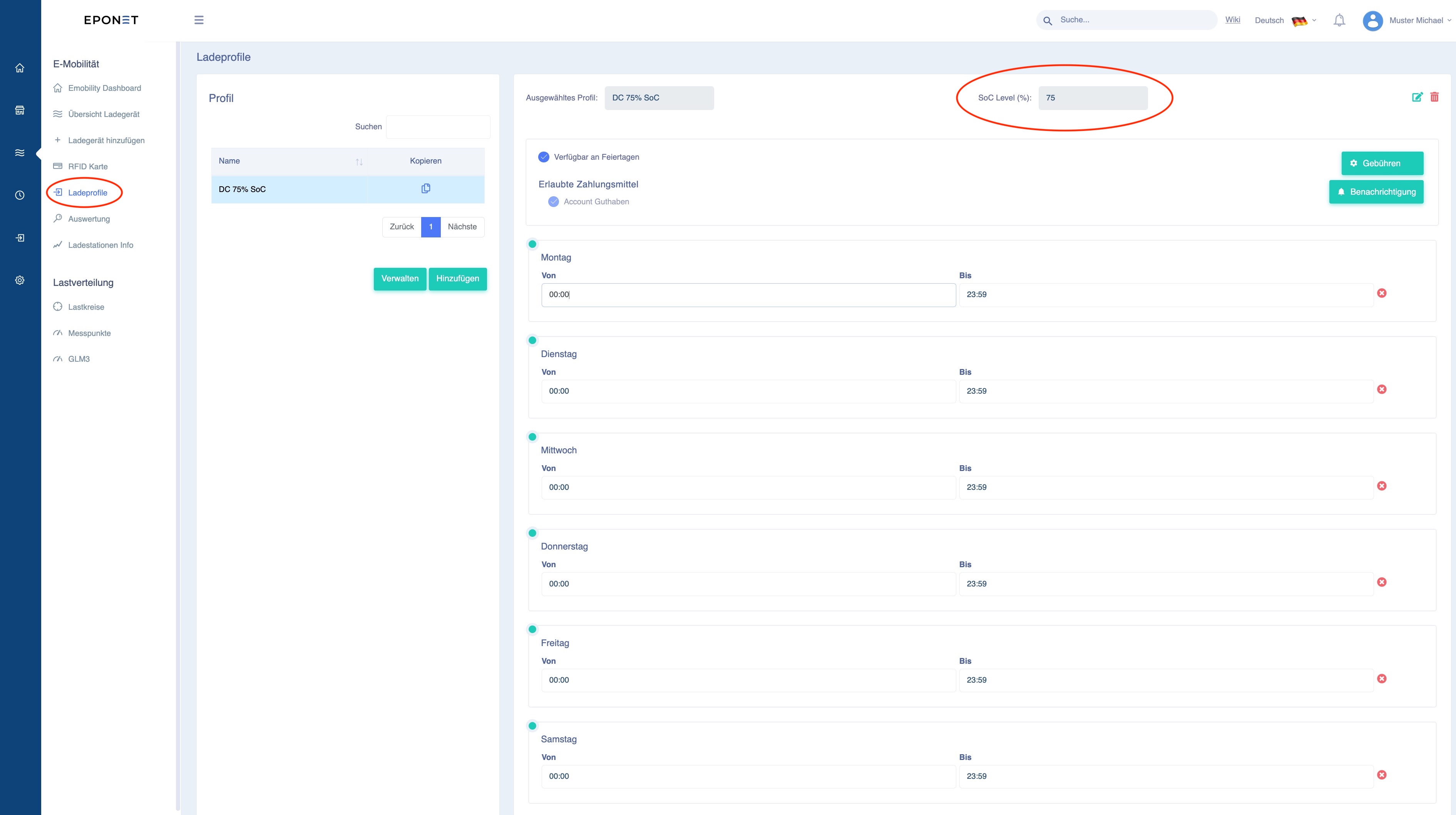
This allows you to create different charging profiles with different SoC and assign them to the desired vehicle (RFID card). This is done in the E-mobility section under RFID card. Here you can store the new charging profile with the desired SoC under "Profile":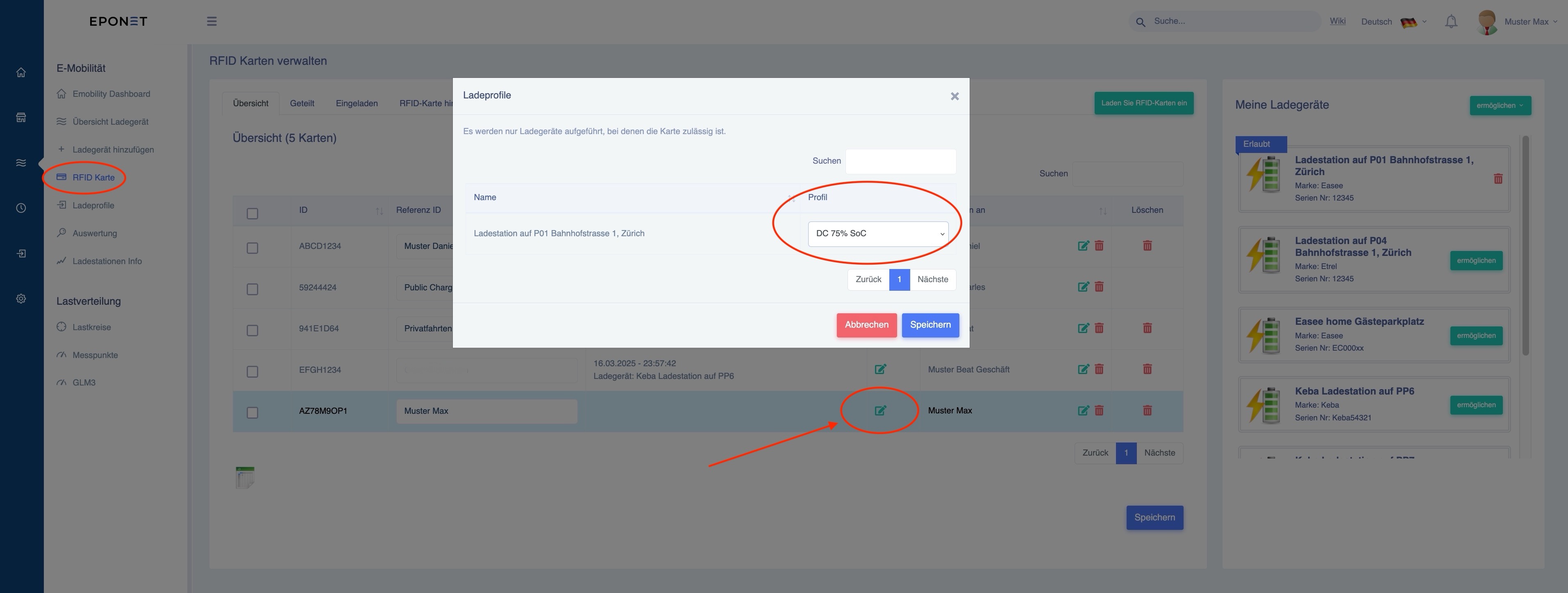
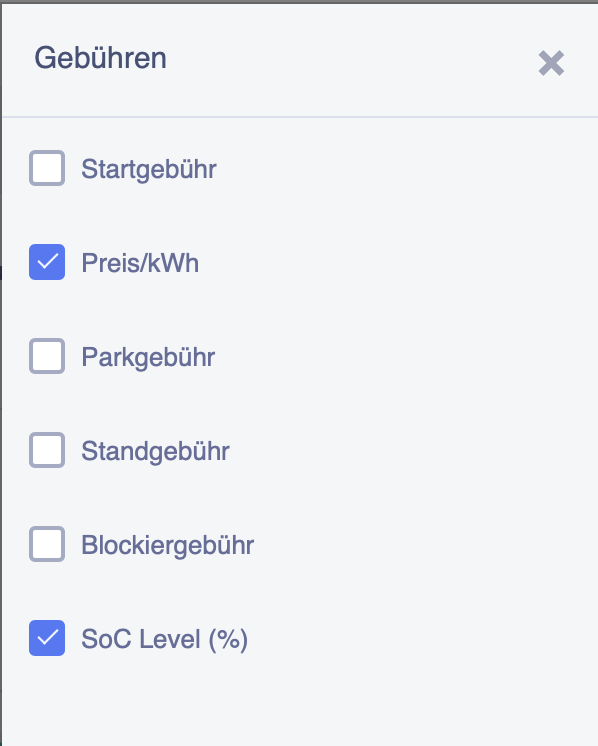
Under the menu item "Fees", you can now tick the "SoC Level (%)" box in addition to the prices.
This allows you to set the SoC to a different value on certain days.
This means that even if the overall limit described above is set to 60%, for example, you can limit it to a different value on certain days, such as at the weekend, as shown below.
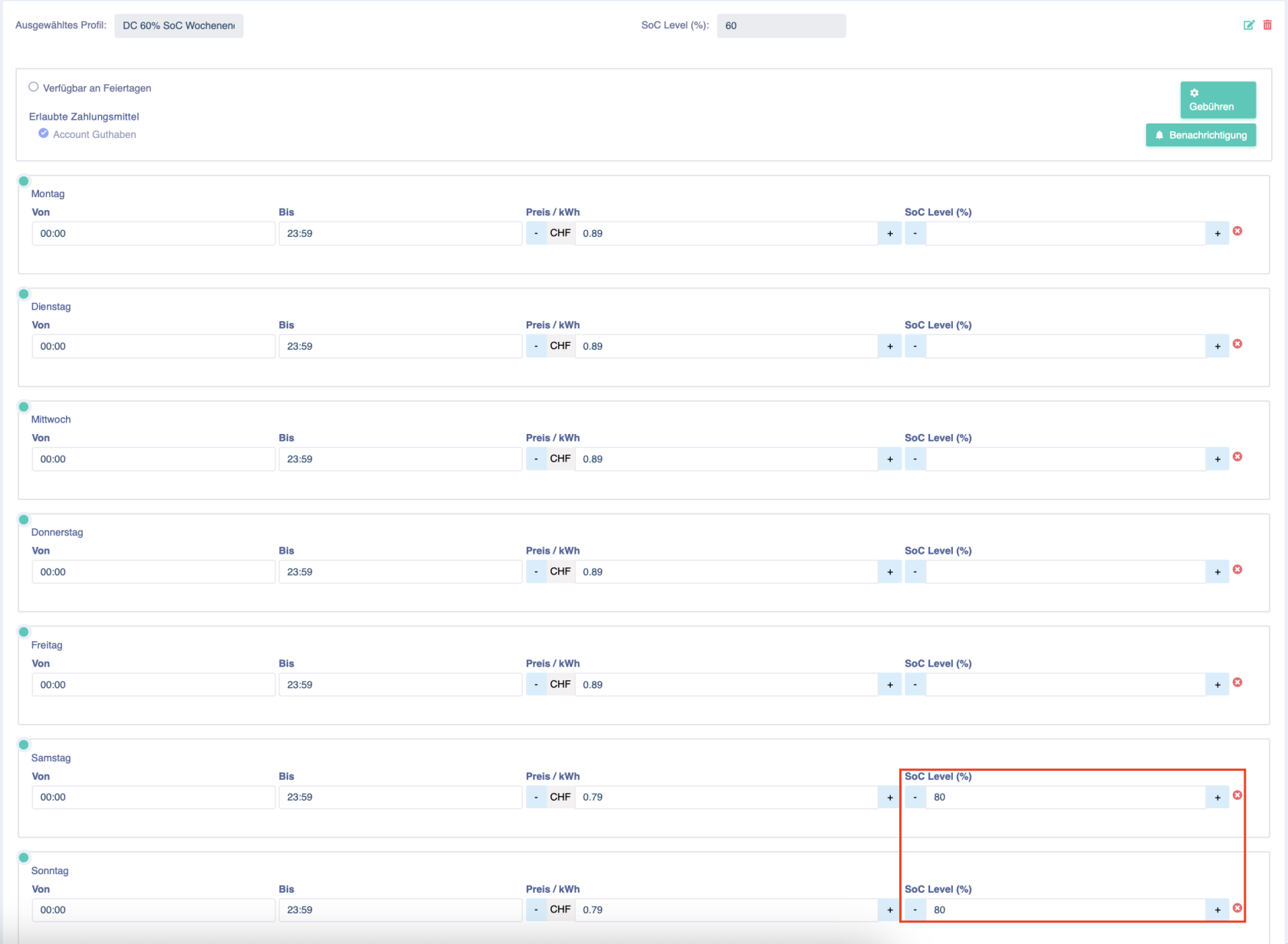
As can be seen above, the SoC is limited to 60%, but up to 80% can be charged at the weekend.
The SoC value for individual days is always taken into account first. If nothing is entered there, the total SoC value from the profile is taken into account.
Charging profile with SoC for "public charging" with QR code
This function of linking the charging profile with SoC opens up new possibilities at busy charging stations. For example, in garages with workshops, where a fast charging station is used for customer vehicles but also for public charging.
It can be set so that during opening hours, for example, only up to 70% SoC can be charged – and up to 100% at weekends. This is a great feature, but it is essential that customers are informed about it. Firstly, so that customers are not charged expensive blocking fees (example: a customer arrives with 60% SoC and wants to charge to 100%, plugs in and leaves the vehicle – after a few minutes, 70% is reached and the blocking fees begin).
We recommend storing this information in the "Operator Information" section (visible when scanning the QR code) and, to be on the safe side, describing it directly at the charging station. This could look as follows:
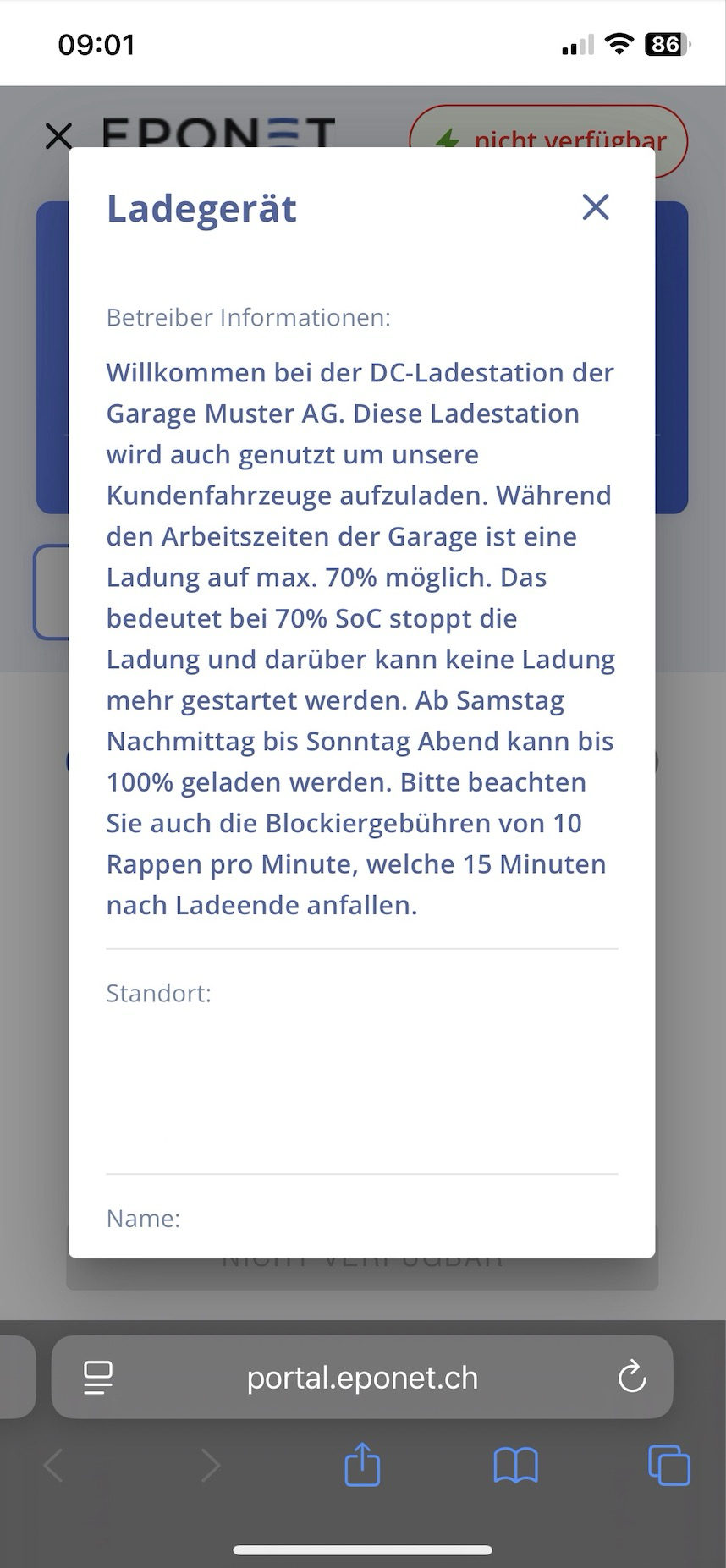
The operator information can be entered individually for each charging point: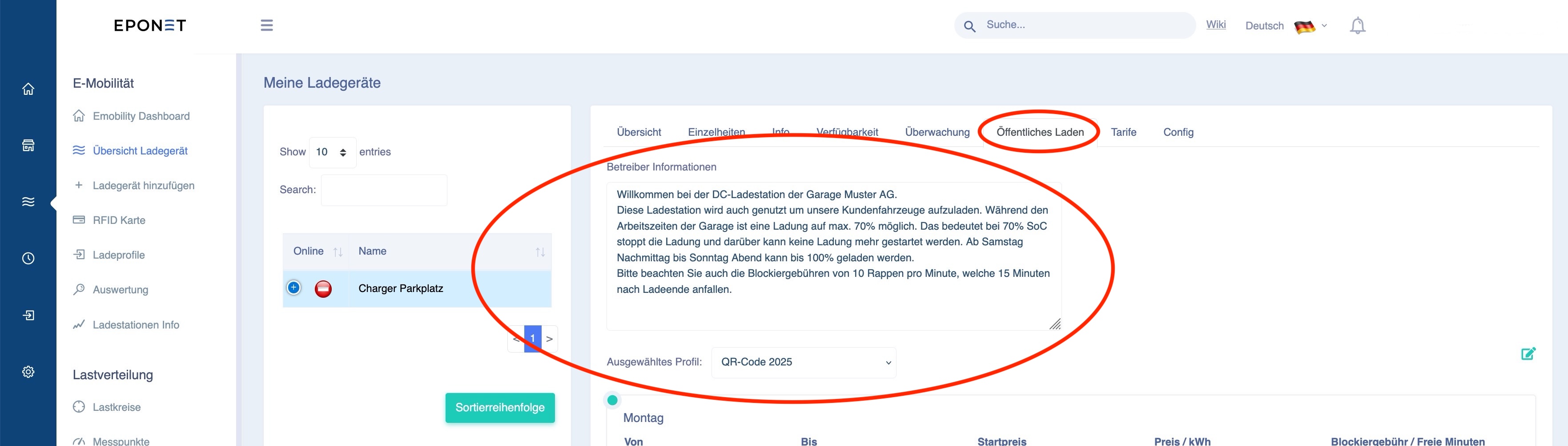
Please note:
If this function triggers support from Eponet – especially because no information is visible at the charging point and the customer calls Eponet because, for example, charging always stops at 70% – this support effort may be charged to the infrastructure operator.