
RFID profiles
Description
Find out how RFID profiles are used to standardise loading authorisations, restrictions and usage rules.
Note : RFID profile setting applied on a card is only applicable if the card is granted to any user, if the card is not yet granted the RFID profile won't be applied.
Contents
What are RFID profiles?
RFID profiles are reusable policy templates that define how RFID cards can be used when assigned to other users.
Profiles help to ensure consistent charging behaviour – for example, whether a card may be used at invited charging points, within charging networks, within Hubject networks or at public charging points – and also enable rules to be set for maximum usage.
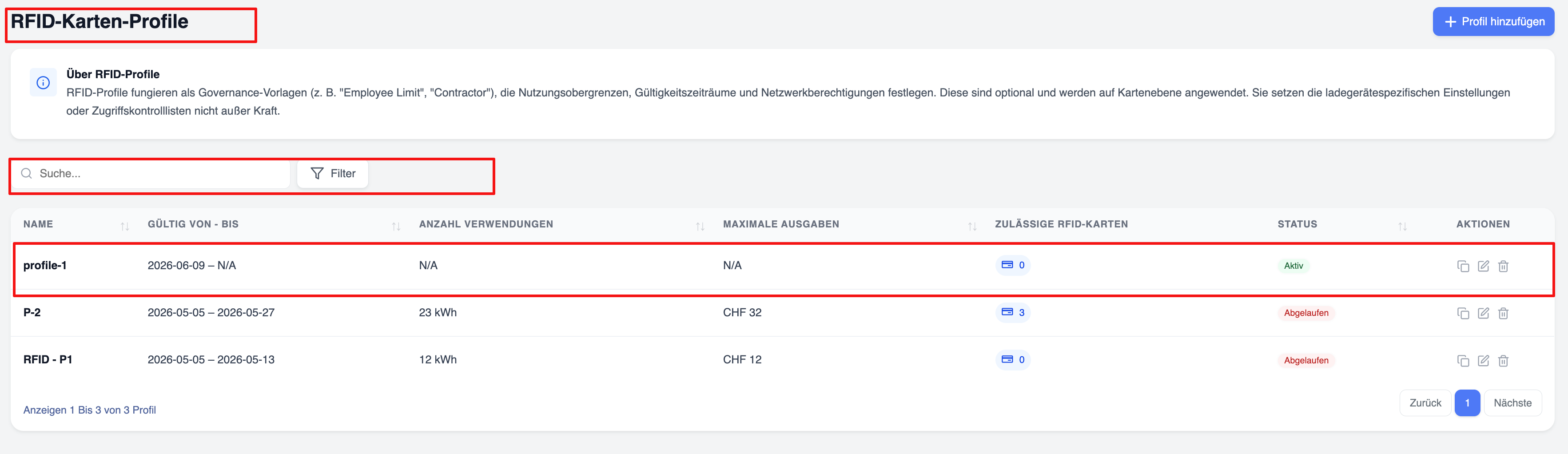
Configuration options for profiles
Profiles can include the following:
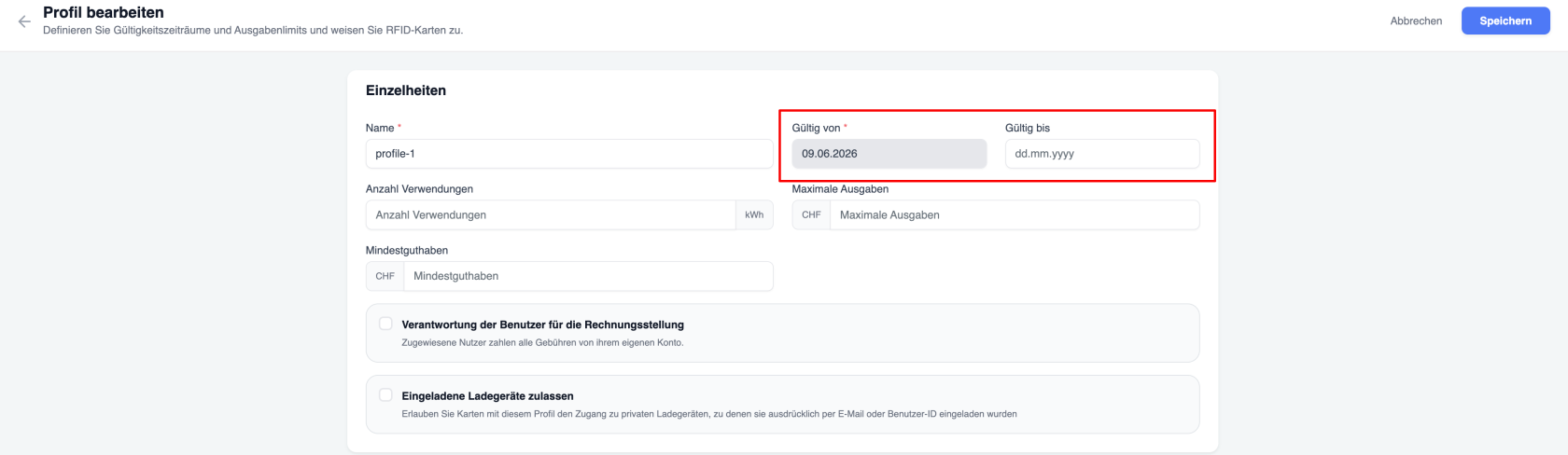
- Validity periods – The periods during which use of the card is permitted
- Usage limits – The maximum amount of kWh that the authorised user is permitted to consume when charging at various charging points using the card (total of all charging sessions)
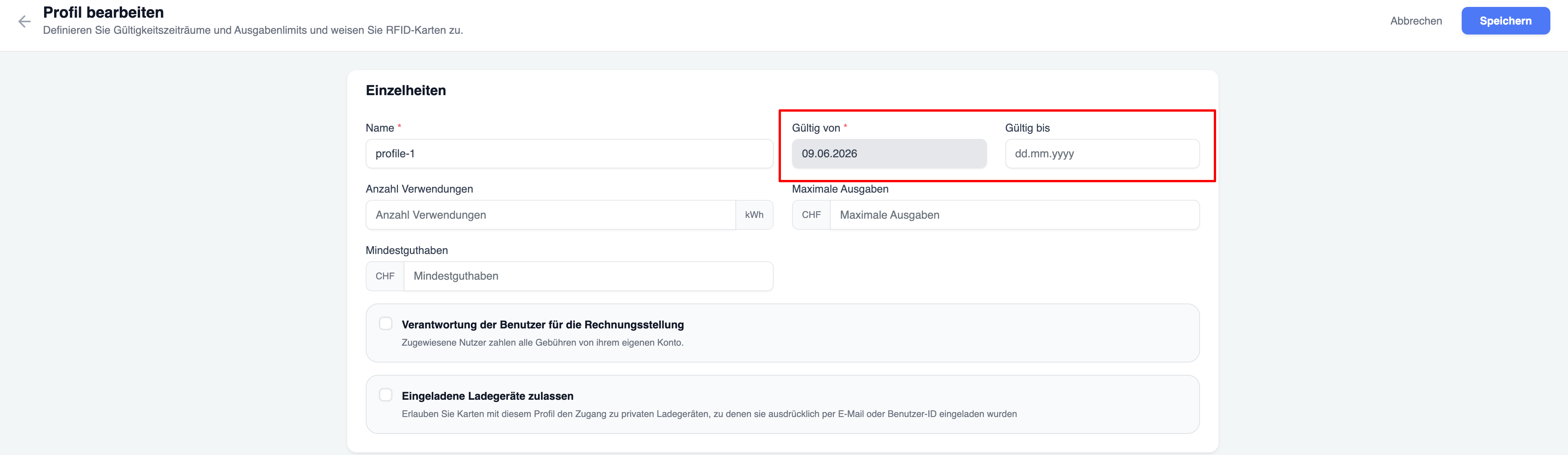
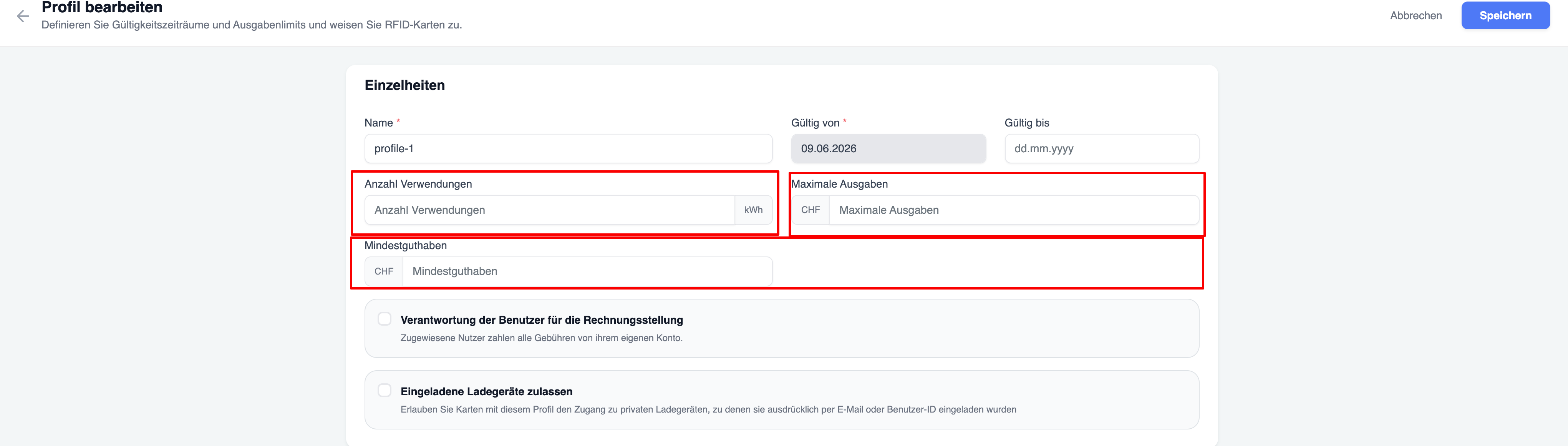
- Maximum spending limits – This limit applies to the total amount spent on charging sessions that the user can carry out using the card assigned to them.
- Charging cost liability settings – This setting determines which user (the cardholder or the user to whom the card has been issued) bears the charging costs for the charging session.
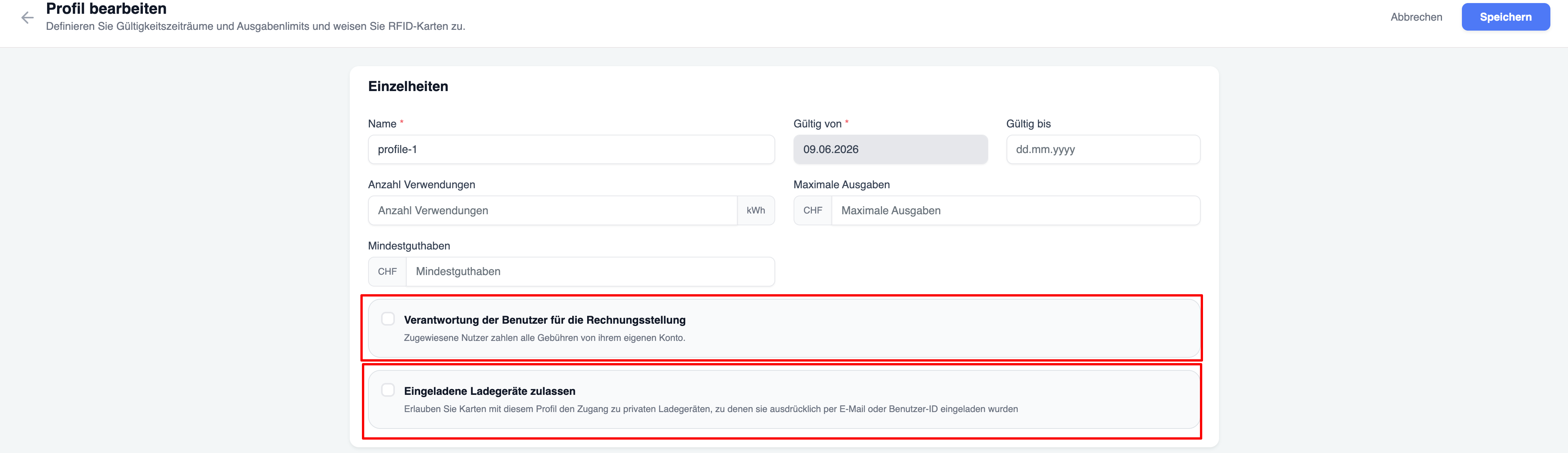
Allow Connected Chargers
Enable Allow Connected Chargers if users assigned to this RFID Profile should be allowed to charge on private charging stations where they have been explicitly invited.
When enabled:
- Users can use the cards with profile on invited private chargers for charging.
- The invitation must already exist.
Network Assignment (Profil Netzwerken zuweisen)
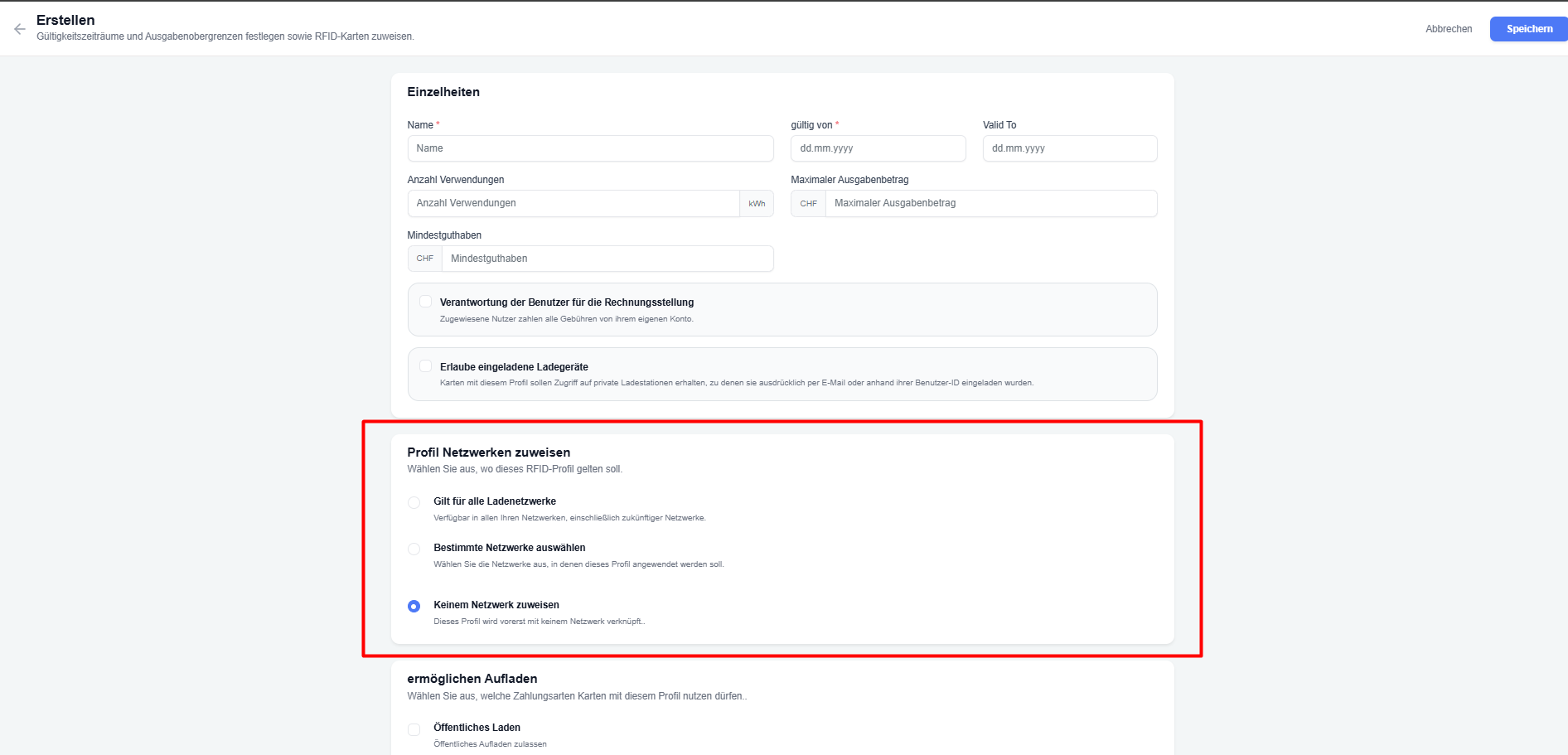
This section controls on which charging networks cards with this profile are allowed to charge.
Choose one of the three options:
| Option | Description |
|---|---|
| Gilt für alle Ladenetzwerke | The profile works on all your networks, including any networks you add in the future. |
| Bestimmte Netzwerke auswählen | The profile works only on the specific networks you select. |
| Keinem Netzwerk zuweisen | The profile is not linked to any network. Cards with this profile cannot charge on network chargers (they can still use other allowed charging types if configured). |
Allow Charging Types (ermöglichen Aufladen)
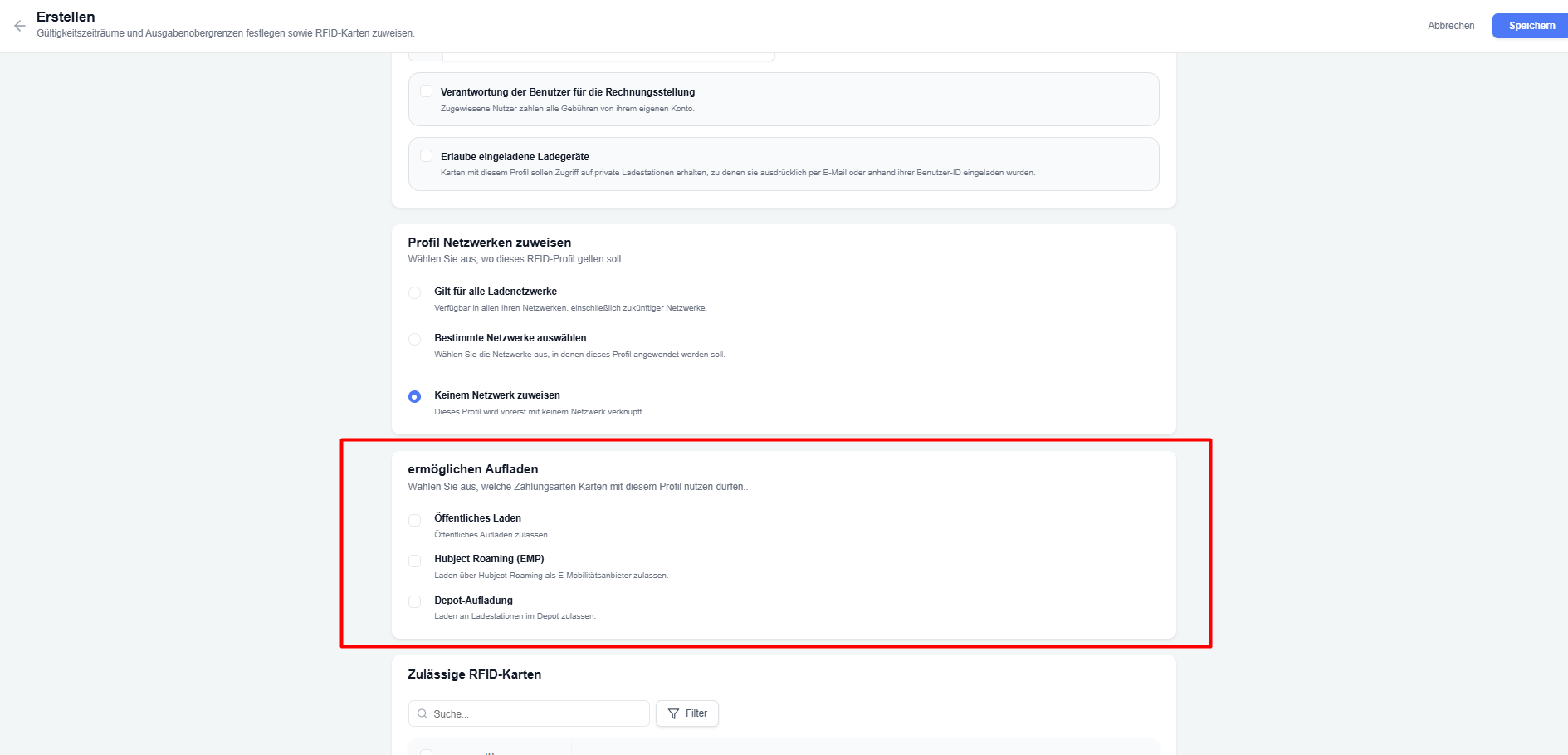
Here you decide which kinds of charging sessions cards with this profile are allowed to start.
Select any combination of the following checkboxes:
| Option | Description |
|---|---|
| Öffentliches Laden / Public Charging | Allows the card to start charging at public chargers. |
| Hubject Roaming (EMP) | Allows the card to start charging via Hubject roaming as an e-mobility provider (EMP). |
| Depot-Aufladung / Depot charging | Allows the card to start charging at depot chargers. |
Important: If a charger is Public, Hubject, or Depot, the user can start a charging session with a card that has this profile only if the corresponding checkbox is enabled.
Create a profile
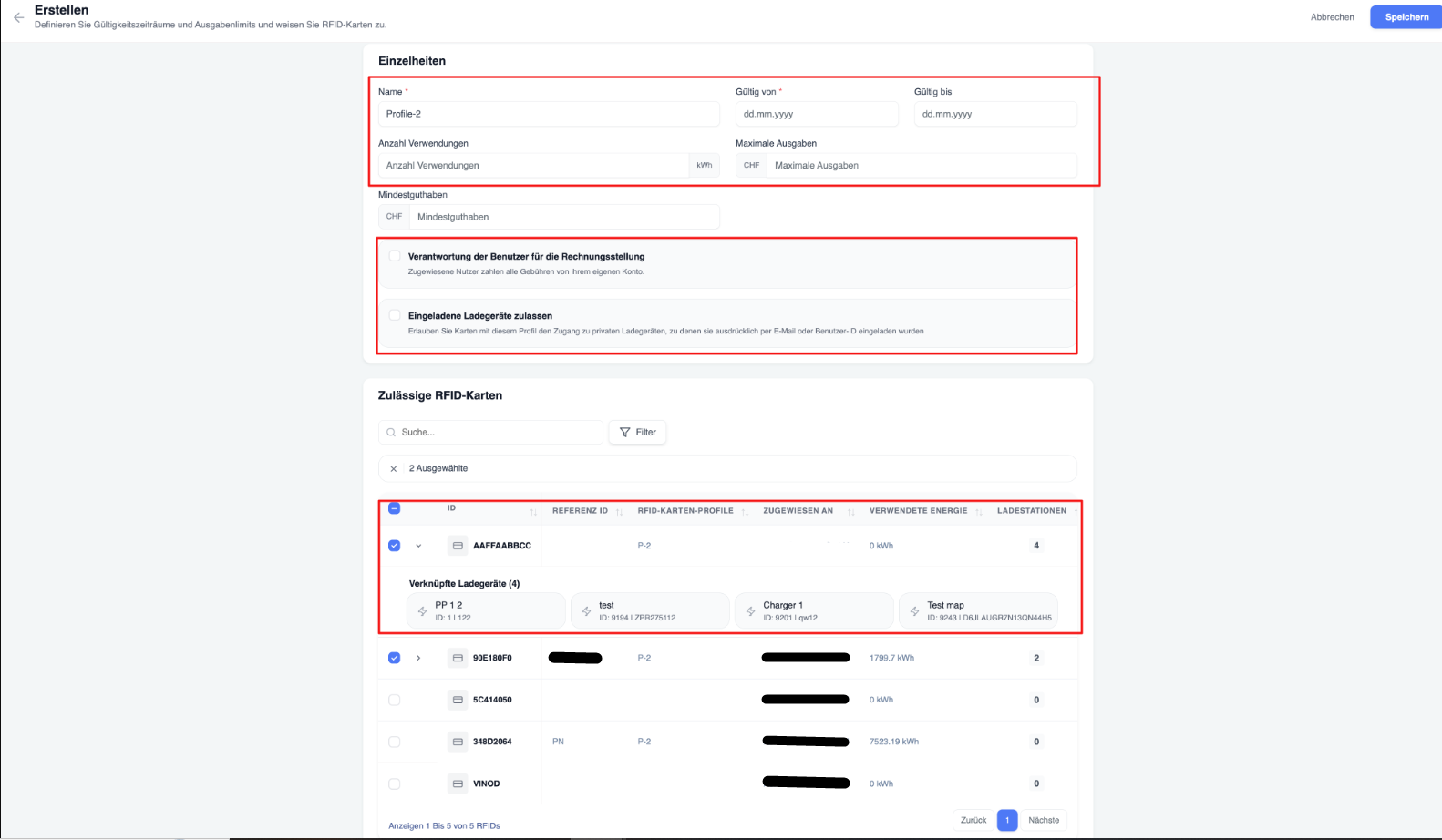
To create a new RFID profile:
Assign profiles
Profiles can be assigned individually or in bulk.
Once assigned, the profile rules automatically apply to all selected RFID cards.
- On the ‘My RFID’ tab:
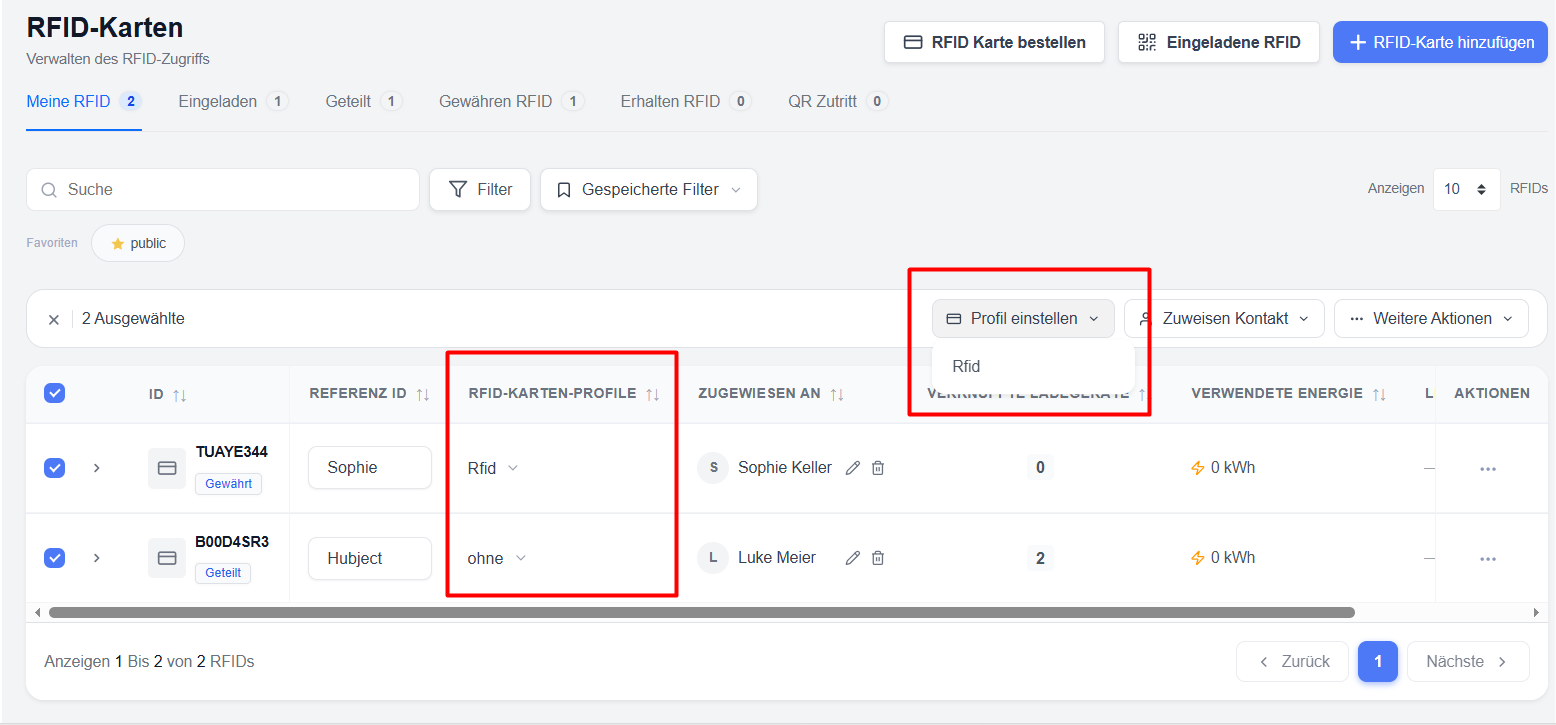
- Via the ‘Edit/Add’ option in the RFID profile
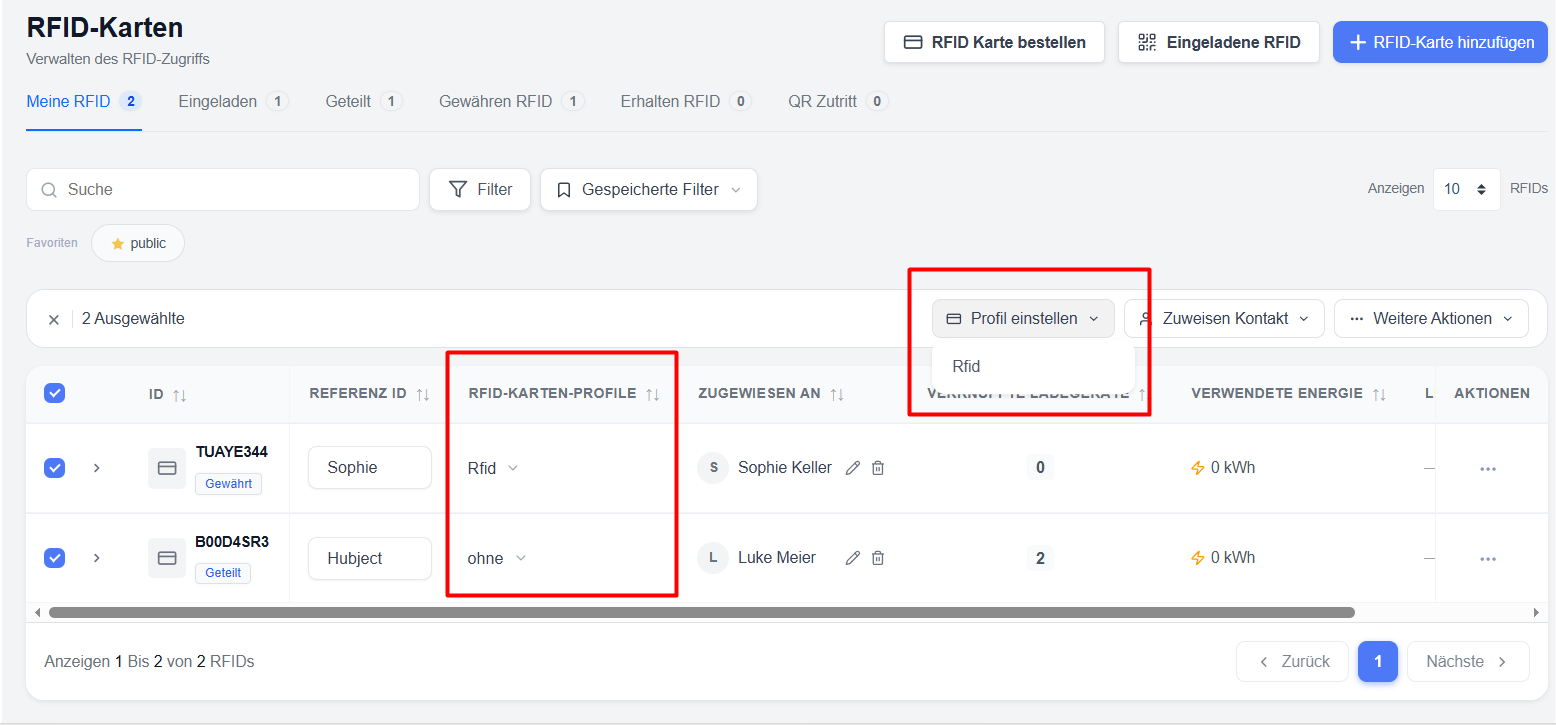
Note: RFID profiles cannot be assigned to cards in public mode or garage mode.
Re-assigning and Changing Profiles on Cards – Rules & Limitations
The system applies clear rules when you assign a profile to a card or change the profile of an existing card. These rules mainly depend on who pays for the charging (User billing responsibility) and how many users the card is granted to.
Key Rules:
| Situation | What is allowed / not allowed |
|---|---|
| Profile has “User billing responsibility” enabled | The card owner can still change or reassign the profile on that card. The new profile can have user billing responsibility enabled or disabled. |
| Card is granted to multiple users | The “User billing responsibility” option cannot be changed. It always stays unchecked. This means the card owner always pays the charging costs. |
| Card is granted to multiple users | You cannot reassign or change the profile to one that has “User billing responsibility” checked. Only profiles where the owner pays are allowed. |
| Owner pays the charging costs (User billing responsibility = unchecked) | The same card can be granted to one or more users at the same time. |
| Granted user pays the charging costs (User billing responsibility = checked) | The card can be granted to only one user. |
Simple summary for everyday use
- If the card owner pays → you can freely share the card with multiple users and change profiles as needed.
- If the granted user pays → the card can only be given to one person, and you cannot switch to a multi-user setup while that billing setting is active.
- You can always change a profile that has user billing responsibility enabled back to a profile where the owner pays.
Deleting an RFID Profile
You cannot delete a profile if it is currently assigned to any card that has been granted to a user.
What you must do first:
- Change the profile on all cards that currently use this profile, or
- Revoke the grants on those cards.
Only after no granted card is using the profile can you delete it.
Benefits of using profiles
- Standardised access management
- Reduced administrative workload
- Standardised billing policies
- Easier compliance with internal company billing rules
Quick Reference – What the Profile Controls
| Setting | Effect on cards with this profile |
|---|---|
| Network assignment | Determines on which networks the cards can charge |
| Public Charging | Cards can / cannot start sessions on public chargers |
| Hubject Roaming (EMP) | Cards can / cannot start sessions via Hubject |
| Depot Charging | Cards can / cannot start sessions at depot chargers |
| Invited chargers | Cards can / cannot access private chargers they were invited to |
| User billing responsibility | Decides whether the card owner or the granted user pays for charging |