**Hinweis**: Die auf einer Karte hinterlegte RFID-Profileinstellung gilt nur, wenn die Karte einem Benutzer zugewiesen wurde; wurde die Karte noch nicht zugewiesen, wird das RFID-Profil nicht angewendet.
#### Inhalt #### Was sind RFID-Profile? RFID-Profile sind wiederverwendbare Richtlinienvorlagen, die festlegen, wie RFID-Karten verwendet werden können, wenn sie anderen Nutzern zugewiesen werden. Profile tragen dazu bei, ein einheitliches Ladeverhalten sicherzustellen – beispielsweise, ob eine Karte an eingeladenen Ladepunkten, innerhalb von Ladenetzwerken, innerhalb von Hubject-Netzwerken oder an öffentlichen Ladepunkten genutzt werden darf – und ermöglichen zudem die Festlegung von Regeln für die maximale Nutzung. [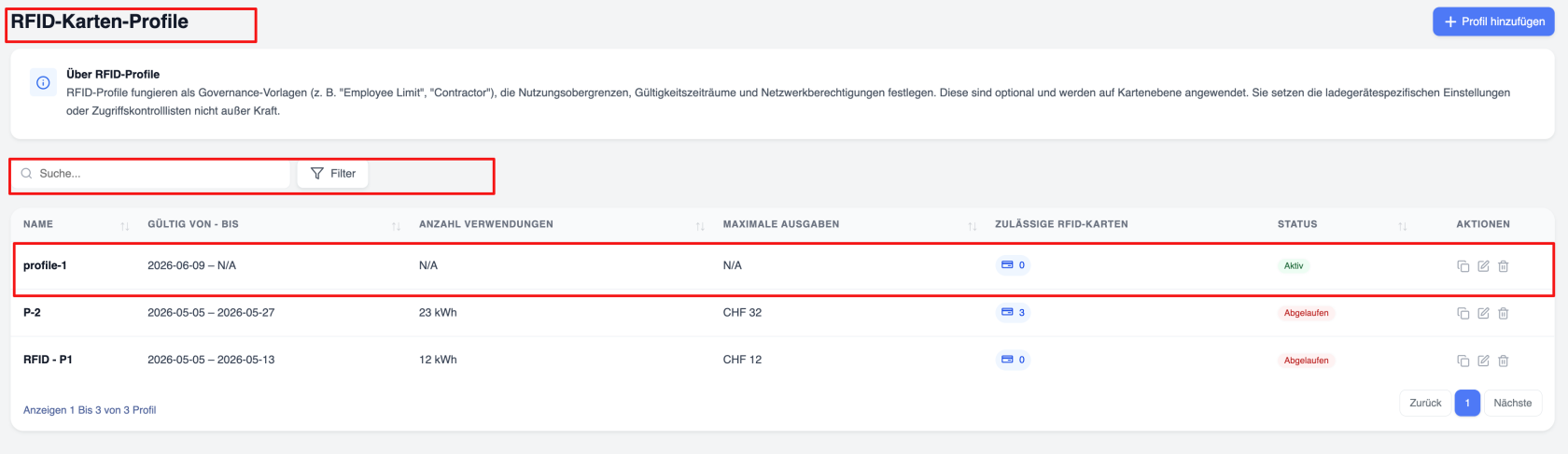](https://wiki.eponet.ch/uploads/images/gallery/2026-06/rfid-profile-1.png) #### Konfigurationsoptionen für Profile Profile können Folgendes enthalten: - Gültigkeitszeiträume – Die Zeiträume, in denen die Nutzung der Karte zulässig[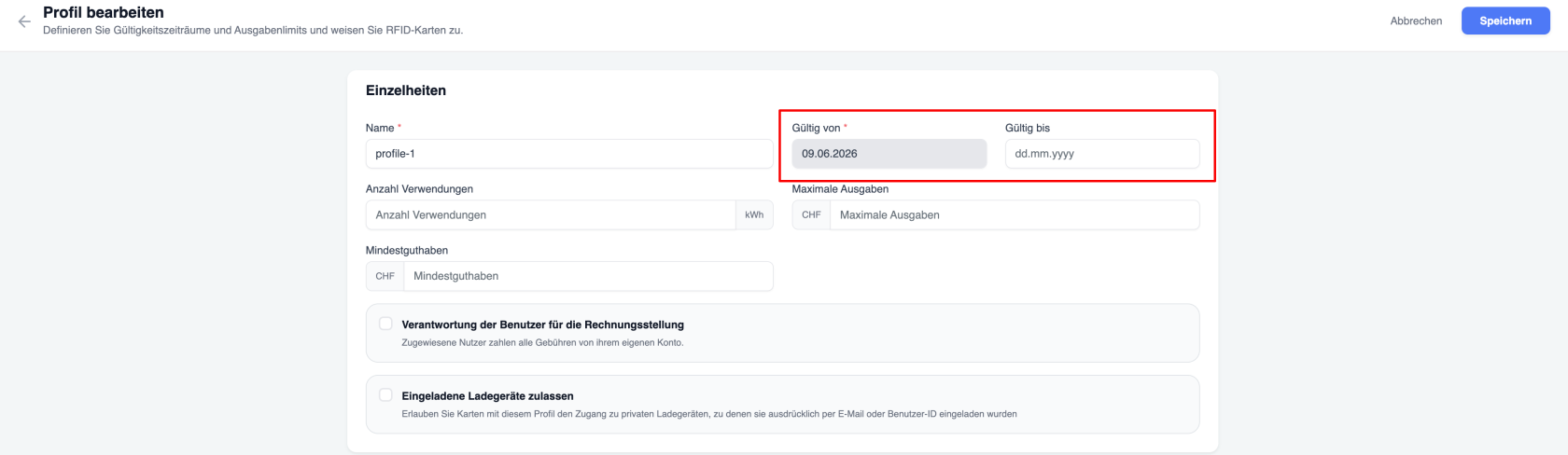](https://wiki.eponet.ch/uploads/images/gallery/2026-06/rfid-profile-date.png) ist - Nutzungslimits – Die maximale Menge an kWh, die der autorisierte Nutzer beim Laden an verschiedenen Ladestationen mit der Karte verbrauchen darf (Summe aller Ladevorgänge) [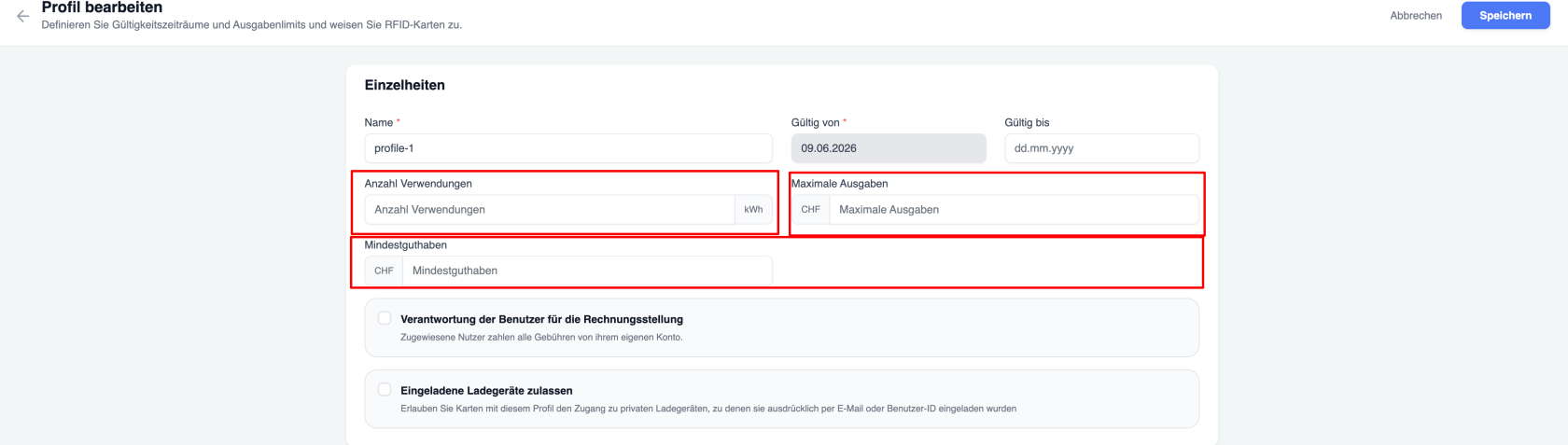](https://wiki.eponet.ch/uploads/images/gallery/2026-06/rfid-profile-amount-and-kwh.png) - Maximale Ausgabenobergrenzen – Diese Obergrenze gilt für den Gesamtbetrag, den der Nutzer für Ladevorgänge ausgeben darf, die er mit der ihm zugewiesenen Karte durchführt. - Einstellungen zur Haftung für Ladekosten – Diese Einstellung legt fest, welcher Nutzer (der Karteninhaber oder der Nutzer, an den die Karte ausgegeben wurde) die Ladekosten für den Ladevorgang trägt. - Zugangsbeschränkungen für Ladestationen – Kann der autorisierte Nutzer mit der ihm zugewiesenen Karte einen Ladevorgang an der dafür vorgesehenen Ladestation starten? - Unternehmensspezifische Lade-Richtlinien [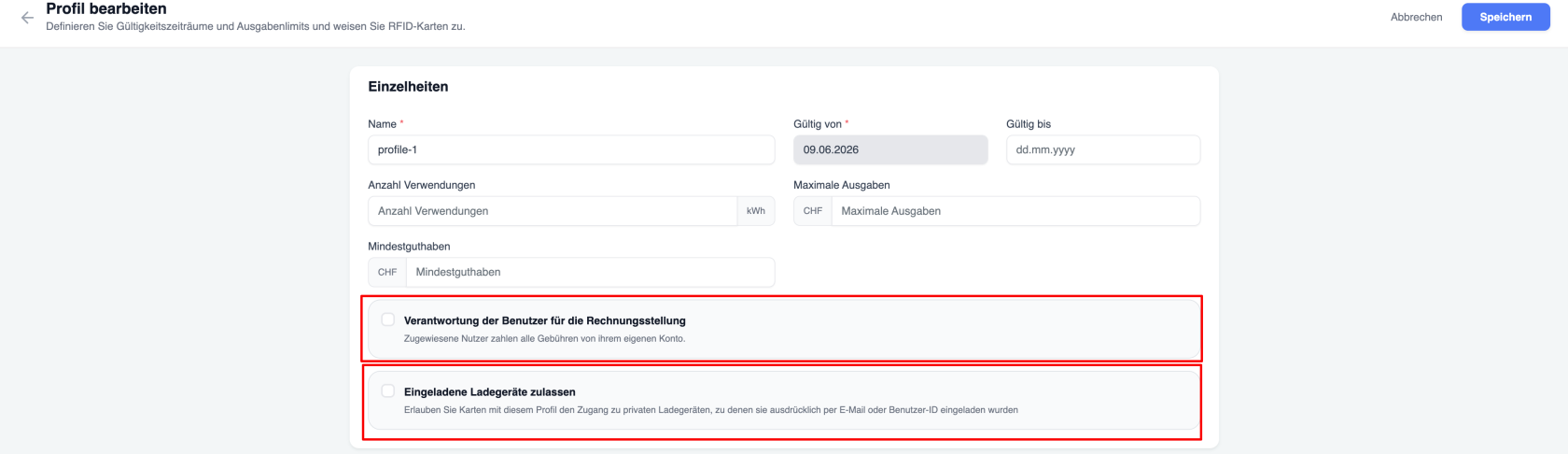](https://wiki.eponet.ch/uploads/images/gallery/2026-06/rfid-profile-invited.png) ### Profil erstellen So erstellen Sie ein neues RFID-Profil: 1. Navigieren Sie zu „RFID-Profile“. 2. Wählen Sie **„Profil hinzufügen**“. 3. Konfigurieren Sie die Profileinstellungen. 4. Legen Sie die Berechtigungen für das Aufladen fest. 5. Speichern Sie das Profil. [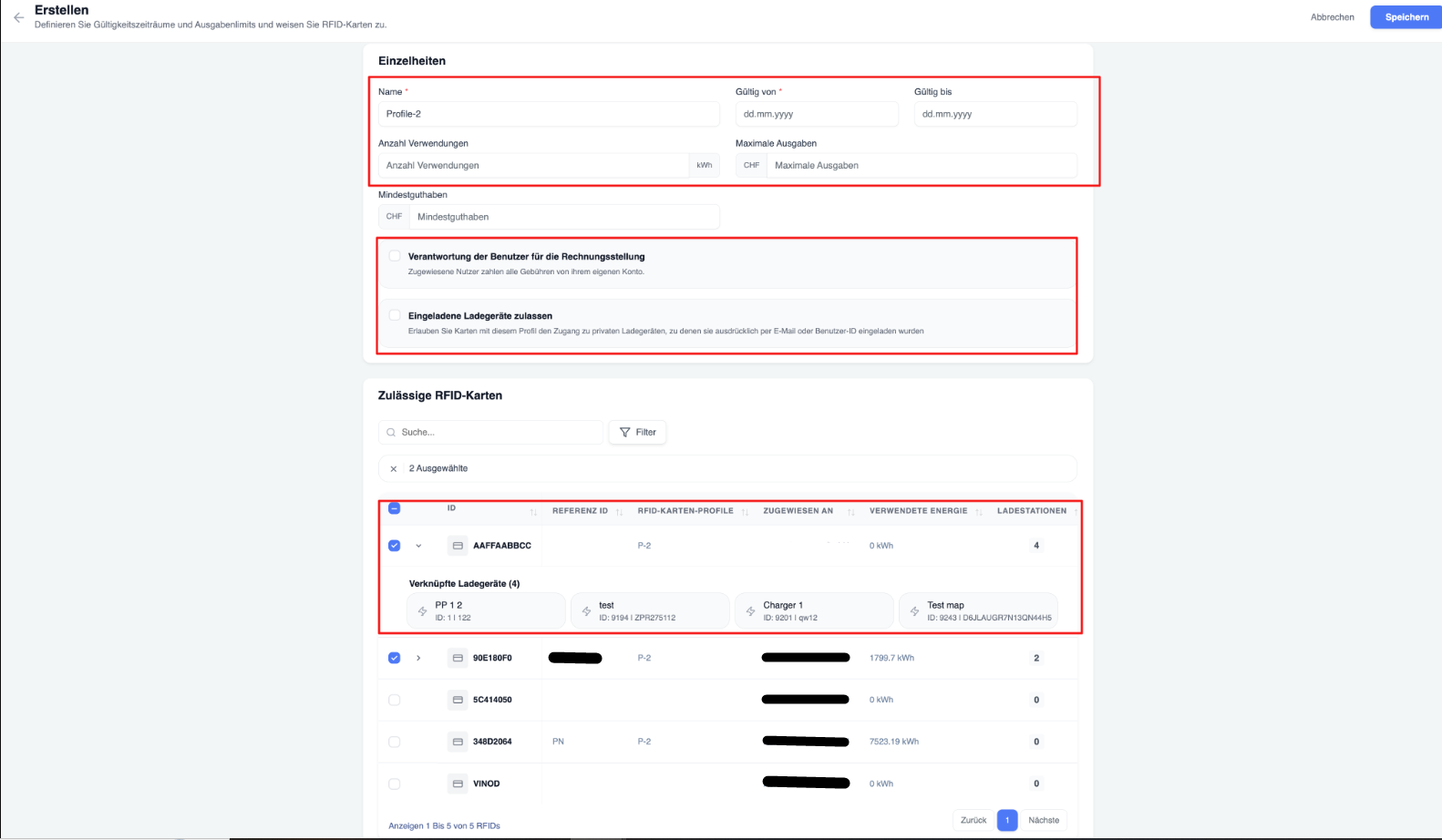](https://wiki.eponet.ch/uploads/images/gallery/2026-06/Ffuimage.png) ### Profile zuweisen Profile können einzeln oder in großen Mengen zugewiesen werden. Nach der Zuweisung gelten die Profilregeln automatisch für alle ausgewählten RFID-Karten. - Auf der Registerkarte „Meine RFID-Karten“: [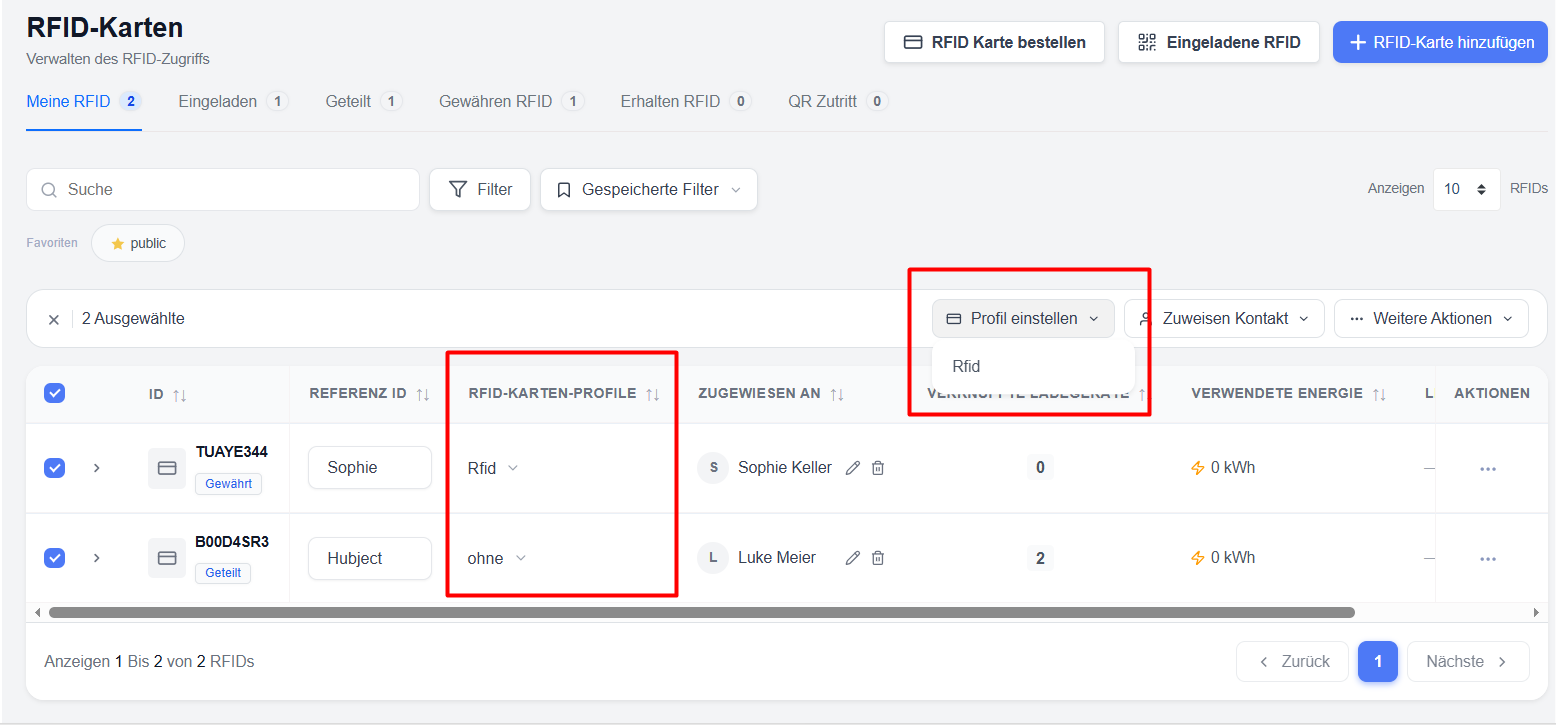](https://wiki.eponet.ch/uploads/images/gallery/2026-06/ubjimage.png) - Über die Option „Bearbeiten/Hinzufügen“ im RFID-Profil [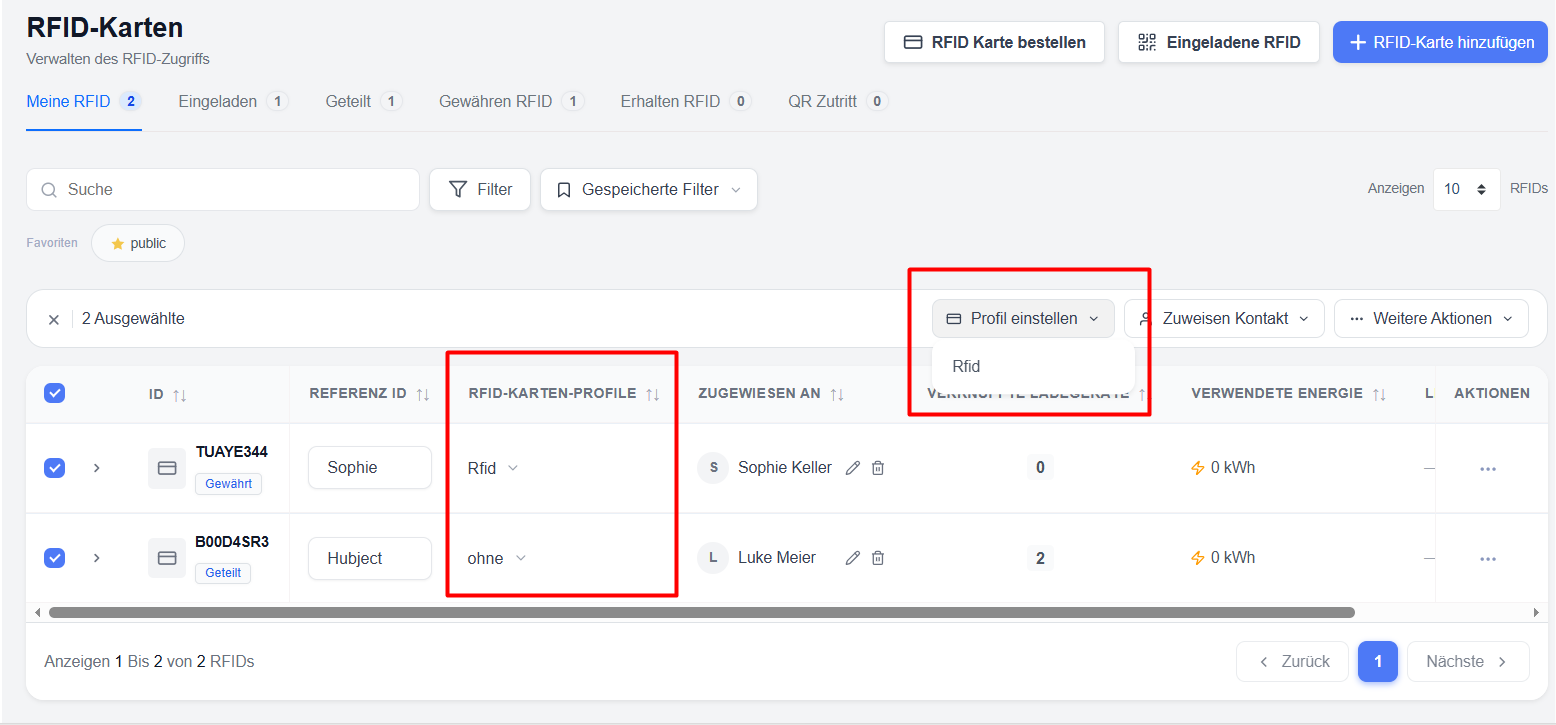](https://wiki.eponet.ch/uploads/images/gallery/2026-06/yYDimage.png)**Hinweis**: RFID-Profile können nicht Karten im öffentlichen Modus oder im Garagenmodus zugewiesen werden.
### Vorteile der Verwendung von Profilen - Standardisierte Zugangsverwaltung - Reduzierter Verwaltungsaufwand - Standardisierte Abrechnungsrichtlinien - Einfachere Einhaltung interner Abrechnungsregeln des Unternehmens