
RFID cards - Receive receipt by e-mail
Do you have several RFID cards – for example, one for private journeys and one for business journeys – and would you like to receive a receipt by email only for the business cards? This can be set up according to your preferences.
The email address for a receipt is stored in the address book in your account.
Here is an example with Beat Muster.
Beat Muster has two RFID cards. In the Reference ID field, he has already labelled them "Private journeys" and "Business journeys":

Now Beat Muster wants the receipt for the "Business trips" RFID card to always be sent by email to the address: firma@beatmuster.ch.
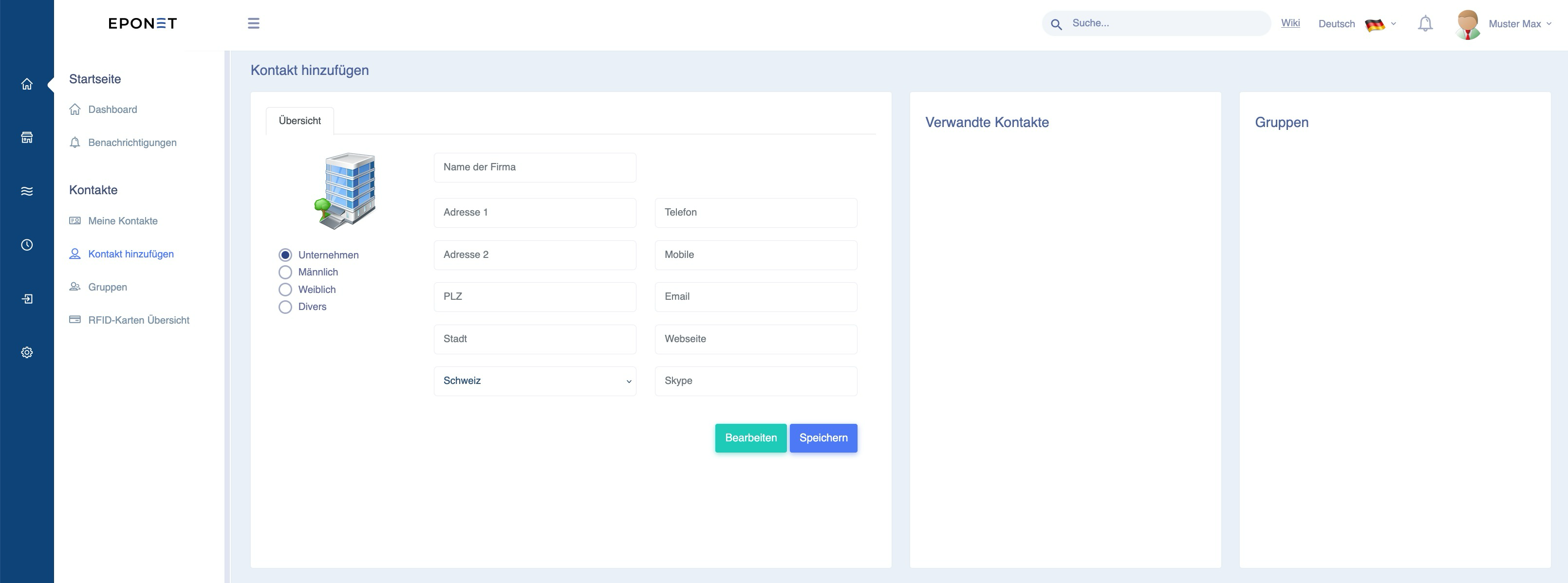
To do this, Beat Muster opens a new contact called Muster Beat Business with "Add contact" and enters this email address there:
For the RFID card (here under E-mobility), this new contact with the desired email address can now be stored in the "Assigned to" field:
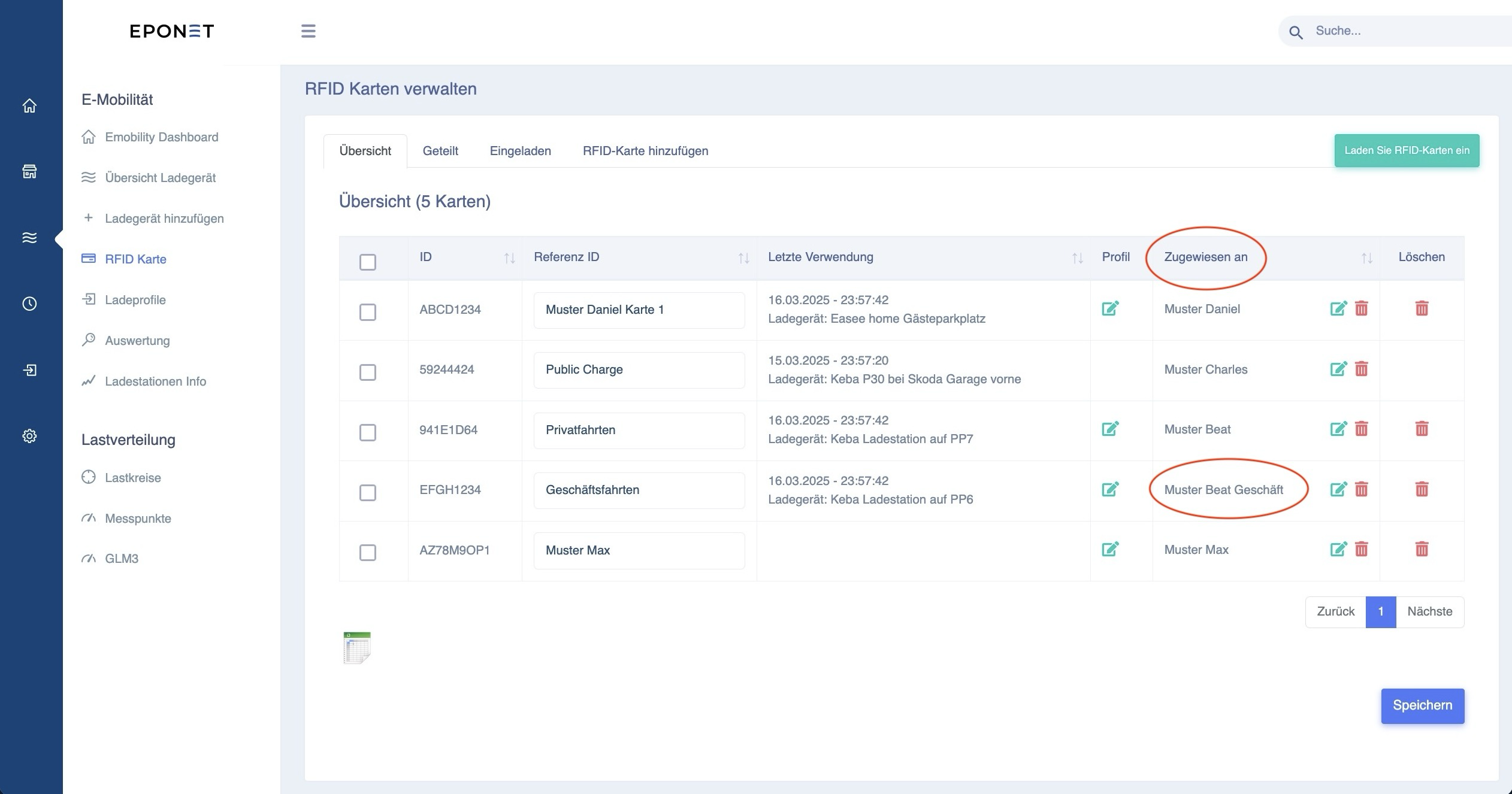
Incidentally, if Beat Muster does not want to receive receipts by email for his private journeys, he can create a contact without an email address and assign this contact to the "Private journeys" RFID card.