
Top up balance / deposit money
Top up your balance / Deposit
money into your account
This article explains how to transfer money into your personal Eponet account. You’ll find this feature under Settings > Finances, where you can also view your account balance and all your account transactions.
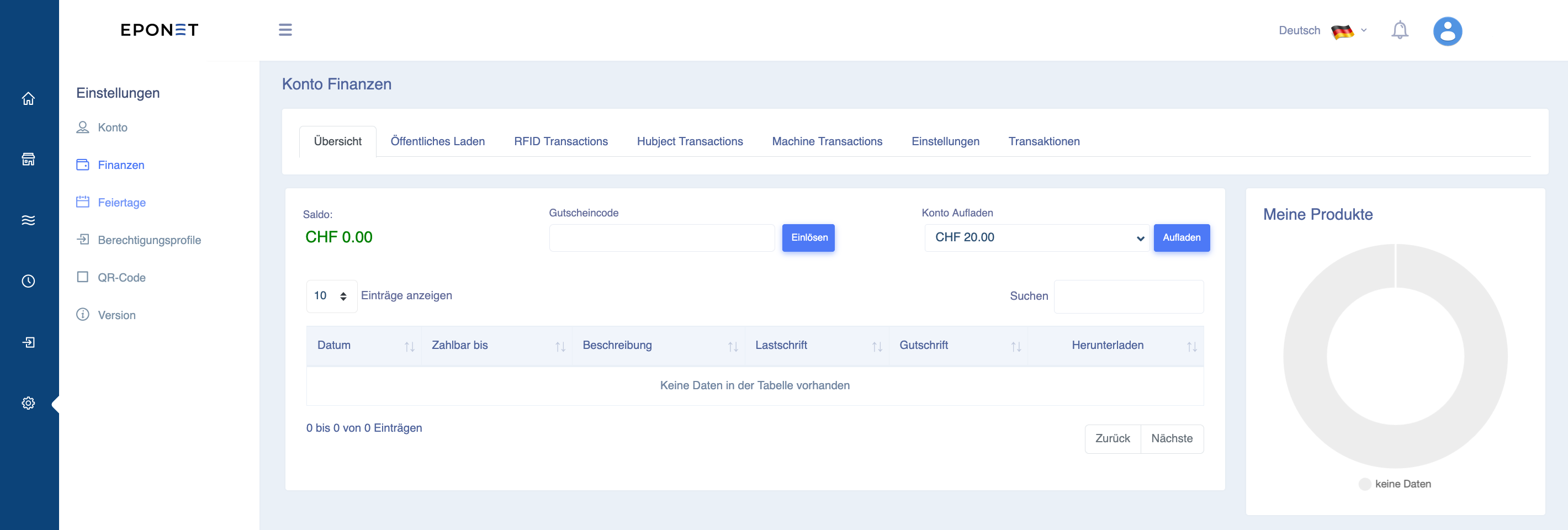
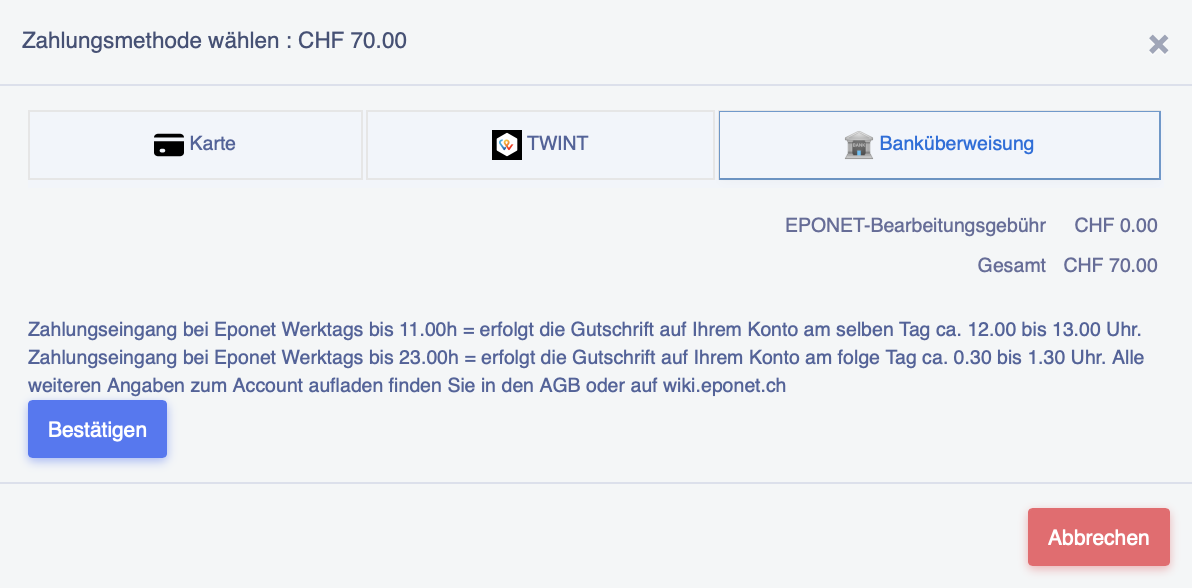
Here you will see the ‘Top up account’ section. Select the desired amount and click on ‘Top up’. A top-up window will now open (here is an example showing CHF 70.- having been selected):
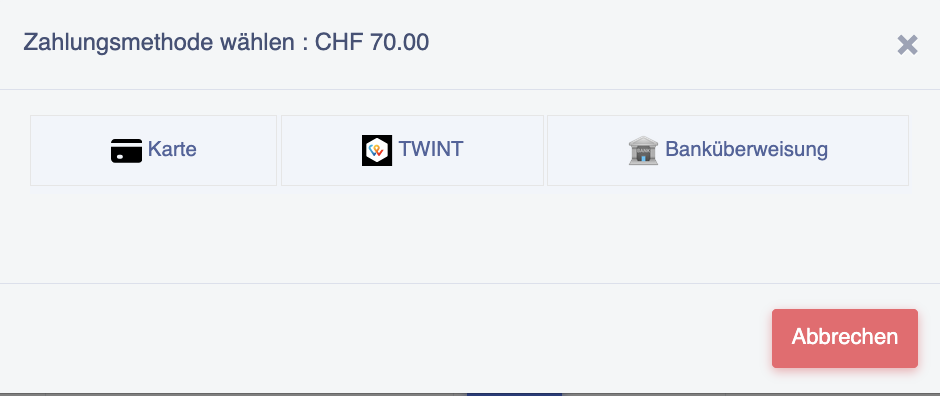
If you select ‘Card’, the next window will appear, where you can enter your credit card details. Follow the instructions:
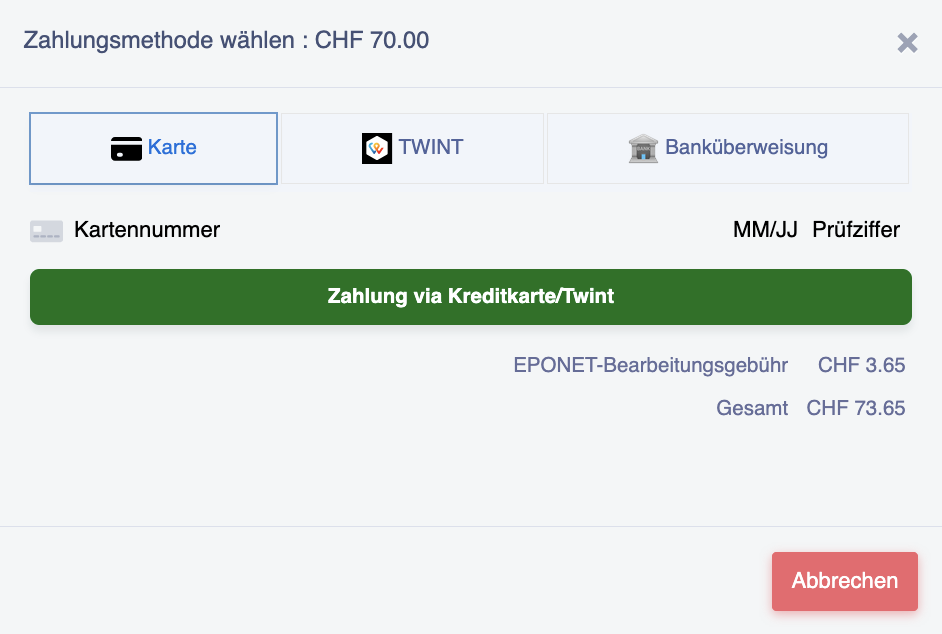
If you select ‘TWINT’, the next window will appear; clicking the green button will take you to the TWINT QR code. Follow the instructions:
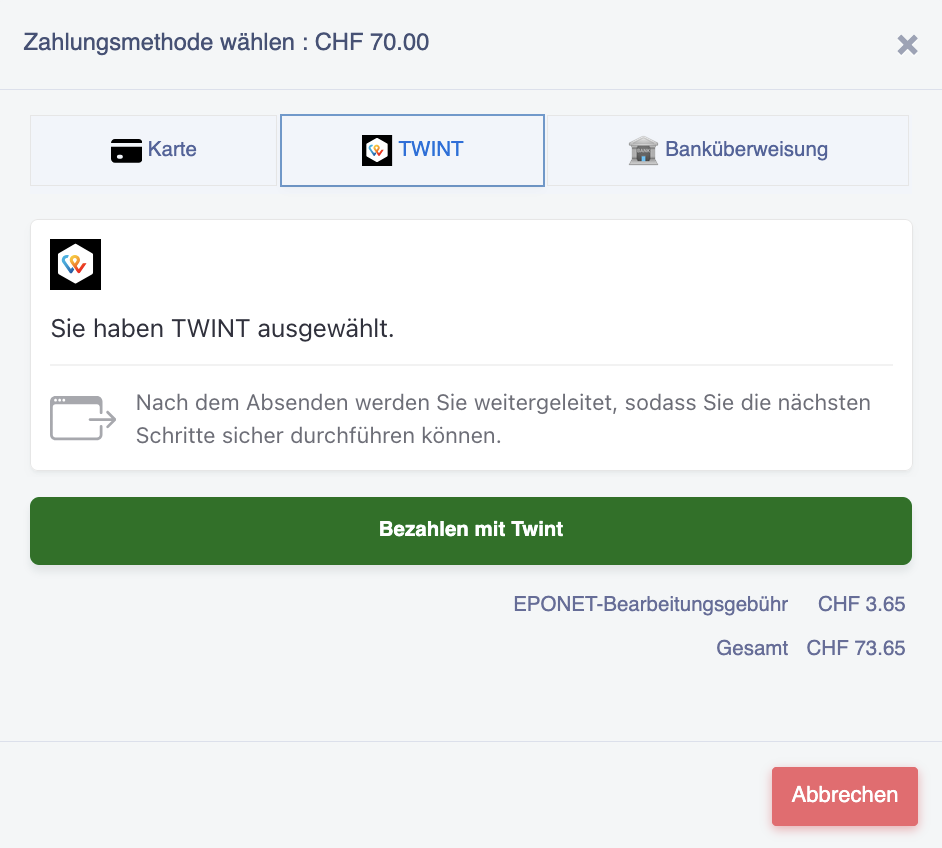
If you select ‘Bank transfer’, the next window will appear, in which you must confirm the delayed credit (bank transfers are free of charge, so there are no processing fees).
Follow the instructions:
Click on the ‘Confirm’ button. You will then receive the QR code payment slip for the transfer:
Please check the ‘Payable by’ fields: if your address details are incorrect or missing, the payment cannot be processed.
For payments using a QR code payment slip (free of charge), the address in the portal is essential – otherwise, the QR code on the payment slip will not work and your payment cannot be allocated.
The current bank details, effective from October 2025, are: IBAN CH34 3078 4298 2341 2200 1
. Please do not transfer any amounts that have not been initiated via the portal’s payment function; these transfers also include the allocation to your account.
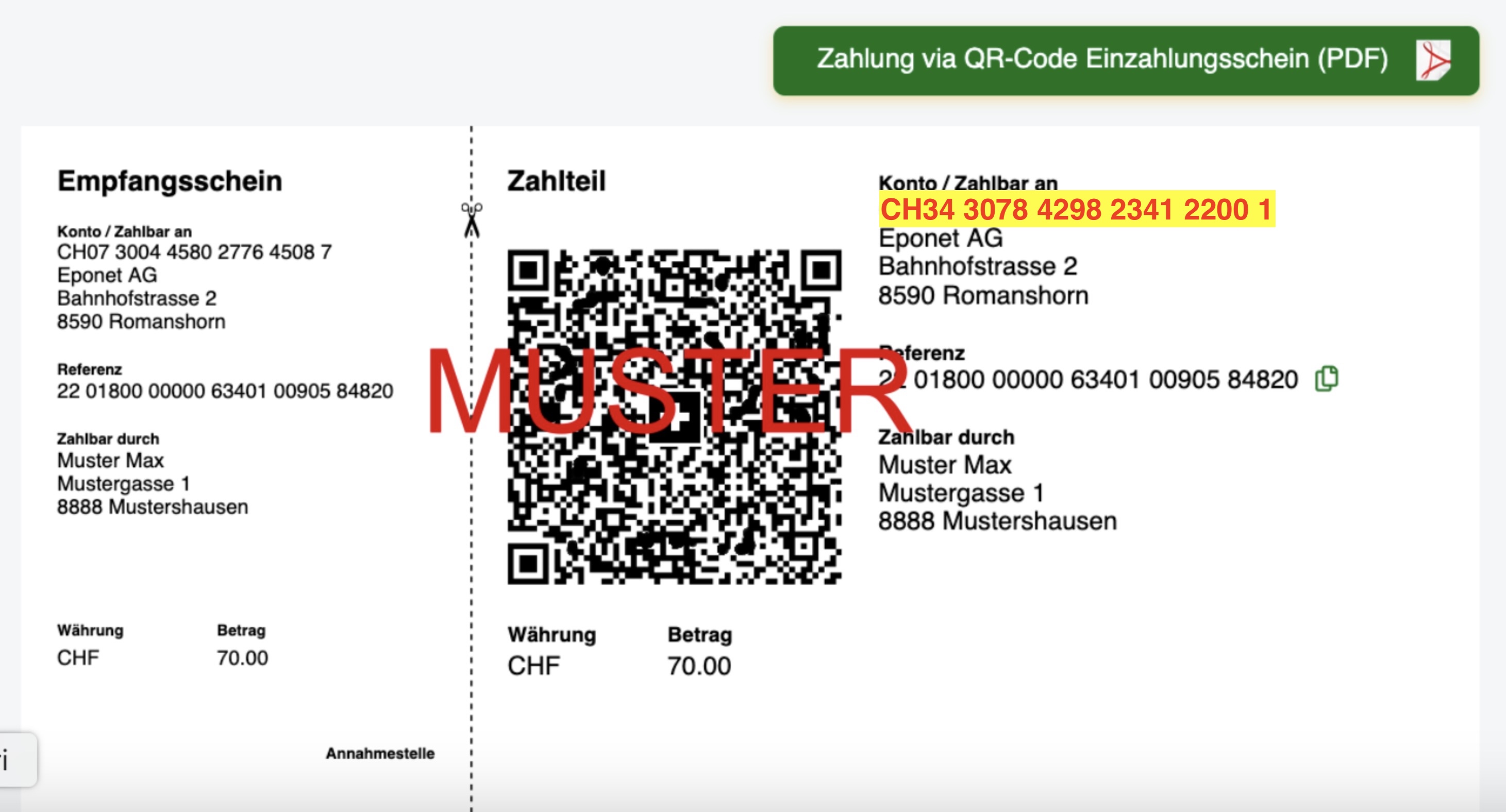
It is also possible to download the QR code payment slip as a PDF (green button). Please note that cash deposits at the post office are subject to a fee and will be debited from your account.
When will funds transferred via bank transfer be
credited to your account?
Example
: Day 1: You make a bank transfer on
Day 2: The funds are received in Eponet’s bank account; final booking takes place on the following ‘Day 3’ via the bank.
Day 3: The bank processes the previous day’s payments and transfers them to the interface for the Eponet platform. The data is transmitted to the platform by 9.30 pm and is credited to your account by Eponet immediately.
Your transaction will be displayed at the time the payment is received, showing the date on which the payment was received by the bank.
Please note that this process is entirely digital and cannot be expedited. The process takes place on working days; the bank does not process any banking data at weekends, so these transactions are therefore suspended until the following working day.
Information regarding the following note:

If you scan the QR code on the payment slip, all details will be entered correctly and there is no risk of you being charged this CHF 28.–. This flat-rate fee of CHF 28.– will only be charged if you enter the details (IBAN) manually and the QR reference code is missing, or if incorrect details are entered during manual input. In such cases, we have to manually search for the payment and allocate it to your account. This considerable time-consuming process can be avoided if you simply scan the QR code on the payment slip using your banking app.
Is
your payment slip’s QR code not working?
If your payment slip’s QR code isn’t working, please check the address on the payment slip. You can find more information on this here in the Eponet FAQ
As soon as your credit balance falls below CHF 50.– – for example, CHF 49.80 – you will no longer be able to top up your credit (the minimum credit balance for washing machines is CHF 2.–). So please top up your credit in good time.
Please note: We offer topping up via online banking using the QR code payment slip as a free service. However, it can take up to 3 working days for the amount to appear in your account. What counts is not when the amount was debited from your account, but the time at which the amount was received in our account:
Receipt of payment for bank transfers to your account:
When will the money transferred via online banking be credited to my account?
Example
Day 1: You make a bank transfer on
Day 2: The funds are received in Eponet’s bank account; the final booking is carried out by the bank on the following ‘Day 3’
Day 3: The bank processes the previous day’s payments and transfers them to the interface for the Eponet platform. The data is transmitted to the platform by 9.30 pm and is credited to your account by Eponet immediately.
Your transaction will be displayed to you at the time the payment is received, showing the date on which the payment was received by the bank.
Please note that this process is entirely digital and cannot be expedited. The process takes place on working days; the bank does not process any banking data at weekends, so these transactions are suspended until the following working day.
If your payment has not yet been credited to your account and you need to top up urgently, you can do so immediately by credit card or TWINT. Please bear in mind the applicable payment fees.
Topping up in good time using the ‘free QR code payment slip’ makes Eponet the most cost-effective billing solution and is easy on your wallet!
Eponet Fees – Information
Fees and charges apply when using credit cards, TWINT, etc. For credit card transactions, processing – including checks for suspected fraud, security checks, CVV verification and the secure storage of financial transaction data – is carried out by a reputable third-party company. This process and the associated costs are covered by the Eponet fees. You can avoid these fees by using the free payment option with the QR code payment slip.
Information video on fees:

VAT when topping up your balance / depositing money
Please note:
No VAT is charged when topping up your balance or depositing money – as no service has been provided. This process is similar to making a bank transfer from your bank account. No VAT is charged in that case either. Only when you use a service is a transaction recorded, and this is shown in your account with VAT included. You can find the receipts for each transaction in your account under ‘Finances’. Each receipt also lists the service provider’s VAT registration number (where applicable).