
Order RFID cards
Description –
This page explains how users can order RFID charging cards or RFID badges via the Eponet platform. Users can place orders, select quantities, specify delivery details, choose a payment method and track the order status directly via the portal.
RFID cards and RFID badges can be used for authentication at charging stations and for quick access to charging sessions.
To charge at an Eponet charging station, you will need an Eponet RFID card or an Eponet RFID badge.

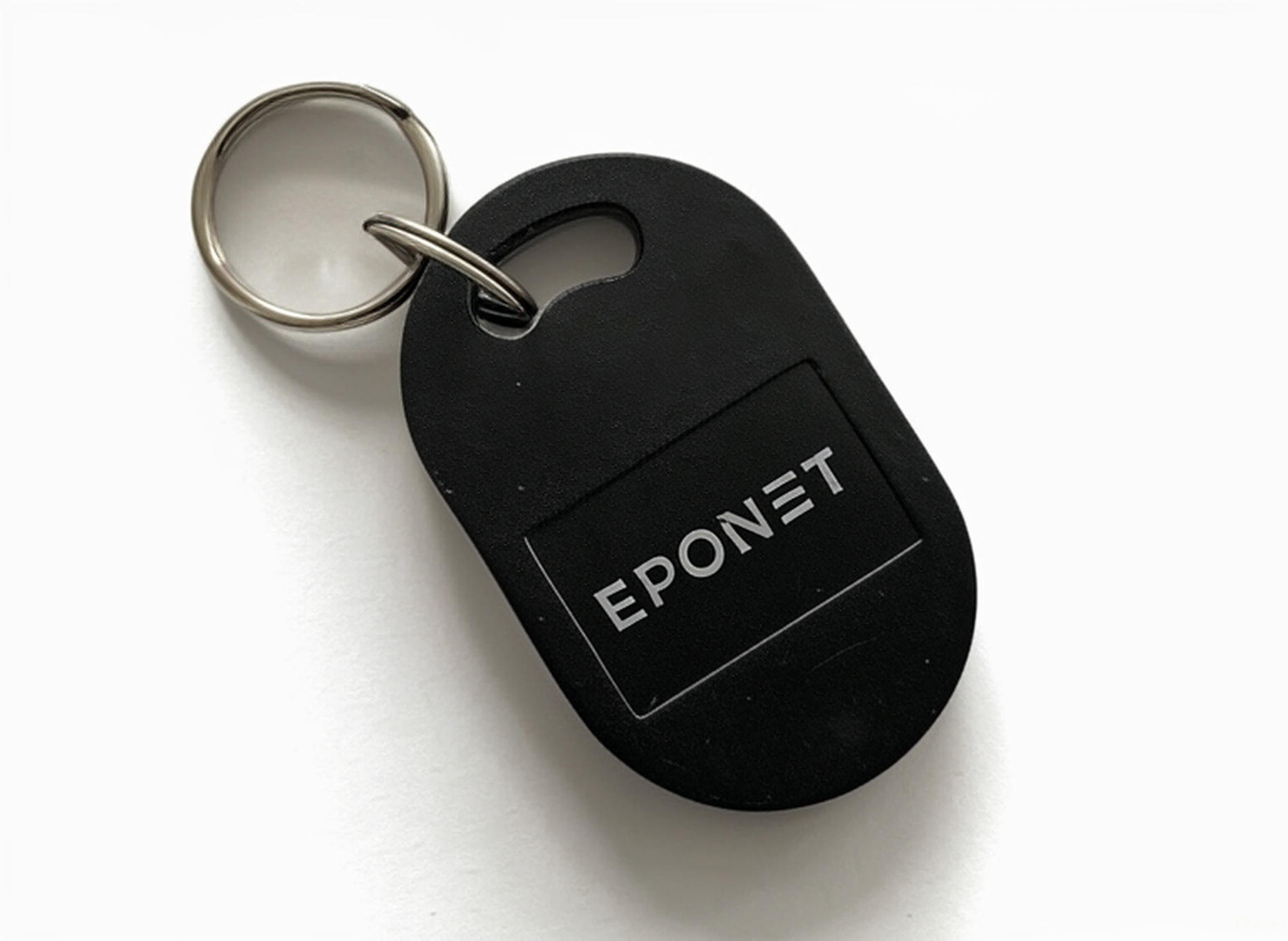
RFID cards from other providers may also work.
Please note:
should Eponet offer support for third-party RFID cards, we reserve the right to charge for this support via your account. For this reason, we recommend the tested Eponet RFID cards.
You can order RFID cards and badges directly from Eponet
You can order Eponet RFID cards or badges on 3 different pages:
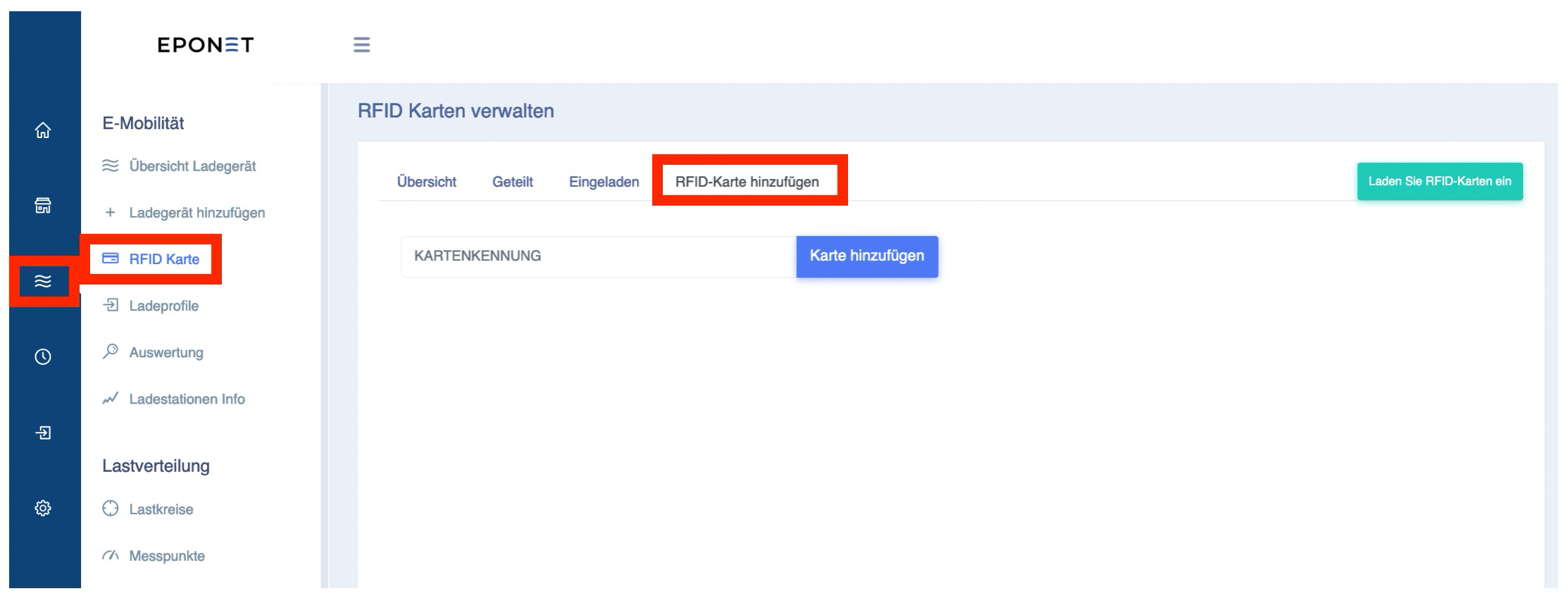
- Log in to the Eponet web portal
- Navigate to:
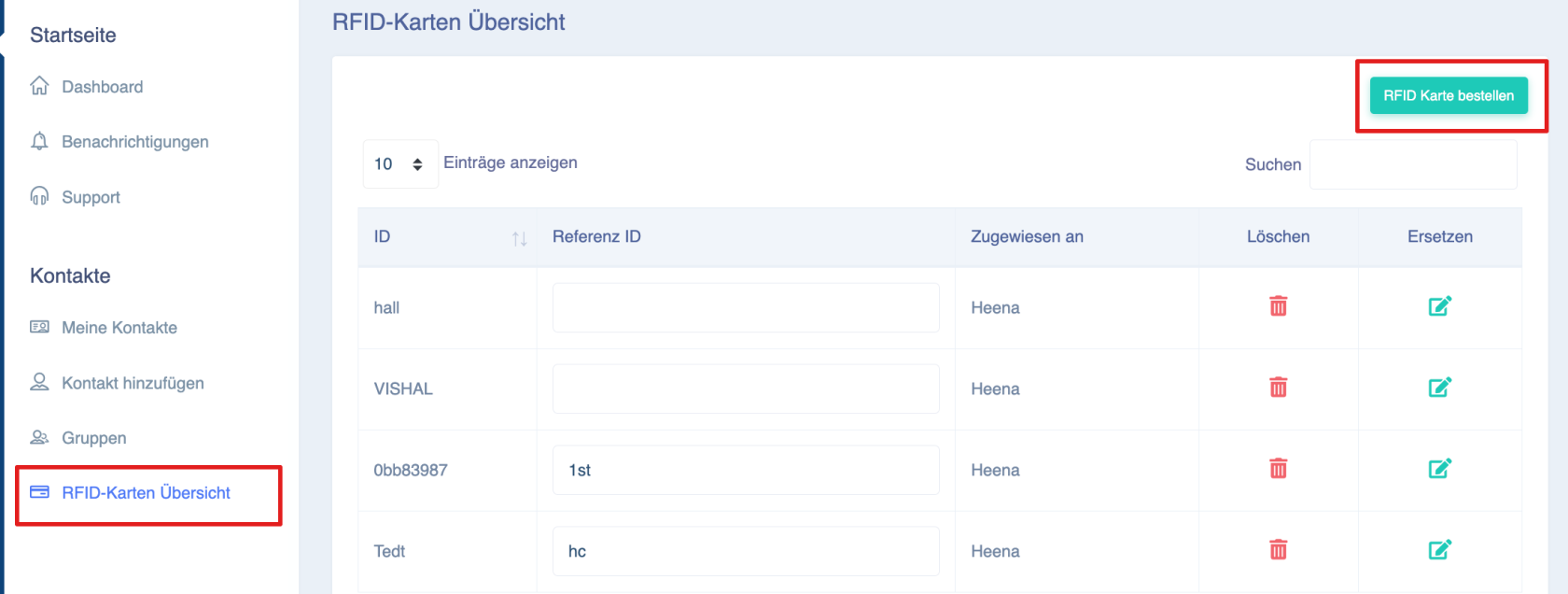
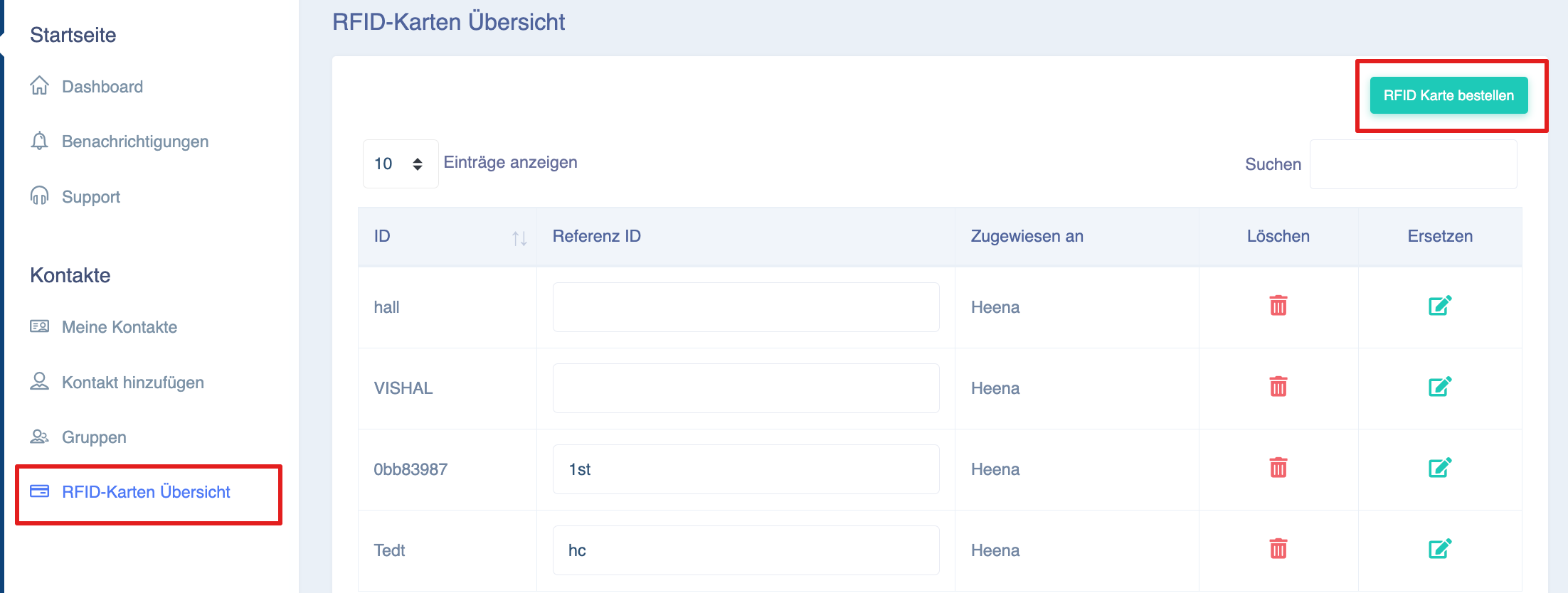
- ‘RFID Card’ page in the ‘E-Mobility’ section:
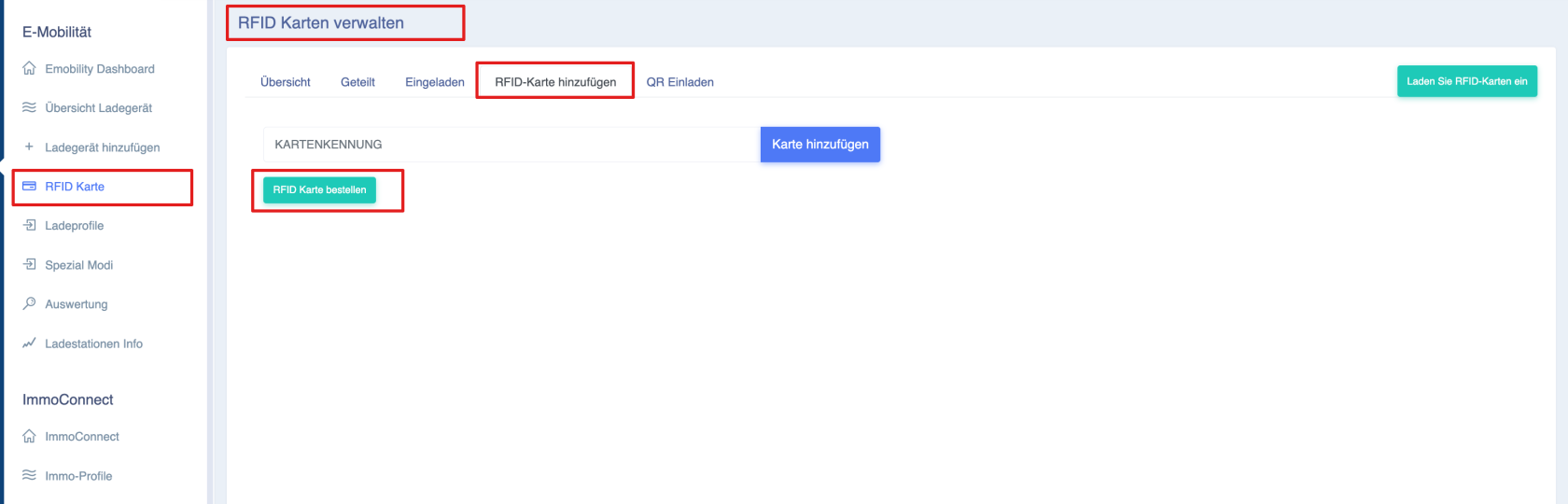
- ‘RFID Card’ page in the ‘E-Mobility’ section:
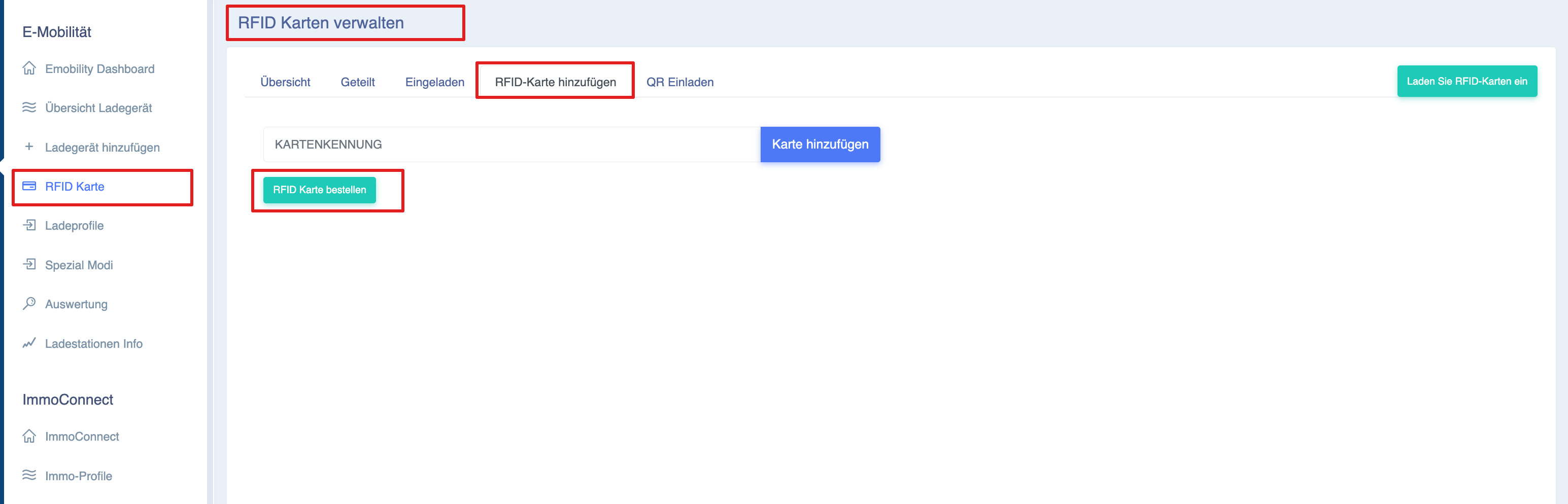
-
- Overview of RFID cards
-
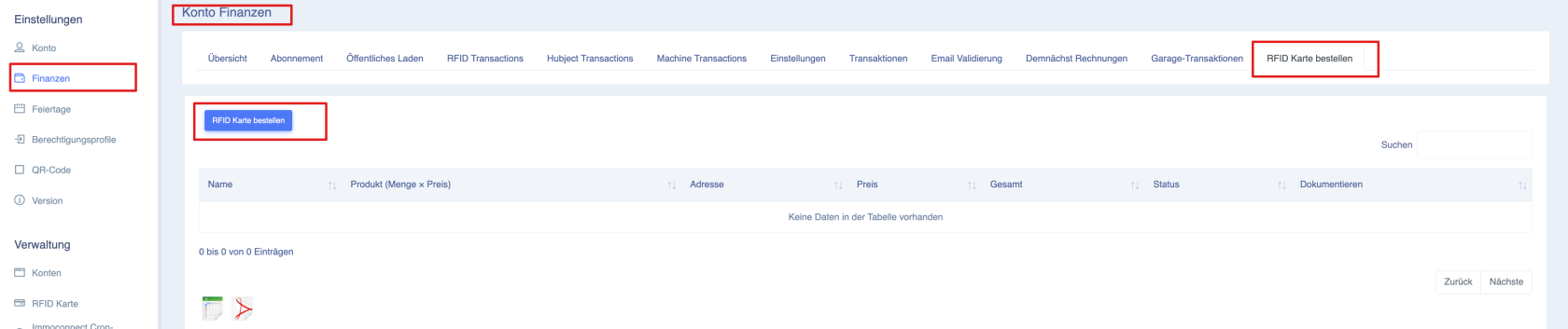
- Order RFID cards in the ‘Finance’ section
-
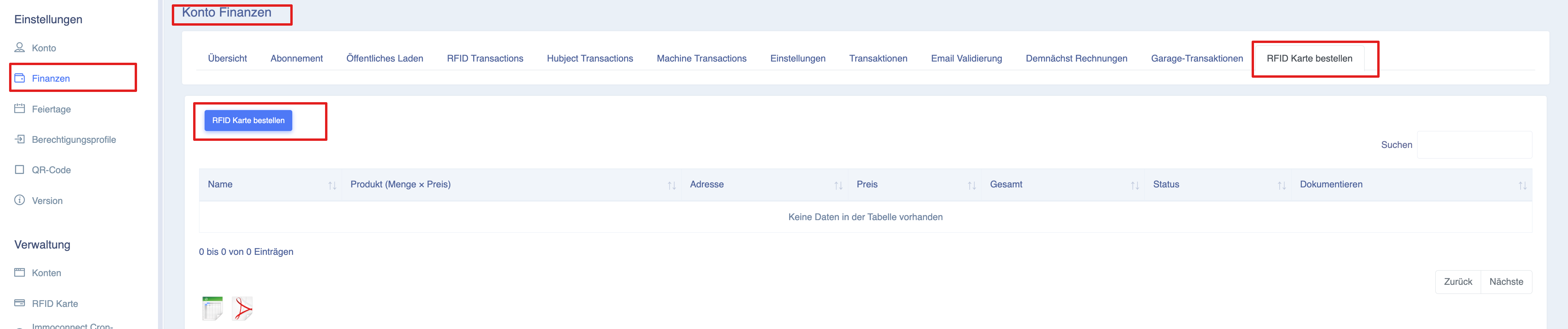
Click on the ‘Order RFID cards’ button
-
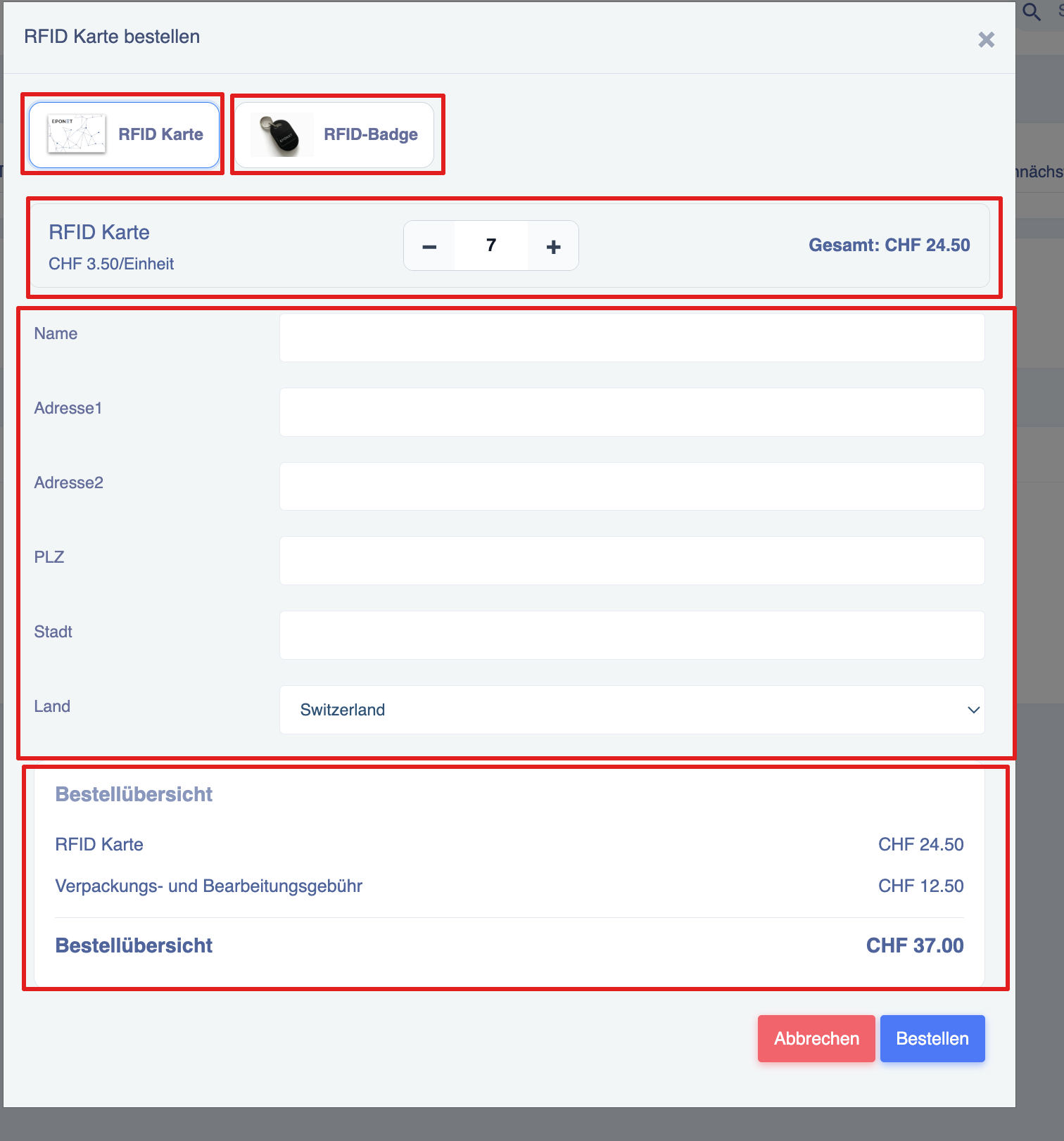
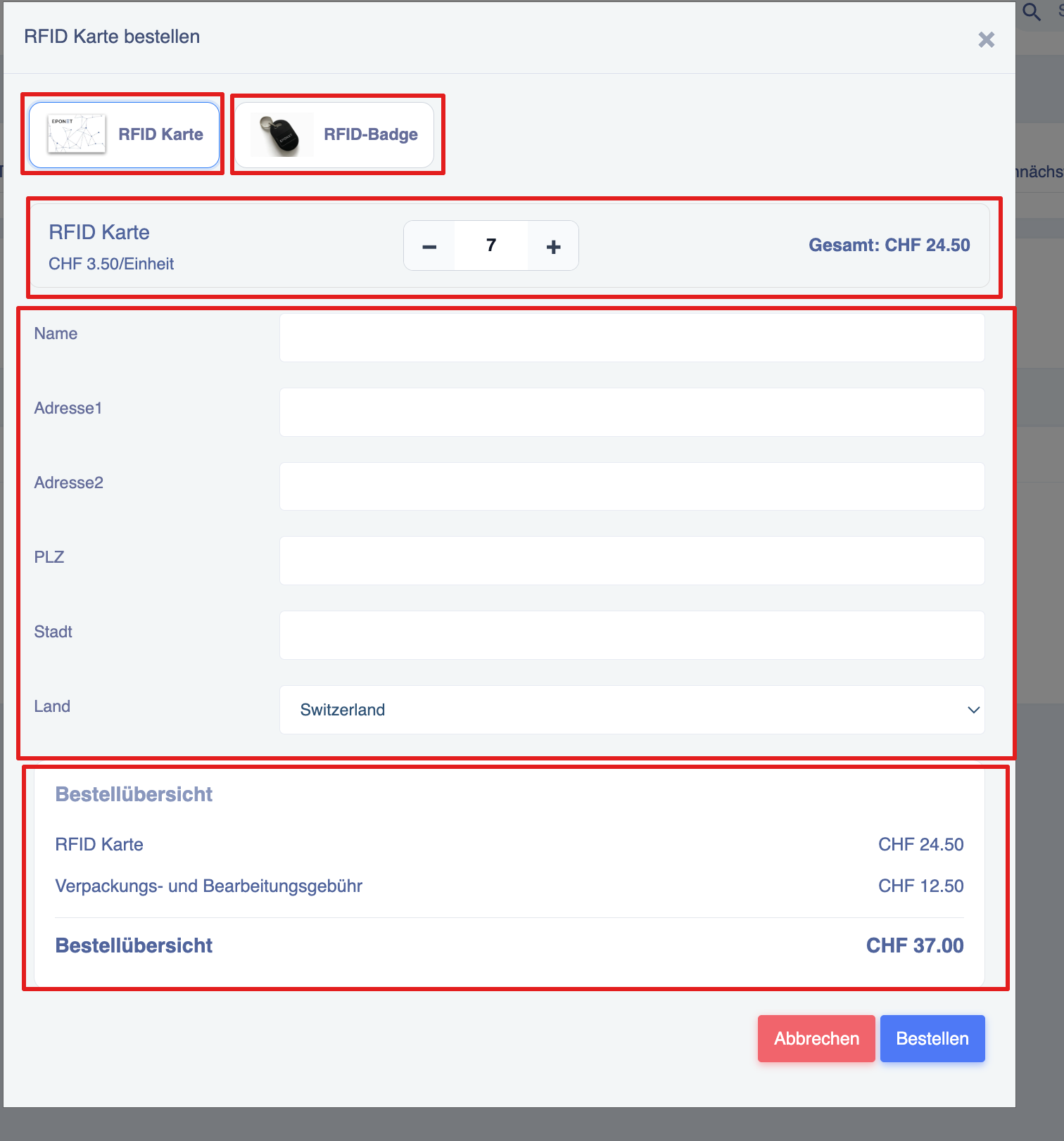
Create an RFID order
Users can choose between:
- RFID card
- RFID badge
-
Select quantity
- Use the:
- ➖ Minus button
- ➕ Plus button
- Select the desired quantity
- The total amount is updated automatically
Prices for Eponet RFID cards/ID cards
| Product | Quantity | Price per item in CHF (flat rate) | Postage costs CHF (flat rate) |
| RFID cards/ID cards | 1 to 5 items | 4.0 | 9 |
| RFID cards/ID cards | More than 5 items | 3.5 | 12.5 |
Enter delivery details
Please enter the required delivery details:
| Field | Description |
|---|---|
| Name | Recipient’s name |
| Address 1 | Main address |
| Address 2 | Second address (optional) |
| Postcode | Postcode |
| Town | Town |
| Country | Country |
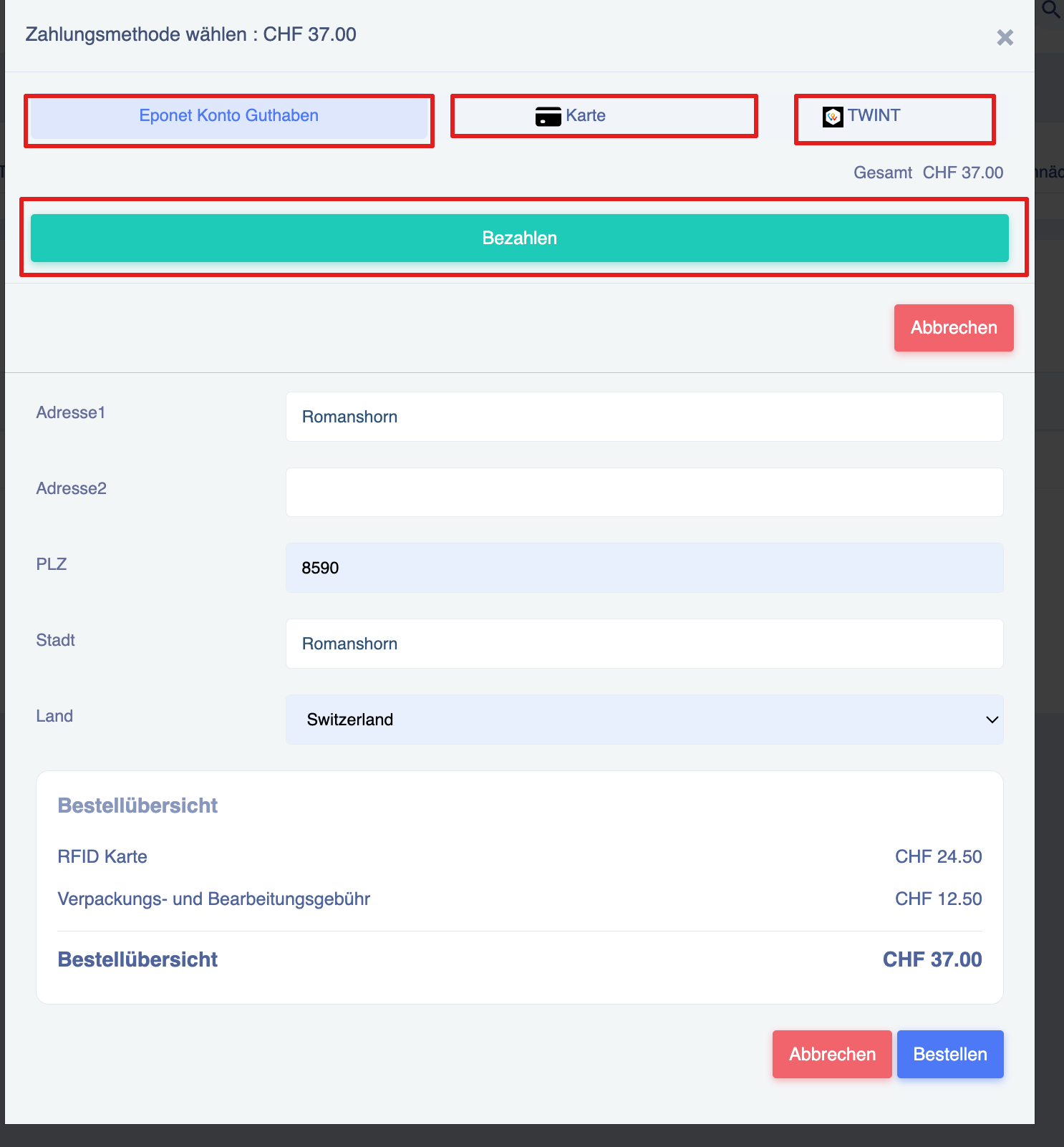
Select payment method
Users can pay using one of the available payment methods:
- Eponet account balance
- Credit/debit card
- TWINT
RFID View orders and order status
Order tracking
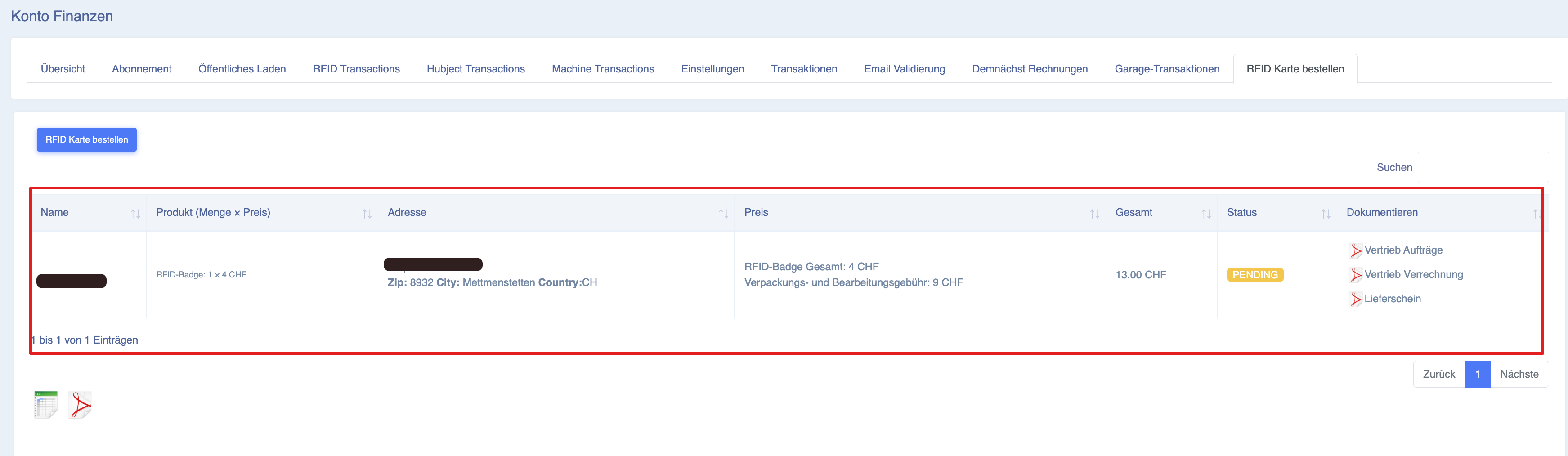
Users can view all RFID orders in the ‘Finance’ section.
Navigation:
- Open “Finance”
- Click on “Order RFID cards”
- View all existing orders
Add card/ID to Eponet account:
Once you have created your account, you can add your RFID card(s) yourself under the “RFID Card” tab. Every Eponet RFID card or Eponet RFID ID card is printed with a unique number. You can enter this number in the “CARD ID” field.
You can find all the steps on the following page: https://wiki.eponet.ch/books/das-eponet-portal/page/rfid-karten-verwaltung-startseite