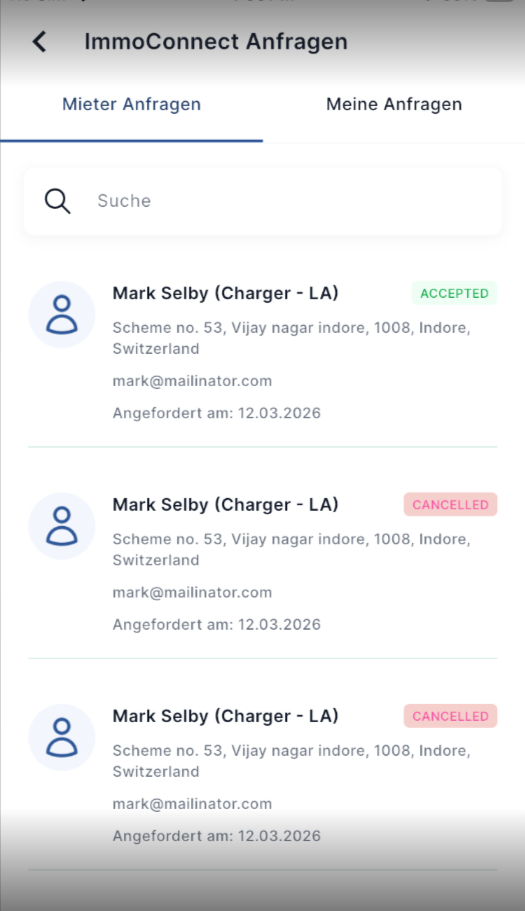
Rental/offer of charging stations via the app:
When a tenant requests a charging station, the owner of the charging station receives a push notification in the Eponet app. The owner can open the ‘Profile’ section and view all requests under ‘ImmoConnect Requests’. In this section, owners can approve or reject tenant requests. Once confirmed, the status of the request is updated for both users, and if approved, the charging station appears for the tenant under the ‘ImmoConnect’ tab.
When a tenant requests a charging station, the owner of the charging station receives a push notification in the app.
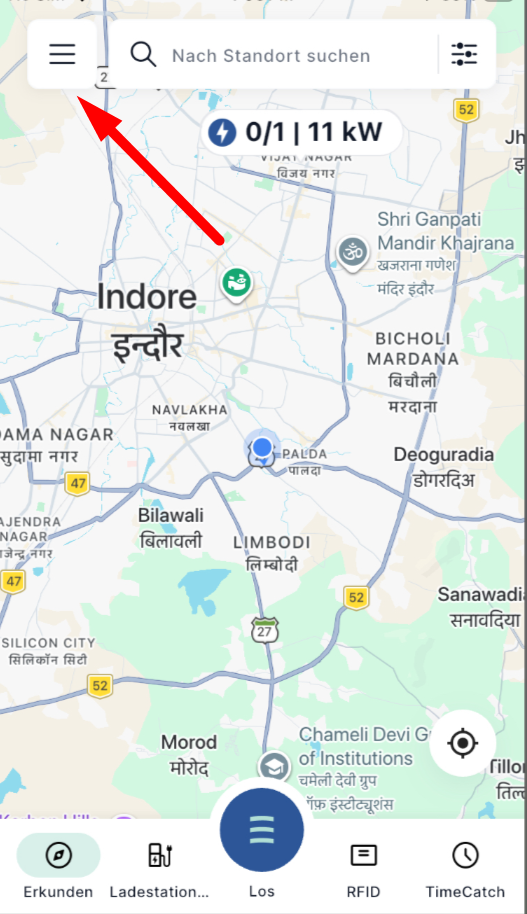
The owner can access ImmoConnect requests in the profile section by simply clicking on the burger icon in the top right-hand corner.
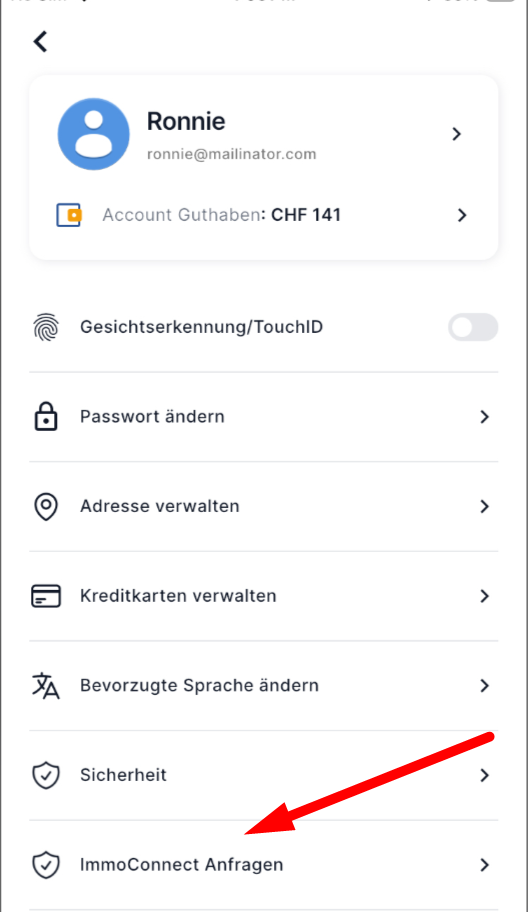
Scroll down and click on ‘ImmoConnect requests’ to view all the details of the request
On the ‘ImmoConnect’ tab, you will see both
-
Tenant requests: requests from other users for your charging station.
-
My requests: Your request regarding another user’s charging station, with
You can approve or reject tenant enquiries directly via the ‘Tenant Enquiries’ tab
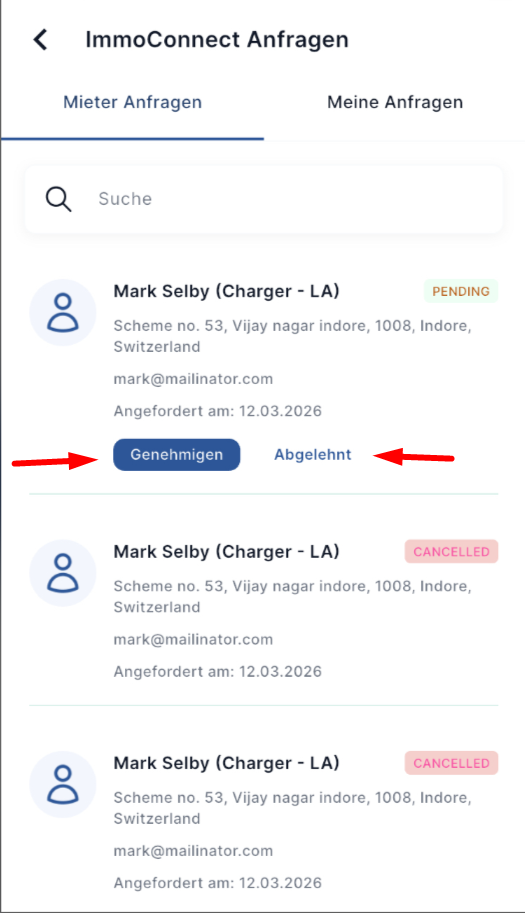
When you approve or reject a request, a confirmation will appear
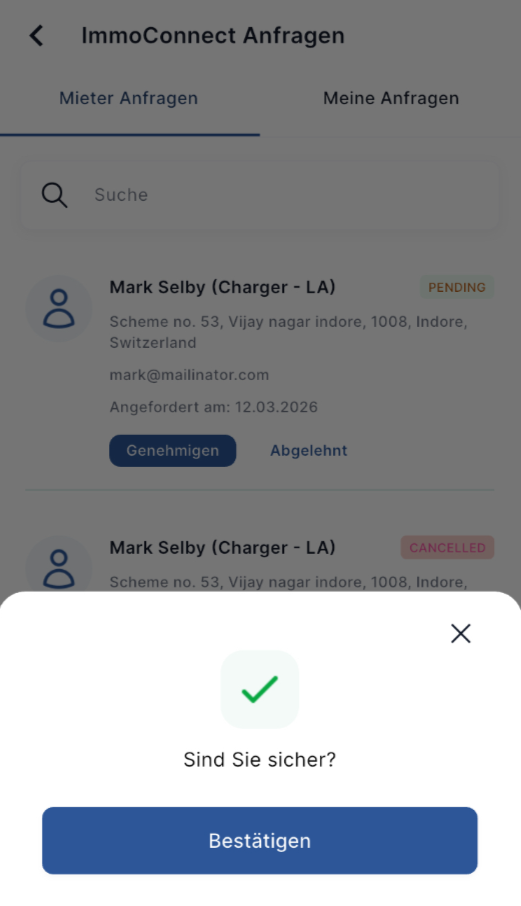
Once confirmed, the status of the request is updated on both the owner’s and the tenant’s pages, and if approved, the charging station is displayed on the tenant’s page under the ‘ImmoConnect’ tab.