
Integration Hager Witty Pro
These instructions cover step 3 for connecting a Hager Witty Pro (AC) charging station to the Eponet Portal.
Connect to the Hager charging station on the network via its IP address.
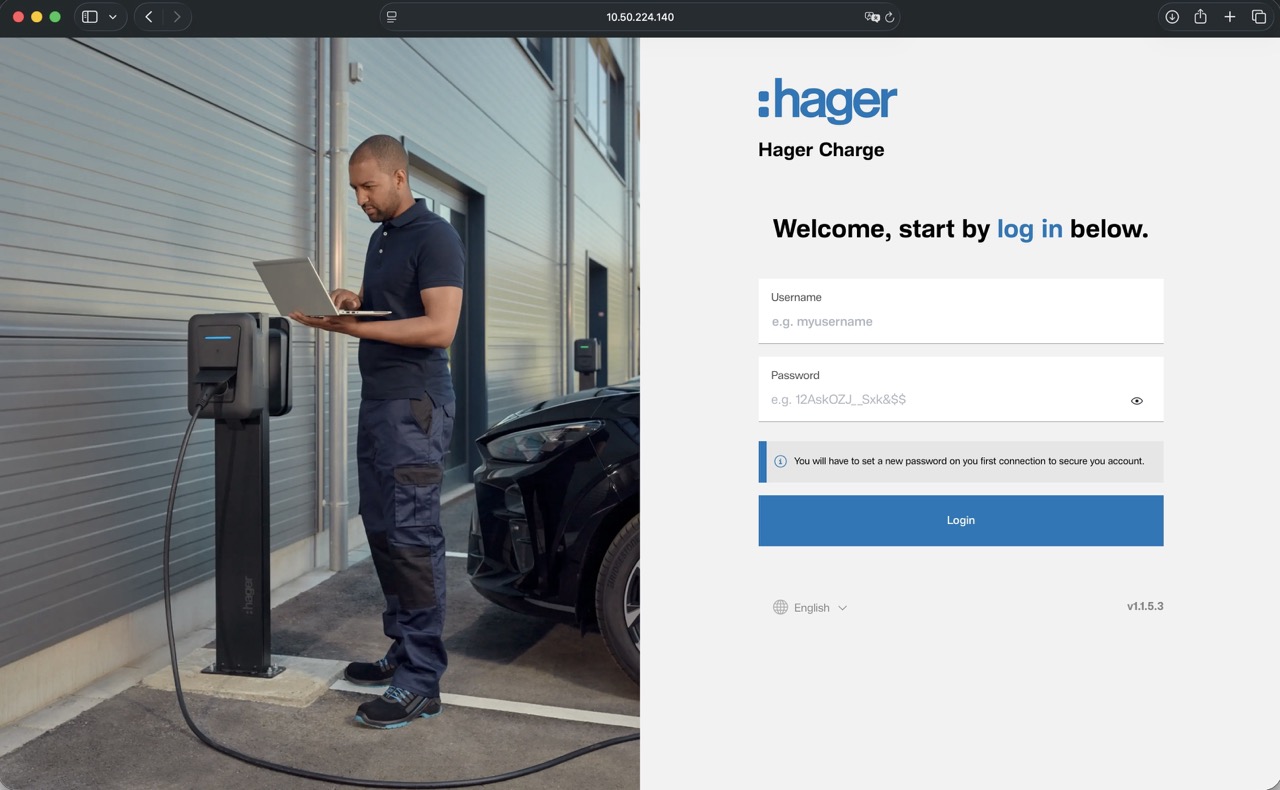
Username: admin
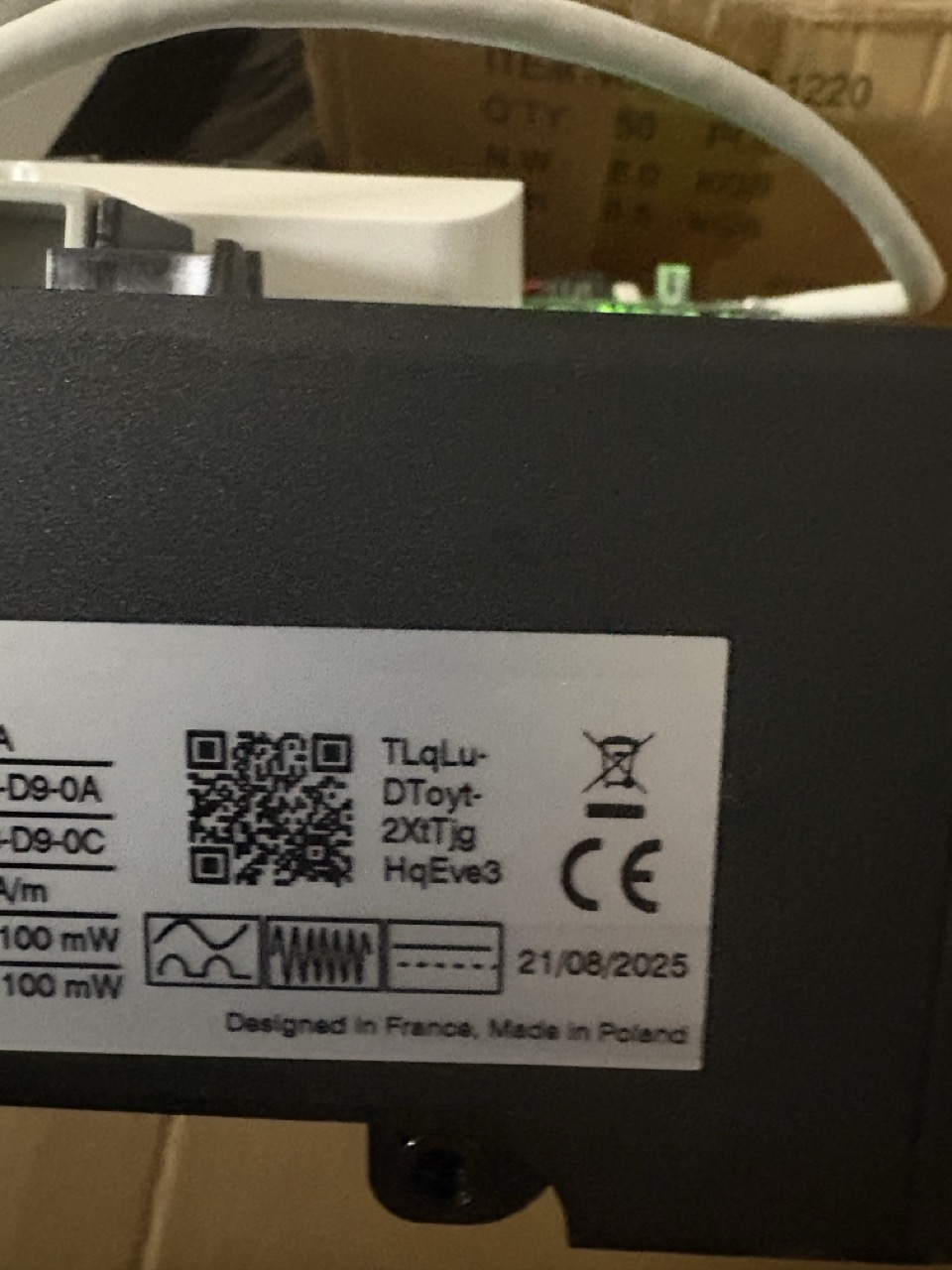
Password: the first 4 digits of the QR ID on the device
There is a sticker with a QR code on the device. Next to it is a UUID. The first 4 digits are the password. The password must be changed after the first login.
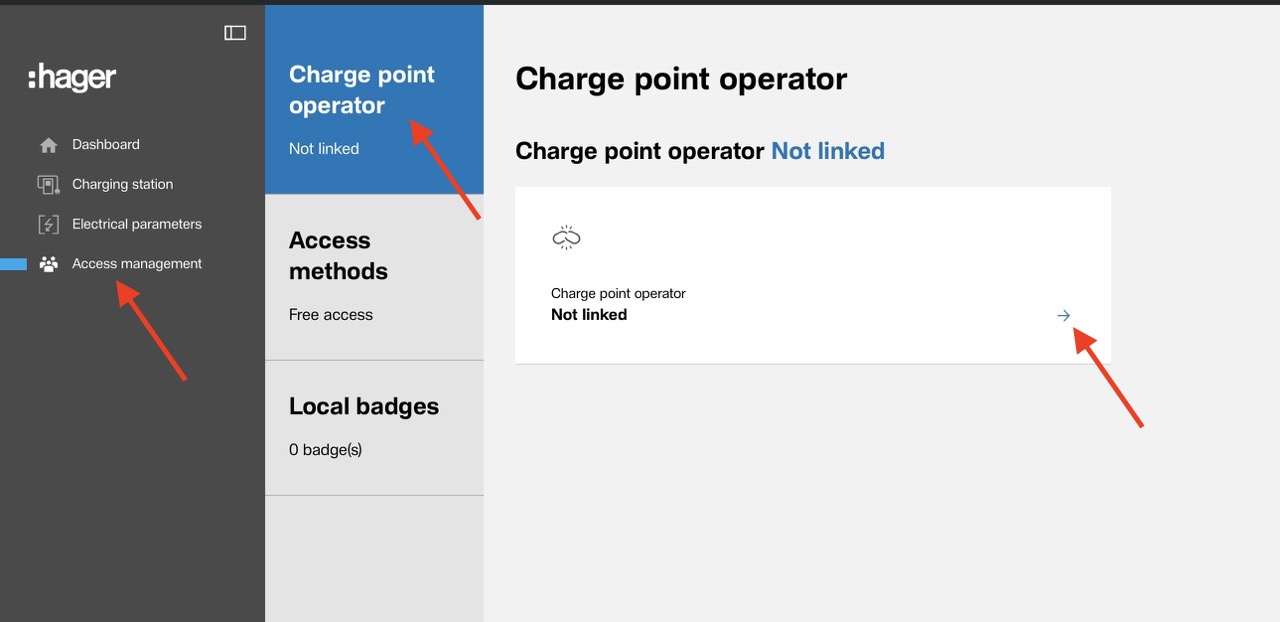
Once logged in successfully, navigate to the "Access management" section. From there, click on "Charge point operator". Then click on the arrow next to "not linked"
You can now enter the Eponet link. This is:
wss://ocpp.eponet.io/1.6J/101e
Please note: the charging station automatically appends your ID to the link.
In the example, the full link is then: wss://ocpp.eponet.io/1.6J/101e/TLqLuDToyt2XtTjgHqEve3
You will need the ID – in this example: TLqLuDToyt2XtTjgHqEve3 – to register the charging station in the Eponet portal under ‘Serial number’.
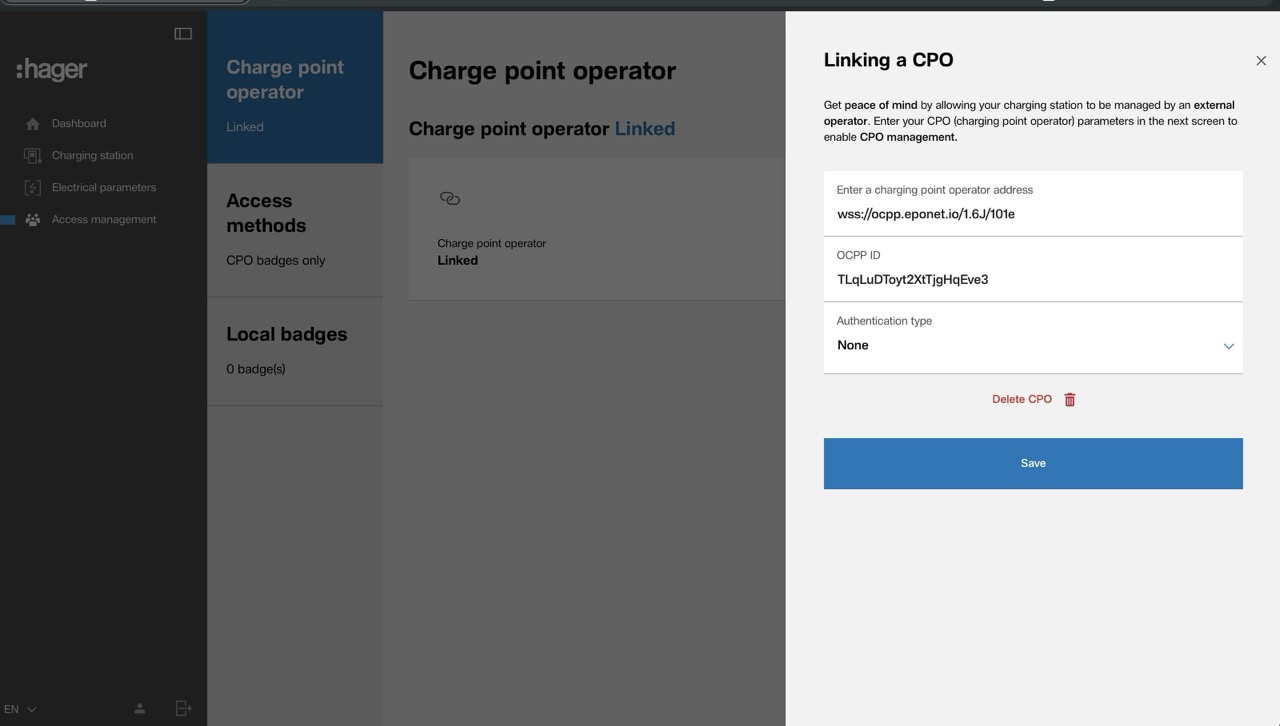
Once you click "Save", that’s it – the charging station will connect to Eponet.
It is recommended that "CPO badges only" is selected under "Access Methods"