
Integration of ABB AC Terra charging station into the Eponet portal with WS
These instructions are Step 3 for connecting an ABB AC Terra charging station to the Eponet Portal.
Step 1 can be found via this link: Basic guide to integrating charging stations
|
|
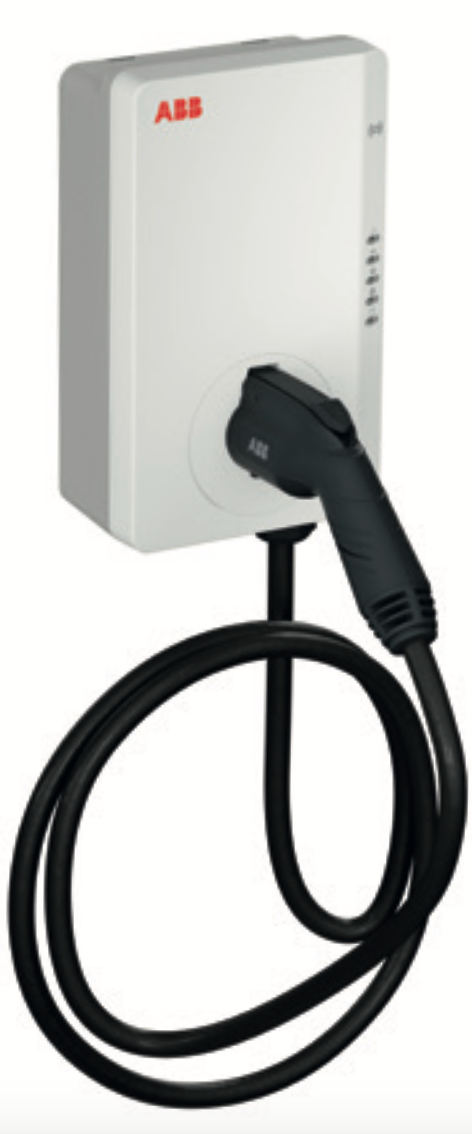
ABB AC Terra
PIN – A PIN is included with the charging station. You must use this for connection and configuration. |
Preparing for integration via ABB Chargedot
Go to the following website https://abb.installer.chargedot.com/#/login and log in using your credentials.
A TerraConfig Portal account is required for this. If you do not yet have one, apply for it via: AC Terra Switzerland
Account Application
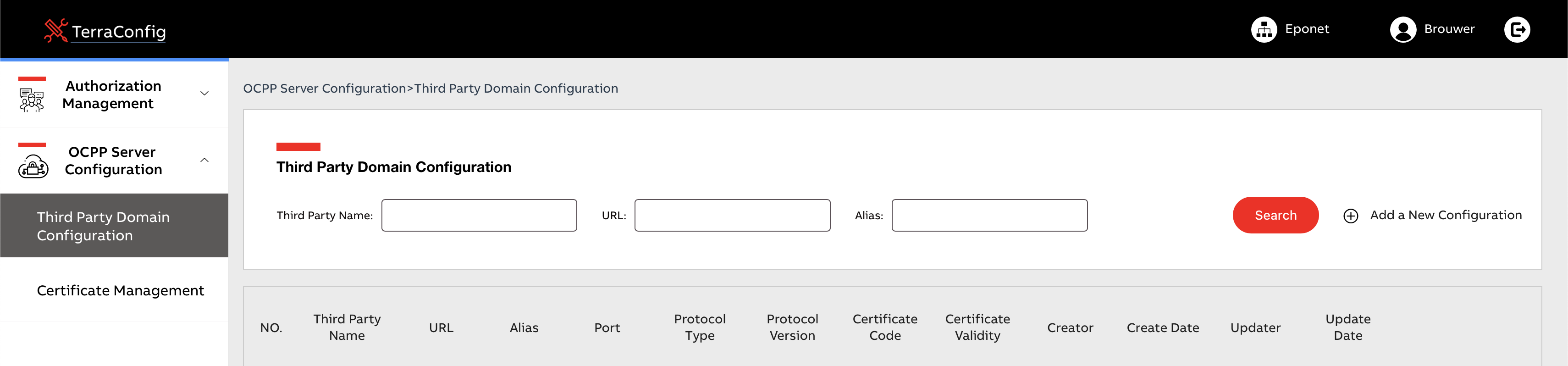
Now click on “Add a New Configuration”.
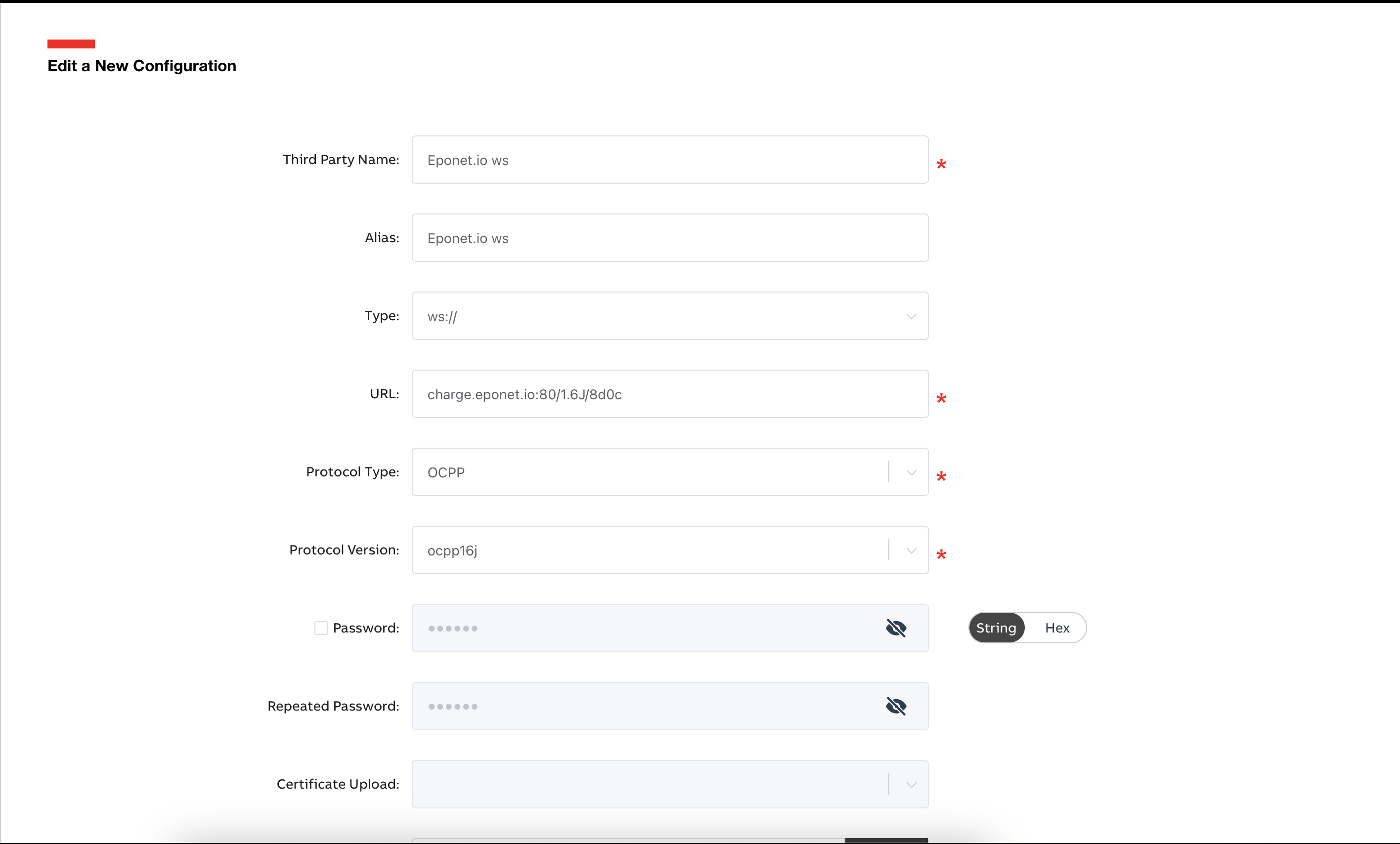
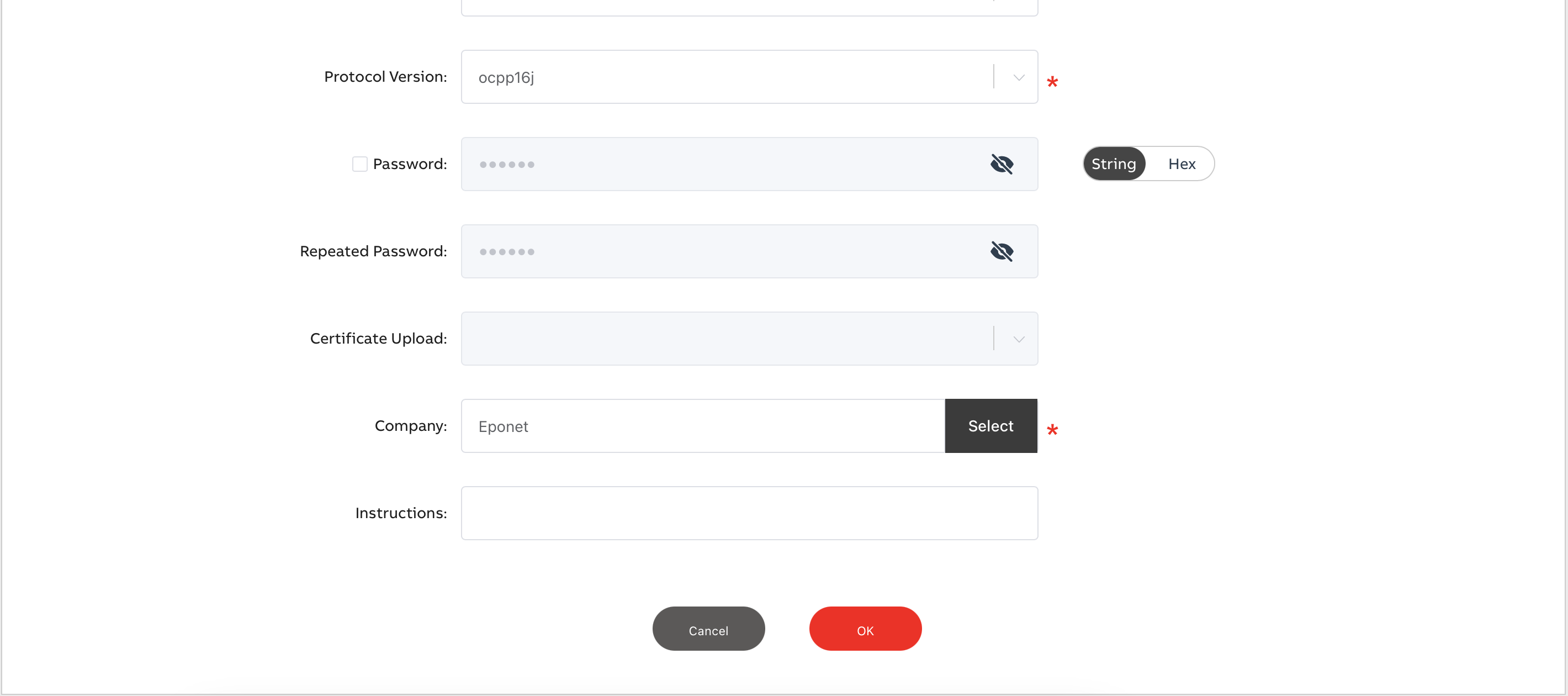
Now enter all the details as described. The “Third Party Name” and the “Alias” can be chosen freely.
Preparing the charging station via TerraConfig
The ABB Terra AC charging station is configured via the TerraConfig app using Bluetooth.
Here, you can simply search for the link you have created and select the one displayed. The serial number is automatically stored and does not need to be entered separately with the link.
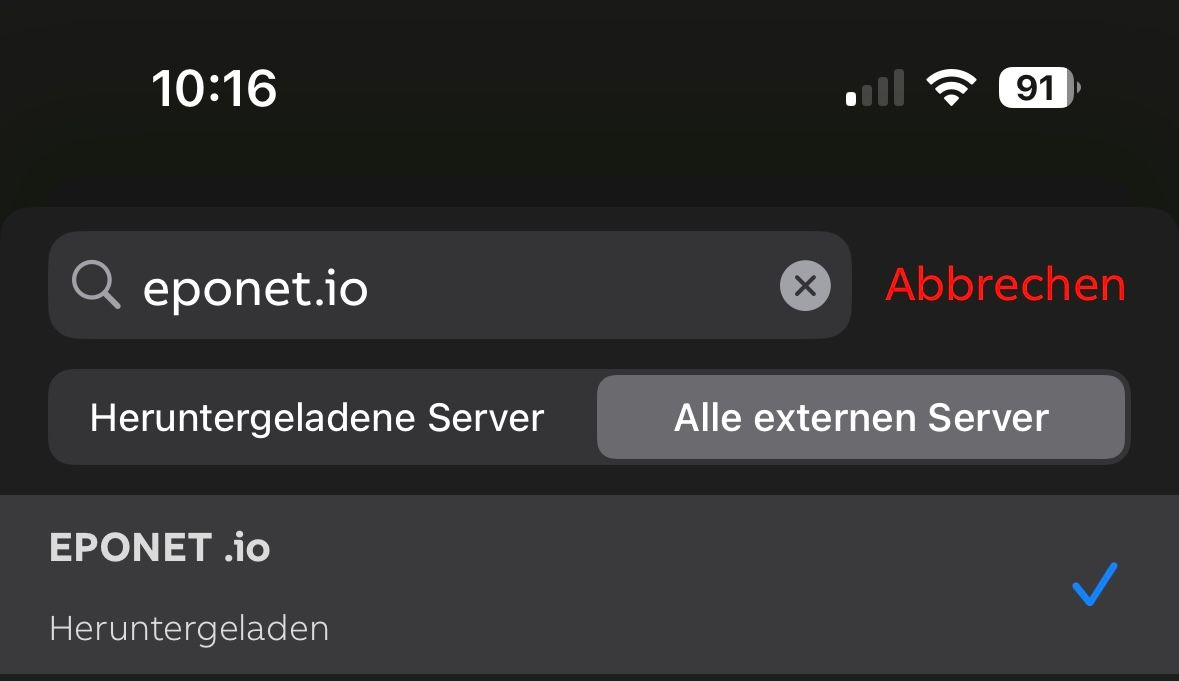
If you need to enter the OCPP link:
OCPP link with WS:
ws://ocpp.eponet.io/1.6J/8d0c/serial_no.
OCPP link with WSS:
wss://ocpp.eponet.io/1.6J/8d0c/serial_no.
Please note: With the eponet.io OCPP link, the charging station sends the serial number without hyphens, i.e. as follows: TACW2241021G0XXX – if the charging point does not appear online on Eponet, it may be that the charging point is recorded with hyphens in the Eponet portal: TACW22-4-1021-G0XXX. In this case, edit the charging station and use the ‘Replace charging station’ button to enter the serial number without hyphens.
Important:
The charging station must have software version 1.3.5 or higher. In the TerraConfig app, under RFID, the setting ‘Enable external RFID’ must be selected. Please make a note of the serial number of your ABB Terra charging station (e.g. TACW2241021Gxxx). You will need this serial number later in the Eponet Portal.
Checklist:
-
Software checked / up to date?
-
Internet configured / online?
-
Free charging deactivated?
-
OCPP installed and charging station online on the Eponet Portal?
-
External RFID enabled?