
Configuration Hager Witty Pro
Once the charging station has been connected to the Eponet Portal, please navigate to the Charger Dashboard and select the charging station. Then go to the "Configuration" tab and ensure the following settings are correct:
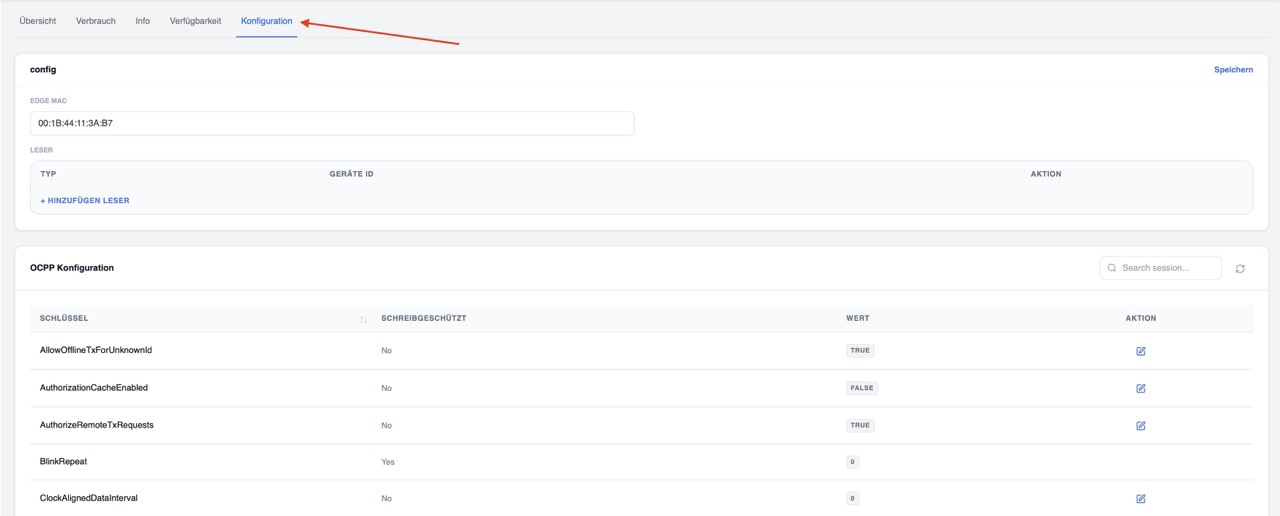
These settings ensure that the charging station functions correctly and that all features of the Eponet Portal are supported
| Setting |
Value |
| MeterValueSampleInterval |
60 |
| AuthorizationCacheEnabled |
false |
| AuthoriseRemoteTxRequests |
true |
| HeartbeatInterval |
30 |
| MeterValuesSampledData |
ENERGY.ACTIVE.IMPORT.REGISTER,POWER.ACTIVE.IMPORT,POWER.OFFERED,CURRENT.IMPORT,VOLTAGE |
You can download a complete sample configuration here: ocpp-config-10409.pdf

Congratulations. The charging station is now correctly configured and can be used in the Eponet Portal and in Eponet’s load management system