
Integration of Mennekes ACU charging station into the Eponet portal
These instructions are step 3 for connecting a Mennekes AC charging station to the Eponet portal.
Step 1 can be found at this link: Basic instructions for integrating charging stations
|
|
|
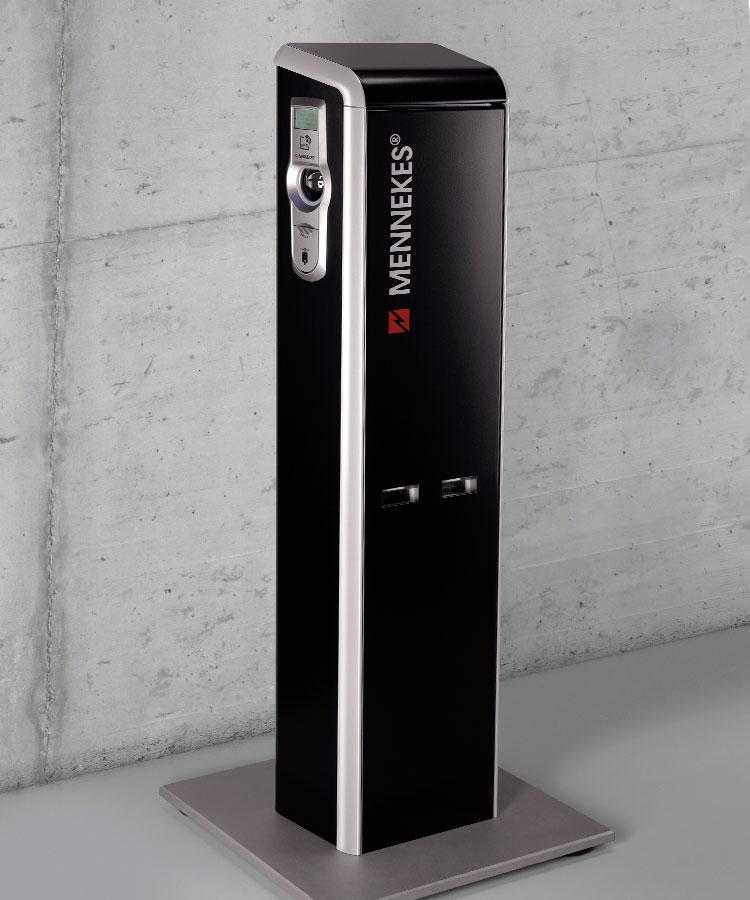
First, connect to the ACU, which is located inside the charging station, using a cable.
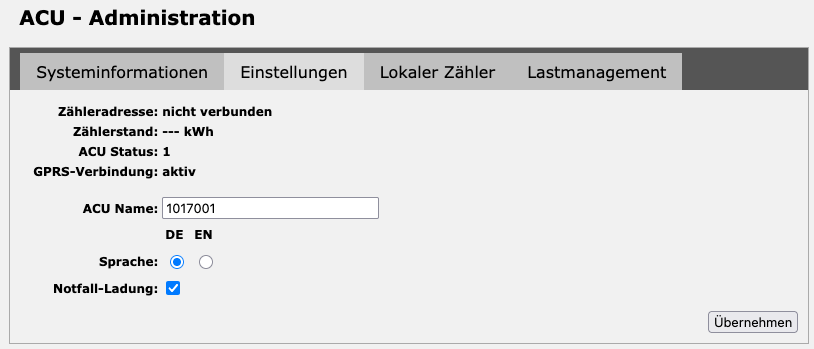
After logging in, set up the charging station as shown in the following images.
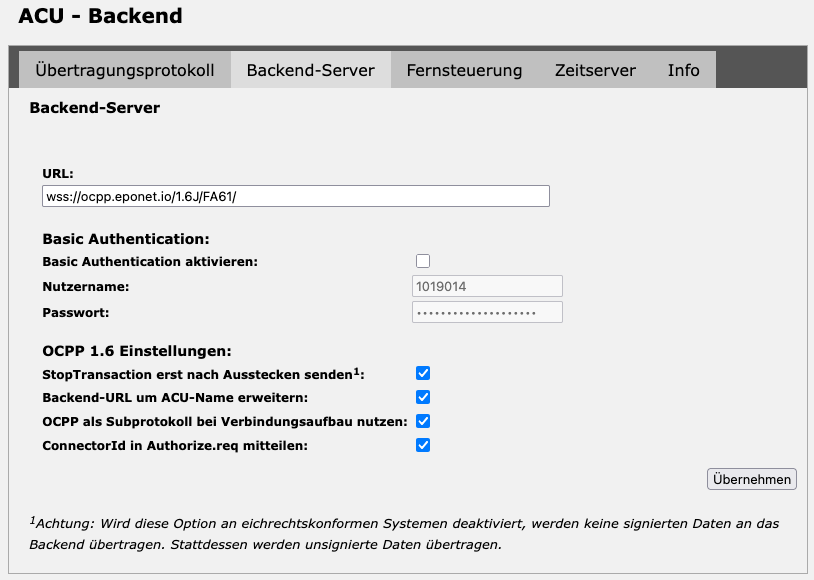
wss://ocpp.eponet.io/1.6J/FA61/
Then save the settings and restart the charging station. Under "Info" you can see whether the charging station has successfully established a connection to the Eponet backend.
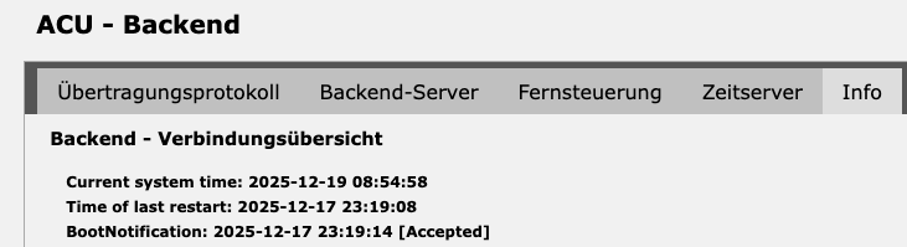
This should bring the charging station online on the Eponet portal.
Note:
If the connection cannot be established, you can only use "ws":
ws://ocpp.eponet.io/1.6J/FA61/
The reason for this is that the controllers only support TLS 1.0 because an older operating system is installed that cannot be updated via a firmware update.
If a secure "wss" connection is required, this can only be implemented on site using a special Mennekes update (software update 2.15 including update to TLS 1.2).
Checklist:
-
Software checked / latest version?
-
Internet configured / online?
-
OCPP server: Eponet link set up and charging station online on the Eponet portal?