
Integration of the Juice Charger me 3 charging station into the Eponet portal
These instructions are step 3 for connecting a Juice me 3 AC charging station to the Eponet portal.
Step 1 can be found at this link: Basic instructions for integrating charging stations
|
|
Software versions Juice me 3 AC charging station
The QR code for integration is included with the charging station. |
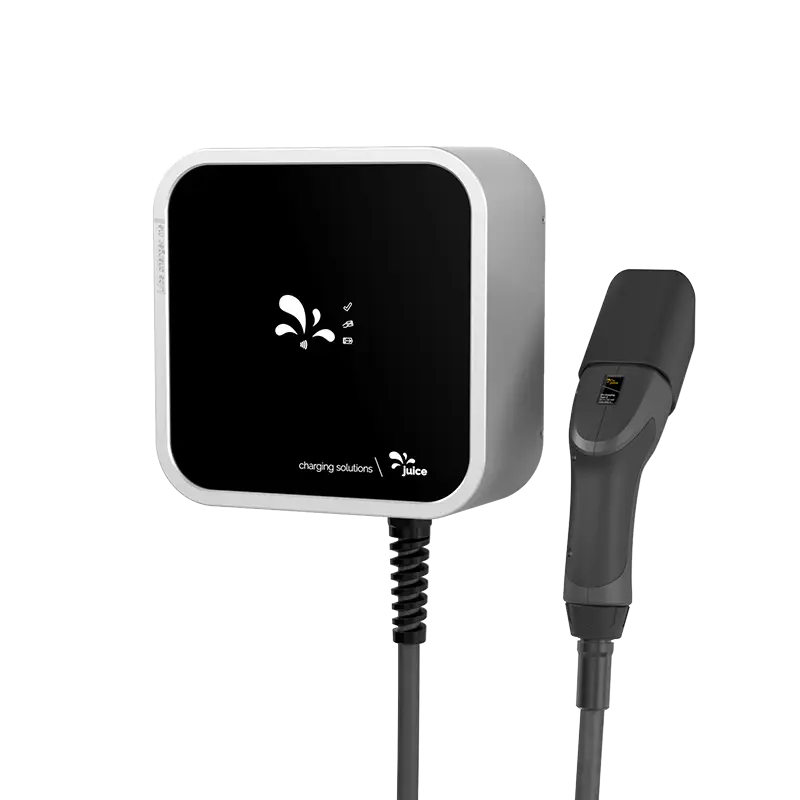
Connecting the charging station via the j+ pilot app

The Juice me 3 AC charging station is configured via the j+ pilot app using Bluetooth. To do this, you will need the QR code with the integrated PIN. We recommend that you complete these preparations (downloading and preparing the app) well in advance of installation.
Access data for the Juice config app must be created in advance.
Important: The charging station must have software version V2.0.1 or higher. Please make a note of the serial number of your Juice me 3 charging station (e.g. JCME3210180xxxxx). You will need this serial number later in the Eponet portal.
Connect to the "j+ pilot" app and navigate to "Backend". Here, configure everything as shown in the screenshots.
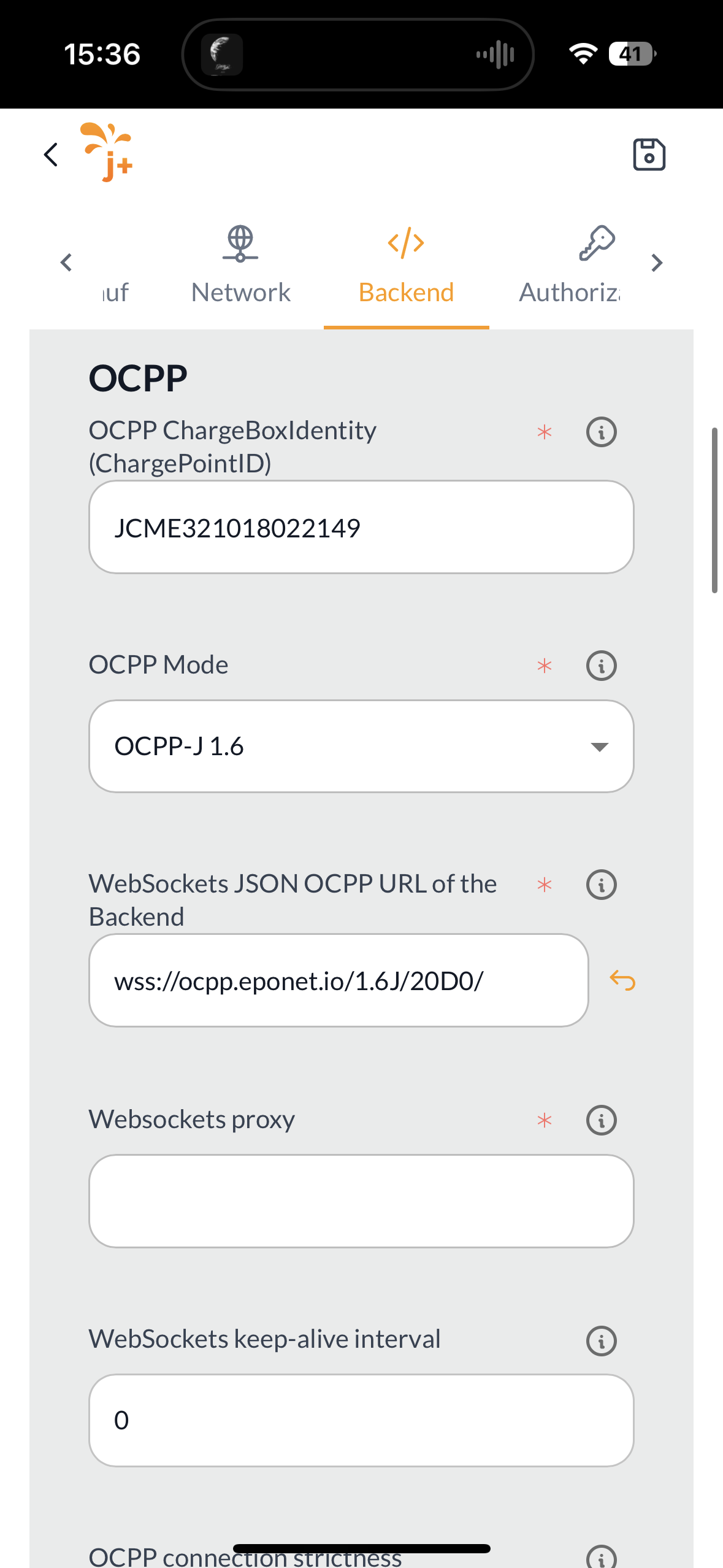
OCPP URL: wss://ocpp.eponet.io/1.6J/20D0/
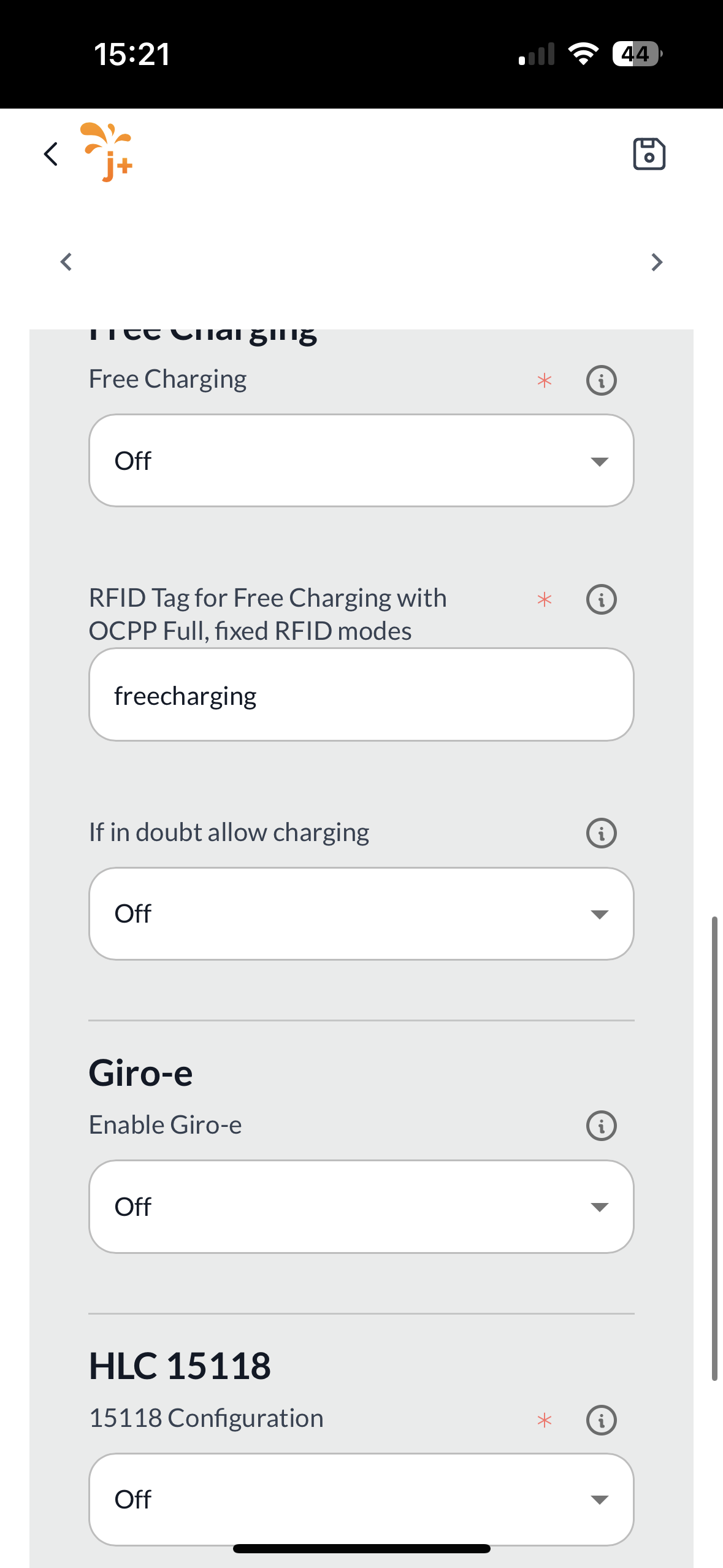
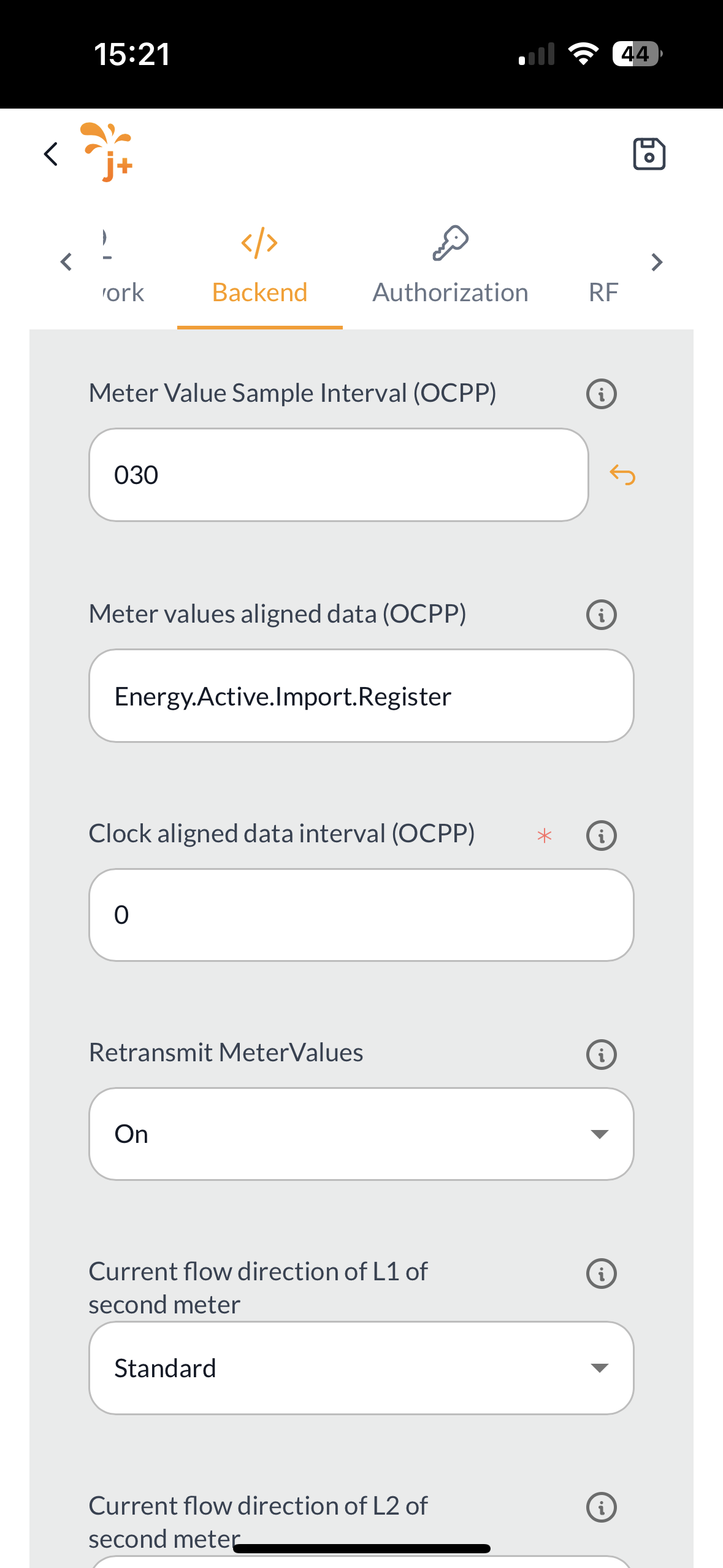
Then save the settings and restart the charging station via the app.
Checklist:
-
Software checked / latest version?
-
Internet configured / online?
-
OCPP server: Eponet link selected and charging station online on the Eponet portal?
Please ensure that the configuration is set correctly. Please note that Eponet is not responsible if the charging station is configured incorrectly and, for example, offline charging is permitted, resulting in incorrect billing on the Eponet portal.