Activate Hubject / roaming charging
This page describes how to activate a charging station with Hubject. The charging station will then be enabled for international roaming.
Please note: Hubject
roaming is an expert function. Please only activate it in conjunction with Eponet.
Preparation
Before activating Hubject, please note/prepare the coordinates of the charging station. These should be very accurate. Longitude/latitude are required in the following format: 9.41176,47.06159
Please note:
Longitude/latitude must be provided precisely in this format (exactly the same number of characters, separated by a full stop and comma, and without spaces). It is essential that you check the coordinates before entering them into Google
(to check them in Google, the longitude/latitude must be reversed, i.e. enter 47.06159,9.41176).
Activation in the Eponet portal
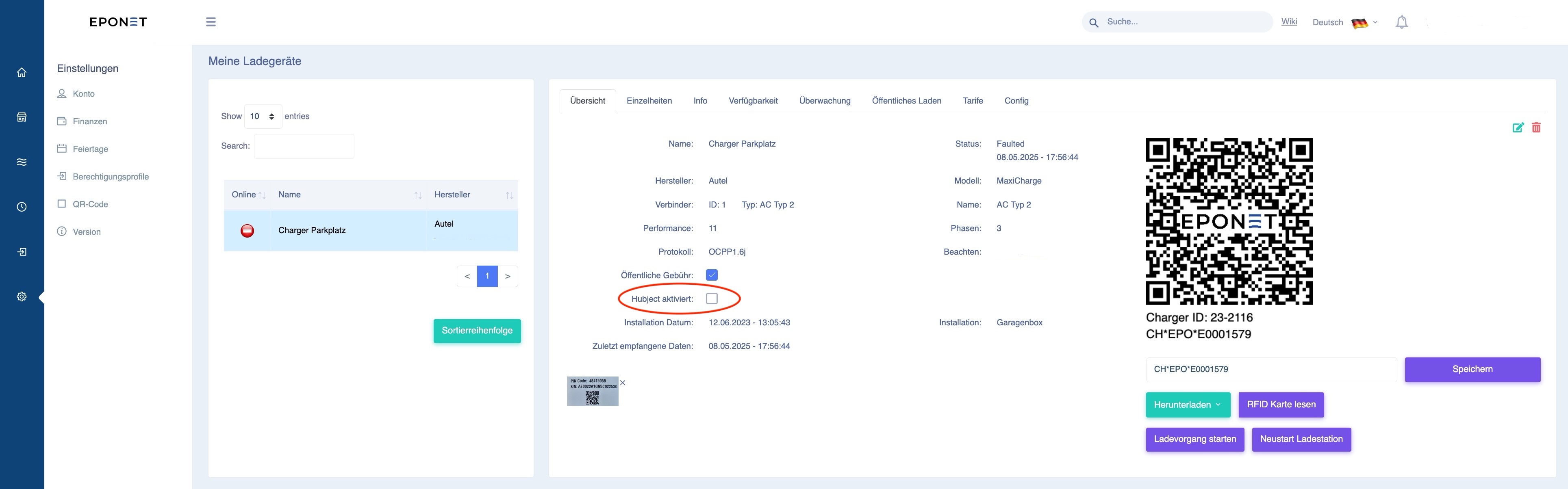
The checkbox can be activated under E-mobility at the charging station in Hubject. Please enter the prepared data promptly after activation. The Hubject platform checks the data. If it is incorrect or incomplete, Hubject and Eponet will interact to resolve the issue. These costs will be charged.
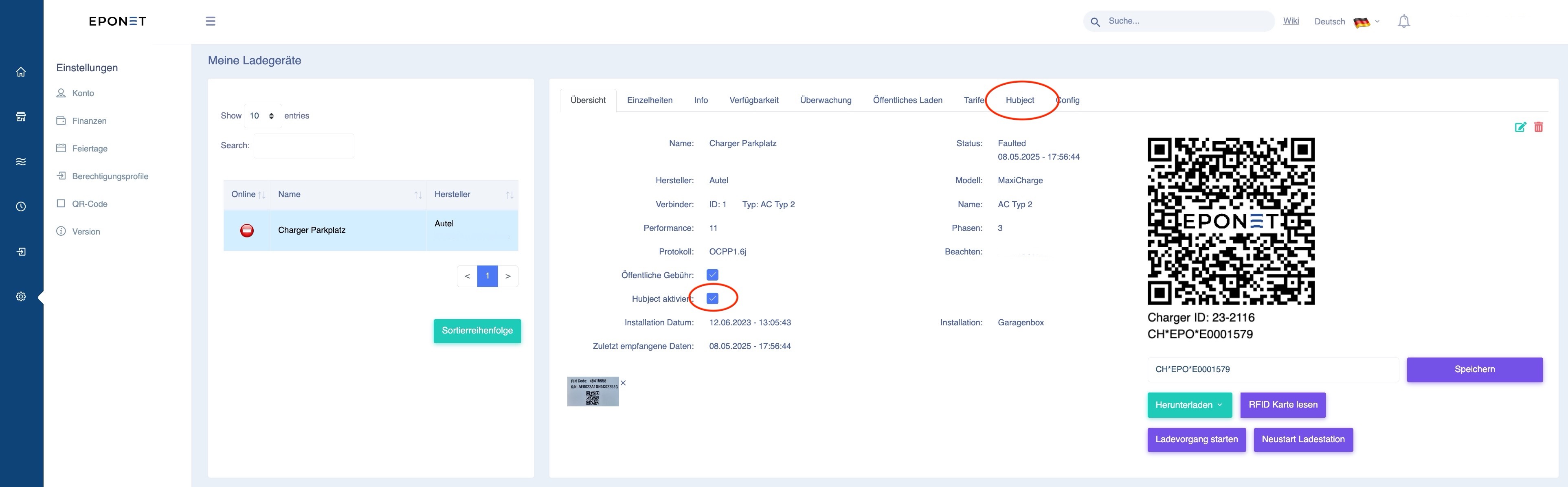
After activation, the "Hubject" tab will appear at the top for further settings:
The data must be entered here as shown in this example:
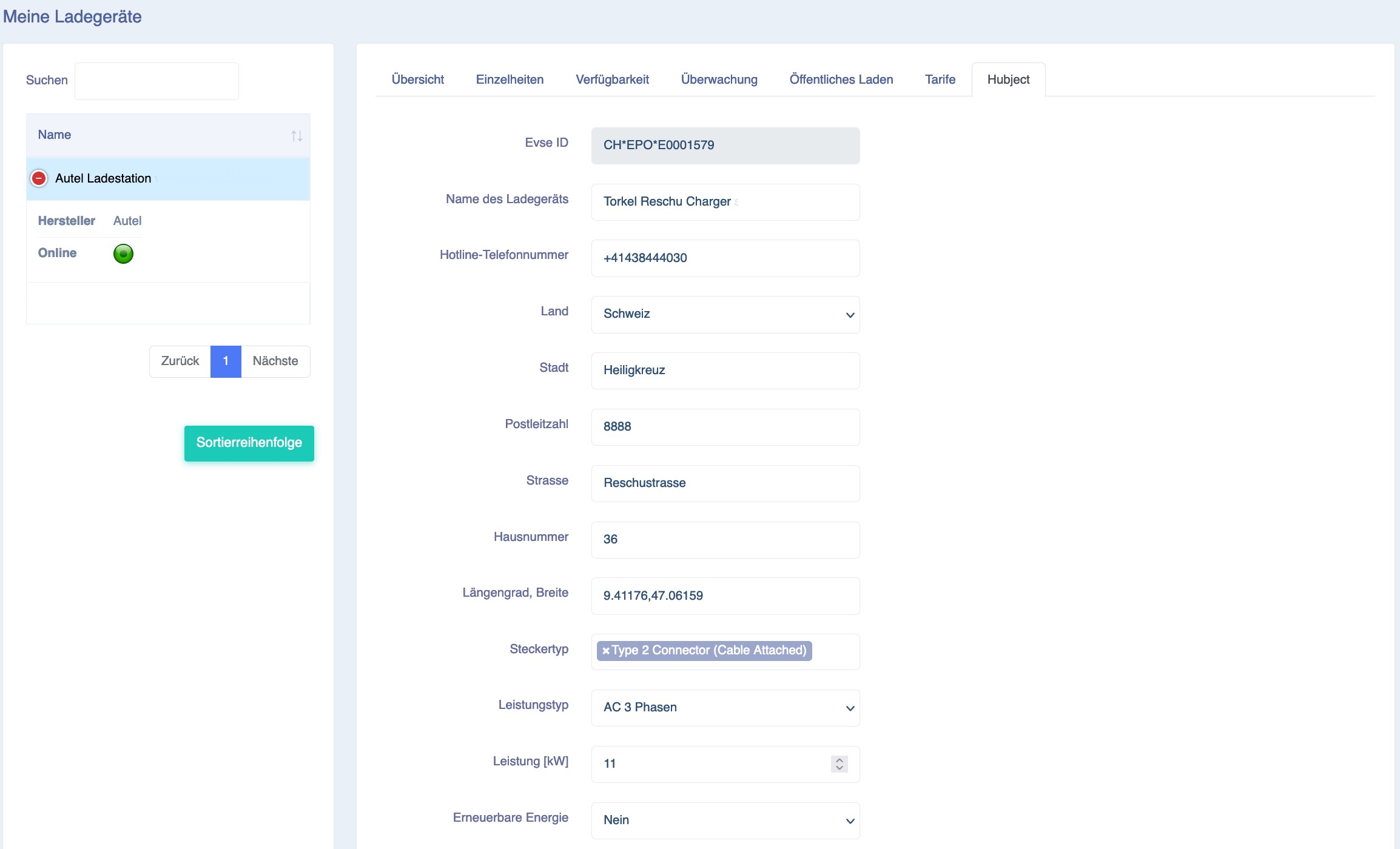

- Evse ID: This number is unique and identifies the charging station in international roaming.
- Name of the charger: Enter a suitable name here; this will appear in the roaming provider's apps
- Hotline telephone number: Enter the number of the relevant emergency service here
- Country: Select Switzerland here (or where the station is located)
- City: Enter the city
- Postcode: Enter the postcode
- Street: Enter the street
- House number: Enter the house number
- Longitude, latitude: Enter the precise longitude/latitude in the following format: 9.41176,47.06159
- Plug type: Select the appropriate plug type
- Power (kW): Enter the effective power of the charger
- Renewable energy: Select the type of energy. If in doubt, select No
- Authentication: Enter the selection exactly as shown above
- Calibration data: If in doubt, select Not available
- Payment method: Enter the selection exactly as shown above
- Access: Enter whether it is "Publicly accessible" (must be accessible 24 hours a day), otherwise select restricted access. If it is a paid car park, select "Paid Publicly accessible"
If the entries cannot be saved (message: "failed"), this is usually due to an incorrect entry or spaces that are not accepted. Longitude, latitude and telephone numbers must not contain any spaces.
After activating and filling in the parameters, please send an email to info@eponet.ch with the subject line: "Hubject activation verification" and provide us with the account number and charger ID of the activated charging station!
Tip for customer-friendly operation
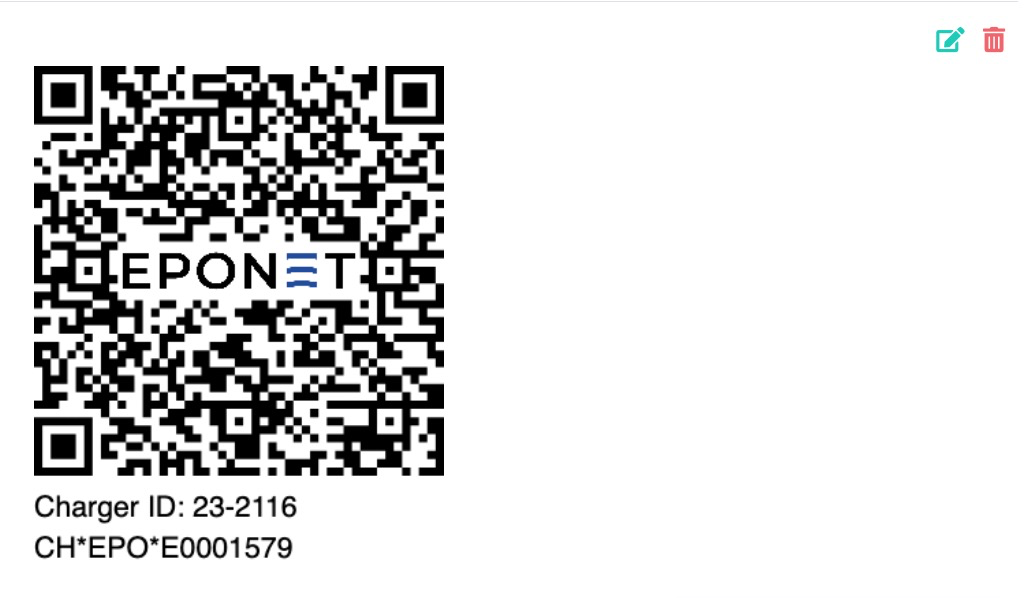
Enter the unique Hubject EVSE ID number (here CH*EPO*E0001579) in the field below the QR code and press save. Attach the QR code including this EVSE ID number to the charging station.
Reason: Many customers start the charging station from their roaming app and can then clearly see which connection they are activating!