
Manage contacts and persons responsible for a location
Contact Persons & Responsibilities
The ‘Contacts’ tab is used to manage all contacts associated with a location, in particular those responsible for operations, invoicing, etc.
Add a contact
You can add a contact as follows:
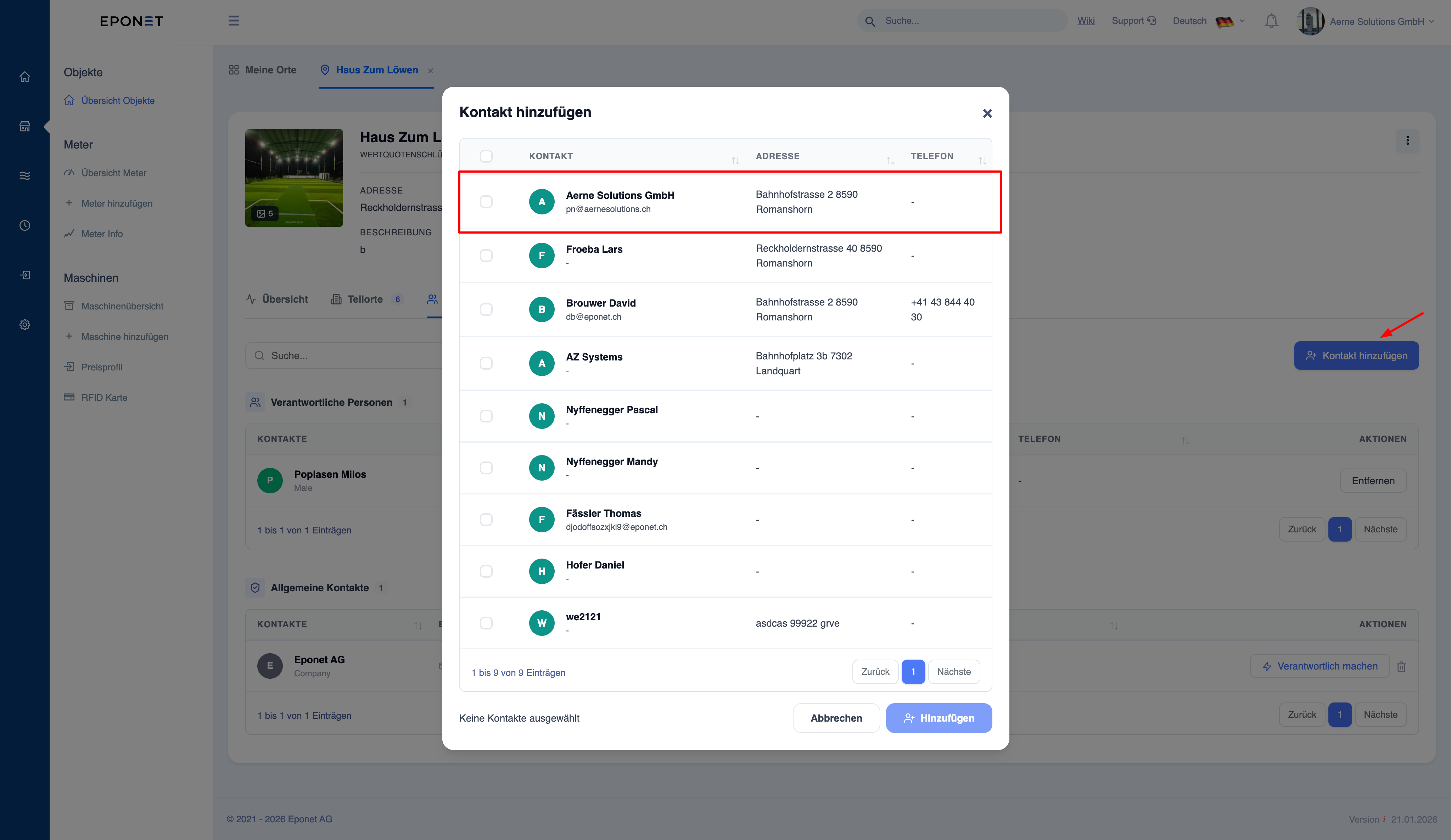
- Click on “Add contact”
- The list of contacts already added to the account is displayed in the pop-up window for selection
Set as responsible person (important function)
The “Set as responsible” action assigns a contact as the primary person responsible for the location.
What happens when you designate someone as the person in charge
- The contact details are saved as the person responsible for the location, based on the responsibility assigned to the contact.
- Used as a reference in:
- Support processes
- Issue handling
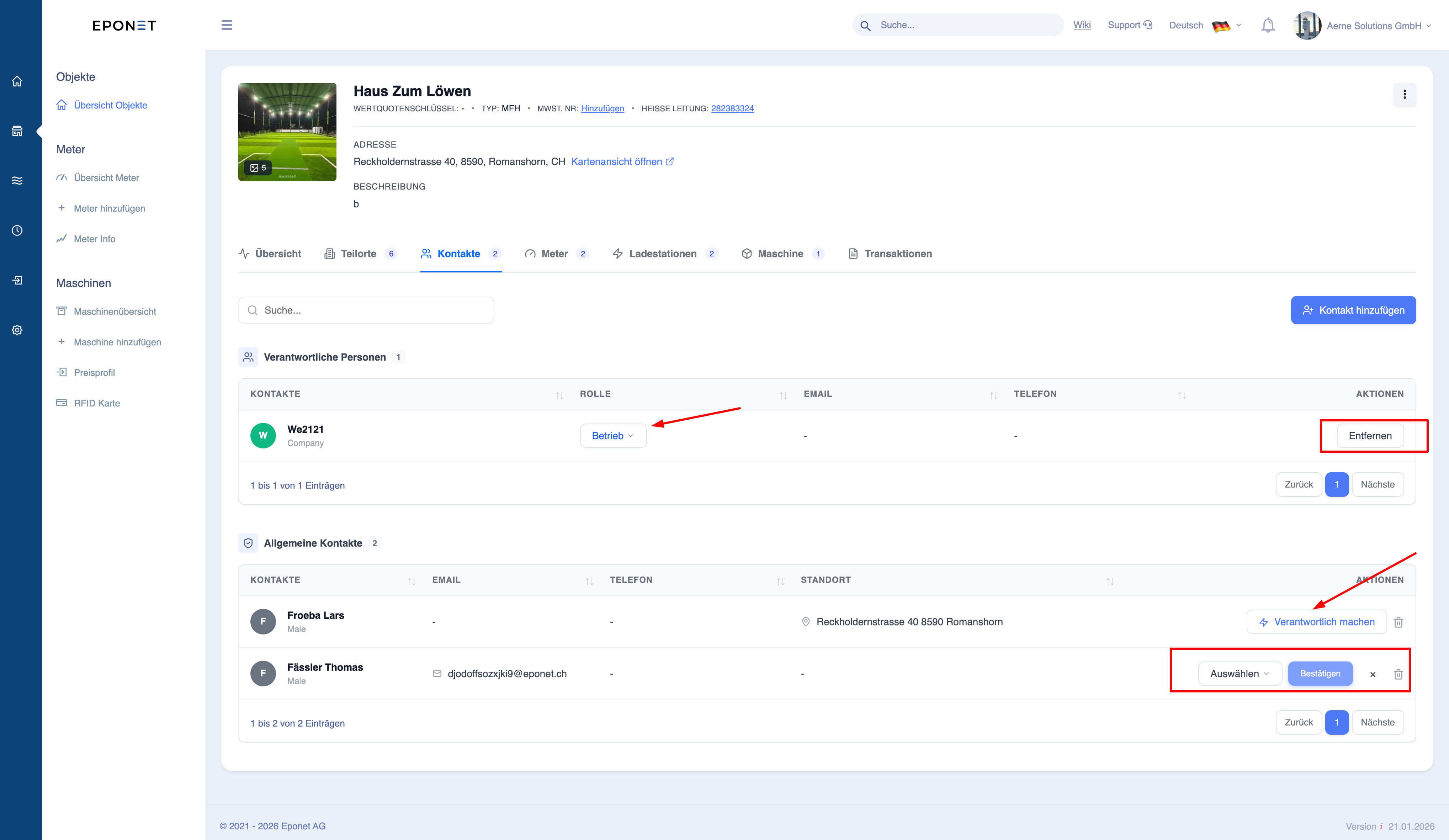
Note: The contact details are also visible in various places on the portal, for example on the page for public charging stations.
Changing responsibility
- You can assign a different contact person as the responsible person at any time
Removing responsibility
- Responsibility can be removed or reassigned
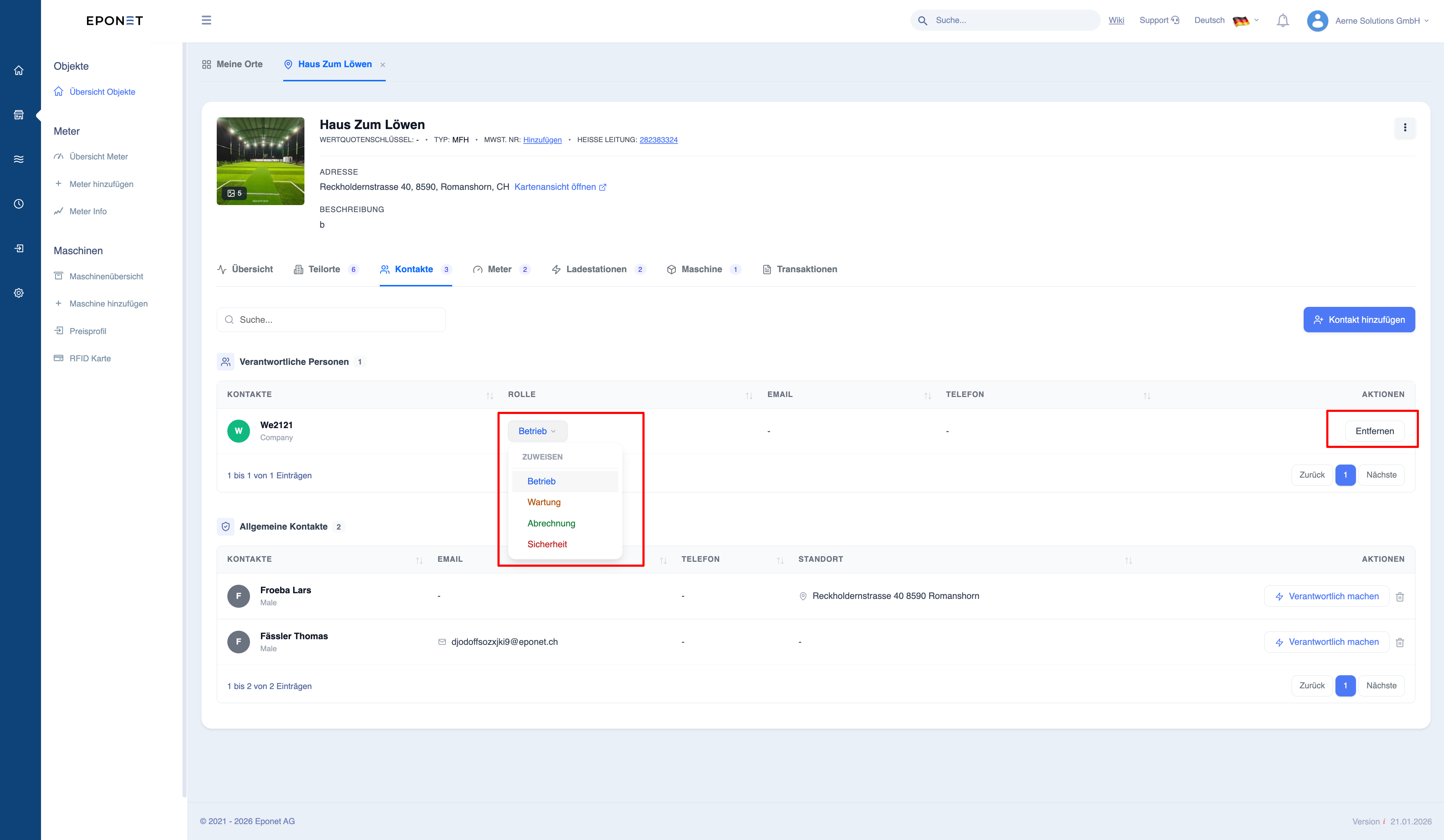
Note:
The responsible body determines who is responsible for the operation of the site.