
Hotline number & control configuration for one location
Description:
In this section, you can configure the support contact details (hotline) and tax information for a specific location.
Both settings are accessible via the ‘Location Details Header’ section.
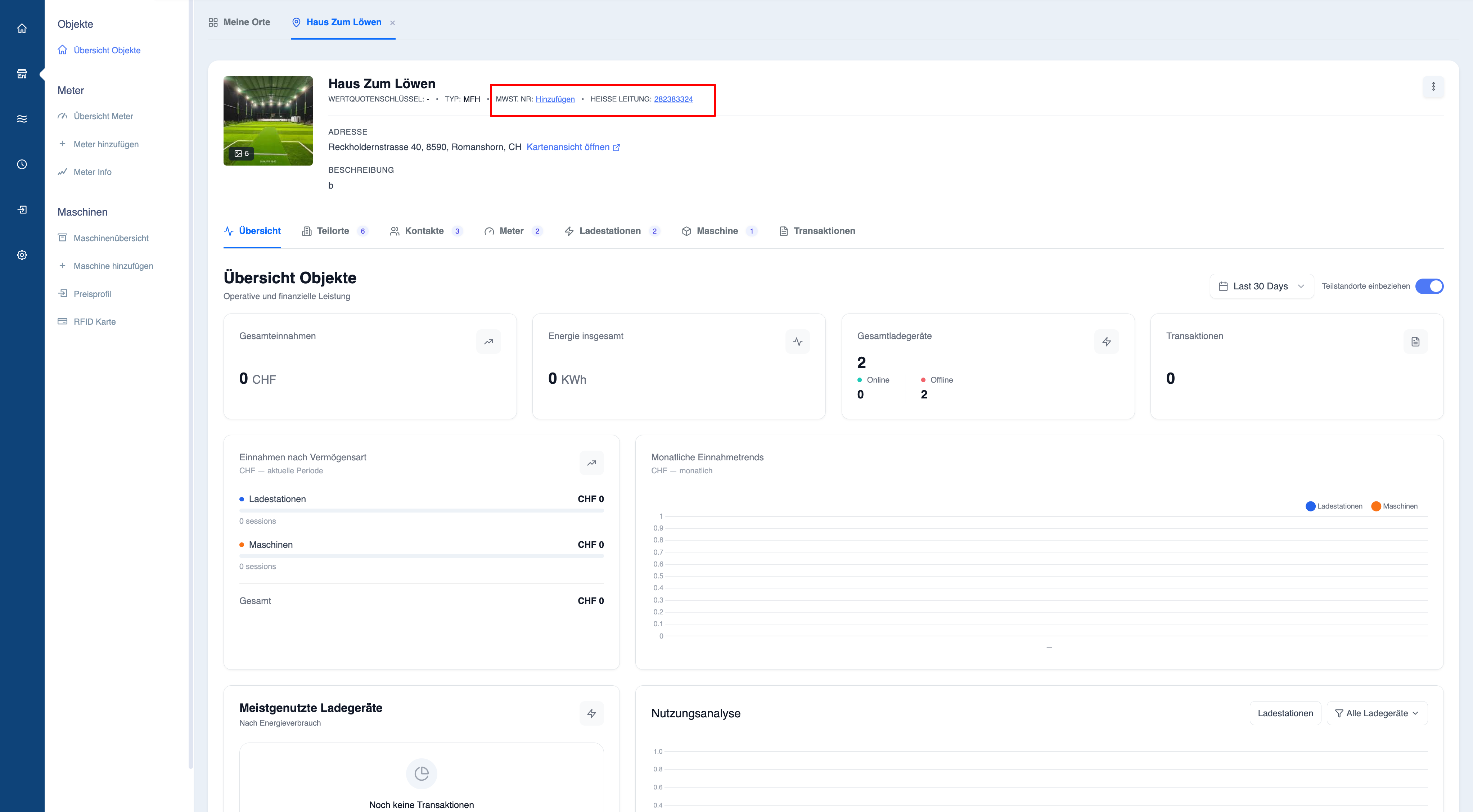
Configuring the hotline number
The hotline number serves as the primary support contact for a location.
This information is particularly important if:
- Charging stations are publicly accessible
- Hubject (roaming) is enabled
- End users may require assistance
How to add or update a hotline
- Open the location’s details page
- Click on the “Hotline number” field
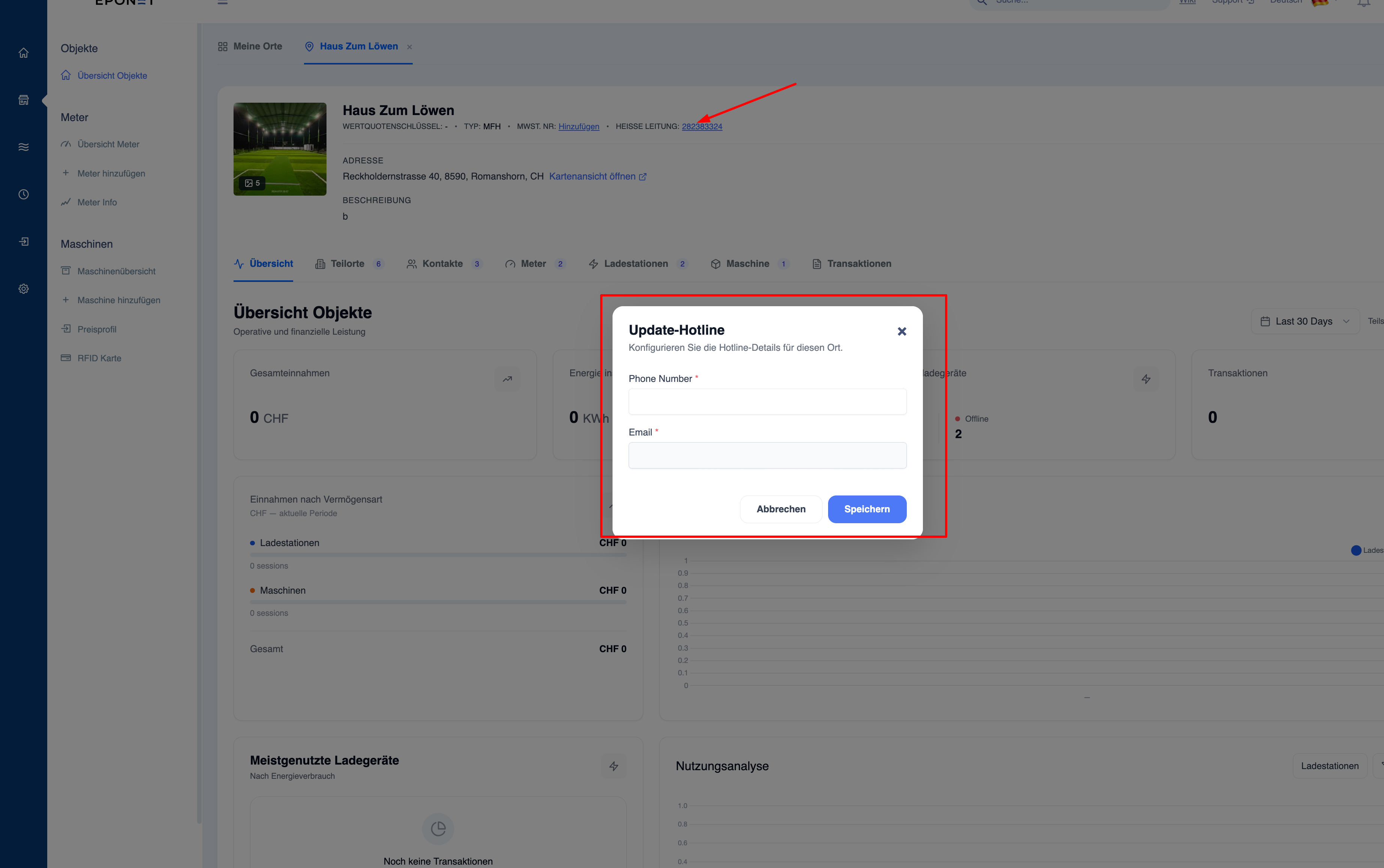
- The “Update Hotline” pop-up window opens
- Enter the following:
- Phone number (required)
- Email (required)
- Click on “Save”
Where this is used
- Displayed to users for support purposes
- Used in the event of billing issues
- Required to comply with regulations for public charging points
Note:
The hotline details ensure that users can quickly contact support in the event of charging or operational issues.
Note:
Use a monitored support number and a shared email address (not an individual contact) to avoid missed enquiries.
Configuring tax data
Tax settings determine how a location is treated for financial and legal reporting.
This is required if your account is subject to tax (e.g. if VAT is applicable).
When tax details are required
You must configure tax data if:
- Your account is marked as taxable
- When creating invoices that are to include tax calculations
- You operate in regions where a tax identification number is required
How to configure tax details
- Open the location details page
- Click on ‘Tax / VAT No.’ (Add or Edit)
- The tax configuration pop-up window opens
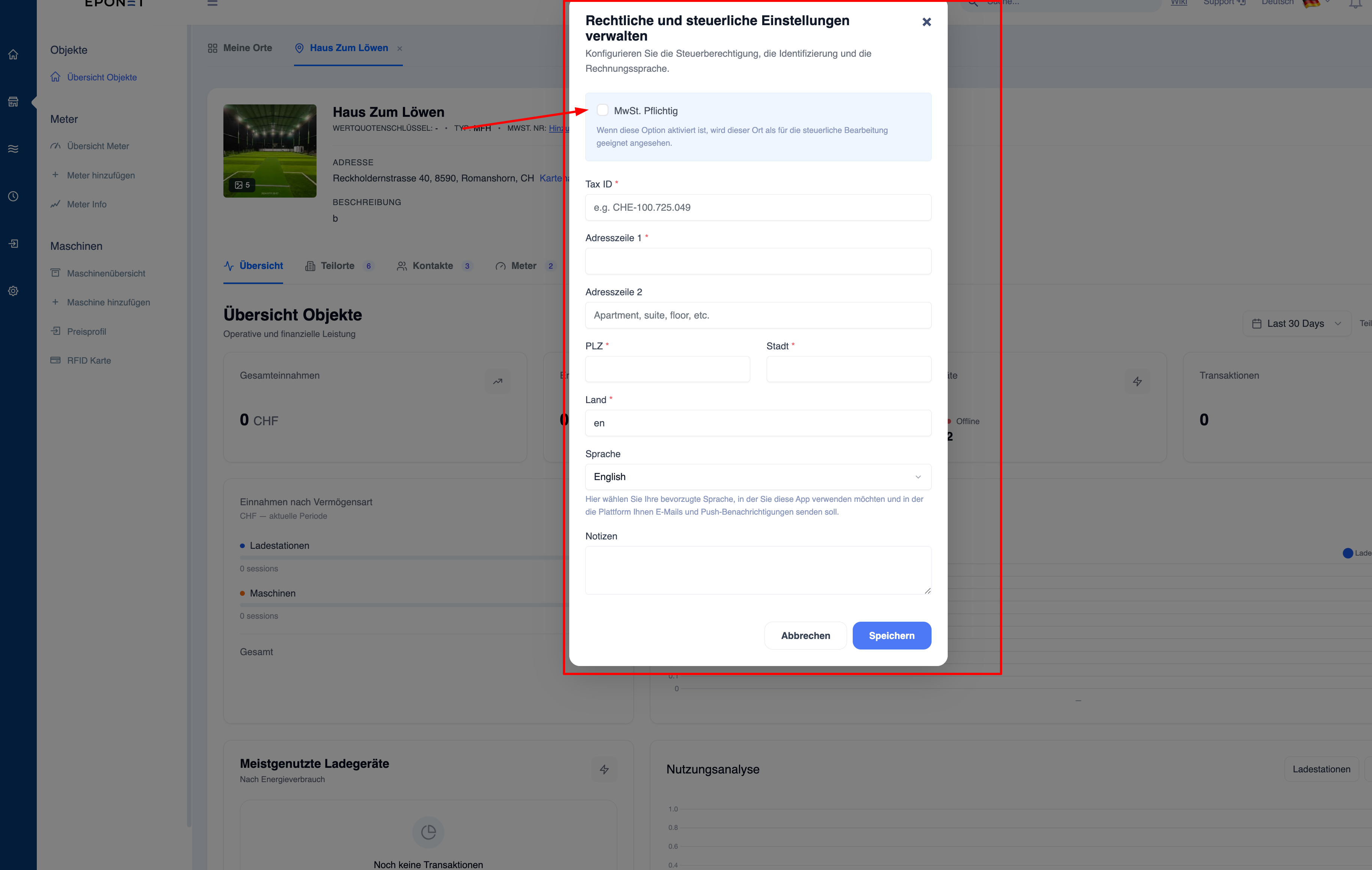
Fields in the tax configuration
- Taxable
Select this option if the location is subject to tax - Tax ID
Official tax identification number - Address Line 1 & 2
Billing or registered address - Postcode & Town
Required for correct identification - Country
Determines the tax jurisdiction - Language
Used for communication and invoices - Comments
Optional internal reference
Tax configuration per location
You can set different tax details for each location.
This is useful if:
- You operate in multiple regions
- you manage locations under different legal entities
- different tax rules apply to each location
Note: The
tax configuration ensures correct accounting, invoicing and compliance with local regulations.