
Replace / exchange charging station
Procedure for replacing or exchanging a charging station at a location/car park.
To ensure that authorisations/invitations and other settings are retained, there is a function for replacing charging stations.
We recommend replacing the charging station in Eponet according to the following instructions as the first step and setting the OCPP link to us as the second step.
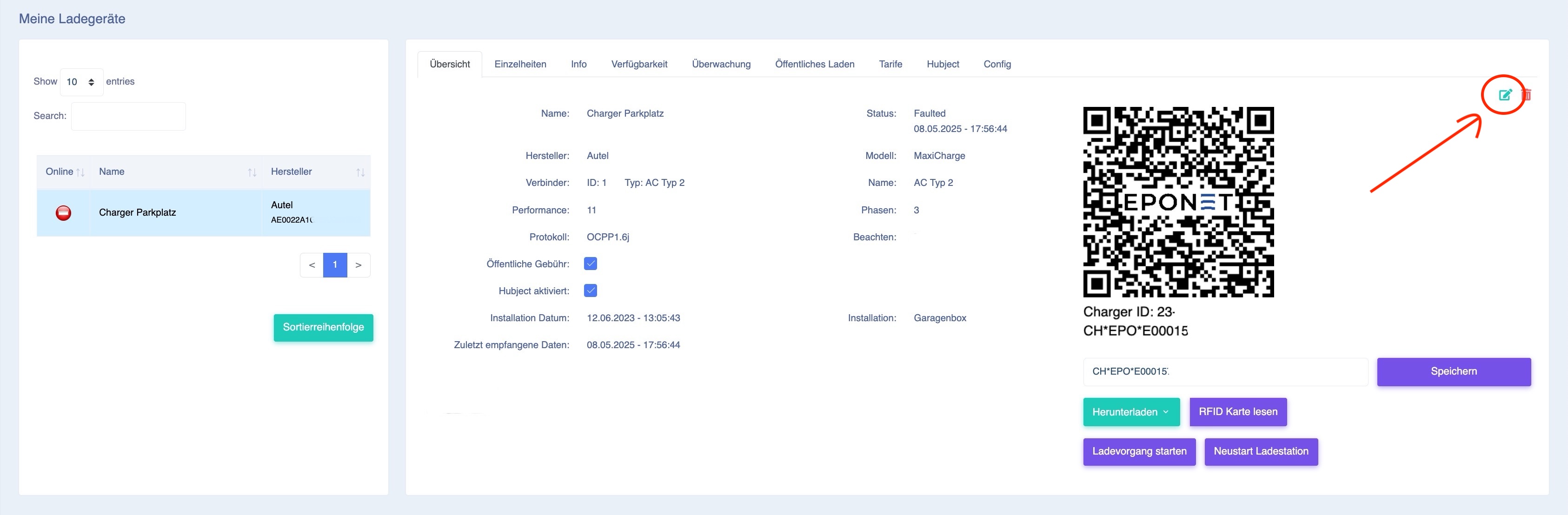
You will find this function under the charging station to be replaced. To do this, select the charging station to be replaced in the charging station overview and press the green edit icon in the top right-hand corner:
The "Replace charger" button will now appear at the bottom right: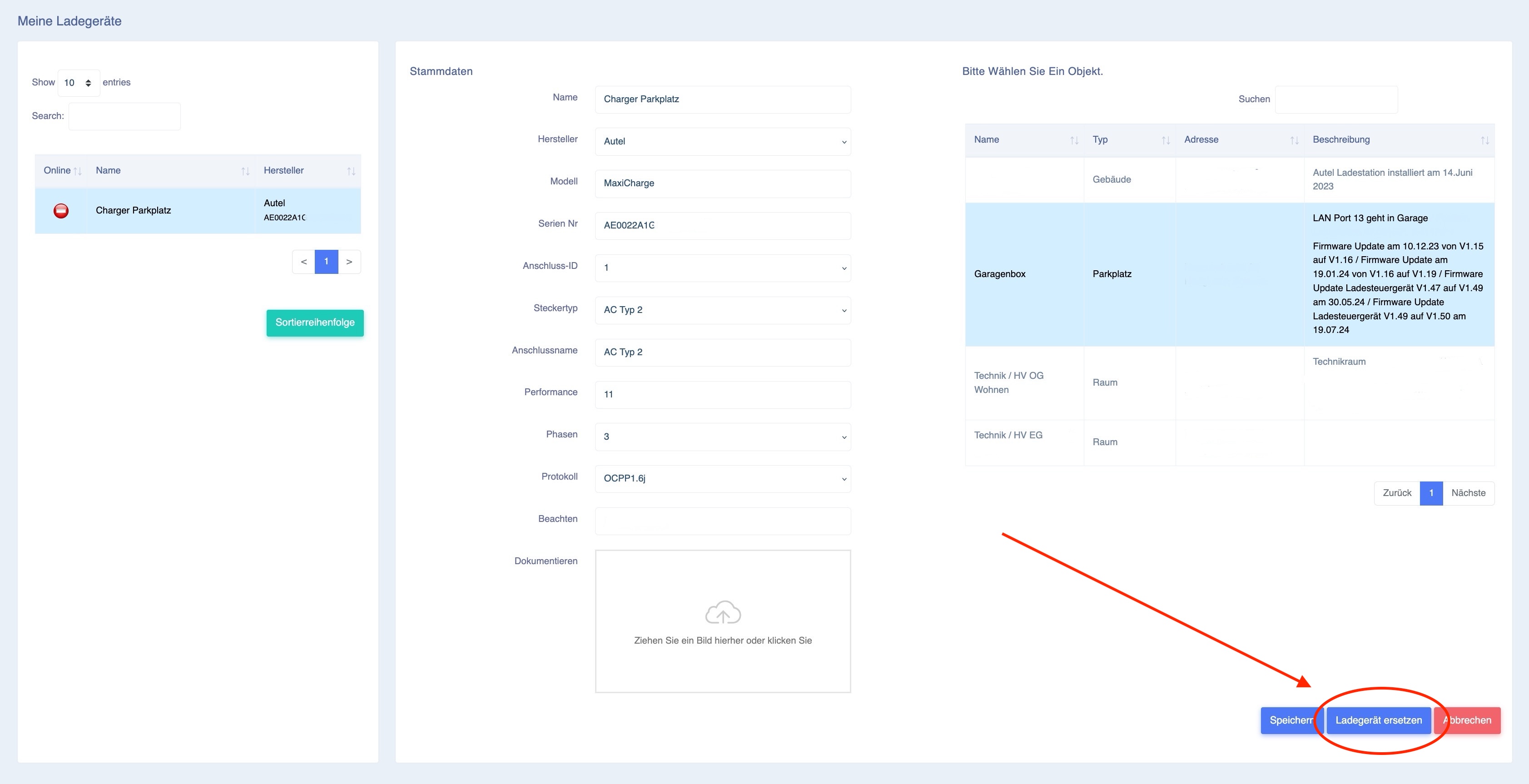
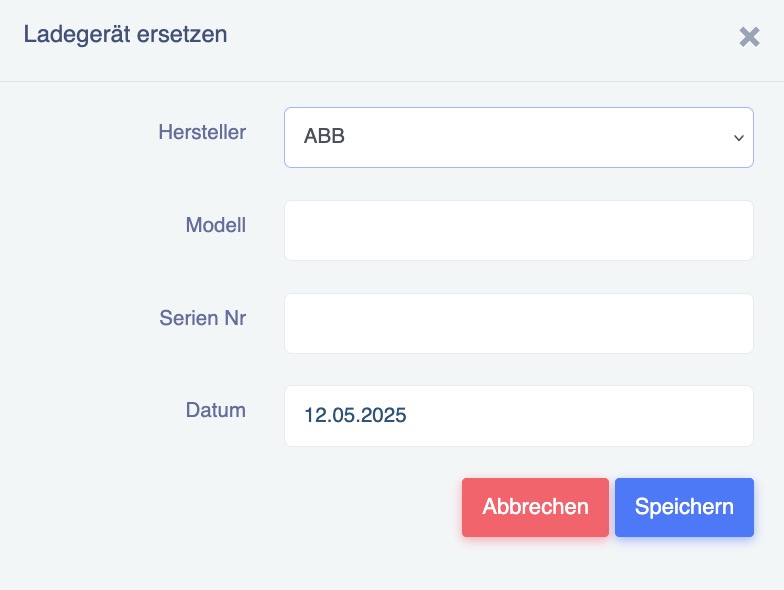
After pressing the button, a pop-up window will appear where you can enter the new manufacturer, model and serial number and confirm your entry by clicking Save.
If the charging station itself is configured correctly, the new station should now appear online in the Eponet portal.
Please also check the other settings such as connection ID or performance and, if necessary, test the load management and other functions.