Rules
For example, if you want to prevent employees from clocking in too early, you can do so by setting a rule.
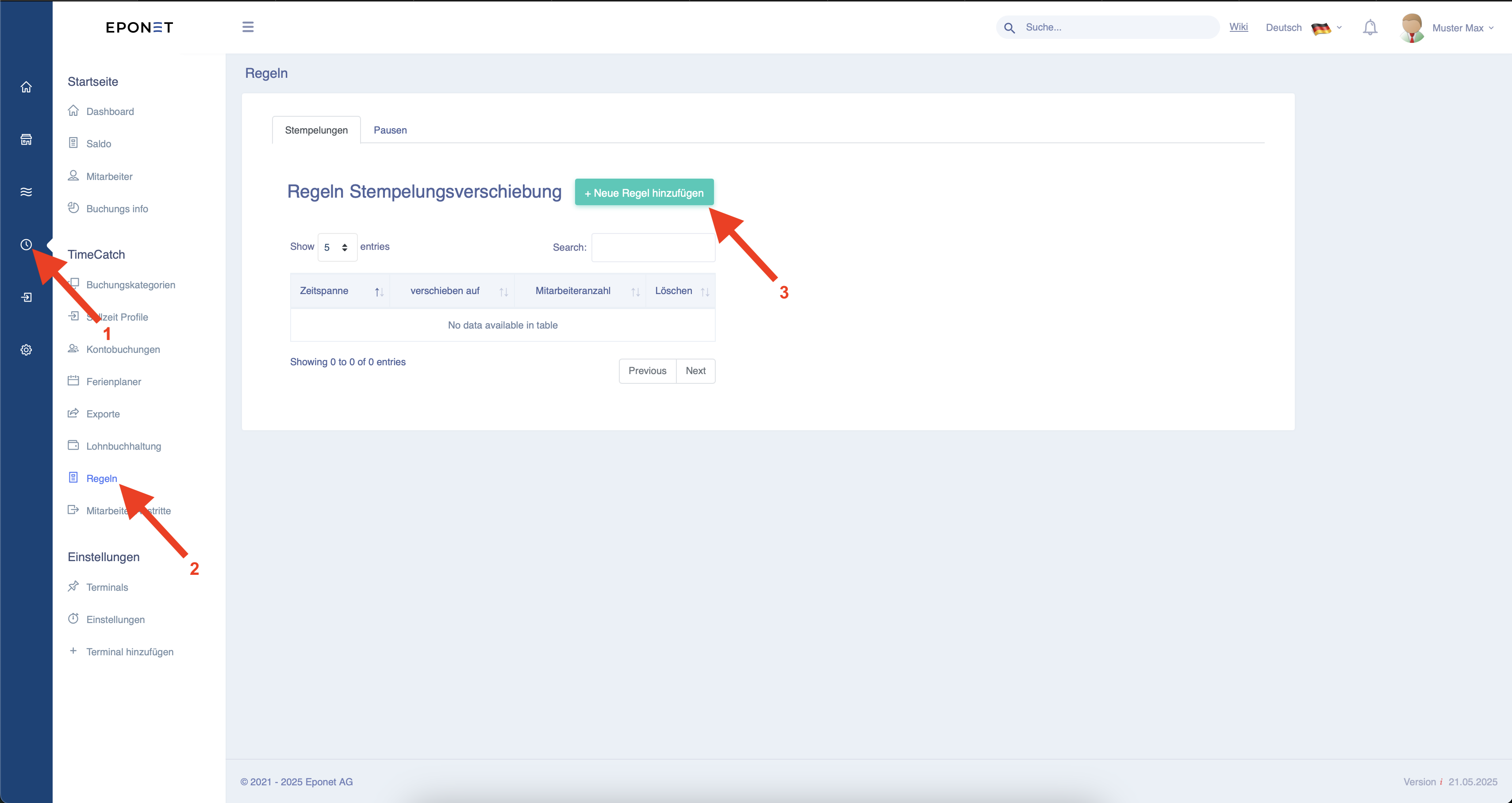
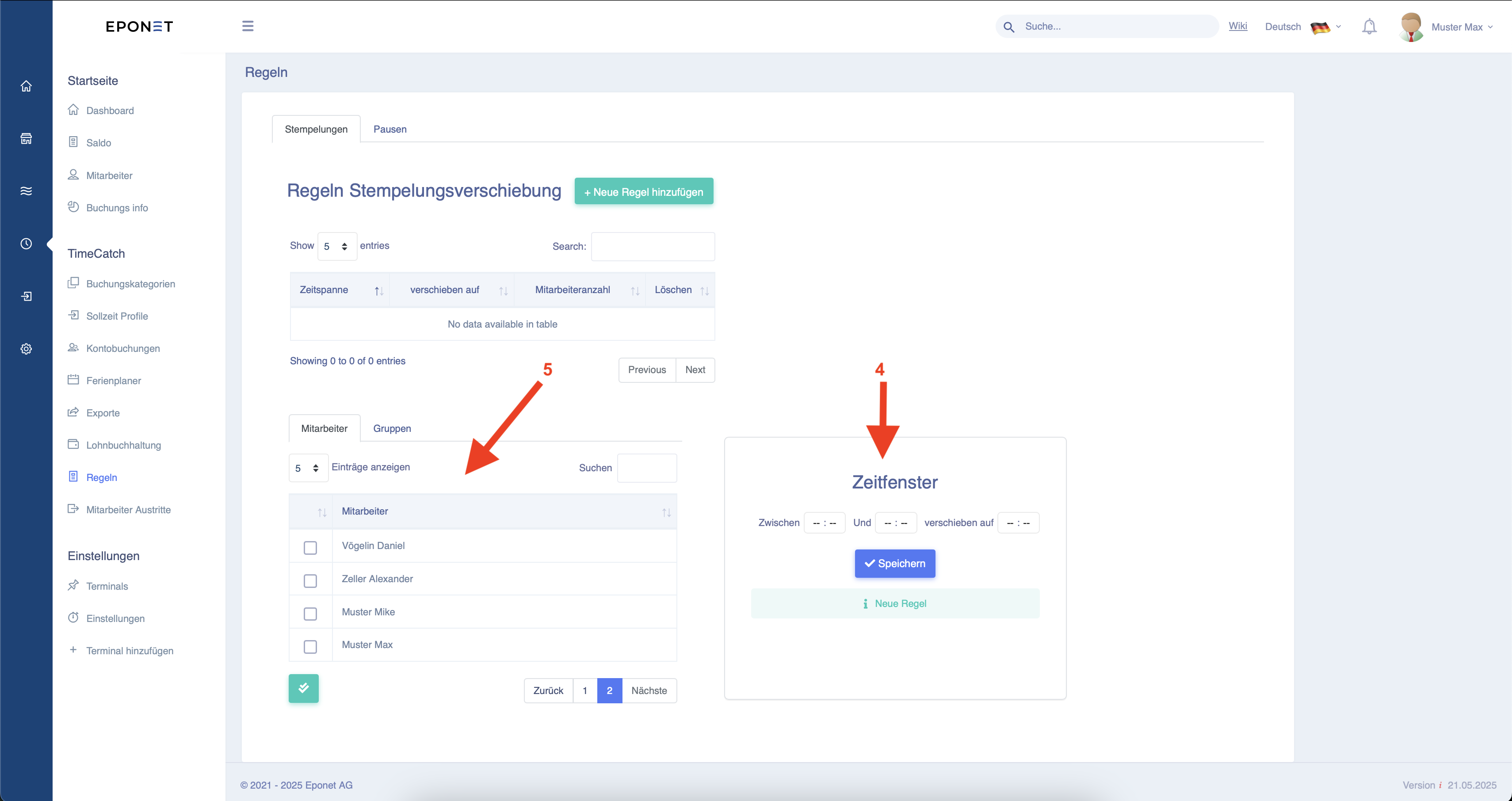
This opens up new settings options. In the time window under arrow 4, you can enter a time period between ‘Between’ and ‘And’. Under ‘Move to’, you can then enter the desired time (see example below).
Finally, under arrow 5, you can select the employees or employee groups to whom this should apply.
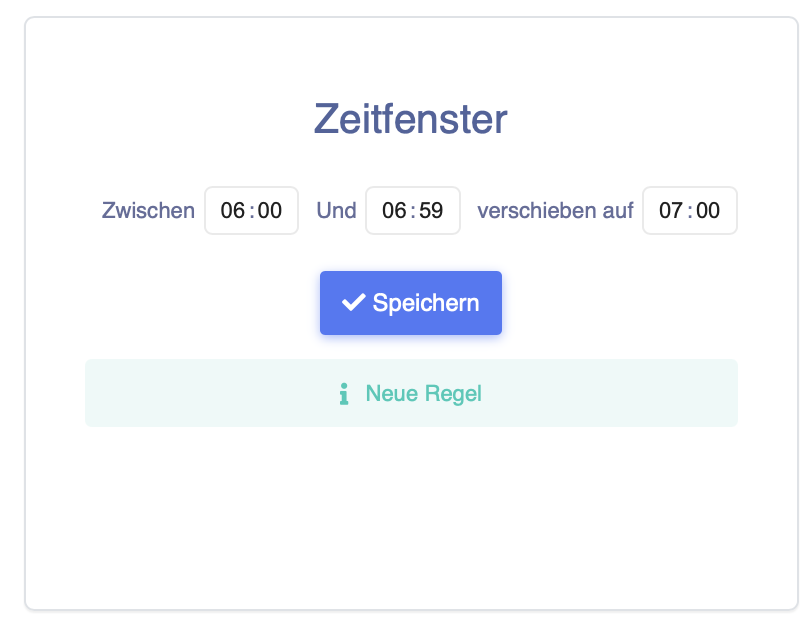
Example of such a time window.
Here you can see that all clock-ins between 06:00 and 06:59 are automatically moved to 07:00.
Scenarios for break rules
The break rule is enforced on the basis of a predefined working day window, which is defined by a start and end time as well as a prescribed break duration.
To illustrate, consider a rule configured to run from 06:00 to 14:00 with a prescribed break time of 30 minutes. This configuration sets an expected net working time of 8 hours within the specified time window.
The system automatically calculates and adjusts the break time to ensure compliance with the rule. Key principles include:
- Working time is calculated only within the defined period (in the example, from 06:00 to 14:00). Times recorded outside this time window are not taken into account when calculating the break rule.
- Late start times are treated as part of the prescribed break.
- If a user starts work after 06:35 (more than 30 minutes late), the break rule is not applied.
- The system compensates for any shortfall in the duration of the mandatory break (manual breaks plus late start times) by automatically adding the remaining break time.
The following scenarios illustrate the application of the rule:
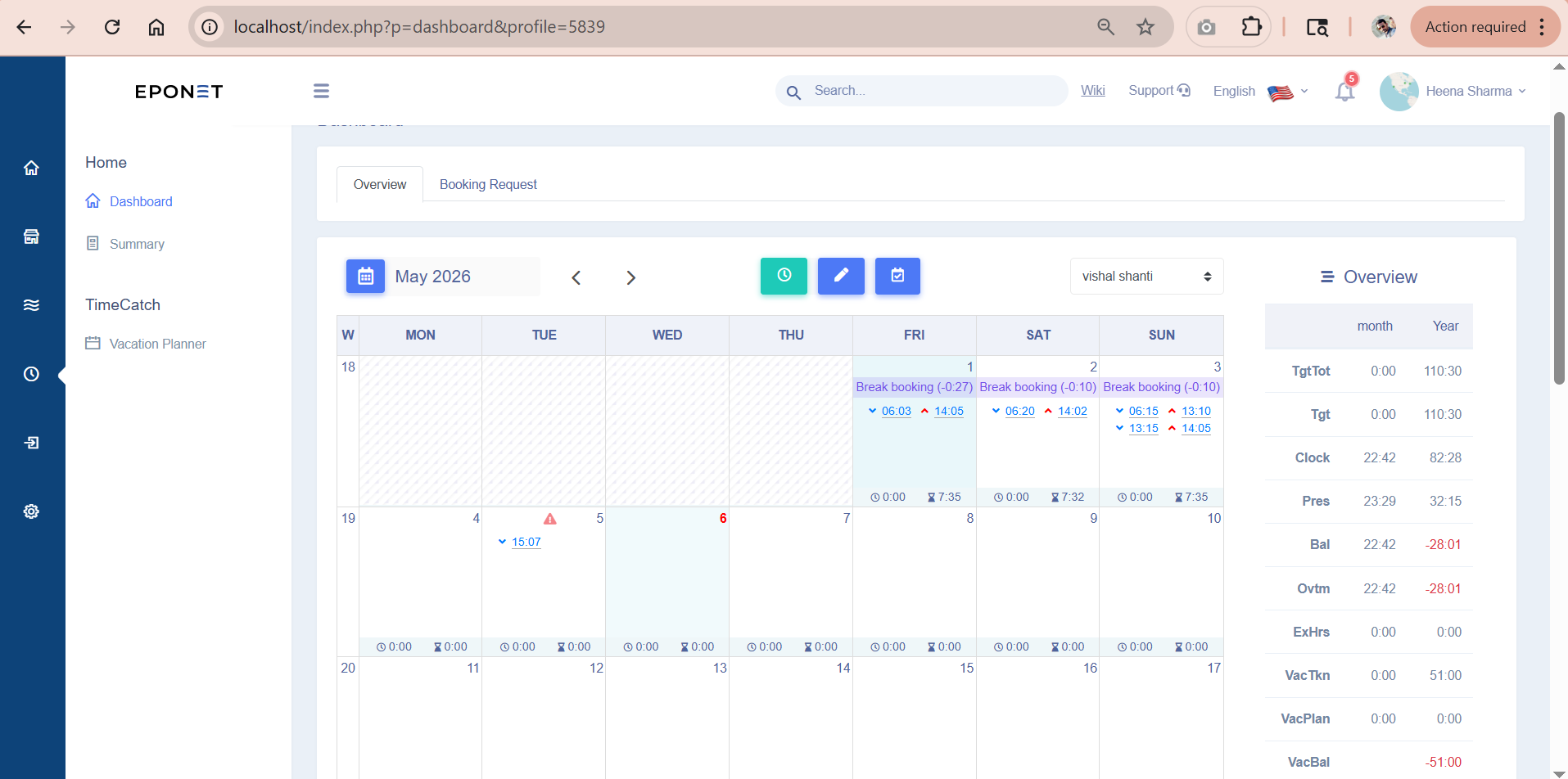
Scenario 1: Slightly late start to work with a shift that extends slightly beyond the end time On 1 May 2026, the user started at 06:03 and finished work at 14:05.
- The 3-minute delay is counted towards the 30-minute break.
- The system automatically adds the remaining 27 minutes of the break to meet the requirements of the rule.
- Work performed after 14:00 is not taken into account in the calculation.
Scenario 2: Moderately late start to work On 2 May 2026, the user started at 06:20 and finished work at 14:02.
- The 20-minute delay is counted towards the break.
- The system automatically adds the remaining 10 minutes to meet the 30-minute mandatory break requirement.
- Only the time within the time window from 06:00 to 14:00 is taken into account.
Scenario 3: Late start to work combined with a manual break On 3 May 2026, the user started at 06:15, worked until 13:10, took a manual break from 13:10 to 13:15 (5 minutes) and continued working until 14:05.
- Late start to work: 15 minutes.
- Manual break taken: 5 minutes.
- Total break time: 20 minutes.
- The system automatically adds the remaining 10 minutes to comply with the 30-minute break rule.
These scenarios illustrate the system logic for handling deviations in start times, manual breaks and compliance with the defined working window. Administrators and users should refer to the specific rule configuration within their organisation for exact parameters. For a visual illustration, please refer to the attached screenshots of the daily attendance records.