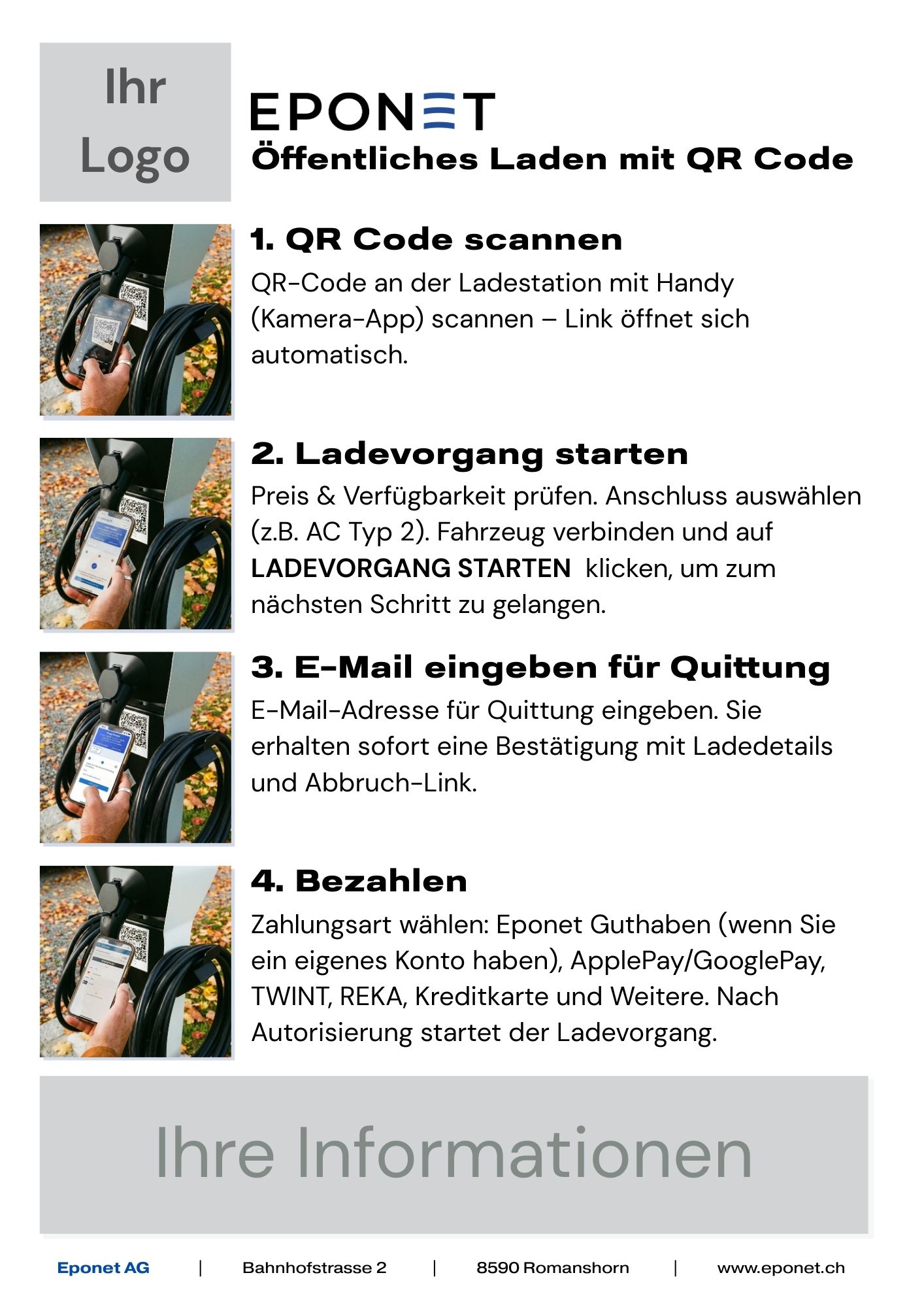
Charging with QR code / Ad Hoc charging
If you see an Eponet QR code at a charging station, you can use it to start charging easily with your smartphone, without an app or registration.
Example: QR code charging / ad hoc charging
If you see an Eponet QR code at a charging station (identifiable by the charger ID number), you can scan it with your smartphone and start charging via your browser:

A window will open in your browser and you will be guided through the process in three steps:
Step 1
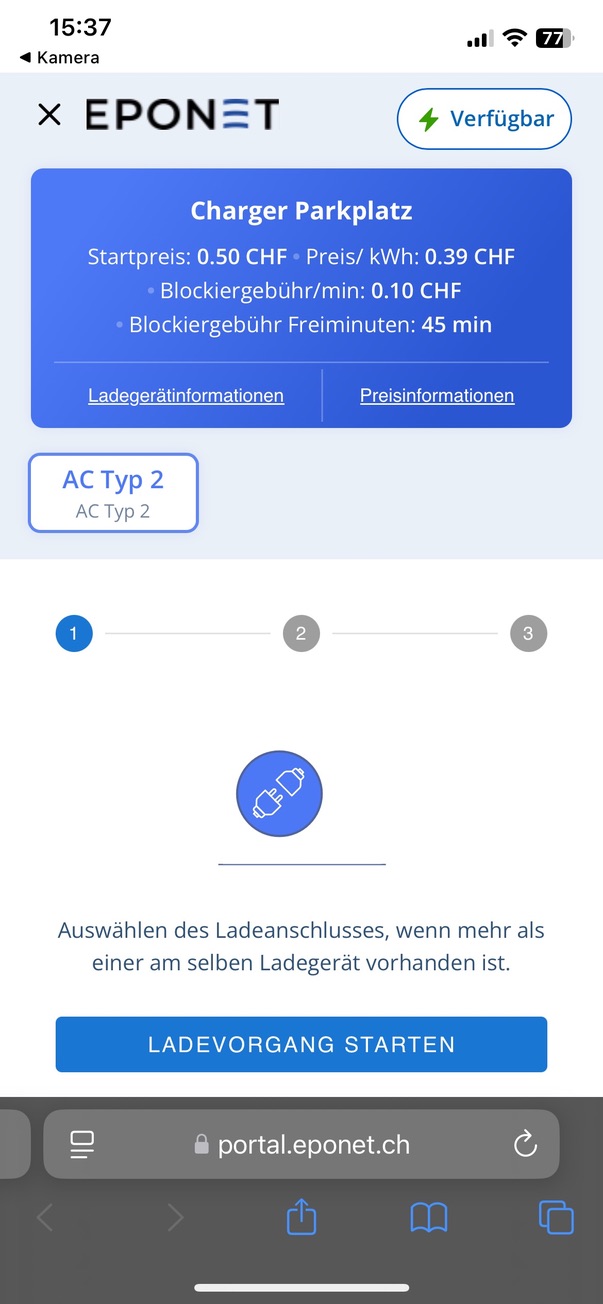
In the first step, you will see in the top right-hand corner whether the charging station is available (status message of the charging station). The blue information field shows the name of the charging station and the current prices. Under Price Information, you can view further price details, and any information about the charger/location can be found under Charger Information.
If a charging station has multiple connections, you can select the correct one in the field below. In this image, there is only one AC Type 2 connection. Connect the vehicle and click on Start Charging, and you will be taken to step 2.
Step 2
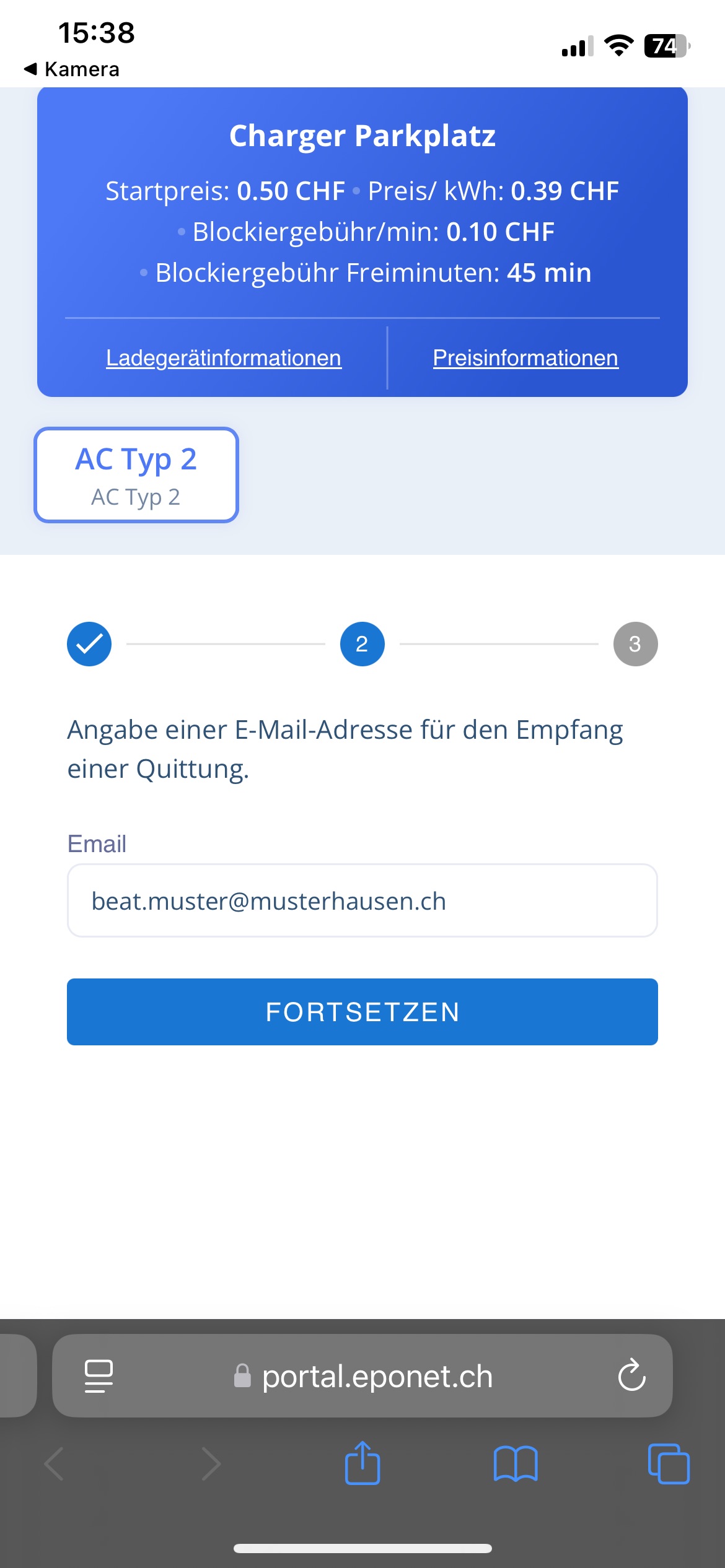
Here you will be asked to enter your email address for the receipt. Once charging is complete, you will receive the receipt at this address and an email with charging details when charging starts. There is also a link there where you can cancel a charging process at any time.
Step 3
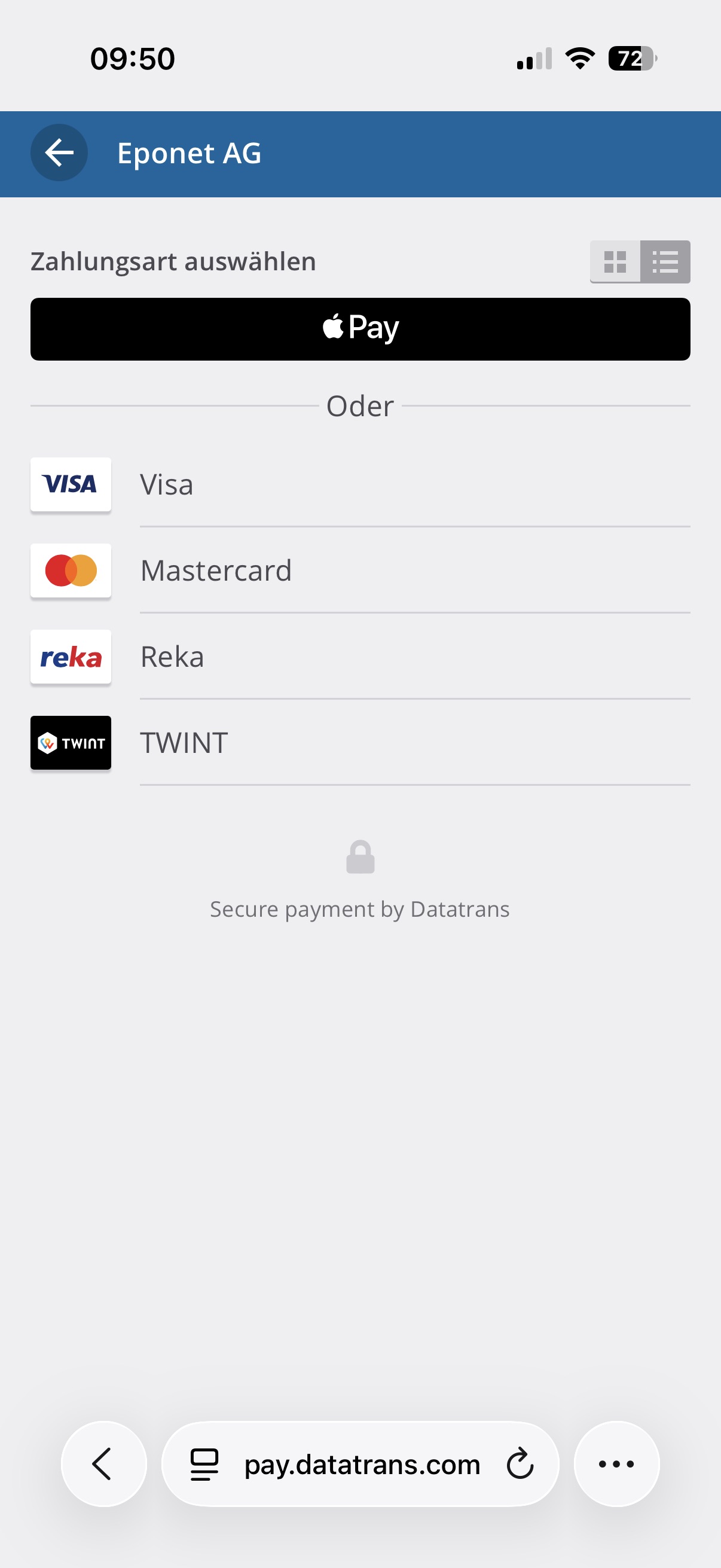
The third and final step is the payment process. You can choose between credit card, Reka and TWINT and, depending on your smartphone, the payment method stored on your smartphone. Apple Pay is available for iPhones and Google Pay for Android phones.
Once the payment has been accepted, the charging process will start automatically.
Charging process completed
Once the charging process is complete – when you unplug the vehicle – you will receive an email receipt for the charging process.
Please note: Eponet is not responsible for the prices of the charging process. The prices, including any blocking, standing or parking fees, are set by the operator. Eponet is only the billing tool.
In the event of malfunctions, the operator/owner of the charging station is also responsible. Thank you for your understanding.
Do you regularly charge your vehicle at a QR code charging station? Make charging easier with your own Eponet account
Do you regularly charge at an Eponet charging station with a QR code and don't want to go through the 3 steps to charge? Open your own Eponet account (free of charge), order an Eponet RFID card and top up your balance. This allows you to easily charge your vehicle at any public Eponet charging station with a QR code using your RFID card and automatically receive a receipt in your account for each charging process.
The following steps for creating your own account with an RFID card and topping up your balance can be found here:
1. Create an account
4. Please note: observe the minimum balance!
Quick guide: Charging with a QR code
Use this compact guide for spontaneous top-ups at Eponet stations. The one-page document guides you through the entire top-up process in four simple steps – from scanning the QR code to payment.
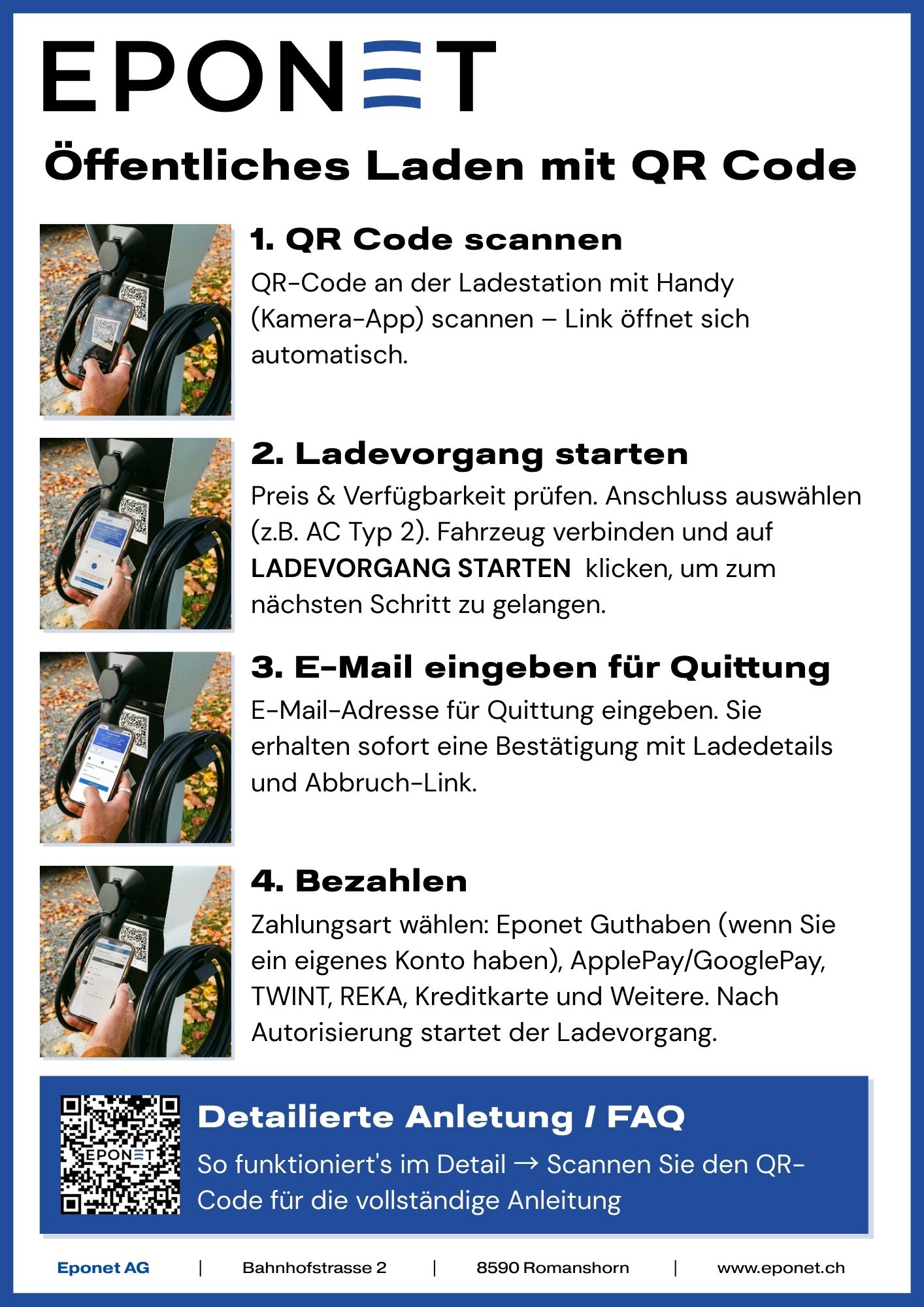
[Download PDF] | Suitable for: Display at top-up stations, customer information
Custom design service
Would you like to support your customers with personalised charging instructions? We can create these instructions for you with your logo, your colours and specific information about your location. Perfect for professional customer support at your charging stations.
Your advantages:
- Instructions in your individual corporate design
- Integration of your logo and contact details
- Location-specific information (opening hours, support number)
- Professional appearance for your customers
- Ready to print or download as a QR code
Contact: beratung@eponet.ch – We are happy to assist you with your individual customer service. Cost: one-time fee of CHF 50.00
Example: