
Overview of Places Management
The ‘Locations’ module is used to manage all physical locations within the system. Each location represents a real-world site, such as a building, a car park or a site.
A location acts as a container that groups the following:
- Charging stations (chargers)
- Energy meters
- Vending machines
- Transactions
- Contacts and responsible bodies
This structure makes it possible to organise all operational and financial data by location.
Why this module is important:
- All reporting is based on locations
- Equipment is always linked to a location
- Responsibilities are assigned at location level
Typical use cases:
- Managing multiple charging locations
- Tracking the performance of a specific location
- Assigning a service provider to a location
- Viewing transactions for billing and audits
Access the module via:
Sidebar → Objects → My Locations
All devices (chargers, meters, machines) are always assigned to a location in the portal.
Think of a location as the ‘parent object’ for all operational processes. A well-structured location setup makes reporting and management much easier later on.
Key functions
- Creating and managing locations
- Setting up hierarchical structures (parent and child locations)
- Assign devices to locations
- Track performance (energy, turnover)
- Manage responsibilities and contacts
How to access this
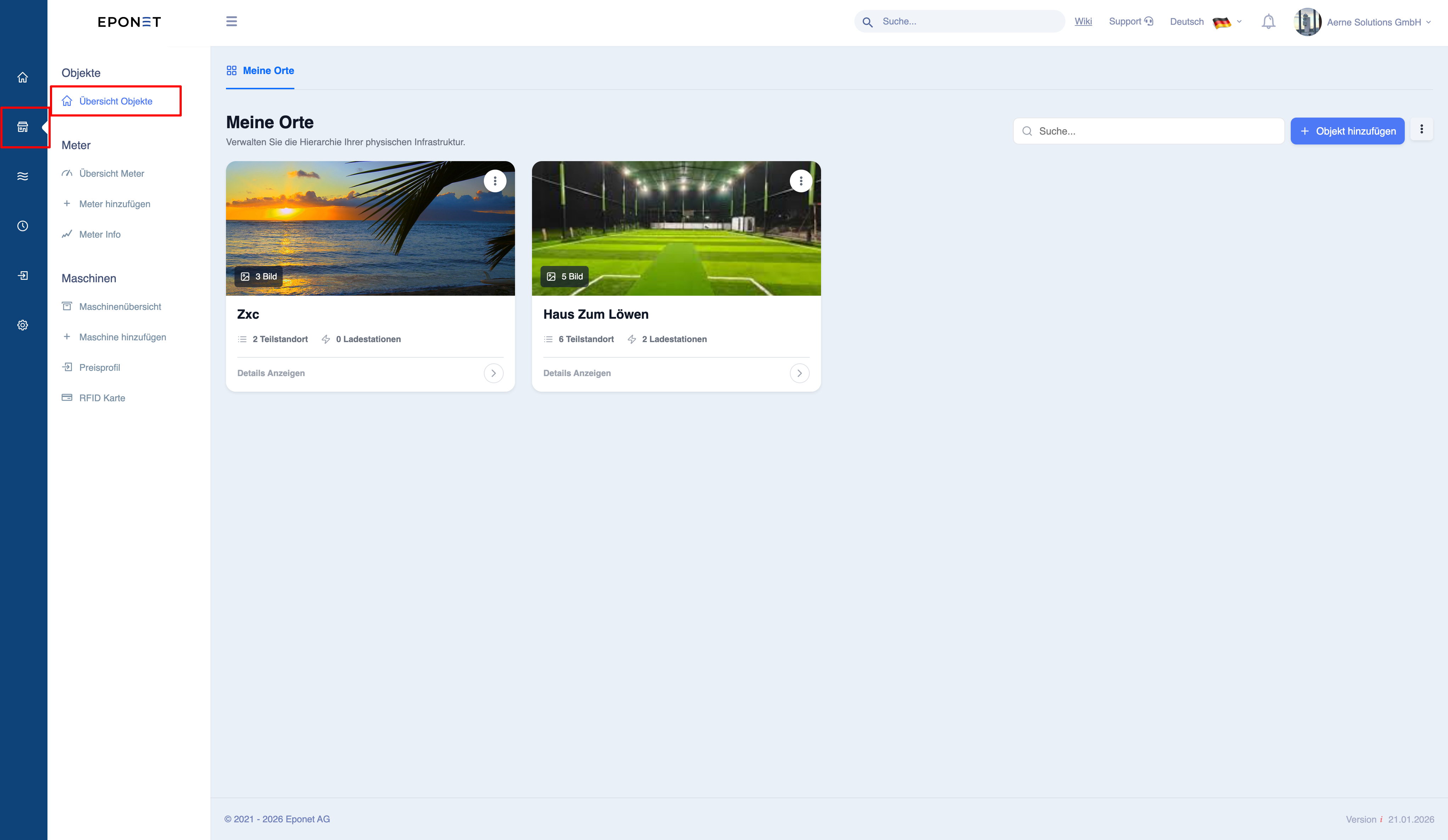
View and navigate locations
List of places
When you open the module, all locations are displayed as maps.
Each map contains:
- Place name
- Image (if available)
- Number of sub-locations
- Number of chargers
Making the most of the list
- Use it to quickly distinguish between large and small locations
- Click on any location to open the detailed view
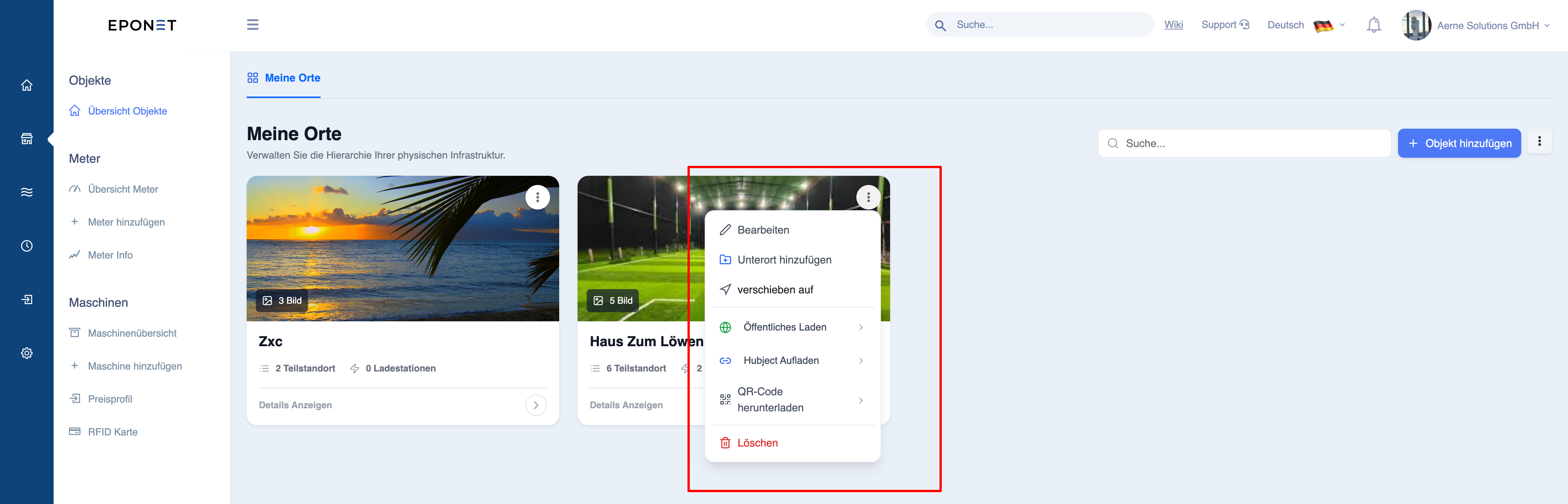
- Use the action menu (three dots) for quick operations
Available actions for each location
- Edit location details
- Add a sub-location
- Move location within the hierarchy
- Enable public loading
- Enable Hubject integration
- Download QR code
- Delete location
Important notes
- Actions may affect all devices at this location
- Deleting a location removes its structure and links
- Moving a location changes the report structure
The map view is designed to provide a quick overview of operations without having to open each location individually.
Actions such as ‘Delete’ or ‘Move’ affect the structure and may have implications for reporting and linked devices.