
Exporting the data
Once the chargers, meters and/or RFID cards have been registered, you can set up data export
Please check carefully that the meter codes and OBIS values have been entered correctly.
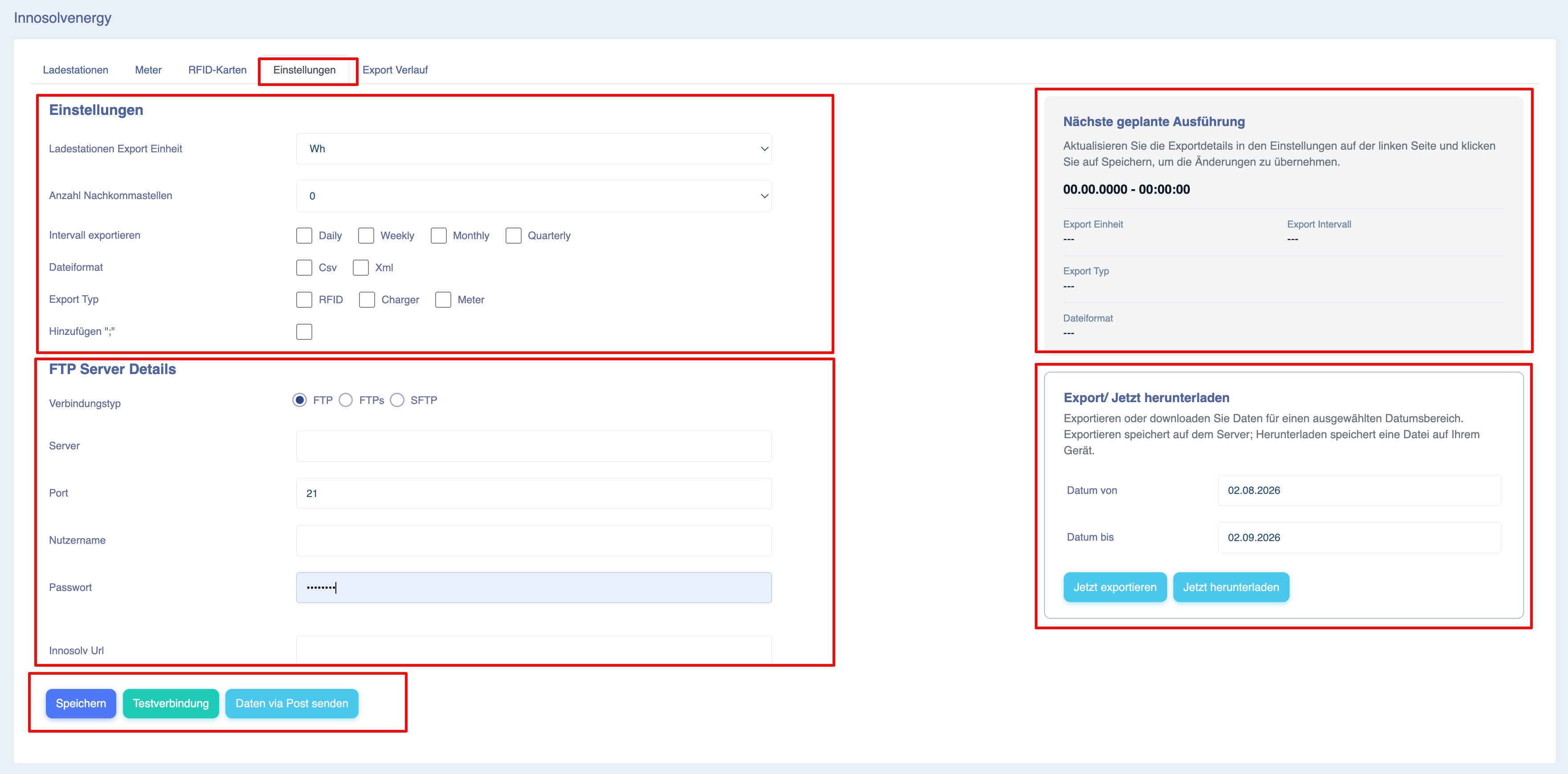
Export unit for the charging station: Select whether you wish to export the data in Wh or kWh.
Number of decimal places: Select the number of decimal places the values may contain.
Please note that rounding differences may occur. In the Eponet portal, tariffs are always calculated from the start of the charging process to its end. It is therefore a simple calculation of the final value minus the initial value. However, when exporting the data, the available data points are added together individually. This data may already contain rounding errors, which in turn can lead to minor discrepancies in the overall result. These are, however, minimal. Where they occur, they appear in the 2nd or 3rd decimal place.
File format: XML or CSV; please refer to the description on the previous page.
Export type: Charger or RFID. For data from charging stations, select ‘Charger’. If you wish to export data relating to RFID cards, use ‘RFID’.
Date from/to: Specify the start and end dates for the data to be exported.
Innosolv URL: The data can also be transmitted directly as a POST request. Please contact your Innosolv partner for the correct settings.
Server, Port, Username, Password: You can write the data directly to an S/FTP server. Use these settings to do so.
Click ‘Test connection’ to check the connection to your S/FTP server.
‘Export now’ generates the data and exports it to your S/FTP server.
‘Download Now’ makes the data available for download.