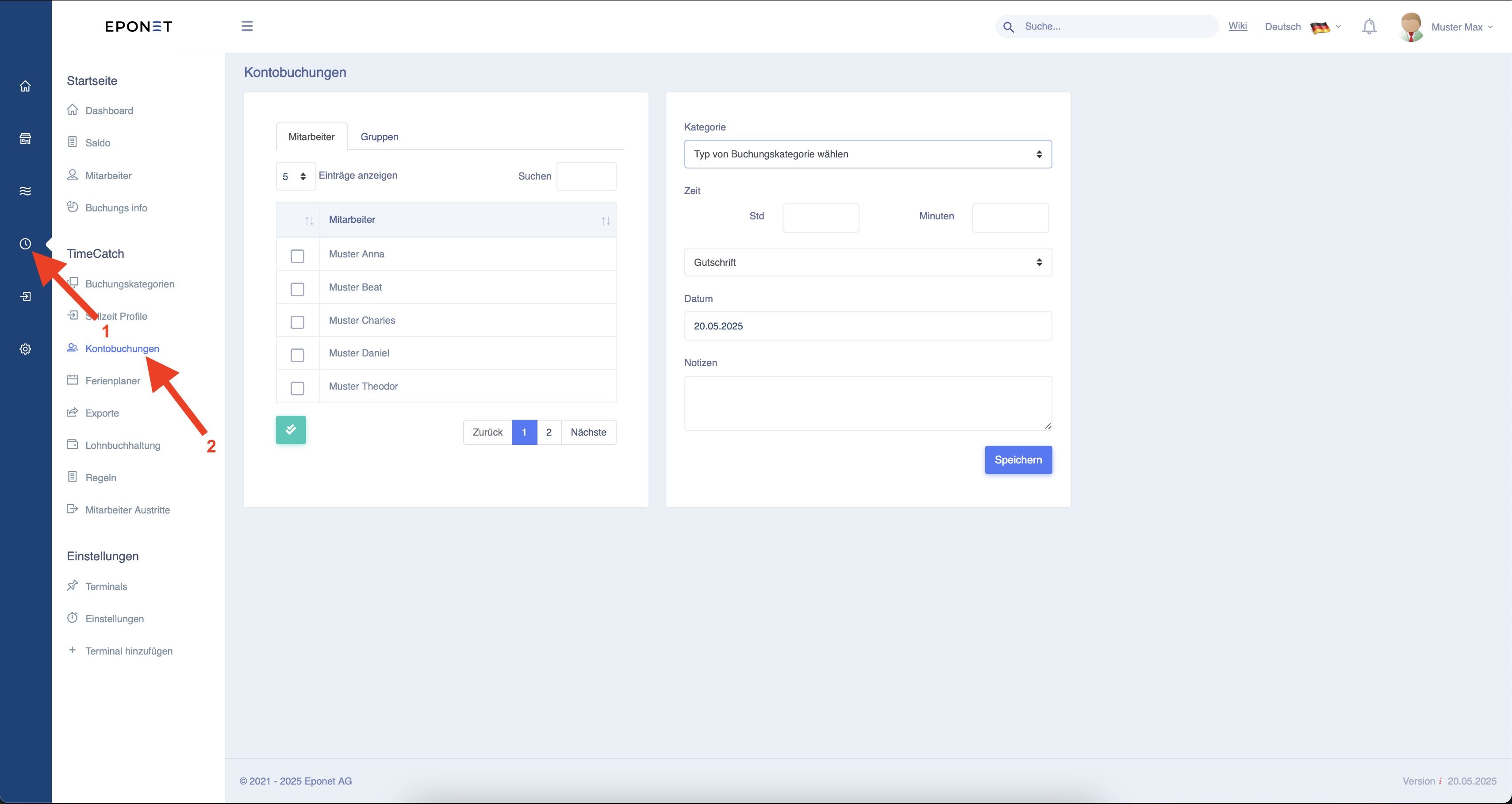
Account postings
Follow arrows 1 and 2 to make account entries for several employees at the same time.
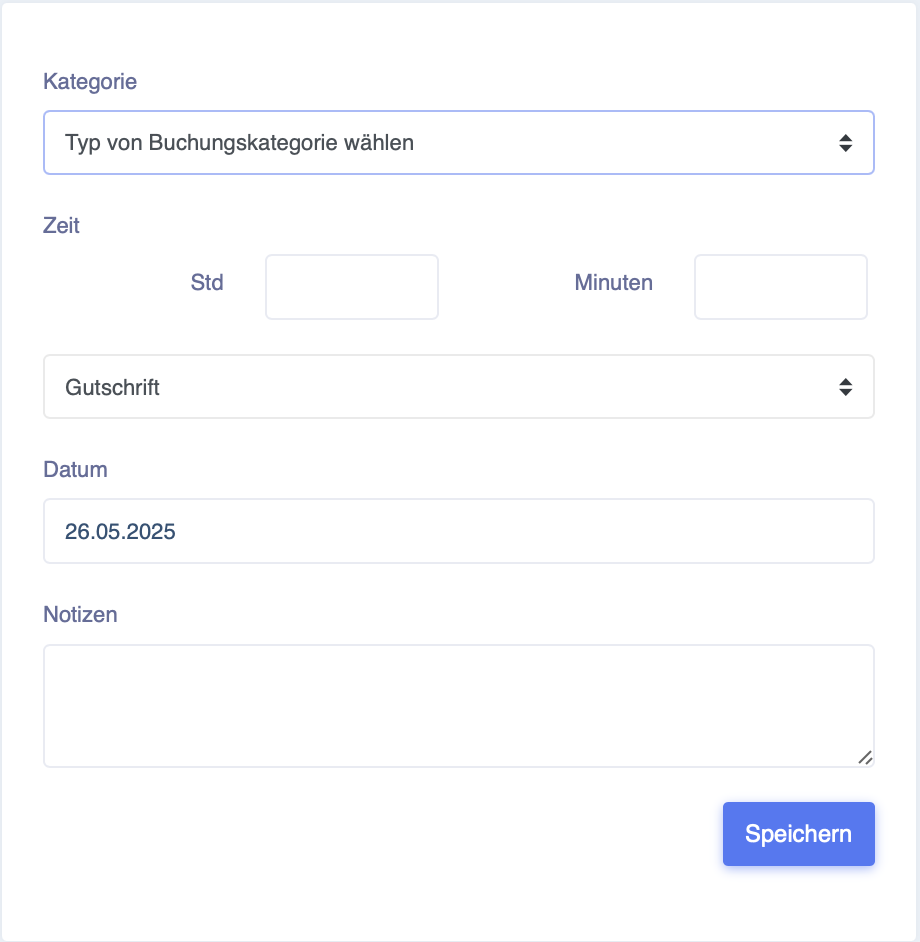
Here is an explanation of the setting options:
Category – Here you can select the category under which the entry is to be made.
Time - Here you can set how much should be booked in hours and minutes (not as a decimal).
Credit - Here you can change whether it is a credit or a deduction.
Date - When should the entry be made (can also be in the past or future)
Notes - A note can be added here. This will then be displayed when the entry is made.
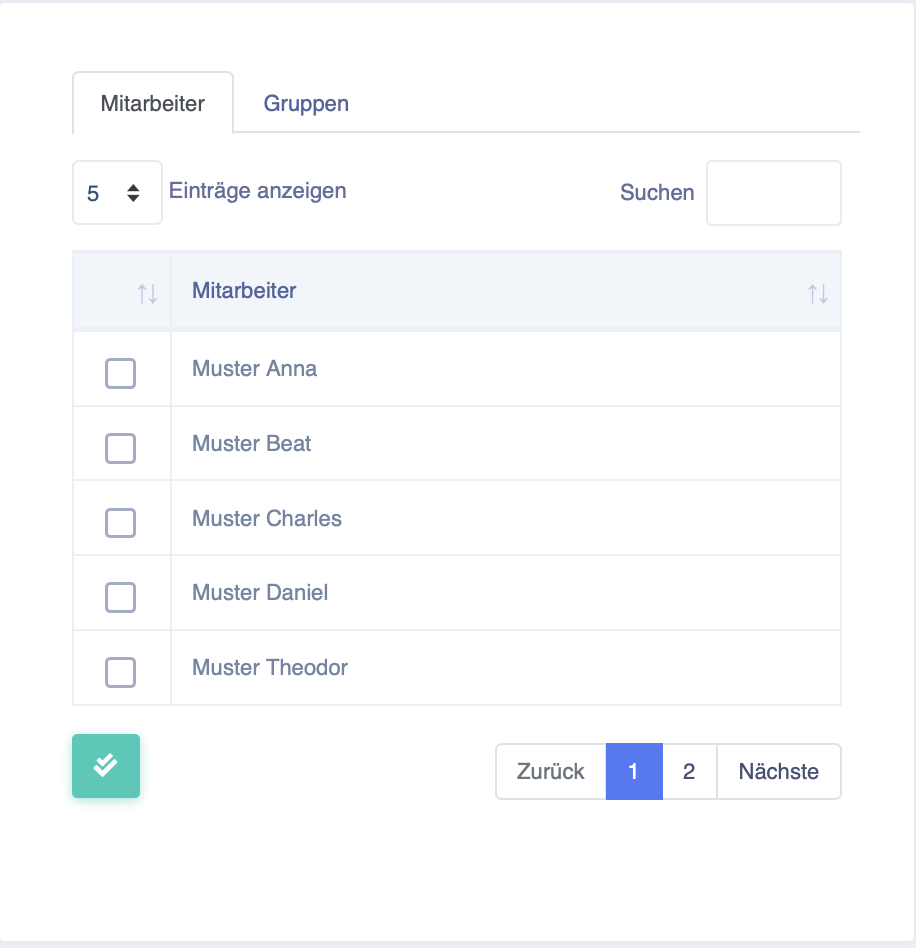
Here you can now select which employees or groups should receive this booking.