
Holiday planner
Follow the two arrows 1 and 2 to open the holiday planner.
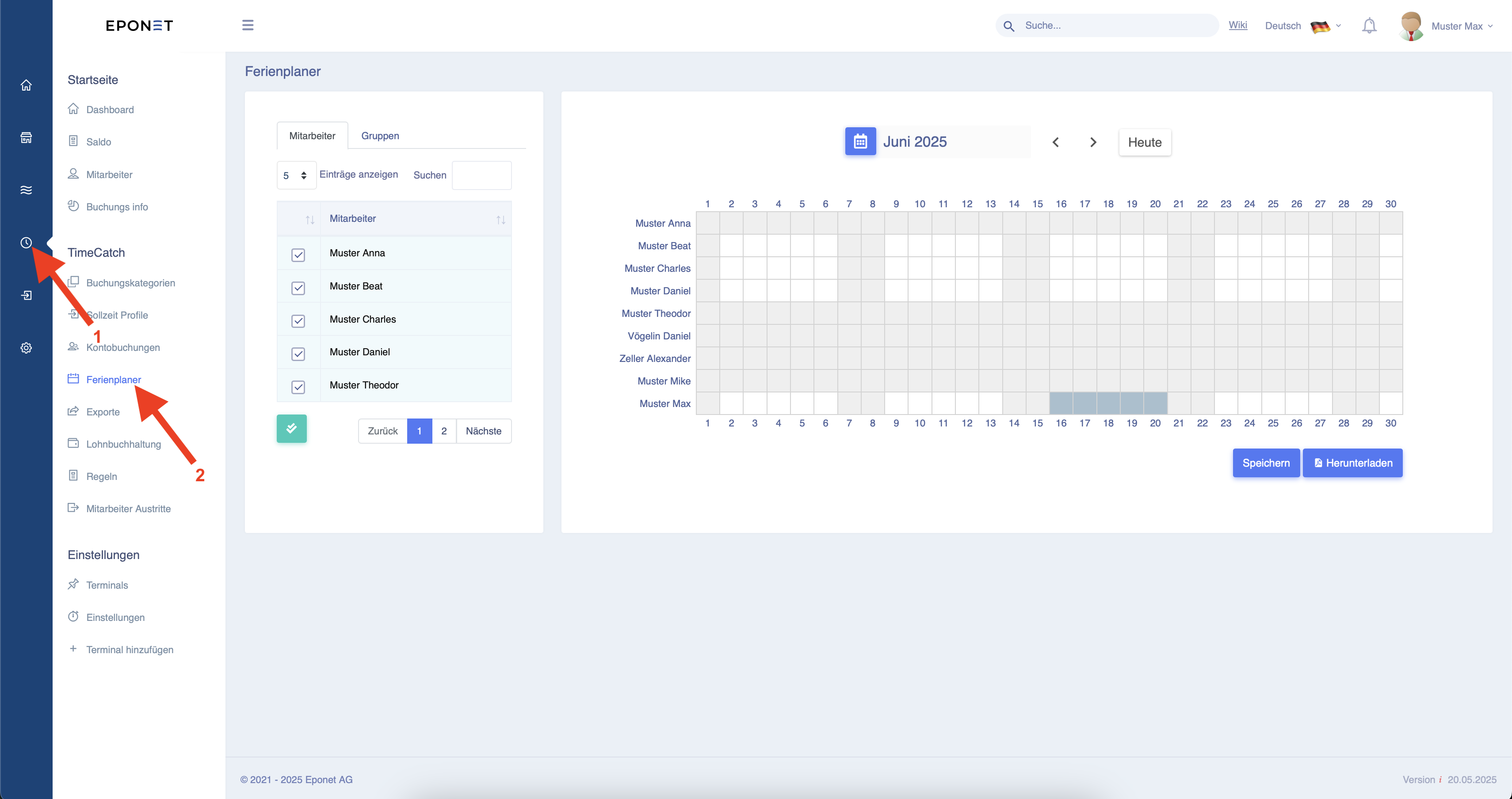 As shown above, employee Max Muster has been entered as being on holiday from 16 June to 20 June.
Holiday days can be easily entered by clicking on the first day of the holiday, holding down the mouse button and dragging to the end of the holiday. You can now release the mouse button and confirm by clicking the "Save" button.
This will then be automatically displayed in the dashboard.

The holiday credit is only deducted on the respective day and not after planning.
The planned days are only displayed as FerPlan in the overview on the dashboard.