4. recording of employees
An Eponet account is required for the next steps. If you do not yet have such an account, you will find the relevant instructions here. Create an Eponet account
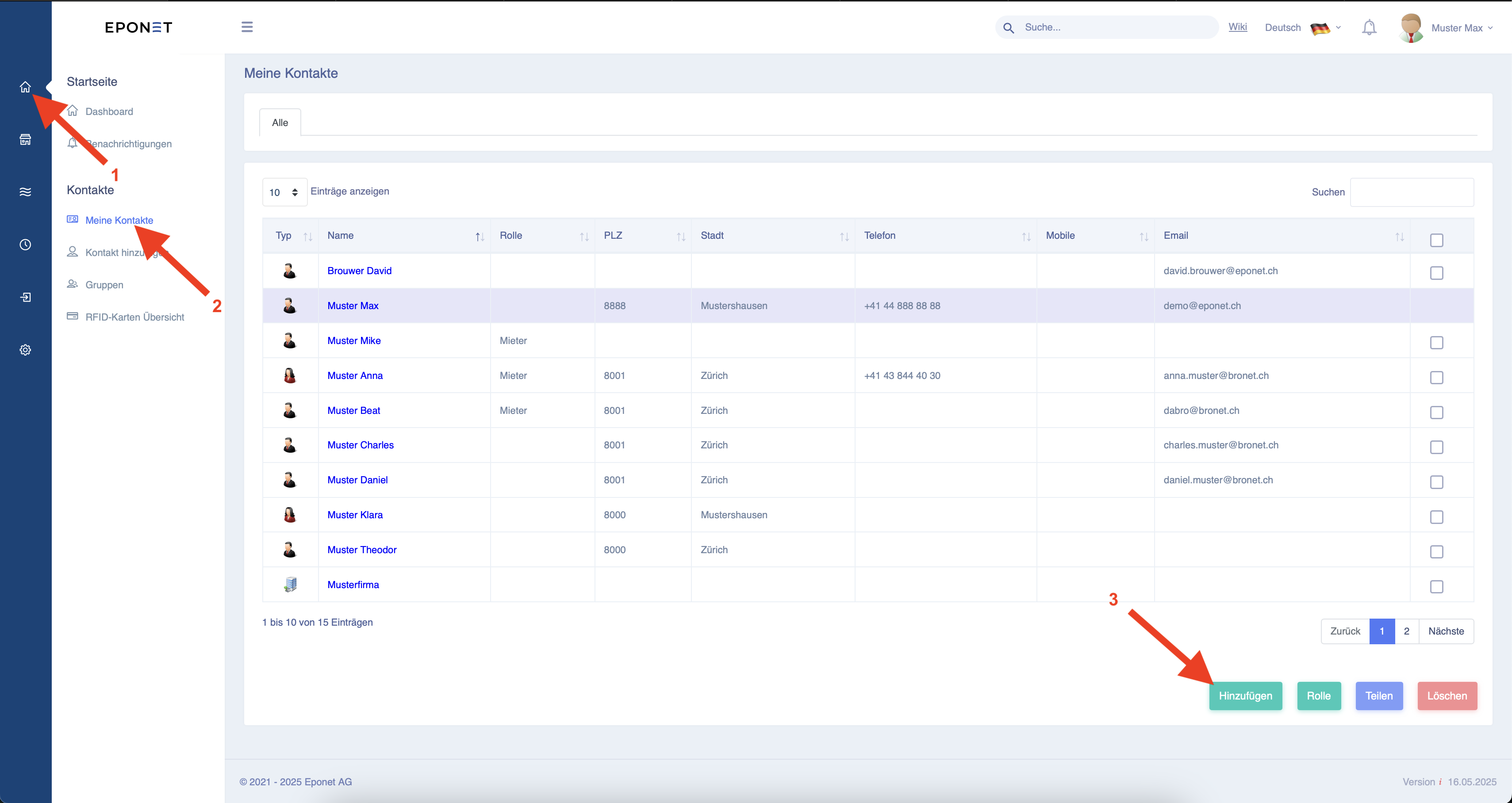
First, the employee must be entered in the contacts (address book). To do this, click on button "1" and then button "2". Then click on button "3".
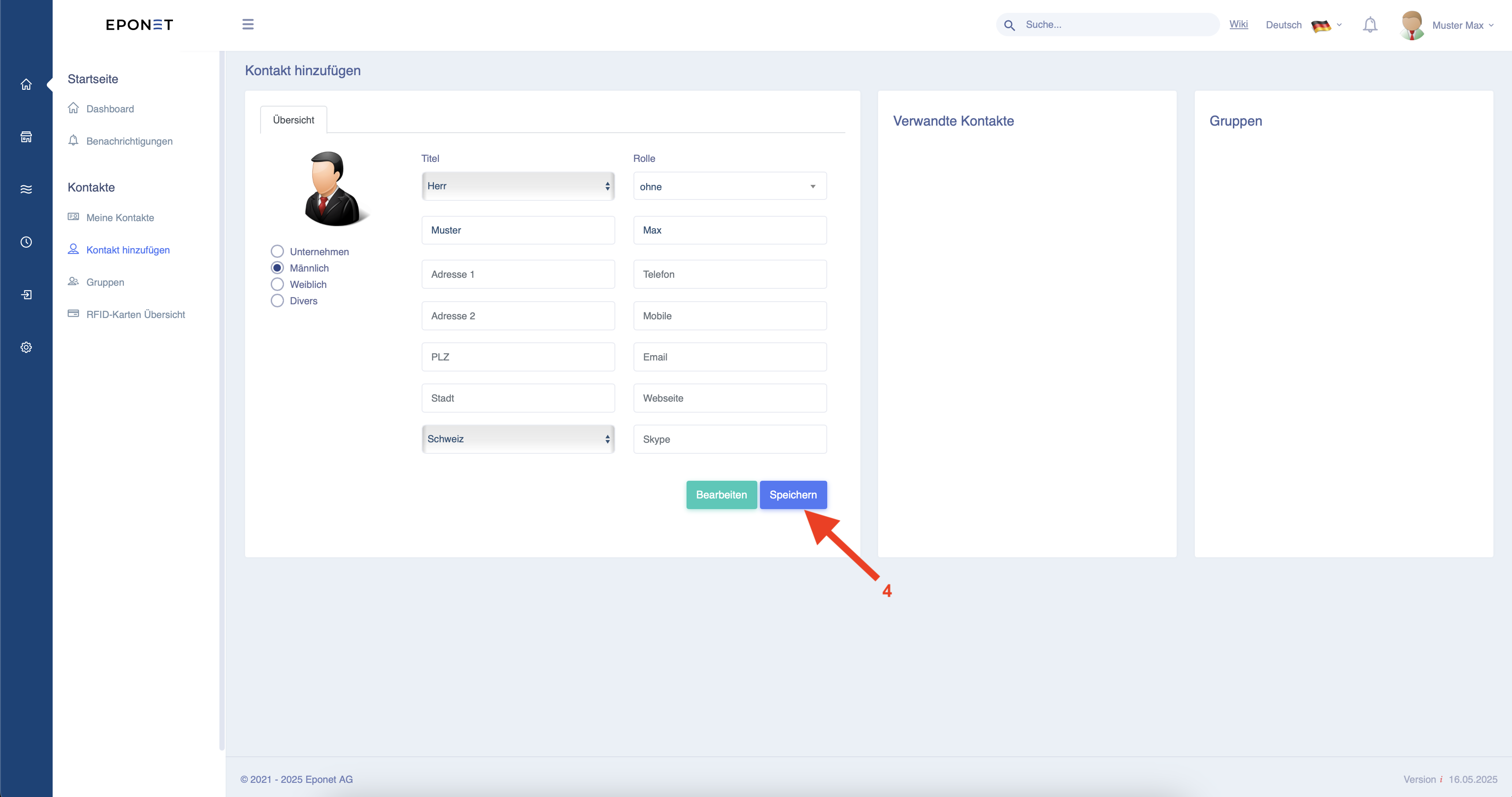
Now create the employee. Only the gender, first name and surname are required. The other fields can also be filled in for documentation purposes. Then click on button "4".
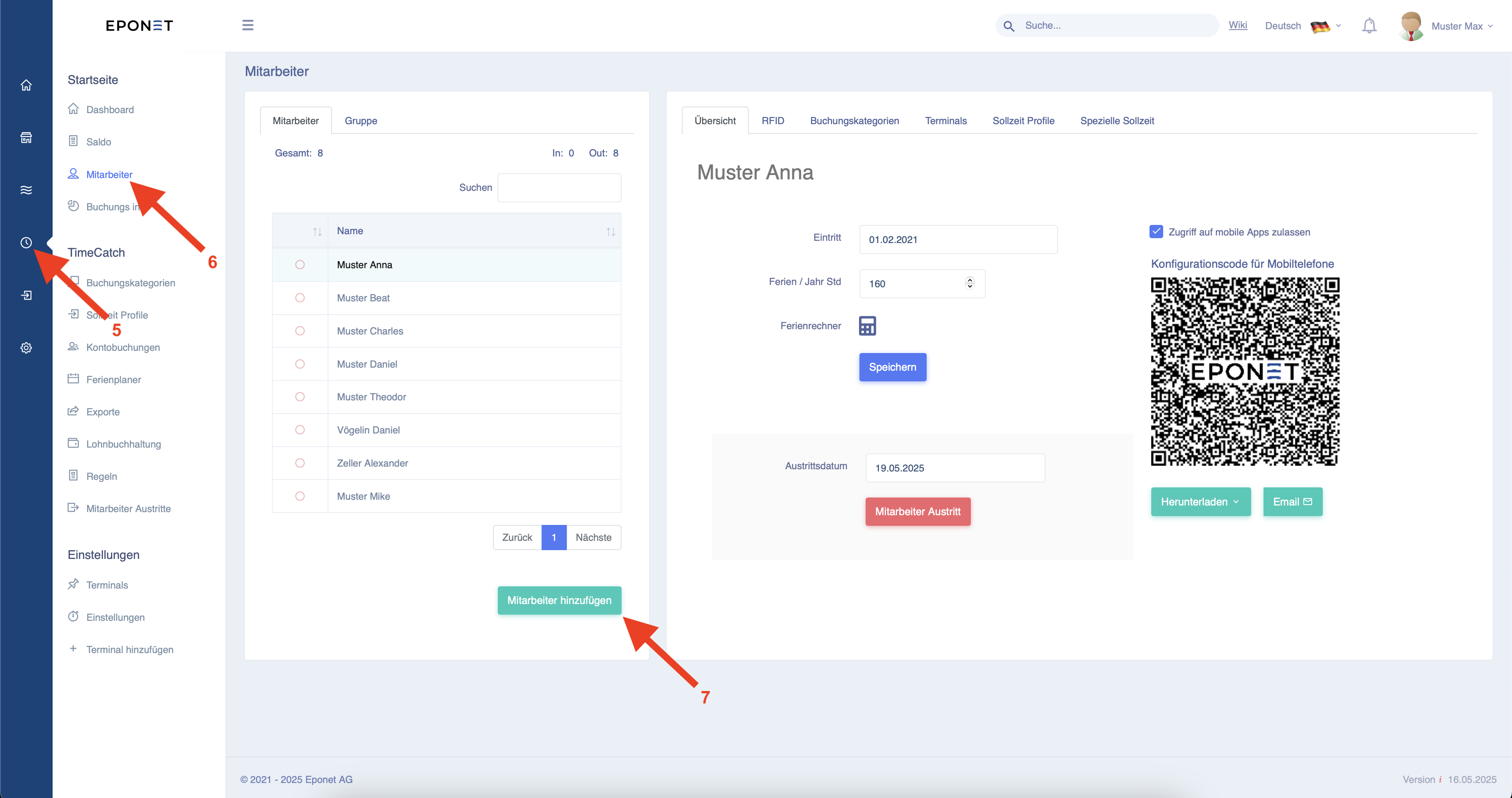
Now click on button "5" and then button "6". You can now use button "7" to add the employees you have just created to TimeCatch.
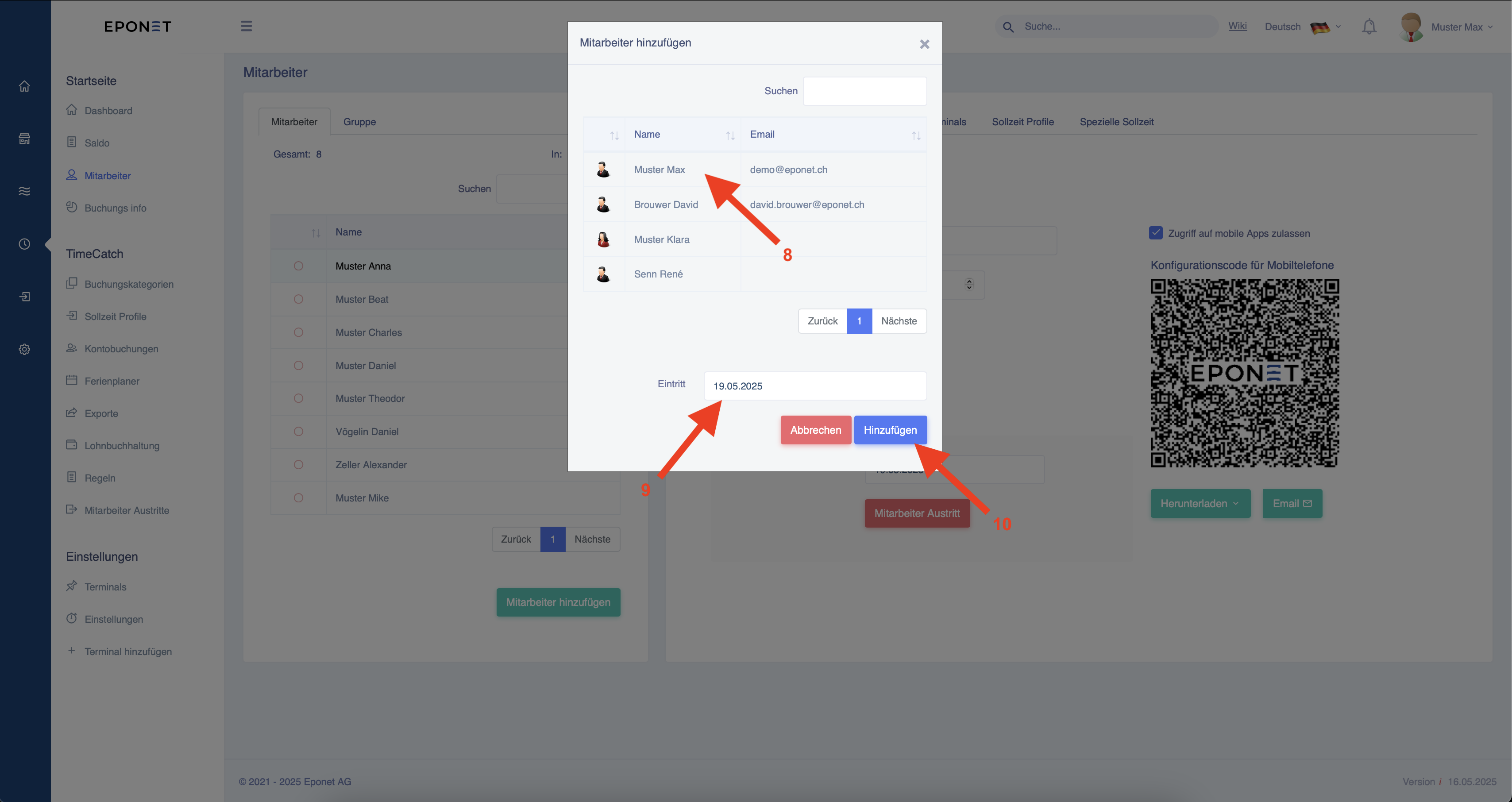
Now you can select an employee as shown by arrow "8" and set their start date as shown by arrow "9". Then click on the button shown by arrow "10" to add the employee.