
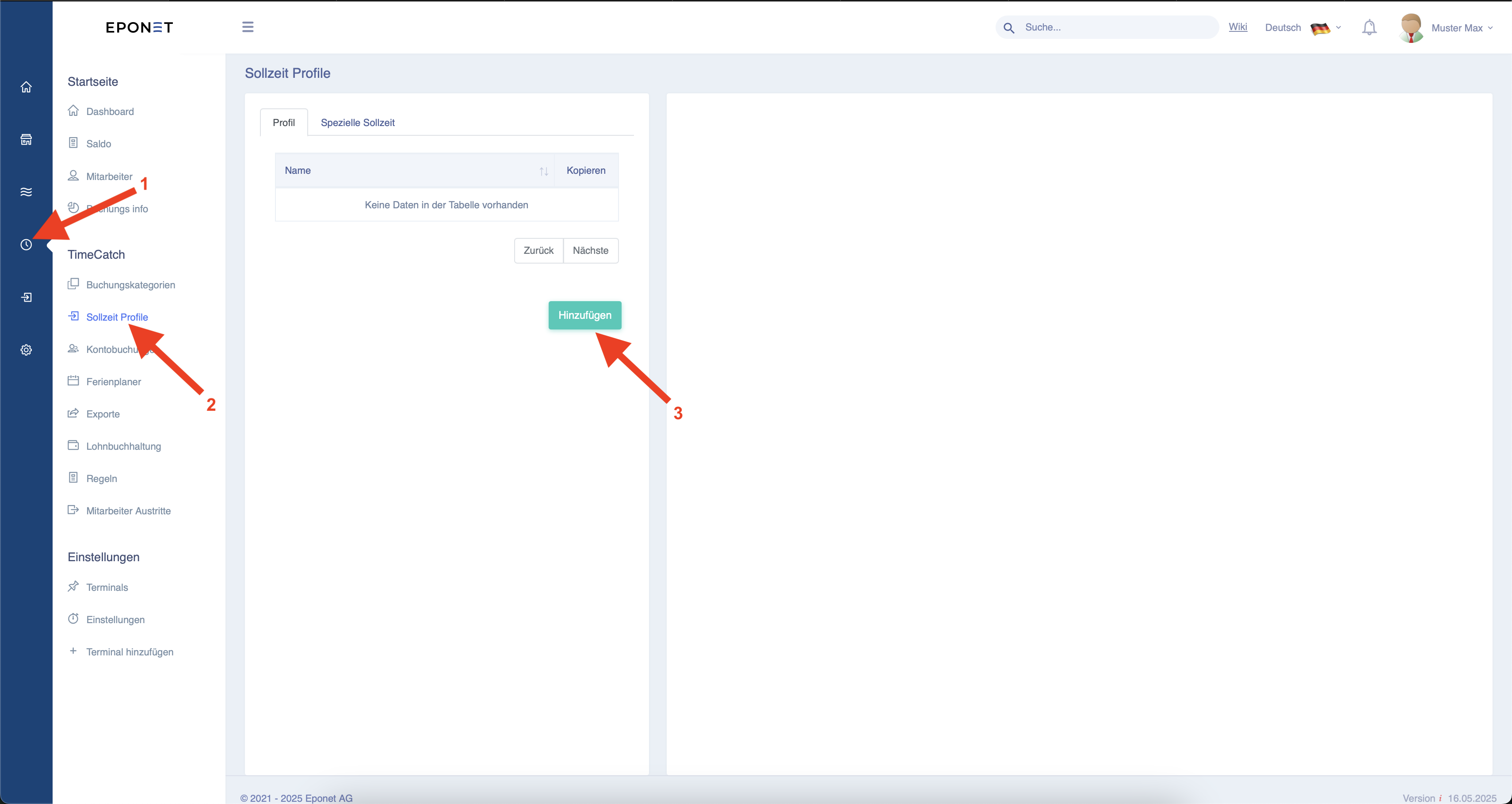
1. creation of target time profiles
The target time profiles are used to store different target times for employees.
To do this, follow steps 1-3 below.
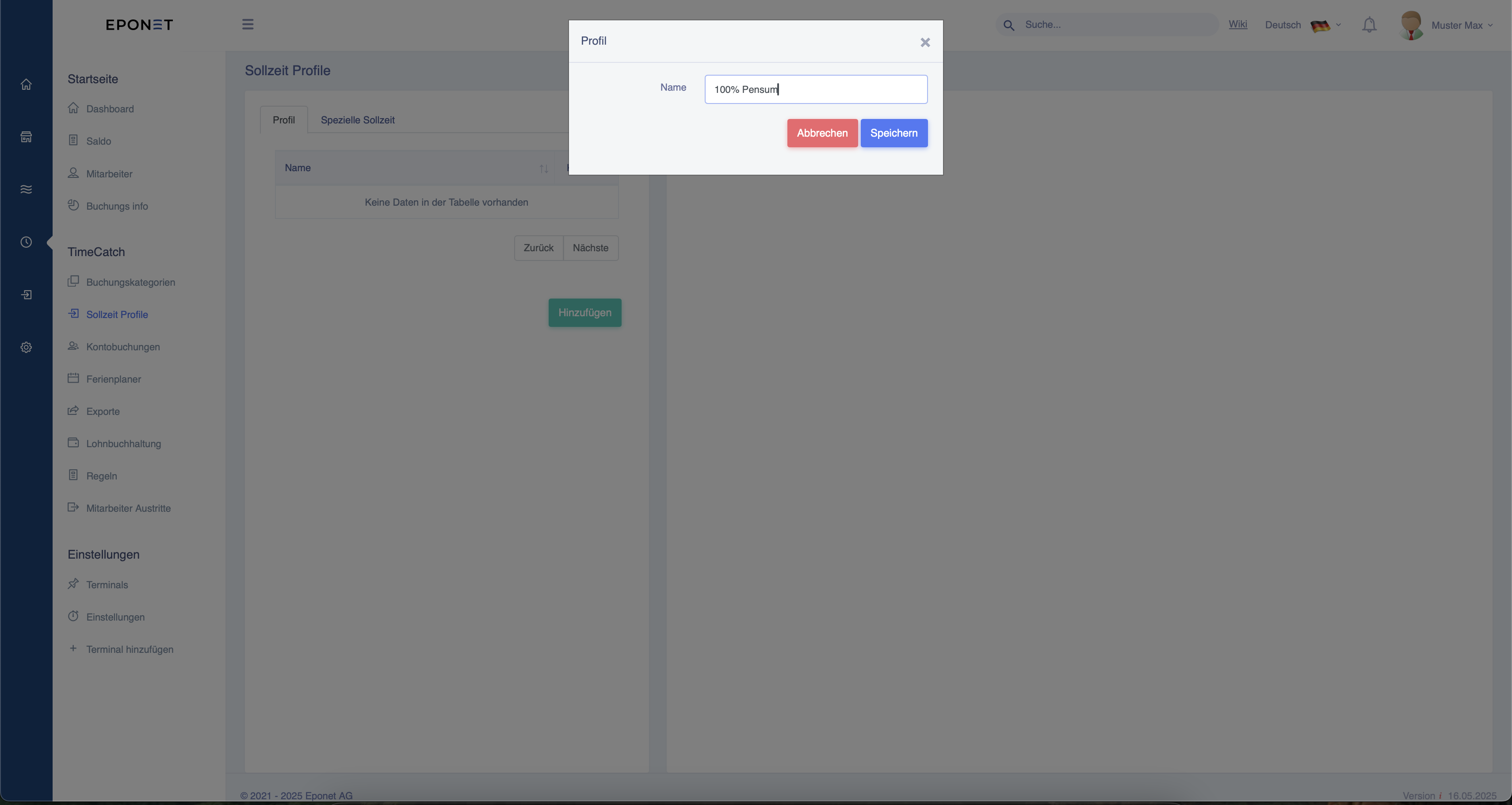
You can then name your profile.
Once you have created the profile, it will appear in the list. You can then click on the profile and configure various settings.
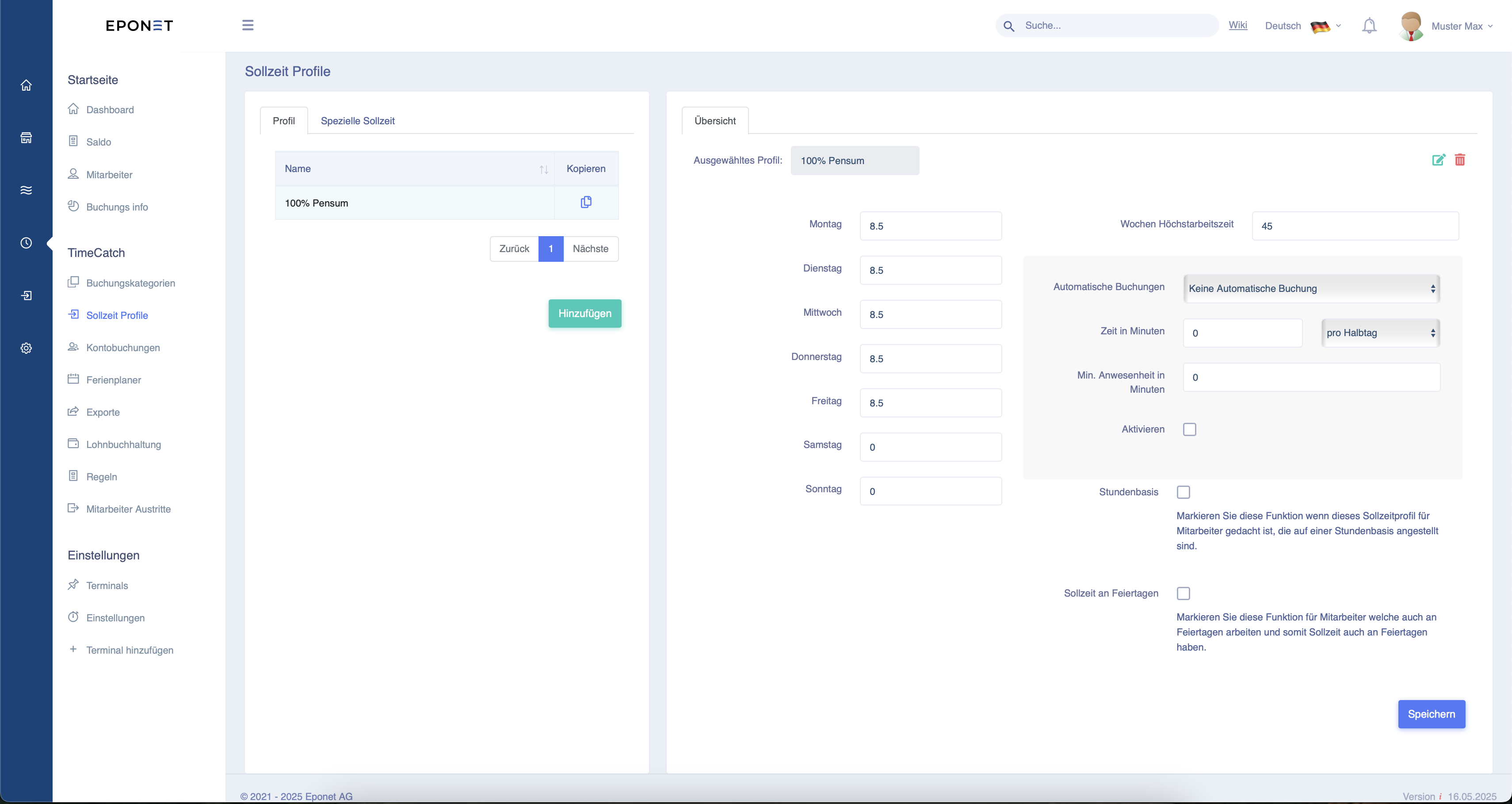
You can set the target time that the employee must be present each day (currently 8.5 hours at the top, which corresponds to 8 hours and 30 minutes). You
can also set the maximum weekly working time (currently 45 hours at the top).
Once you have completed the settings, you must confirm this by clicking "Save" at the bottom right.