
Show all transactions for a location
‘Transactions’ tab
The “Transactions” tab provides a complete list of all transactions associated with the devices (chargers, meters, machines) at this location.
What data is included
Each transaction usually includes:
- Date and time
- Energy consumption (kWh)
- Costs or revenue
- User or RFID ID
- Device
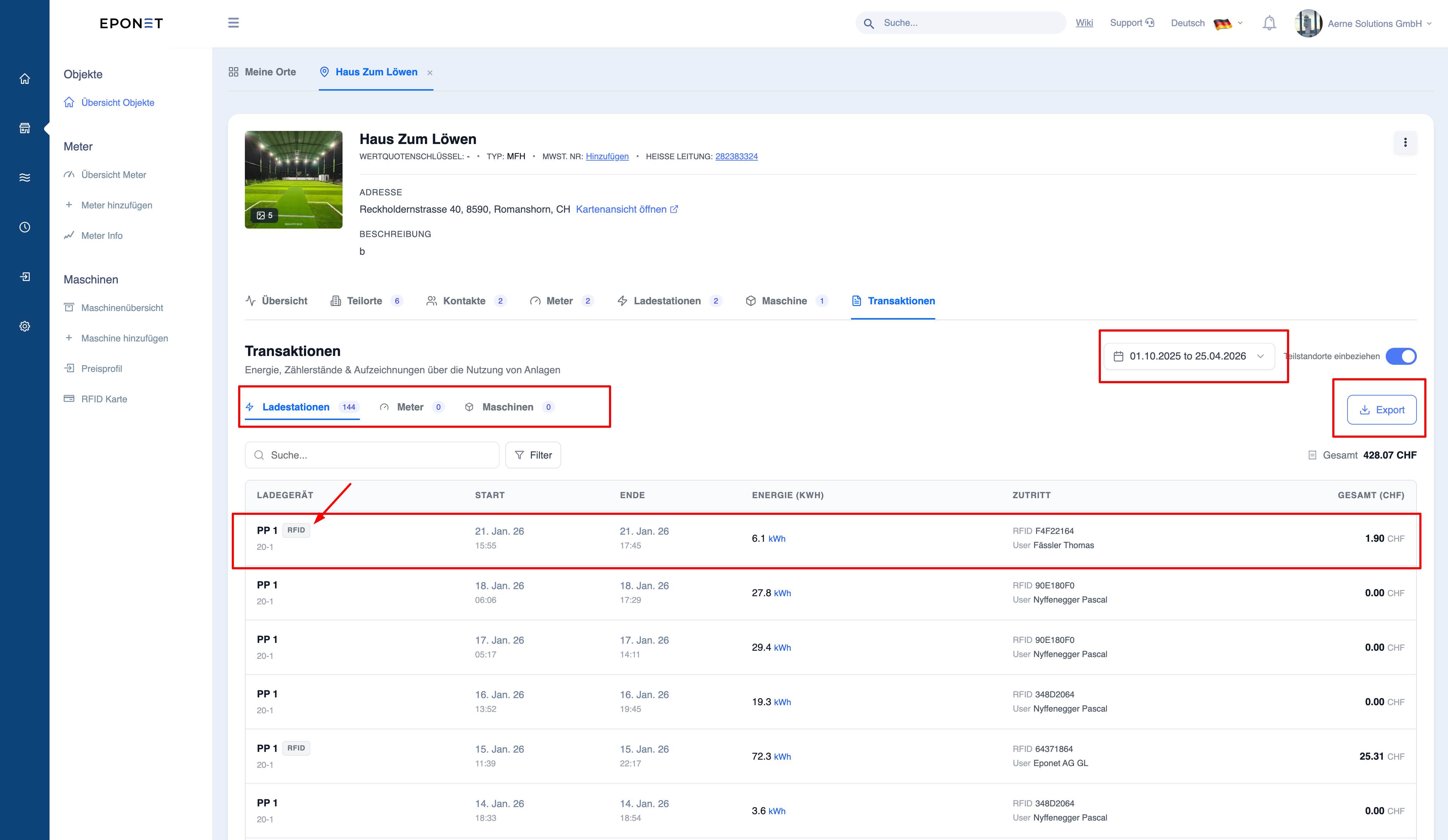
Filter options
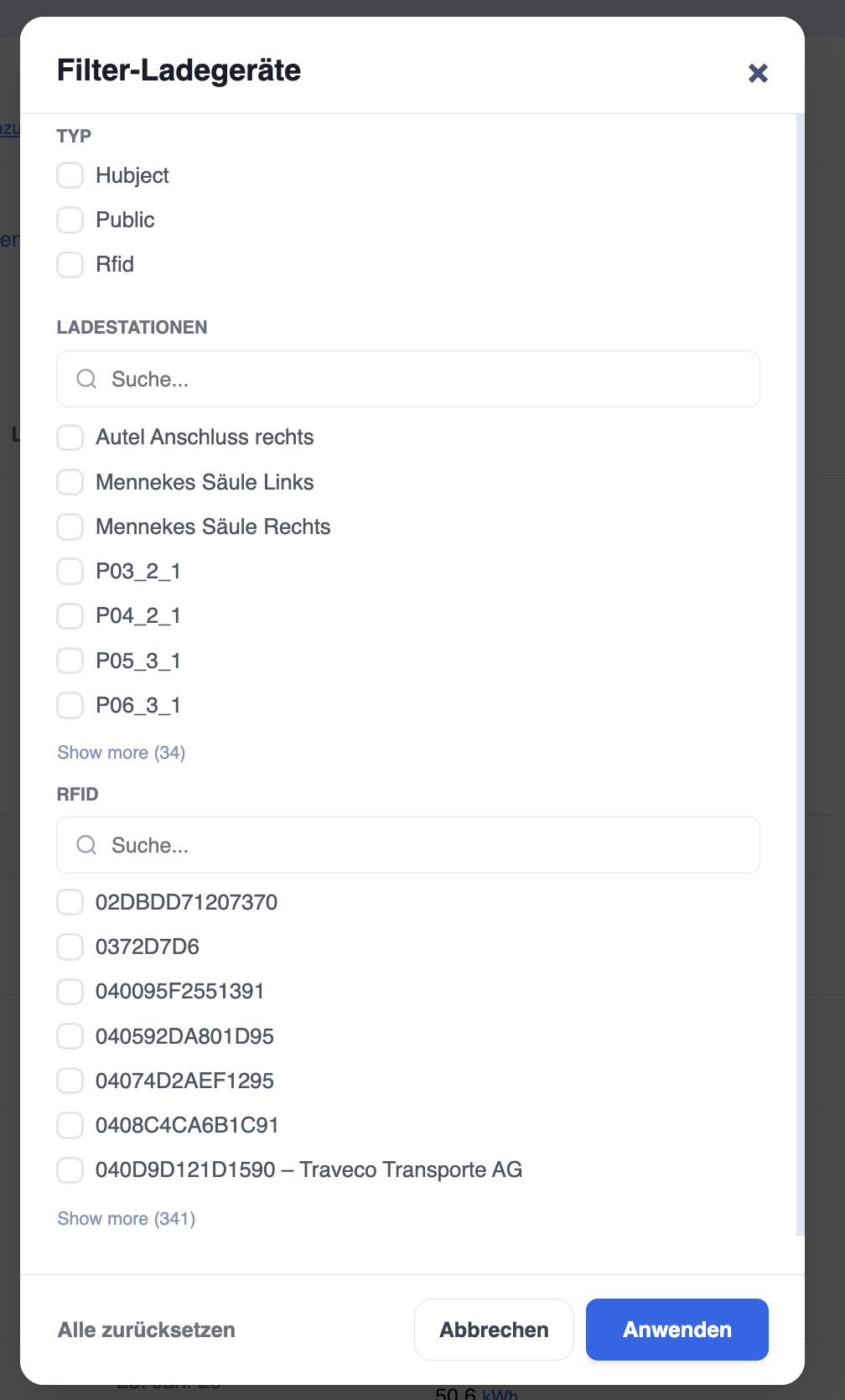
Users can filter transactions by:
- Date range (user-defined or predefined)
- Chargers
- Meters
- Devices
This enables:
- Targeted analysis
- Device-specific reporting
- Time-based tracking
Export function
- Transactions can be exported for external use
- Common use cases:
- Billing
- Financial reporting
- Audit
Use of transactions
- Turnover calculations
- Recording of energy consumption
- Customer billing
- Performance analysis
Note:
Transactions are the core data for all financial and consumption reports.
Warning:
Incorrect filters or date ranges can lead to incomplete or misleading reports.
Tip: Before exporting data, always check
:
–
Date range – Selected filters