Square detail view & dashboard
Purpose
The location details view is the main screen used to manage all aspects of a specific location.
To open the view
- Click on any location in the list
What you see
- Location header (name, image, address)
- Several tabs for different functions
Available tabs
- Overview
- Sub-locations
- Contacts
- Meters
- Chargers
- Devices
- Transactions
Key concept
All data displayed:
- Belongs to the selected location
- Includes data from sub-locations (if available)
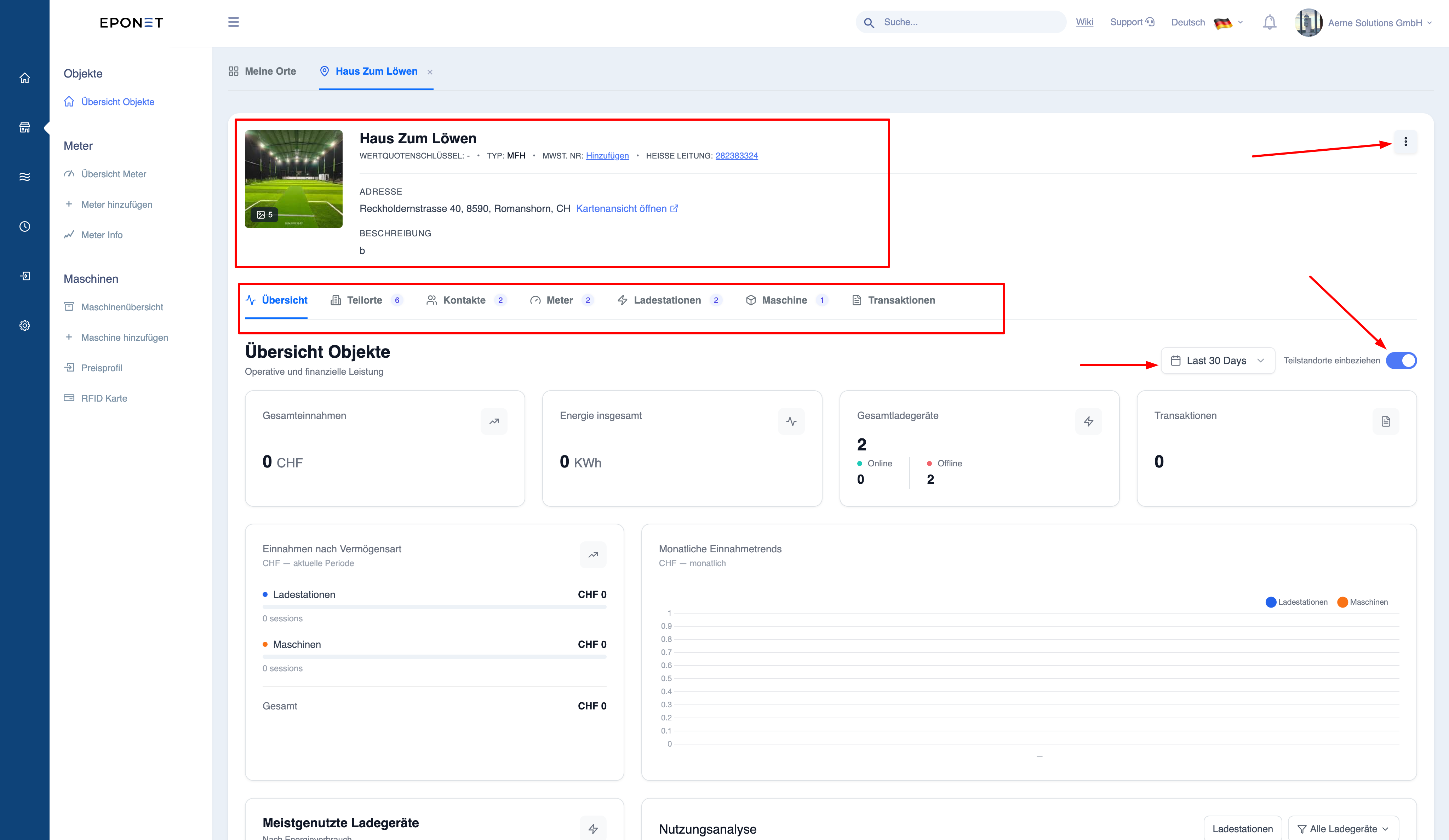
The data displayed may include data from sub-locations (if selected), so the totals may be higher than expected if a hierarchy is present.
Overview dashboard
Purpose
Provides a summary of the site’s operational and financial performance.
Key metrics
- Total turnover
- Total energy consumption
- Charging station status (online/offline)
- Usage trends
- Highest-performing chargers
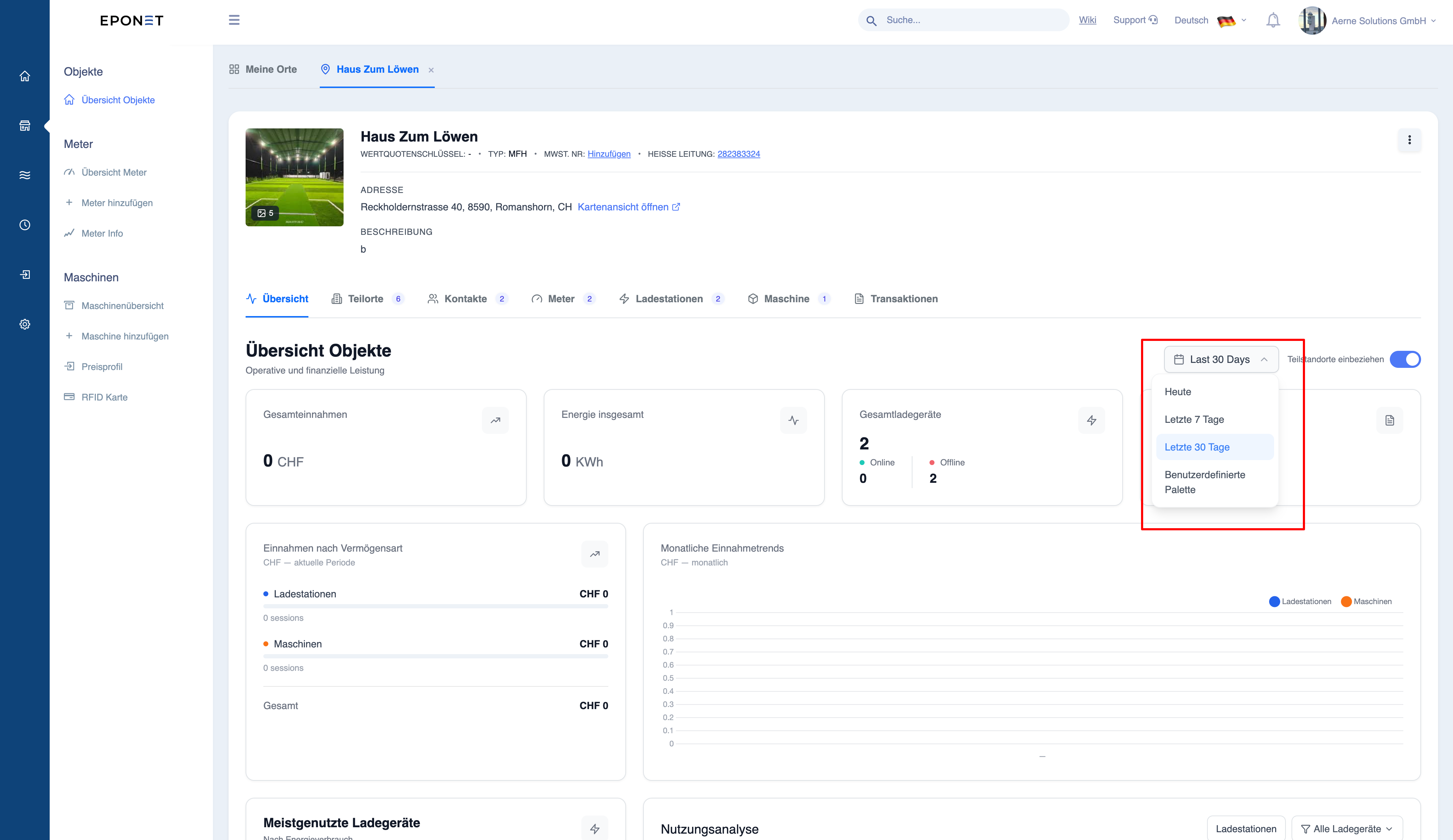
Time filter
- Last 7 days
- Last 30 days
- Custom time period
Why this is important
- Quick status check of the site
- Identify issues (offline chargers)
- Monitor performance trends