
Manage counters and machines in a location
Meters:
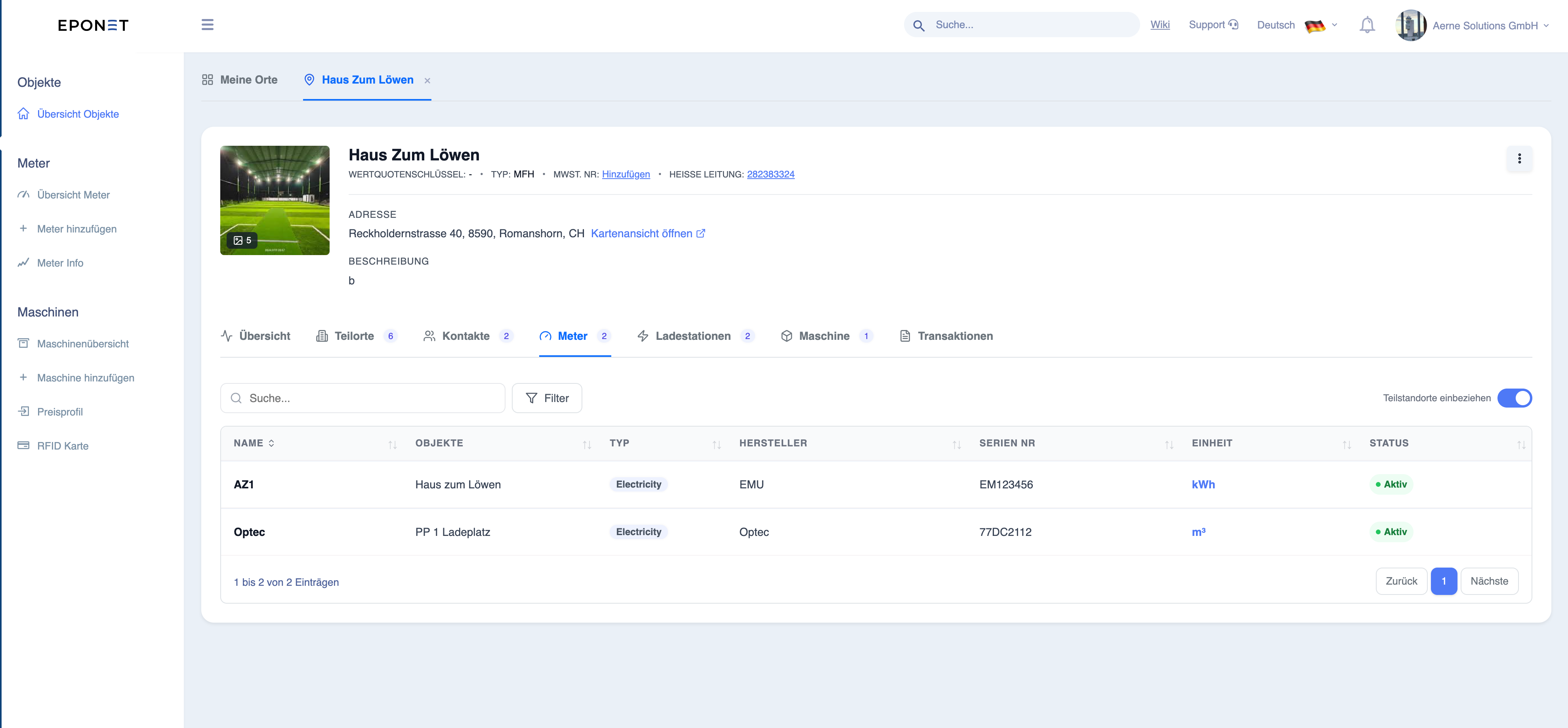
The ‘Meters’ tab displays all the energy meters associated with the site. These devices are essential for recording energy consumption and ensuring accurate billing.
What you can see
Each meter contains:
- Name or ID
- Type (e.g. electricity meter)
- Manufacturer
- Serial number
- Unit of measurement (e.g. kWh)
- Status (active / inactive)
Purpose of meters
Meters are used to:
- measure total energy consumption
- check the energy consumption of chargers
- support billing and reconciliation
- provide data for reports and analyses
Typical actions
- View meter details
- Check status and connectivity
- Reconcile meter readings with transactions
Info:
Meters form the basis for accurate energy metering and financial reporting.
Machines
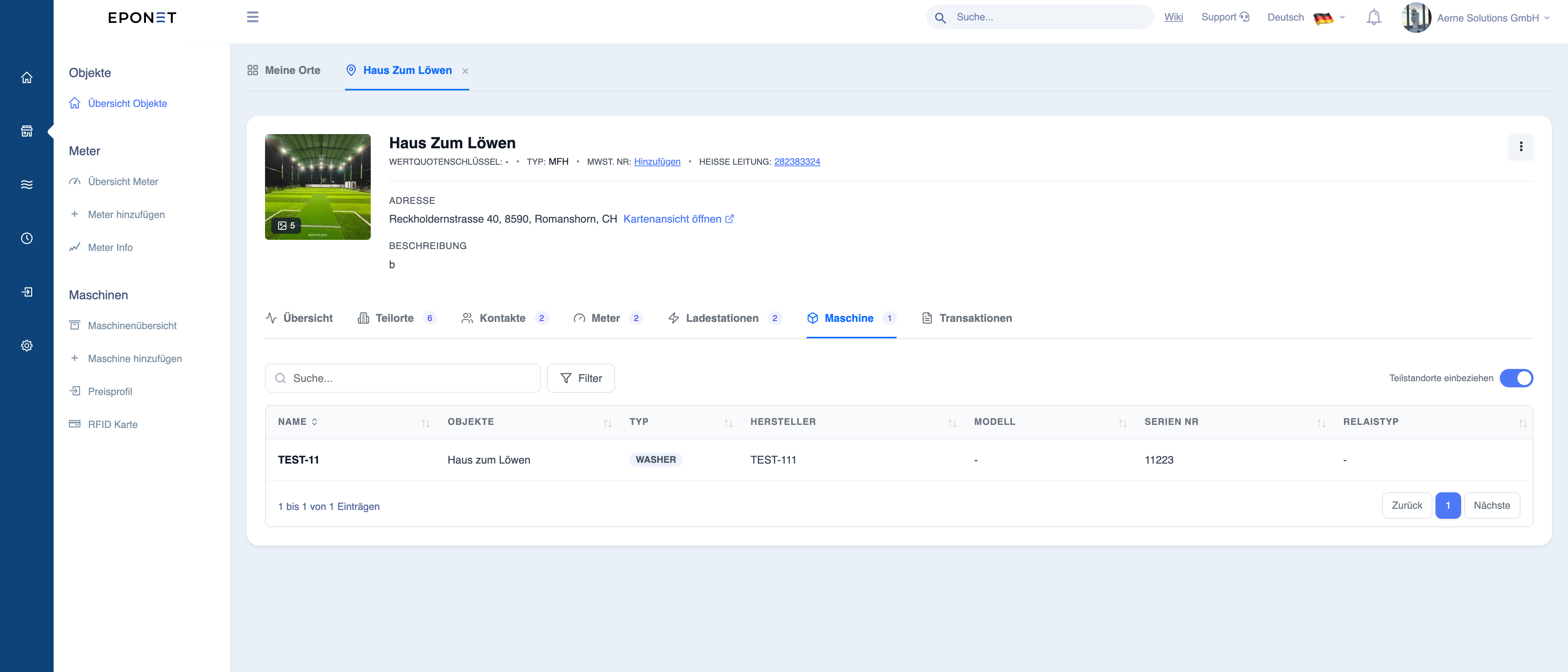
The ‘Machines’ tab lists all types of machine devices connected to the site.
What you can see
Each machine entry may contain the following:
- Name or ID
- Machine type
- Associated location
- Status (if available)
Purpose of the machine
- Expanding the system beyond simply charging electric vehicles
- Enable centralised management of all devices
- Track the use of the machines
How the machines are used
- Some machines can generate transactions
- Can be included in reports and filters
- Useful for multi-utility or facility management environments
Note:
Machines enable the platform to manage a wider range of infrastructure beyond charging points.
Warning: Depending on the integration, not all machines may provide
detailed usage or transaction data.