
Manage charging stations in one location
Description
The ‘Chargers’ tab gives you full control over all charging points linked to a location. This is one of the most important areas, as chargers have a direct impact on availability, user access and revenue.
What you can see
Each charger entry usually contains:
- Name or ID of the charging station
- Current status (Online / Offline / Faulty)
- Availability (available / in use)
- Associated sub-location (if applicable)
This allows operators to quickly identify:
- Non-functioning chargers
- Occupied vs. free chargers
- Distribution across sub-locations
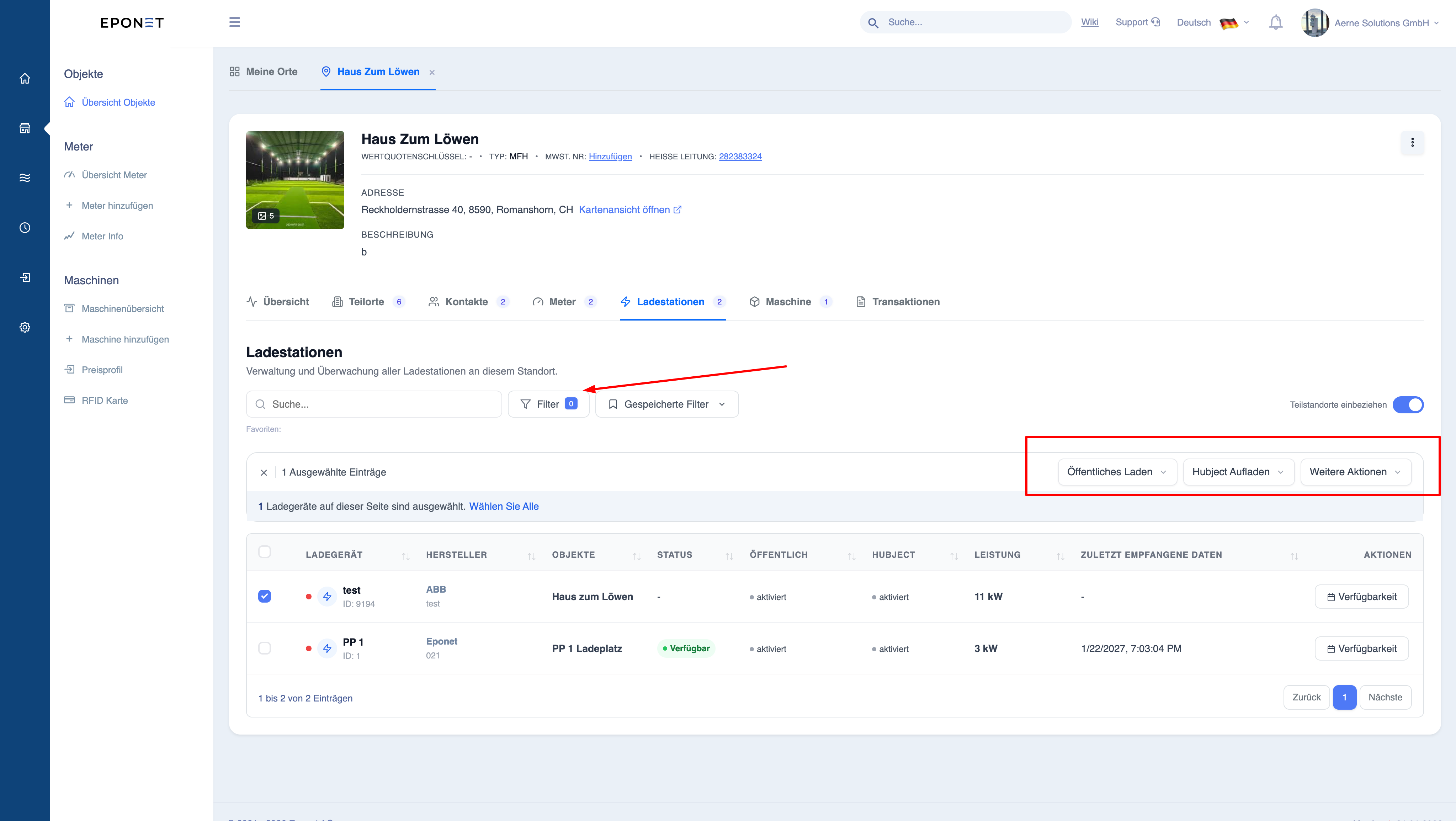
Individual charger actions
Each charger has its own action menu Actions include:
- Enable/disable public charging
- Controls whether the charger is accessible to public users
- Controls whether the charger is accessible to public users
- Enable/disable Hubject (roaming)
- Enables external network users to access the charging station
- Integration with roaming platforms
Bulk actions (multiple selection)
You can select multiple chargers and apply actions to them all at once.
Available bulk actions:
1. Enable public charging
- Makes all selected chargers publicly accessible
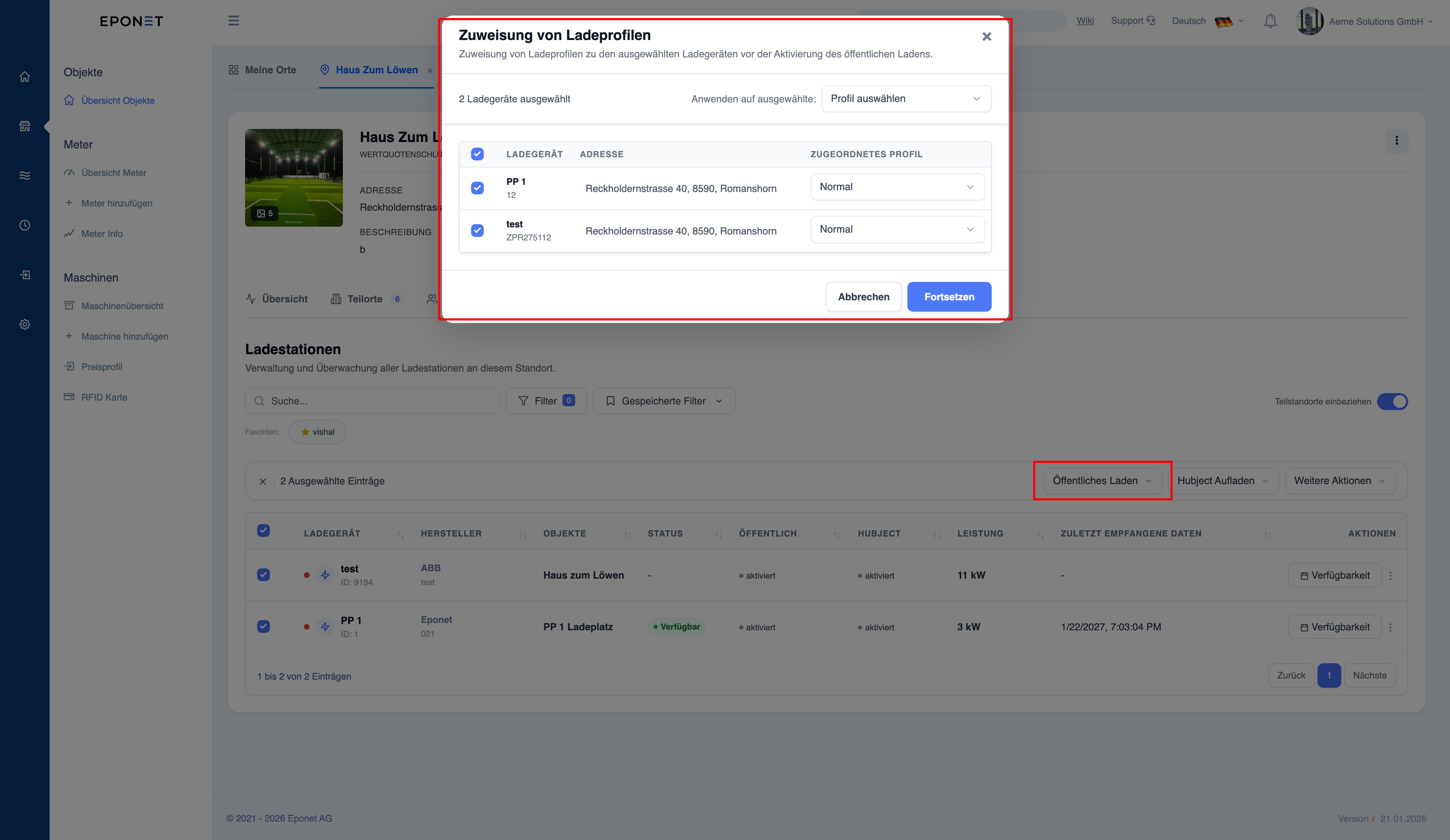
2. Enable roaming/Hubject
- Enables third-party network access
- Required to enable charging via roaming network operators
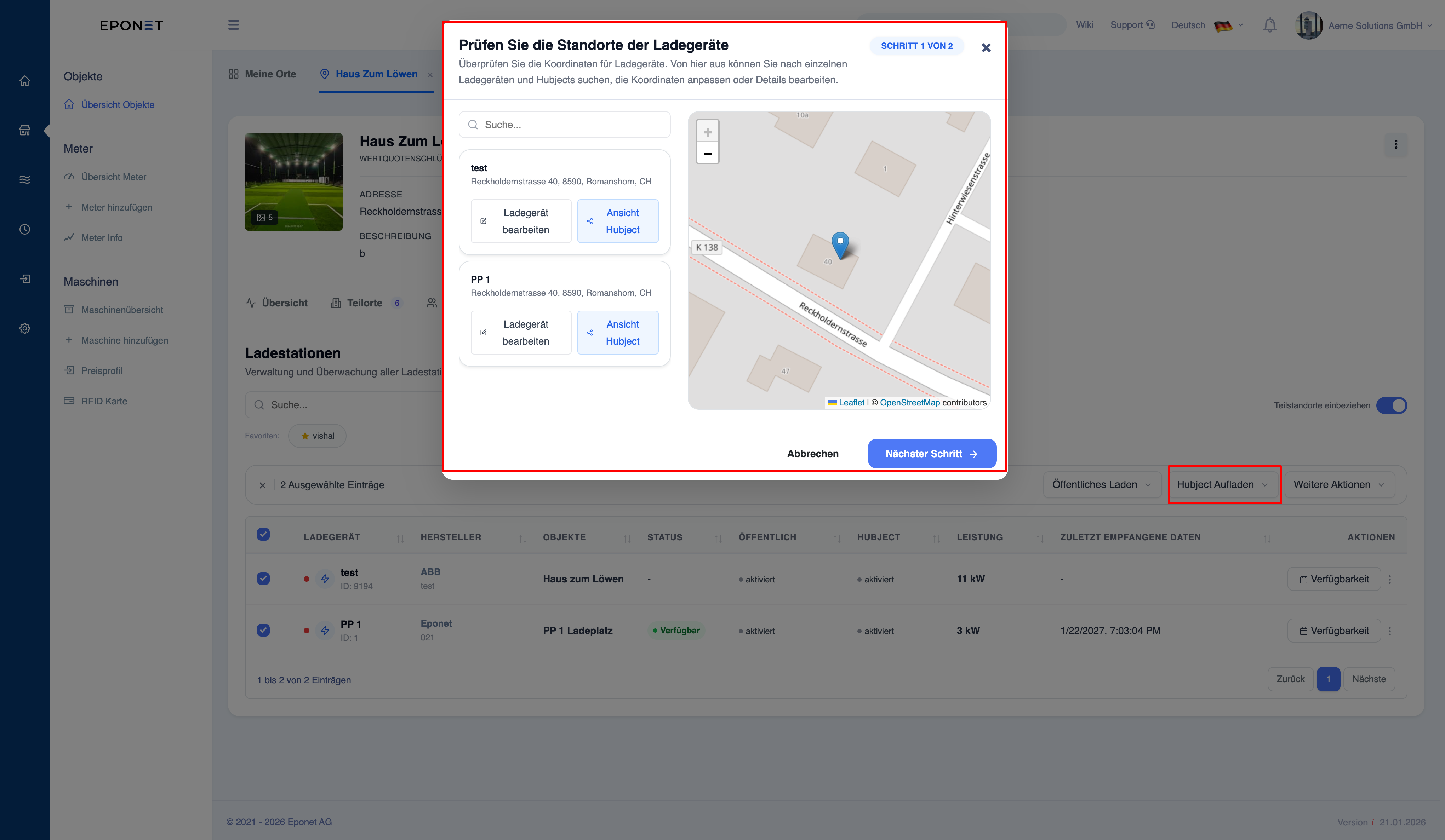
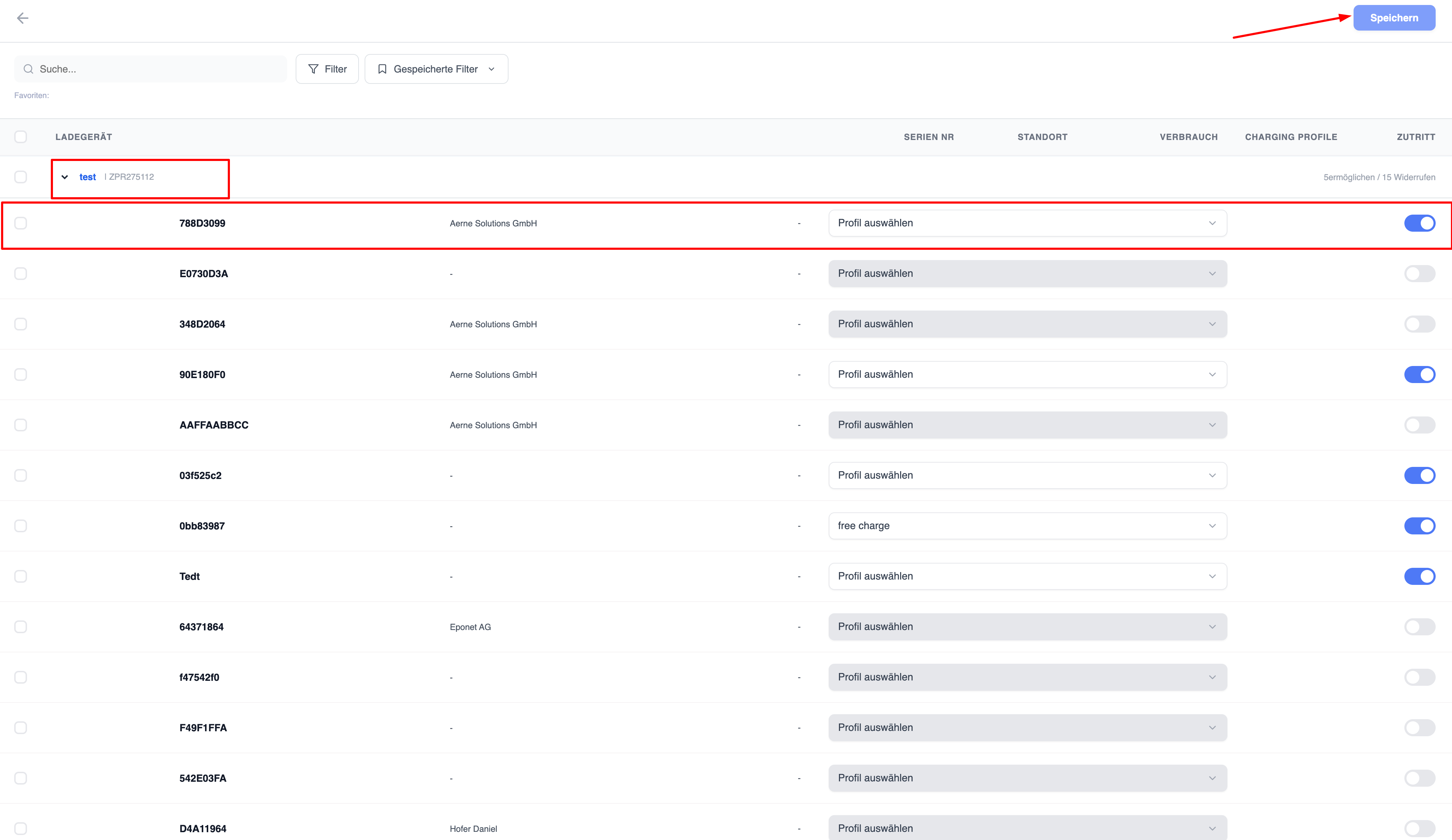
3. Further bulk actions
- Check availability of multiple chargers
- Download QR codes for multiple chargers simultaneously
- Add monitoring settings for multiple chargers at once
- Manage RFID access for multiple chargers with the corresponding charging profile
When should bulk actions be used?
Bulk actions are useful when:
- A new location with multiple chargers is added
- Access rules at a location are changed
- A standardised configuration is applied
Note: The configuration
of the chargers can have a direct impact on users and the charging process. Ensure that you apply the correct configuration.
Warning:
Bulk actions are applied immediately to all selected chargers. An incorrect selection may affect several devices at once.
Info: Before applying bulk changes, check
the following: selected chargers, intended action, configuration details