Enable Hubject roaming
Enable Hubject roaming
To activate roaming:
- On the Hubject Roaming homepage, click the blue ‘Activate Hubject Roaming’ button.
- Follow the instructions in the multi-step activation wizard.
Note: To activate the service, you must select a profile and at least one RFID card. The cost is calculated dynamically based on the profile’s monthly fee, the number of months’ prepayment and the number of cards selected.
If you do not yet have an RFID card, you can order an Eponet RFID card. Details can be found here: RFID order
Selecting a profile and RFID cards
Step 1: Select a profile
- Select a profile (e.g. Hub-1, Profile-T-1) from the drop-down list.
- The following details are displayed for each profile:
- Monthly basic charge
- Number of months’ prepayment
- Price per reference unit (e.g. CHF/kWh)
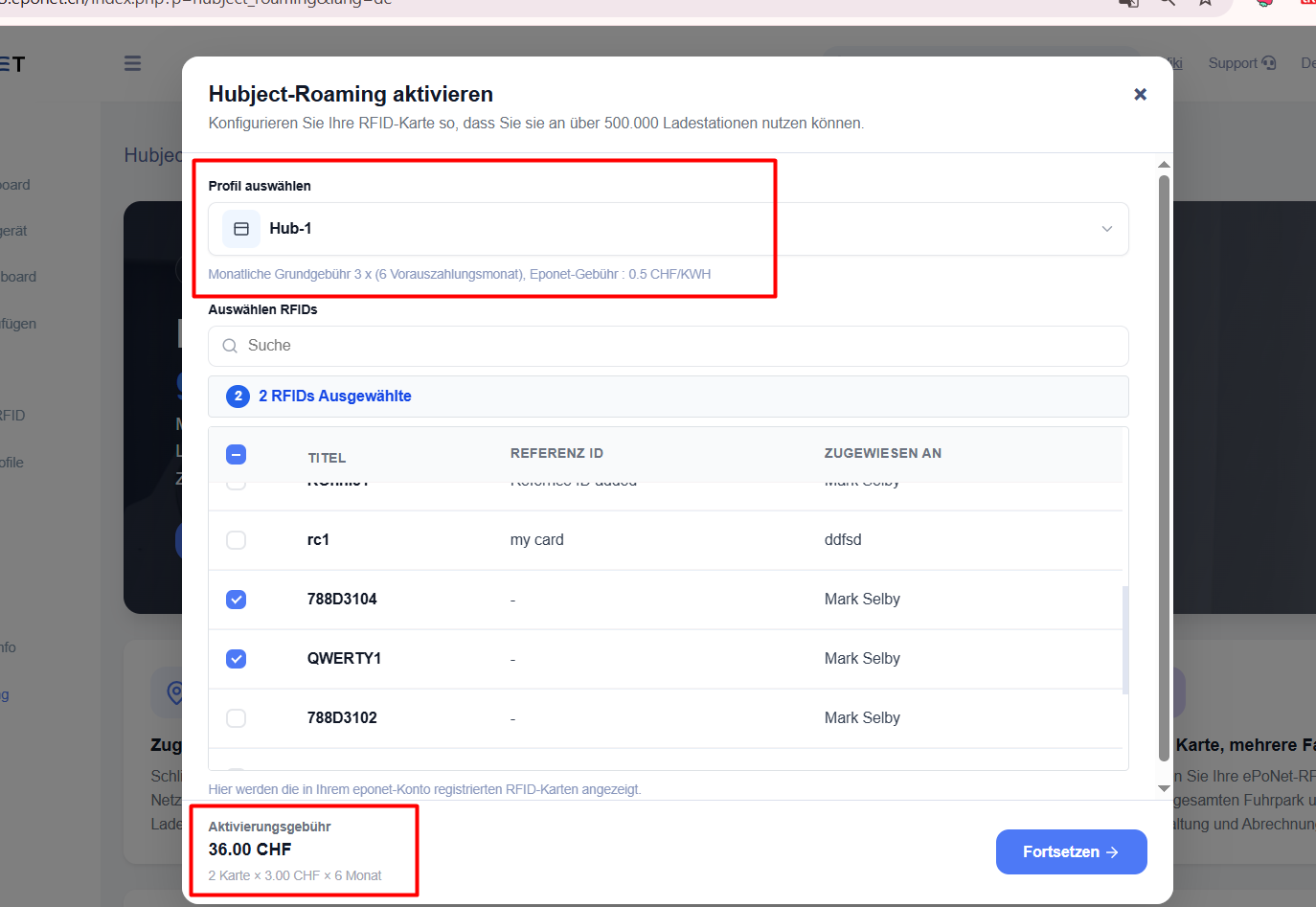
Step 2: Select RFID cards
- Search for and select one or more RFID cards from your account.
- The system automatically calculates the total cost based on the selected profile and the number of cards.
Check roaming and pay
Contents:
Order summary
- Monthly basic fee
- Number of selected RFIDs
- Prepaid months
- Total (total amount)
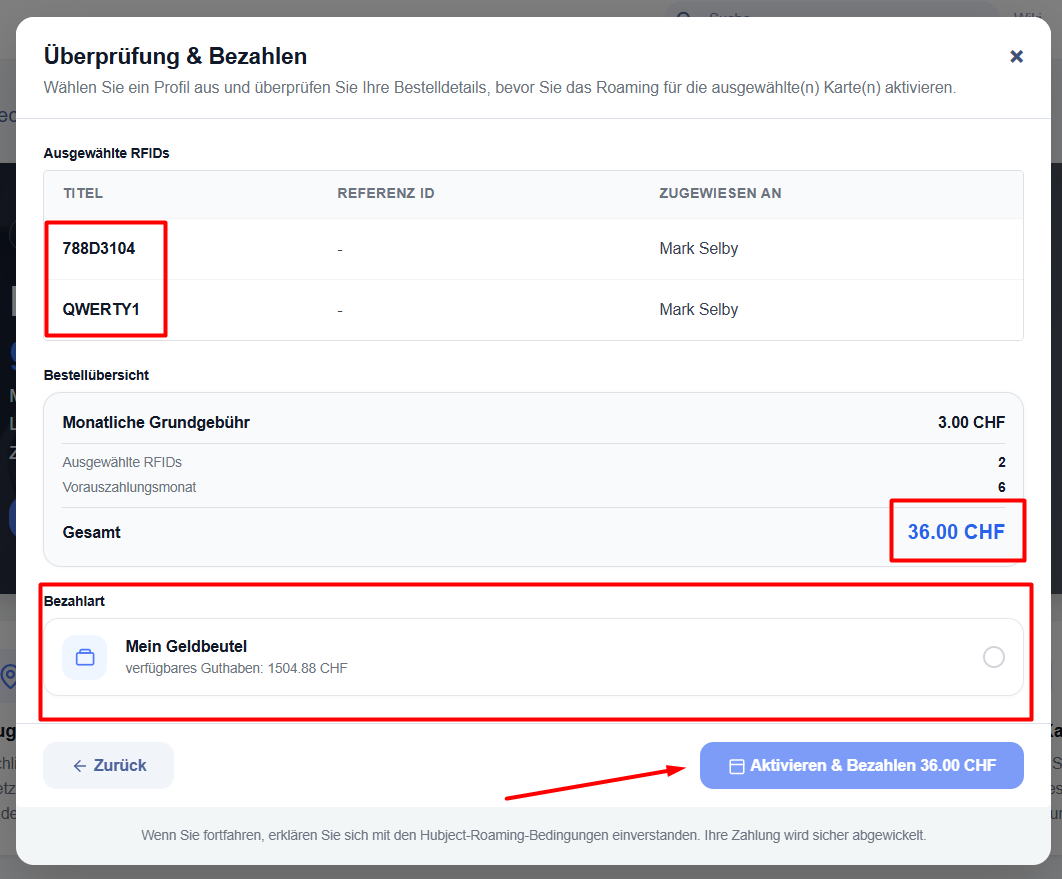
Payment method
- Select ‘My Wallet’ (Eponet Wallet).
- Click on ‘Activate & Pay’ to confirm and process the payment.
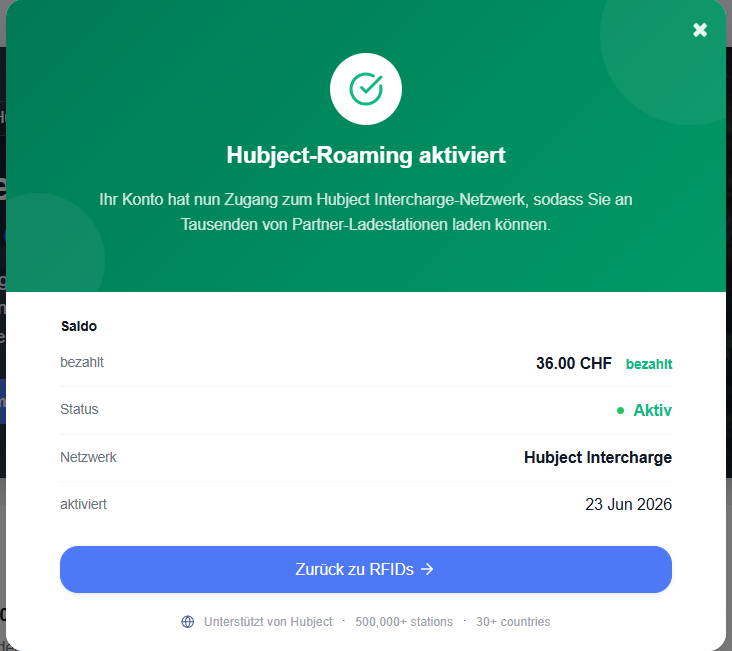
Once payment has been successfully completed, a confirmation page will appear showing the activation status, the amount paid and the activation date.