
Bank details to deposit money / top up balance - new bank details
New bank details
When you generate a QR code payment slip in your account, the new bank details are already stored!
To deposit money into your account free of charge, you can generate a QR code payment slip on the portal or via the Eponet Go app. Please always use a current QR code payment slip. This ensures that your money is transferred securely and automatically to your account. The new bank details are already stored.
This QR code deposit slip contains the correct and current Eponet bank details and a reference code. Scanning the original QR code deposit slip ensures that the money is automatically transferred to your account.
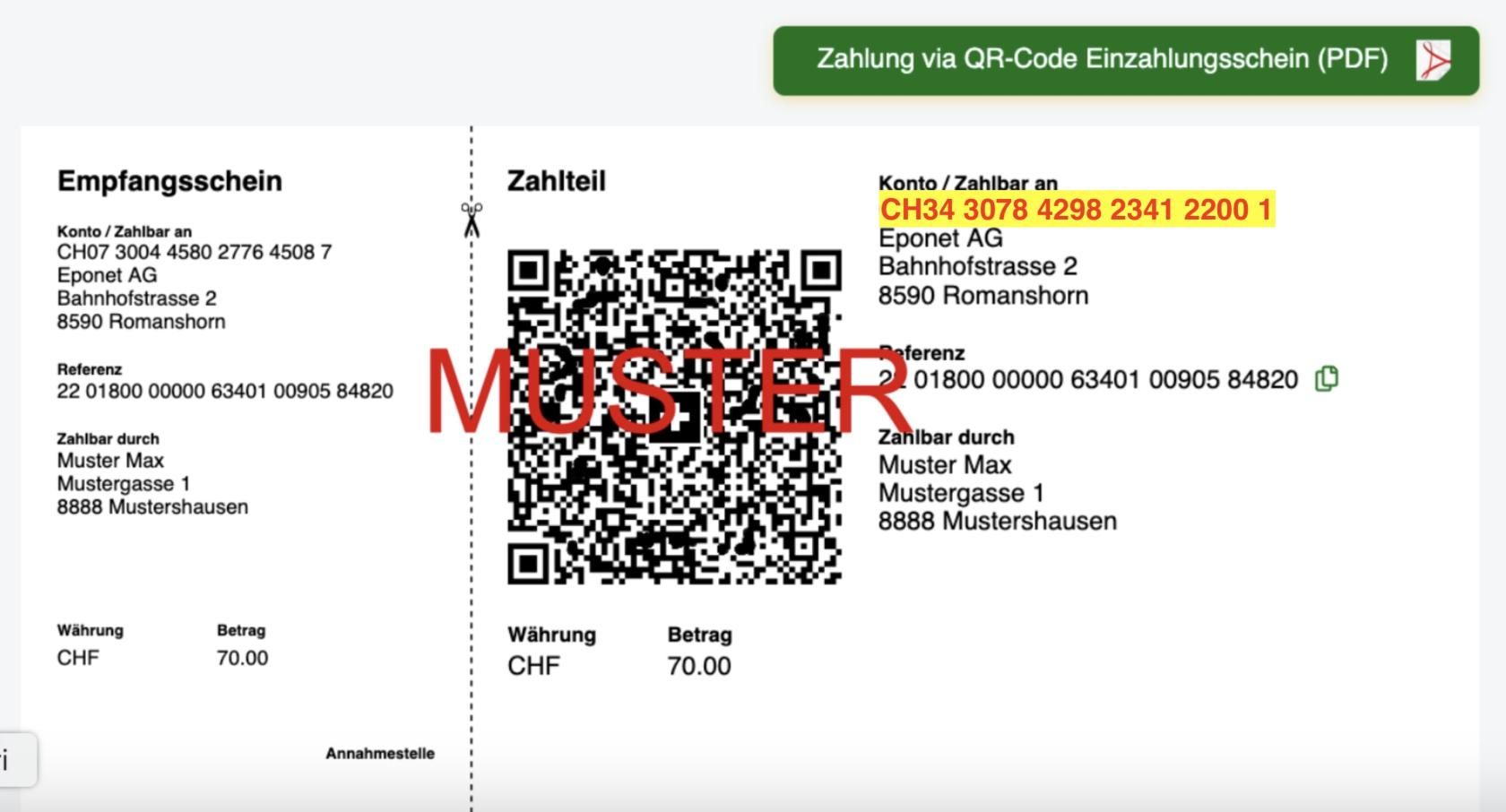
Information regarding the following note:

When you scan the QR code deposit slip, all data is transferred correctly and there is no risk of you being charged CHF 28. This flat fee of CHF 28 is only charged if you enter the data (IBAN) manually and the QR reference code is missing or incorrect data is entered during manual entry. In such cases, we have to search for the payment manually and assign it to your account. This enormous amount of time can be avoided if you simply scan the QR code payment slip with your banking app.
The bank details have changed so that we can optimise this free deposit for you and make comparisons more quickly in future. Thank you for your understanding.