
Create account and enter basic data - instructions for charging infrastructure owners
Are you an administrator or owner of a charging infrastructure that is to be newly activated on Eponet?
Welcome to the Eponet portal!
Please open a new account for the new location with an email address at https://portal.eponet.ch
As with any online account, registration is done with an email address. Of course
, this can only be used once for an account. This means that each rental property or STWEG should have its own email address. Using the administration's email address is not a good idea – especially if you want to manage multiple properties = multiple accounts at some point.
If the property does not yet have an email address, you can of course create and use a free GMX or similar email address.
You can register on the Eponet portal.
All information on how to create, delete or change your password is described in the chapter Account Functions of the book "The Eponet Portal".
If your account is set up by an installation partner or a third party, you can give that person admin rights so that they can perform all these tasks. This is described in the chapter on authorisation functions in the book "The Eponet Portal". For legal reasons, this should be set up by you.
Payment method: credit card or monthly invoice
In order to use Eponet services, we ask you to set up your payment methods. You have opened the account and under Contacts on the home page, you can select the contact from your account and enter a credit
card under the Bank tab.
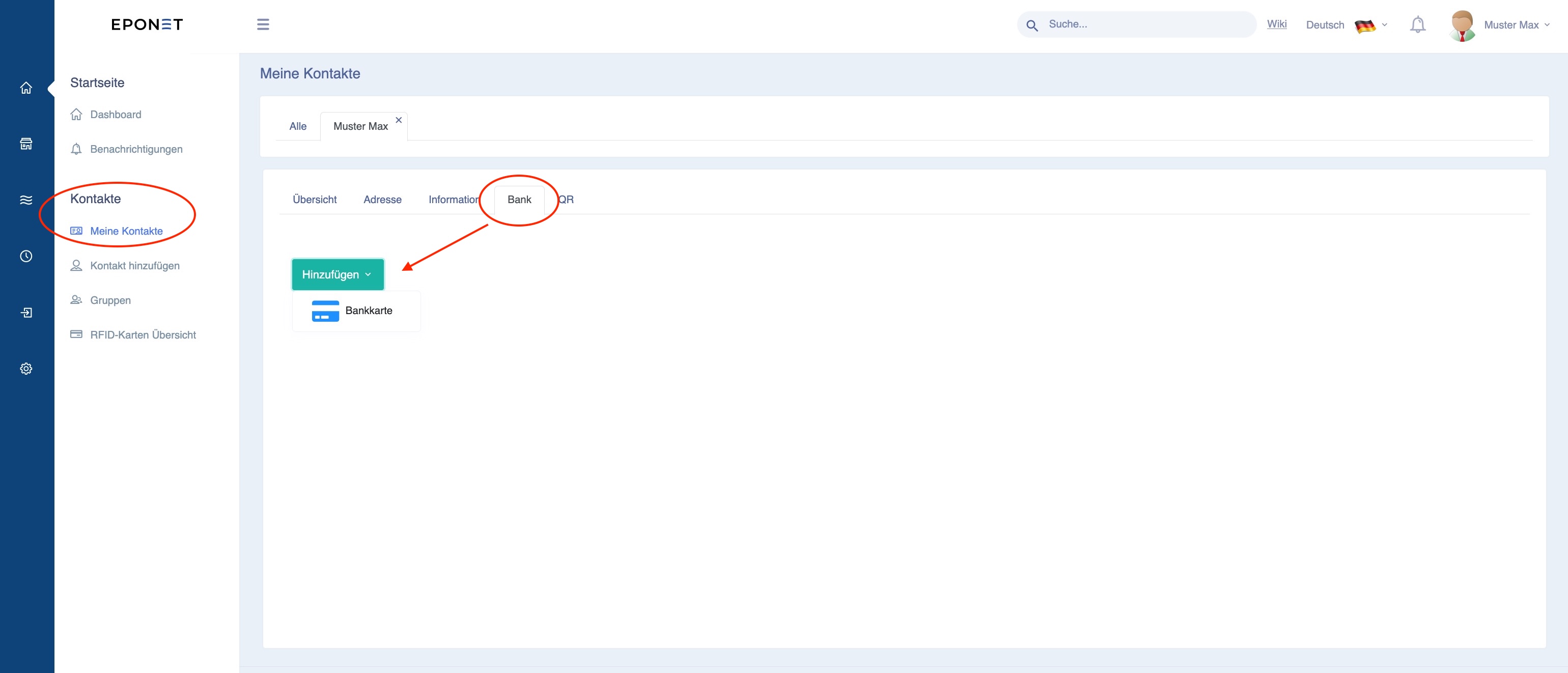
If no valid payment method is stored, no charging station, machine, meter or employee can be added.
You can optionally switch the account to "monthly billing". To do this, go to Settings > Finance > Subscription and click on the blue "Upgrade" button: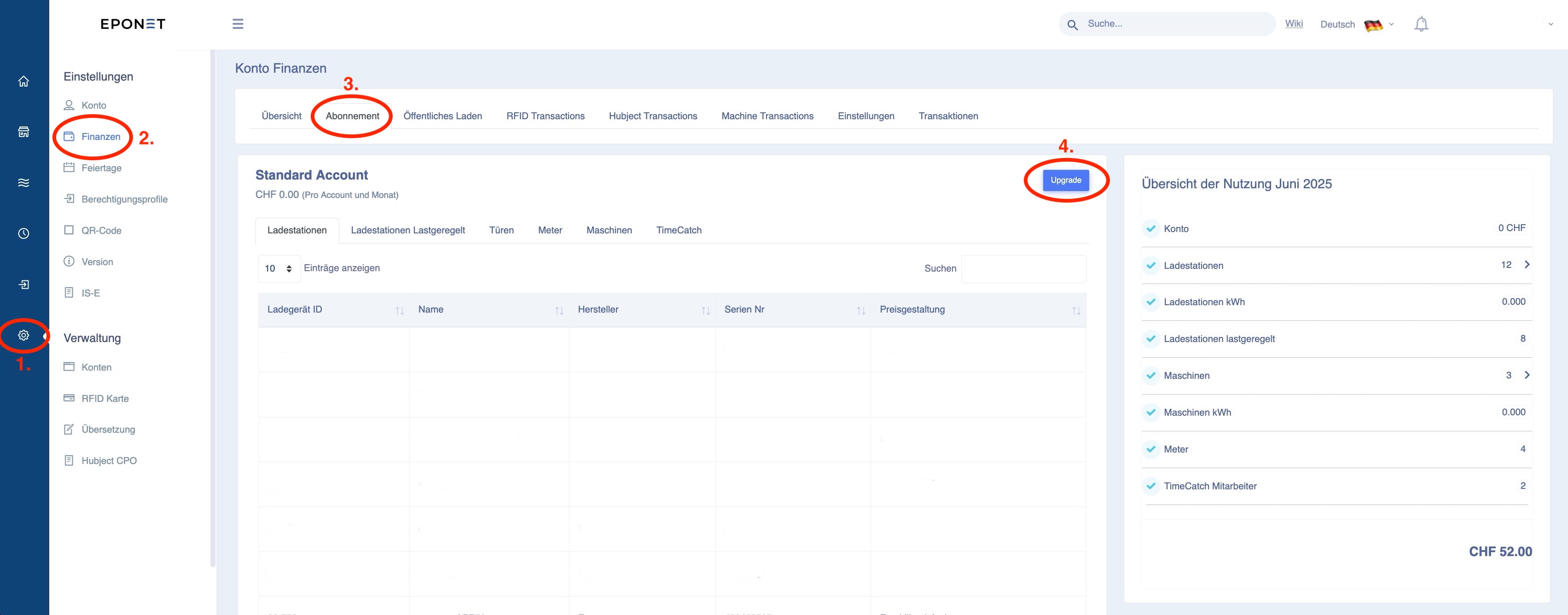
Monthly billing is available from the Business Agreement Light package onwards. If you activate this, your account will be checked and activated for monthly billing. 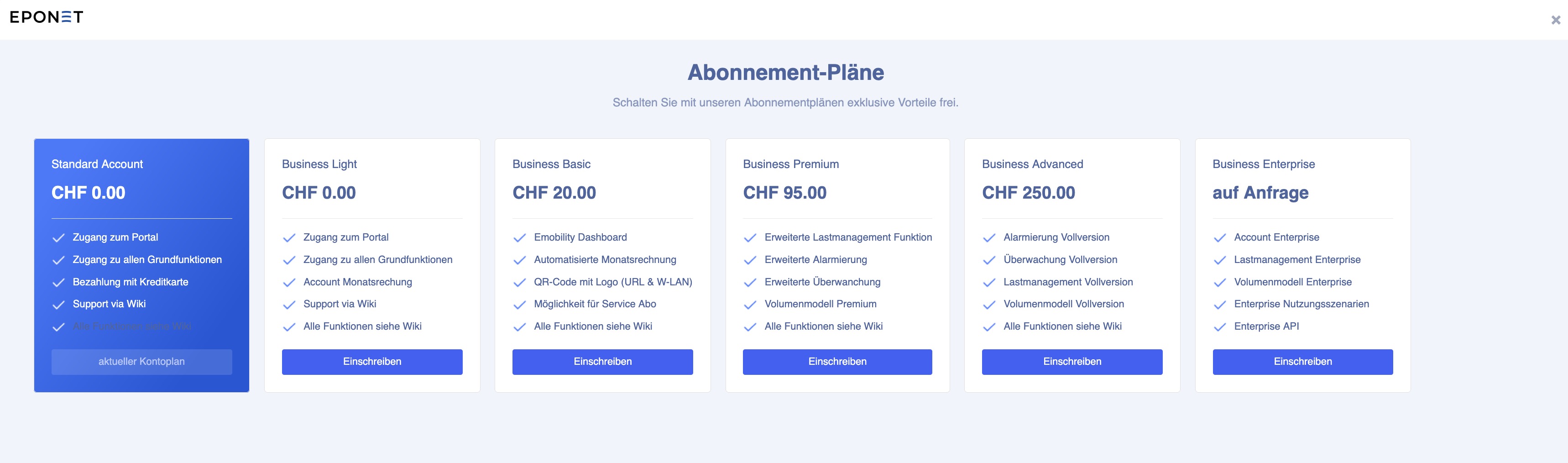
Entering data relevant to the business
Address data, VAT number, IBAN number for payments, charging profiles, etc. – this is data that is probably only known to you. The easiest way is to enter this data directly into your account.
Operator address data
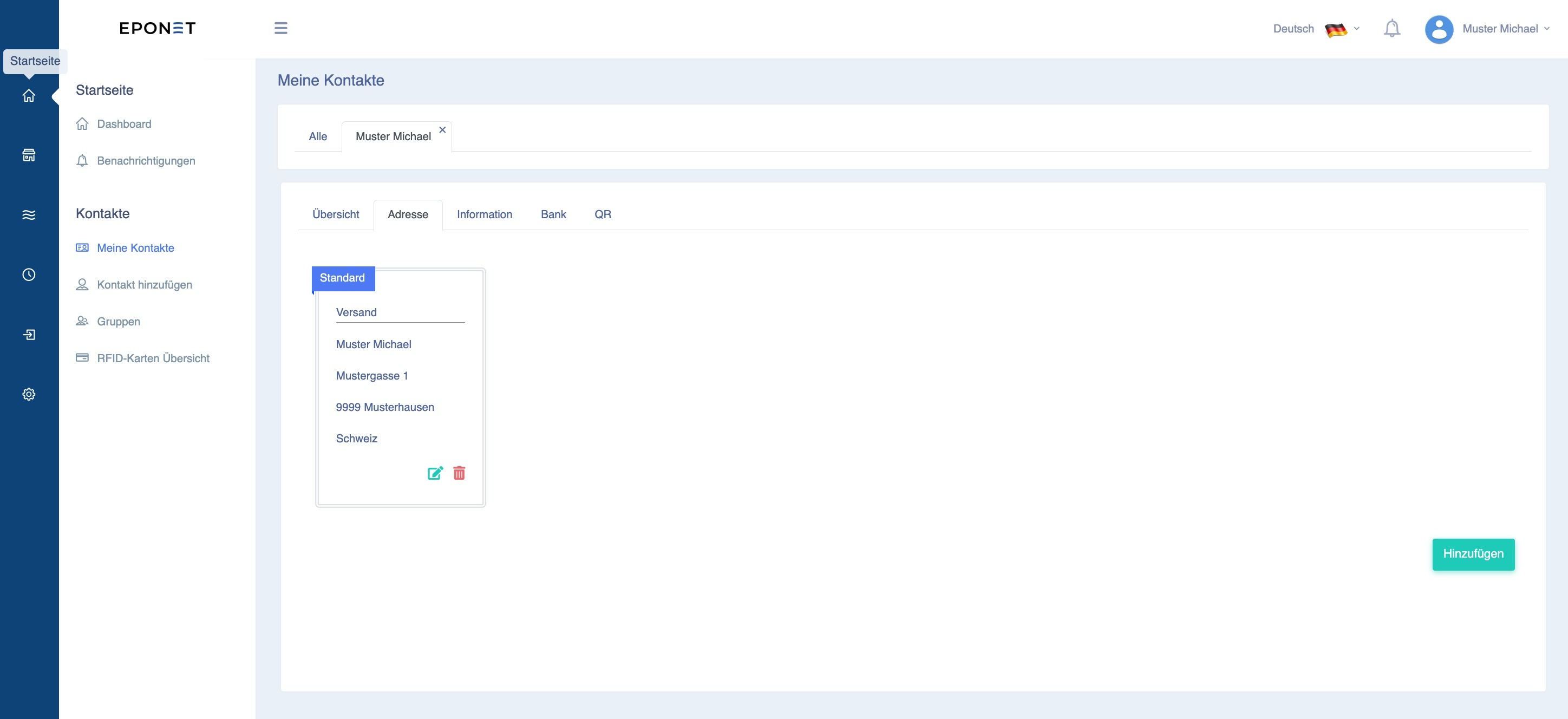
On the home page (top icon in the blue row), you will find your account information in the address book under "My contacts". Please add the address under the "Address" tab. This address will then appear on user billing receipts.
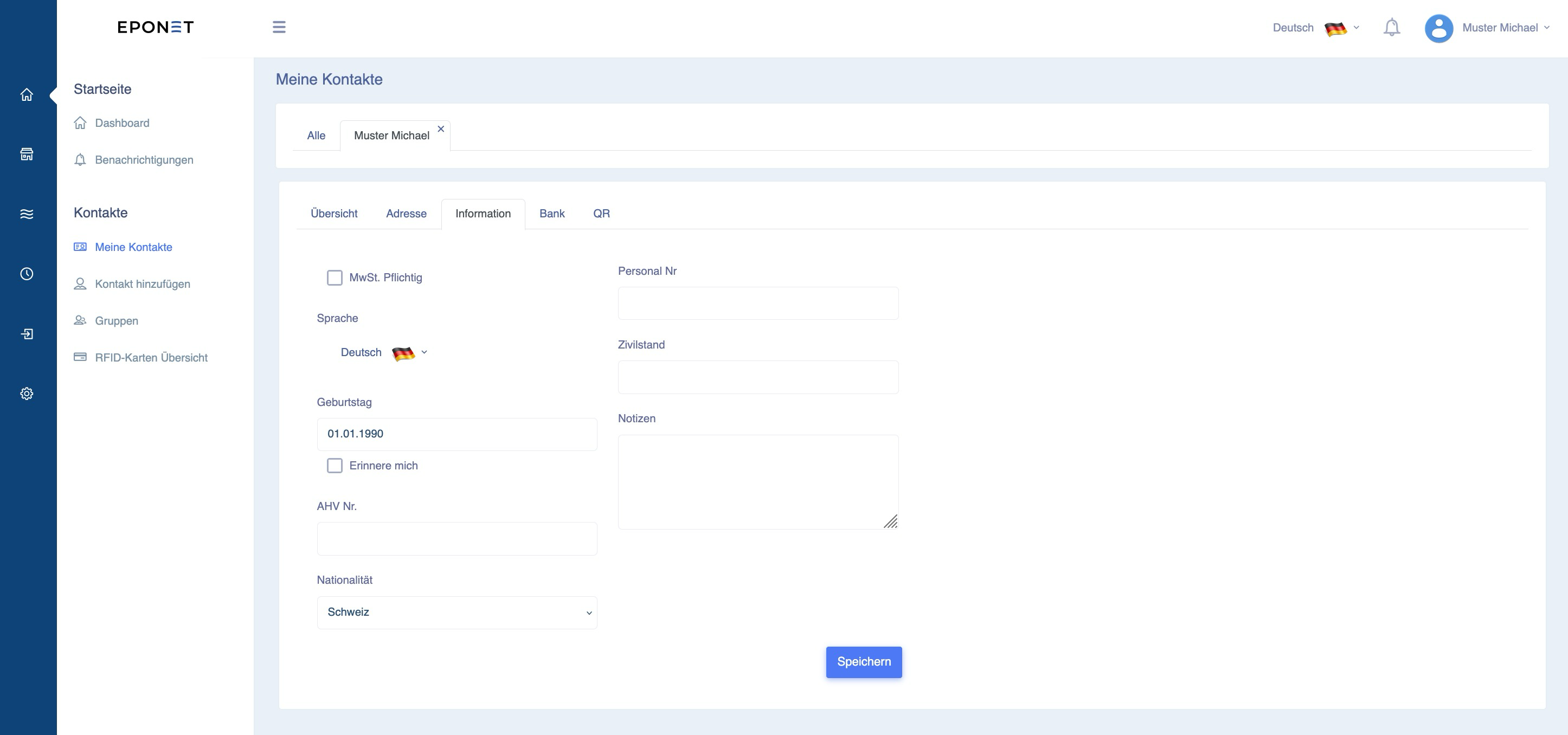
Under the "Information" tab, you will find various fields that are not relevant for ongoing operations, but are more of an informative nature. However, if you are subject to VAT, please be sure to click on this tab and enter your VAT number. This VAT number will then appear on the receipts:
Now might also be the ideal time to enter the data for payments. The following link takes you to the chapter "Pay out balance / Withdraw money" in the book "The Eponet Portal" – we recommend setting this up early on – of course, you can also do this at a later date.
To start the charging infrastructure, additional data such as the charging profile or RFID management are also required. All these functions are also described in the book "The Eponet Portal".
Once you have created the account and entered the data, inform the installation partner or third party so that you can continue with the account setup.