Eponet RFID reader for e-mobility
Do you have a charging station without an RFID reader? At Eponet, an OCPP charging station without an RFID reader can be retrofitted with an Eponet RFID reader device.
- Introduction to external Eponet RFID reader for e-mobility
- Adding an Eponet RFID reader to a charging station
Introduction to external Eponet RFID reader for e-mobility
Eponet offers an RFID reader in Edizio design. This RFID reader can be used in a variety of ways in the Eponet universe, for Eponet access control, Eponet TimeCatch time recording and now also as an RFID reader for charging stations without their own RFID reader.

Image: Eponet RFID reader in Edizio design
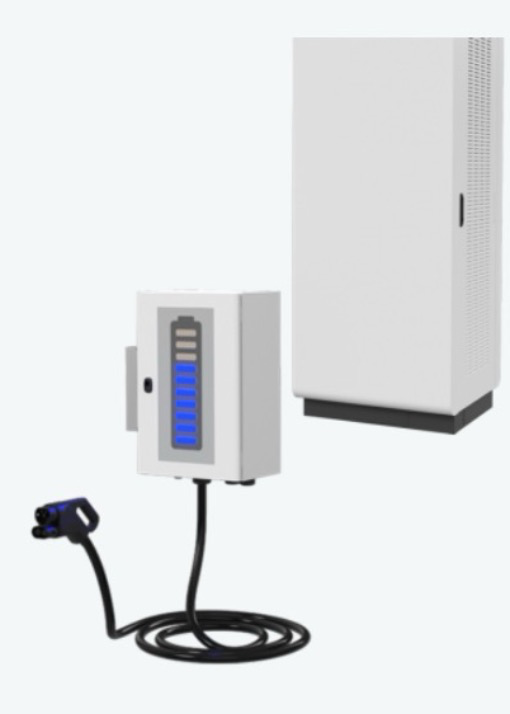
Image: Example of an EVTEC charging station without an RFID reader
The basis for use at charging stations is a dedicated Eponet EdgeServer as an RFID unit and a USR device server. Several RFID readers can then be connected to the setup (max. 1 RFID reader per charging station). The Eponet team will be happy to answer any questions you may have.
Adding an Eponet RFID reader to a charging station
Once the EdgeServer and the required USR Device Server are installed on site, you can register the corresponding Eponet RFID readers as follows.
First, follow arrows 1 and 2.
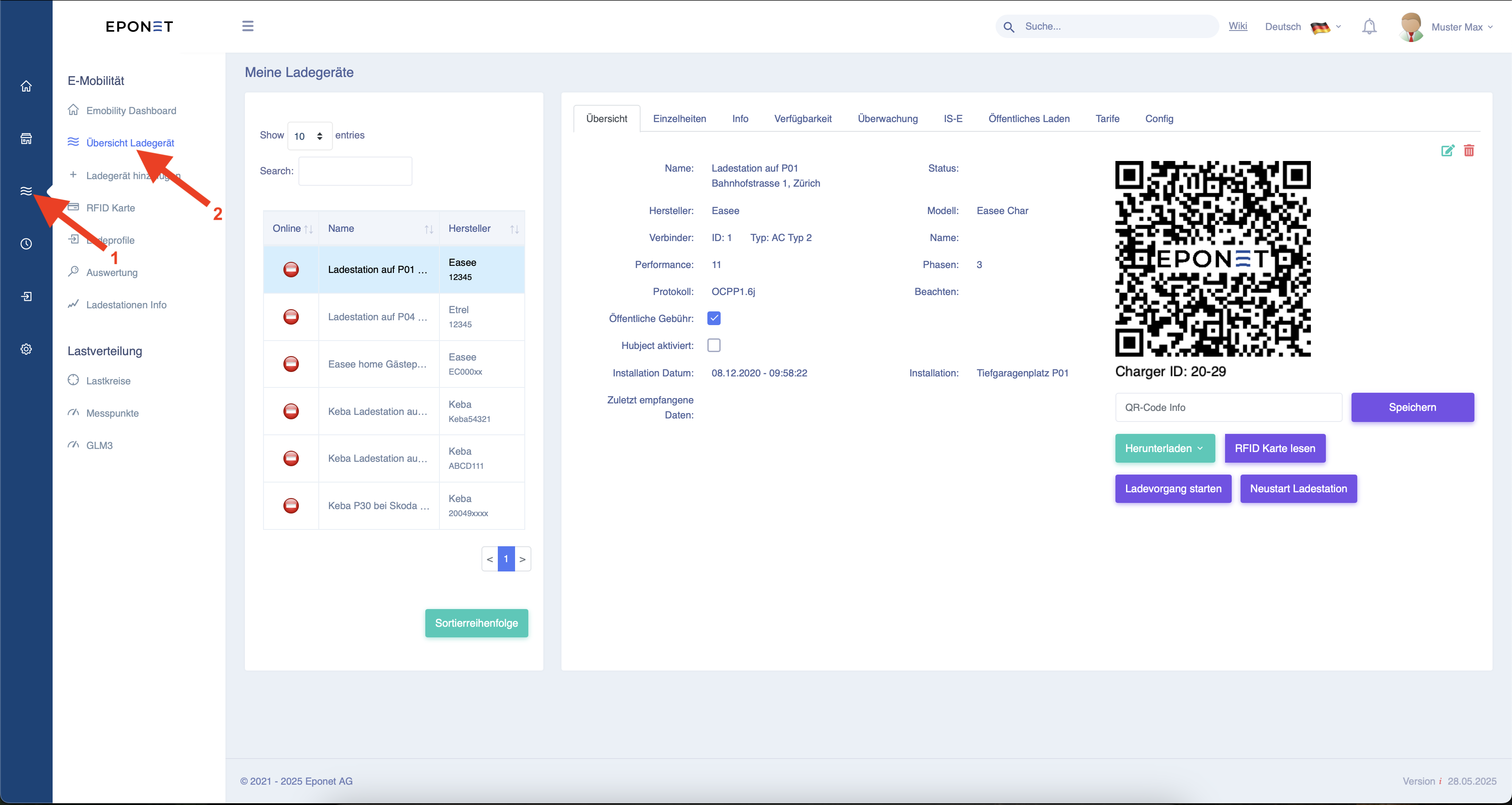
Now select the corresponding charging station and click on "Config" at arrow 3.
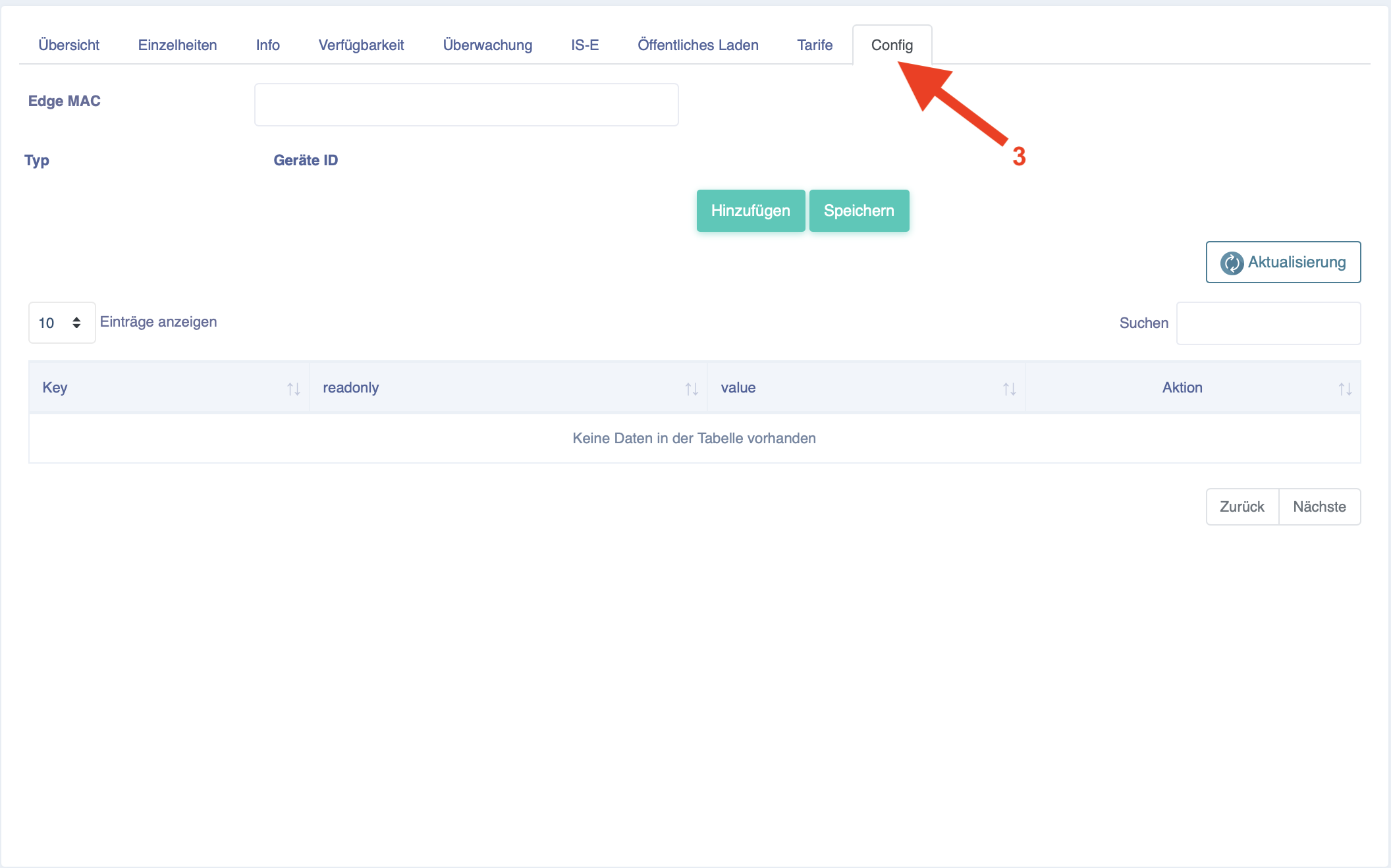
Now enter the Mac address of the EdgeServer for RFID management under "Edge MAC".

Now click on "Add" and enter the number that is manually written on the reader in "Device ID".
Confirm this by clicking on "Add".
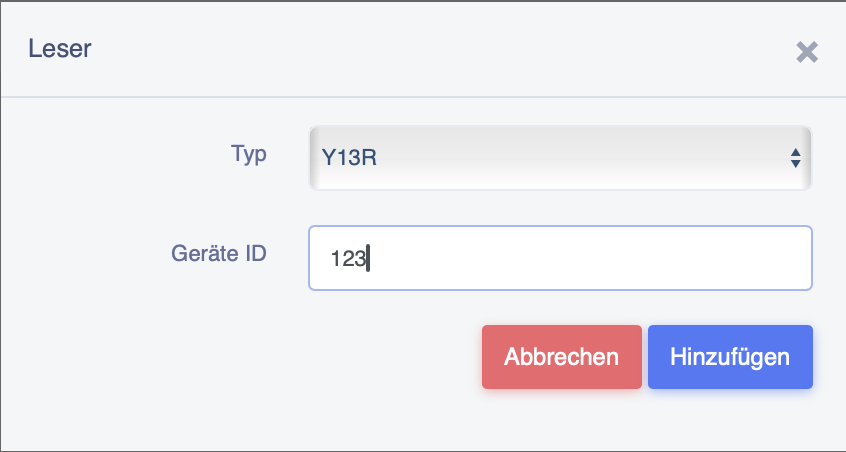
It should then look as shown below and you can complete the configuration for this charging station by clicking on the "Save" button.

A reader can only be used for one charging station and not for several!