Eponet Finanz und Transaktionsrapport
Der Finanz- und Transaktionsrapport ist in erster Linie ein Werkzeug für den Infrastrukturbetreiber.
Erstellen Sie einen PDF-Rapport mit allen Konto-Bewegungen über einen Zeitraum für einen Abschluss.
Sie finden die Funktion unter Einstellungen > Finanzen, dort wo Sie auch immer den Saldostand und all Ihre Kontobewegungen sehen.
Gehen Sie auf den Reiter Transaktionen. Hier im oberen Bereich sehen Sie die Rapport Funktion
Im Datumsfeld wählen Sie den gewünschten Zeitbereich.
Die grünen Buttons können Sie nach Bedarf anklicken:
- Transactions Details zeigt Ihnen die Konto-Bewegungen über den Zeitraum
- Public Details zeigt alle öffentliche Ladungen mittels QR-Code über den Zeitraum
- RFID Details zeigt alle Ladungen per eingeladene RFID-Karten
- Maschinen Details zeigt Abrechnungen von Maschinen (z.B. Waschmaschinen) per eingeladene RFID-Karten
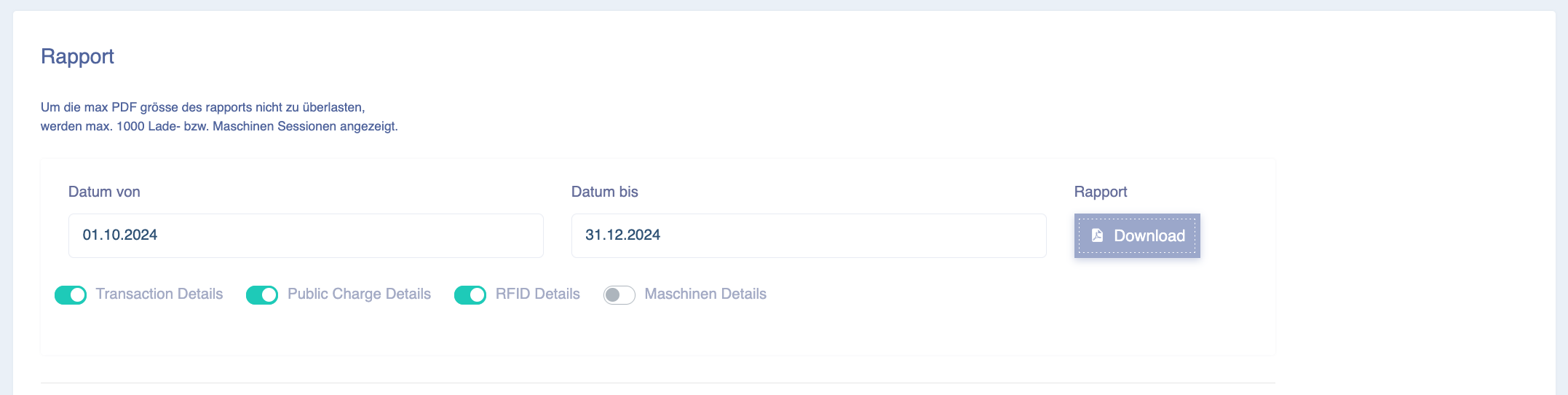
Mit dem Rapport Download Button wird das PDF generiert:
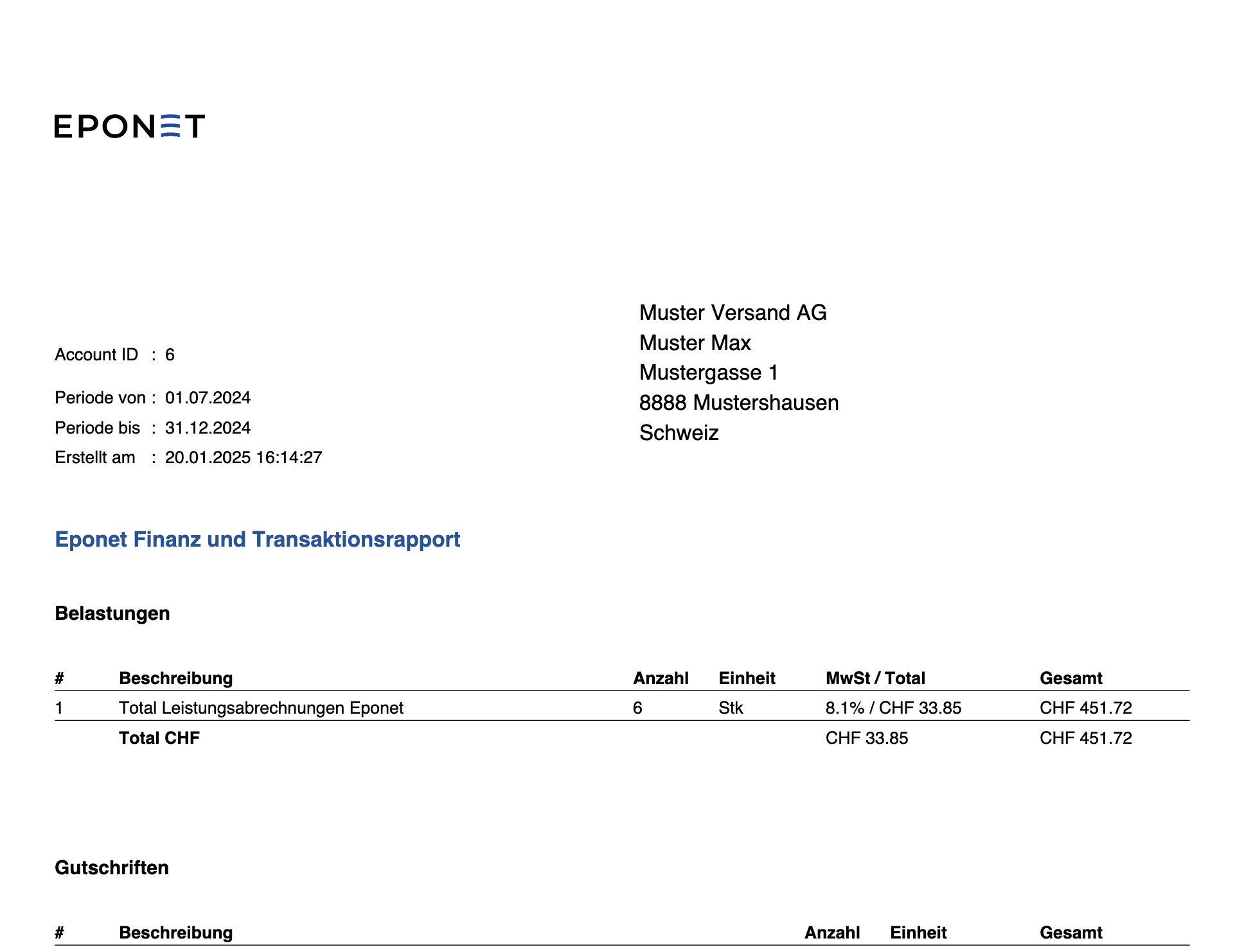
Bei der Erstellung des Finanz und Transaktionsrapportes werden immer auf die aktuellen Daten zurückgegriffen. Das kann zur Folge haben, dass wenn Sie Anfangs Juli einen Rapport für den Zeitraum 1.Mai bis 30.Juni erstellen, andere Daten enthalten sind als im erstellten Rapport für den Zeitraum 1.Mai bis 30.Juni wo Sie Ende Juli erstellt haben. - Wie kann das den überhaupt sein?
Ursache kann z.B. eine Ladestation gewesen sein, welche uns Daten verzögert nachgeliefert hat.
Hier eine Zusammenstellung der Möglichkeiten:
Wir sind uns bewusst, dass diese Abrechnungen in unserem Transaktionsrapport sehr transparent aufgebaut sind und auch aus mehreren Instanzen zusammengebaut werden. Daher entstehen folgende Themen:
- Die Ladestationen haben Ladungen welche Tagesübergreifend sind
- Dabei melden Sie je nach Produkt unterschiedliche Daten
- Einige Melden den Verbrauch nur über die gesamte Ladezeit einmal
- Andere Melden alle 2 Minuten und setzen dann für mehrere Stunden aus
- Wieder andere kumulieren ihre Zählerwerte und senden diese Daten sporadisch
- Manchmal werden Ladungen erst Tage später von der Ladestation gemeldet
- Wenn eine Ladestation Offline ist, kann dies auch verschiedene Möglichkeiten ergeben
- Sie melden die Daten nicht nach, Eponet muss diese abholen
- Melden die Daten konsolidiert nach und Eponet muss diese den einzelnen Ladungen zuweisen
- Melden die Ladungen nach einem Monat nach
- Es fehlen Zählerwerte die Zugewiesen werden müssen
Dies sind nur einige Beispiele, warum diese Daten in den Rapporten teils nicht ganz einfach zu erklären sind.
Aus diesem Grund geht unsere Software hin und schreibt Ihnen diese Daten gut welche zu diesem Zeitpunkt vorhanden waren. Werden Daten nachgeliefert oder Tages oder Monatsübergreifend nachträglich erstellt, werden diese am richtigen Ort hinzugefügt.
Damit die Abrechnungen am Schluss für Sie trotzdem stimmen, gehen wir den Aufwendigen Weg und Berücksichtigen von der Aufschaltung der Ladestation bis zum Datum des Rapports alle Ladungen, diese Werte werden mit den erstellen Gutschriften verrechnet und somit haben Sie ab Tag 1. der Aufschaltung des Ladepunktes die genauen Daten.
Zählen Sie alle Gutschriften zusammen (Transaktionsrapport) und auch alle Belastungen (RFID Transcations) stimmt dies ab Tag eins zusammen.
So haben Sie immer die Kontrolle, ob alles stimmt. Wenn Sie dies über die Einzelnen Ladungen tun würden, müssten Sie alle oben aufgeführten Punkte beachten, was unmöglich wäre.
Wenn Sie nun also die RFID Transaktionen im Konto mit den ausbezahlten Gutschriften vergleichen stimmt die Zahl überein. Es ist also nicht möglich die einzelnen RFID Transaktionen aus dem Rapport mit der Gutschrift zu referenzieren.